Tks the team for the logistics delivery, I receive my Zimaboard2 Smart Home Kit version.
Everythig looks good and I connected all stuffs together with my RTX 5080.
Inside the dashboard the ZimaOS seemed did not recognize the GPU (currently using Zimacube pro, inside the dashboard if there is a GPU, it should be show up)
So I enter the SSH mode and using “nvidia-smi”, see whether it can read the GPU but just did not show up
The result was “no device were found”.
I tried to disconnect all the stuffs including power supply.
So, you are saying that the PAID version 1.5.0 will not run my GPU that’s been out for a number of years, but if I go back to a BETA version 1.4.2 (and lose all of the updates, fixes, enhancements taking this to 1.5.0) is the solution? That doesn’t seem like the right way to go, especially if we’ve paid for it.
When will this be fixed for customers? Or, do you have a private beta 1.5.x I can install that supports my RTX 50XX series GPU?
Hello, is your ZimaOS still in version 1.50? We built a separate RTX 50XX series GPU driver package. If you wish, you can assist us in conducting a test.
To use this driver, please follow the steps below:
Enter SSH, log in and use sudo -i to switch to root user
Execute the following code:
cd /var/lib/extensions/
wget https://github.com/jerrykuku/staff/releases/download/v0.1.3/nvidia-open-kernel-575.51.02-linux-6.12.25.raw
systemd-sysext refresh
install-nvidia-kernel-open
If all of the above are executed correctly, you will be prompted to restart the system.
After restarting, please check whether the driver is working properly.
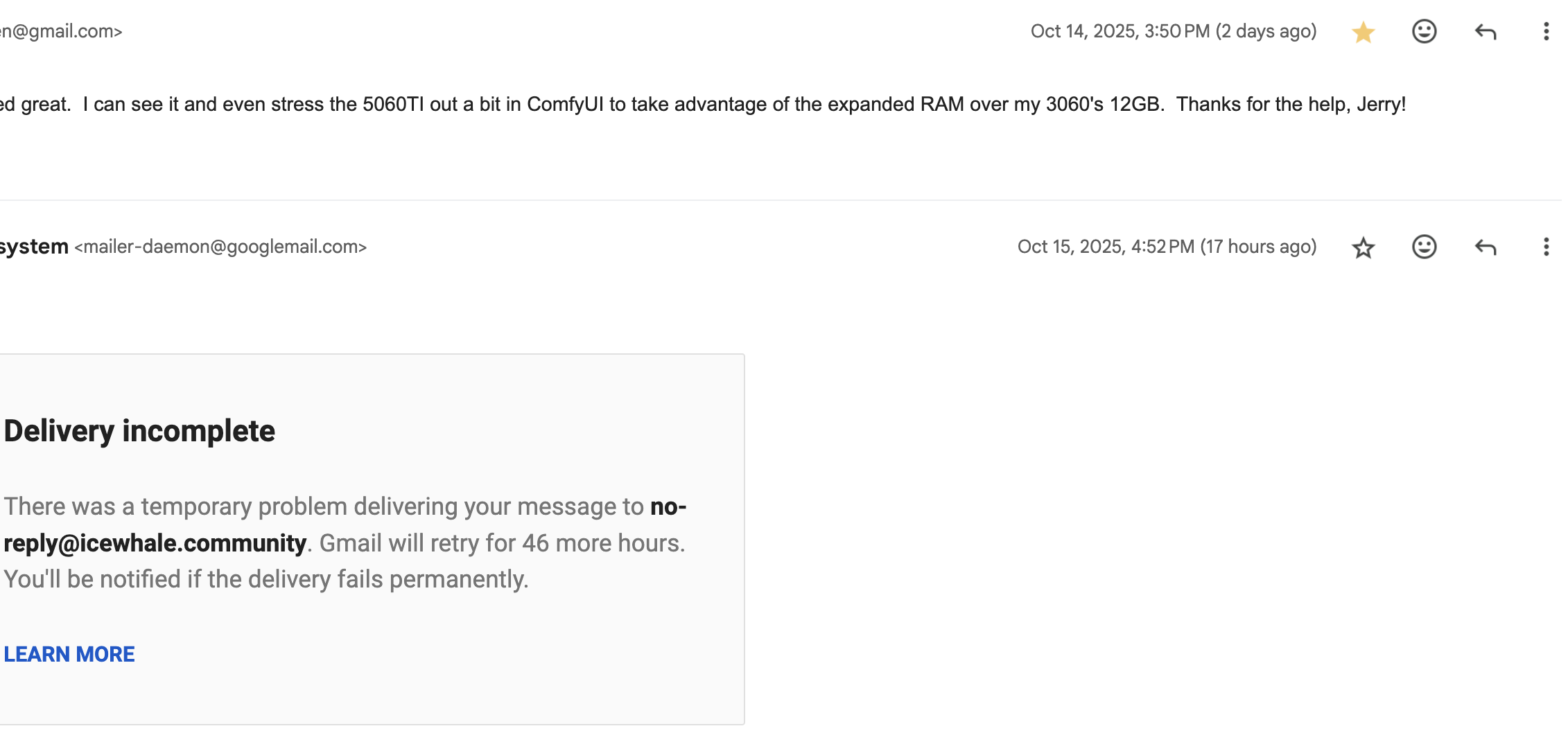
I sent this 2 days ago, but got a bounce back from Icewhale yesterday, so it looks like replies are intermittently failing:
“The new driver worked great. I can see it and even stress the 5060TI out a bit in ComfyUI to take advantage of the expanded RAM over my 3060’s 12GB. Thanks for the help, Jerry!”
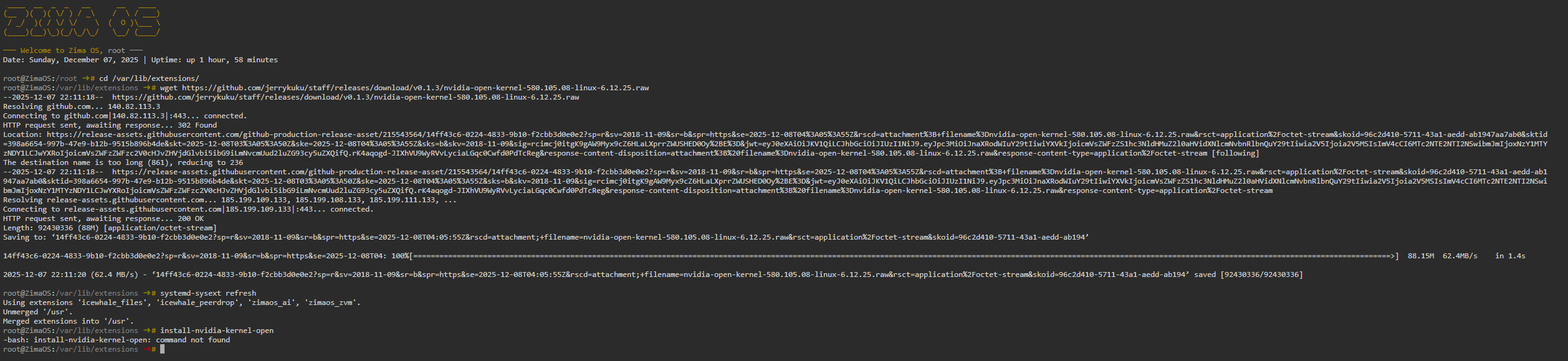
Hello, we recently updated the driver version of Nvidia, at the moment I’m not sure if the old version of the open source driver package is still driving normally, but anyway I prepared a new version, here’s how to update the version:
If you are already using the 575.51.02 driver, run uninstall-nvidia-kernel-open
If you are currently running ZimaOS version 1.5.3 and have not installed an older version of the Open kernel driver before, then directly execute the following code:
cd /var/lib/extensions/
wget https://github.com/jerrykuku/staff/releases/download/v0.1.3/nvidia-open-kernel-580.105.08-linux-6.12.25.raw -O nvidia-open-kernel-580.105.08-linux-6.12.25.raw
systemd-sysext refresh
install-nvidia-kernel-open
If any errors occur, I would like you to attach a screenshot of the error.
Please, can you help me, I’m trying to link up my ZOTAC NVIDIA GeForce RTX 5090 SOLID OC 32GB, with ZimaBoard 2, in the web gui of ZimaOS+v1.5.4, I can see “NVIDIA Corporation Device 2b85 (rev a1)” - but when running nvidia-smi via terminal - I get no devices found
Pls help me !