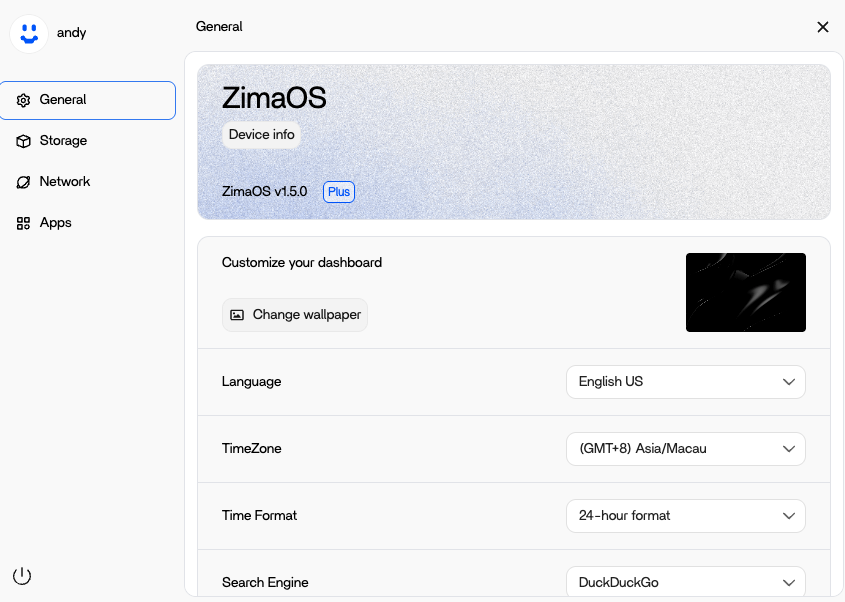
First of all, I know ZimaOS 1.5.0 Plus is already free for now. But… I have went ahead and purchased the lifetime license.
For a few different reasons, first to support the DEVS on this project, it’s awesome, 2nd, just to get it out of the way.
My question is, is there a spot to enter my registration code? Since it is free now, or already “registered” because it’s free for now, is this not an option yet?
I’m having the exact same issue. It displays Plus, but the limitations are still active.
Could you please test if you can create more than three users or use a fifth drive? For me, the disk restriction disappeared, but the 3-user limit did not.
First of all, thank you so much for your support — your encouragement truly helps us go further!
Now to answer your question:
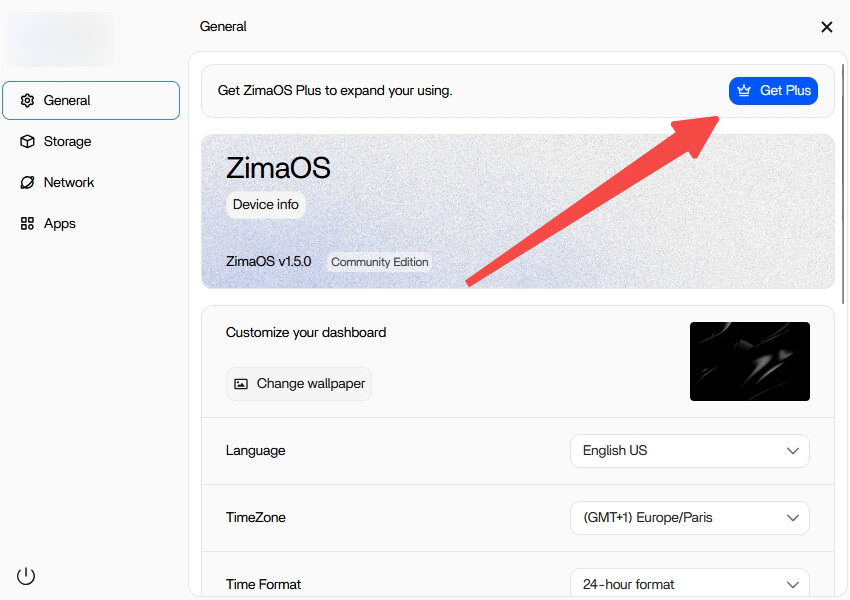
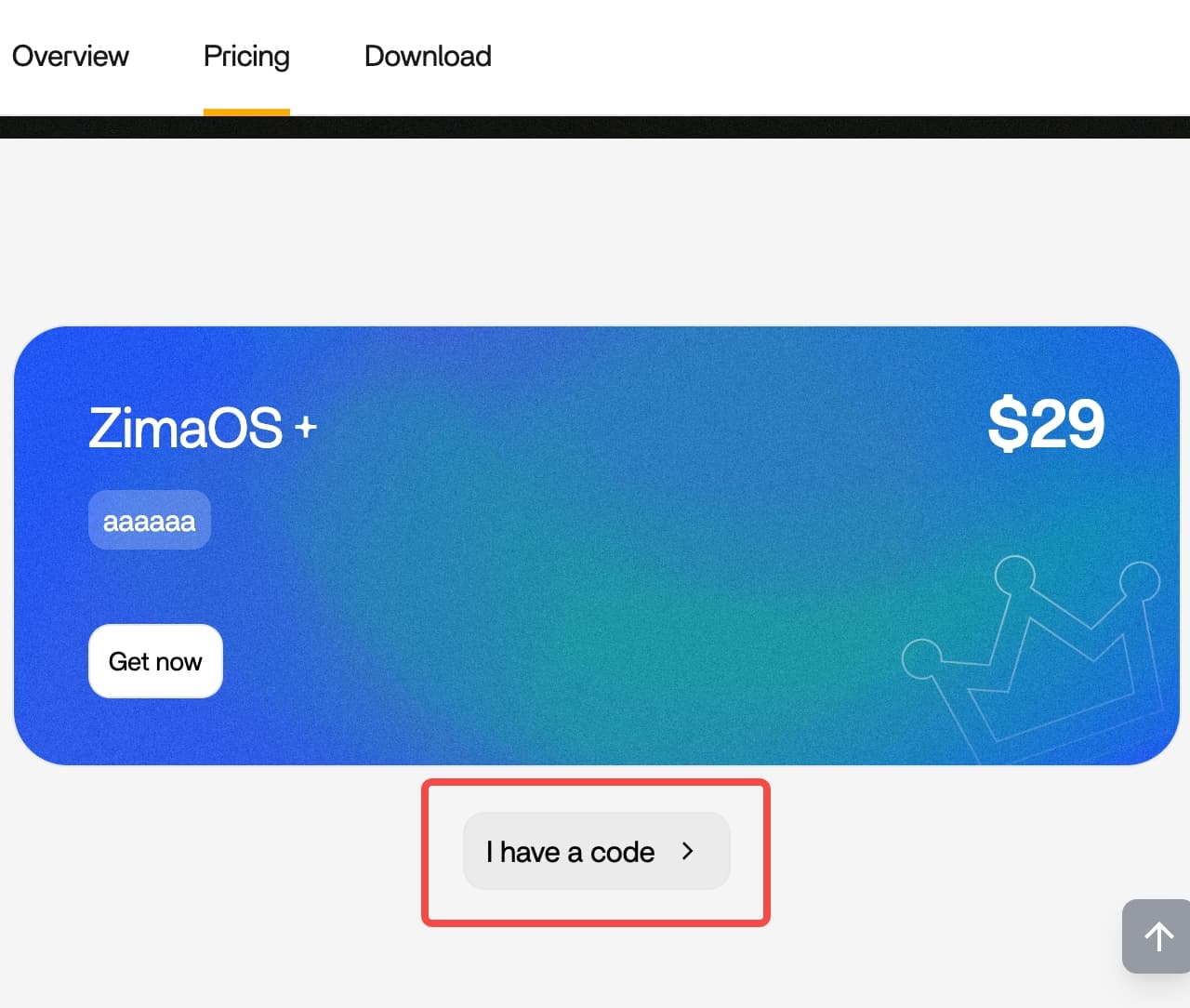
If you’ve already installed ZimaOS, you’ll see a “Get Plus” button in the settings page (as shown in the example). Click it, then choose “I have a code”, and enter your activation code there. The code is permanently valid once activated.
Please refer to the example images below for guidance.
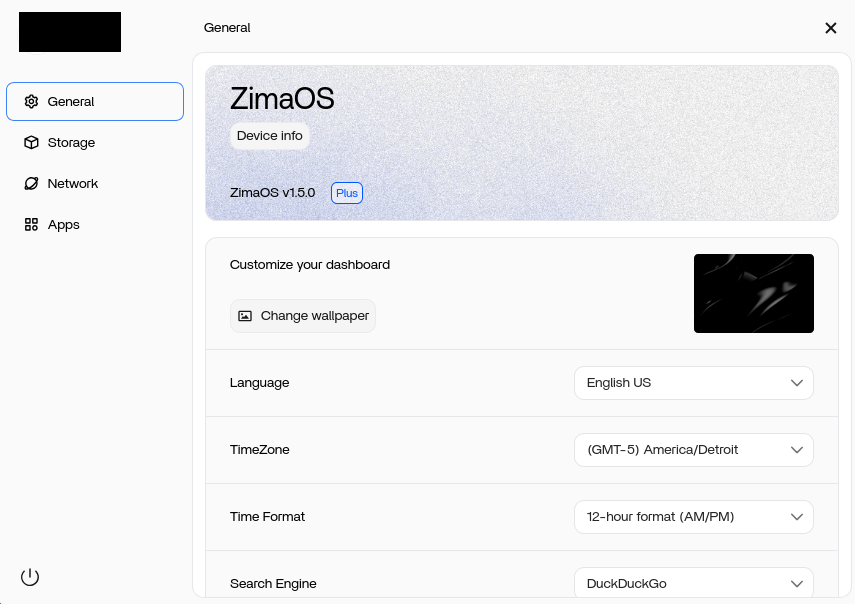
Hey Spider, thanks for the reply. I don’t have the options you have, I have attached a screenshot. I’m pretty sure it’s already the Plus Version. I was just wondering, If it is already the Plus Version, But I have a CODE, where do I enter it?
777-Spider showed where to enter the code if you dont have plus. You have plus, already. With Plus you dont have the „get plus“-button. Does it bother you that you cant activate it by code because it is already activated without?
From the screenshots you shared, you’re already a Plus user. According to the community announcement, anyone who upgraded from 1.4.x or earlier to 1.5.0 will automatically receive Plus benefits, so there’s nothing more you need to do on your side.
Regarding the license you just purchased, we completely respect your choice:
Keep the purchase: you can use it on another device, or simply treat it as your support and recognition—we’re truly grateful It might be lunch money, but it will get us further.
Request a refund: that’s absolutely fine as well. I’ll handle it according to your preference.please contact with shop@icewhale.org
Enjoy using ZimaOS, and thank you for your encouragement and support for ZimaOS / IceWhale!
You are also welcome to give us more suggestions!
Not sure how to reply to this, as it’s in a text format, and I don’t want anyone to read it wrong.
But, my original post says, I already realize it’s free etc, I know I am running the PLUS version, I went ahead and purchased anyway, to support the project, and the Devs, and for my piece of mind, to get it out of the way.
I just wanted to know, was there a place to enter MY registration code, now that I have one.
I think I have the same issue, definitely I am still a free user and I want to purchase plus license to extend my hard drive… however, I cannot find a place to key in the license and my page is shown as below, same as @MjTech, please help me to troubleshoot it. Also, actually I cannot login to purchase the license too (since 18 hrs ago), is there anyone have the same issue as mine?
Hello, the problem is still not fully understood. It shows “Plus,” but when you try to create a fourth user, an error appears — the fourth user cannot be created. As I mentioned before, I had the same issue with the fifth storage. The “Get Plus” button appeared, but when I clicked it, I was redirected straight to the ZimaSpace website. I hadn’t installed ZimaOS before version 1.5.
Depending on how far you have progressed with your configurations, I would be curious to know whether the effect also occurs when you install 1.4.1 and then update to 1.5.
Its weird I have been using zimaOS from the very start and after I upgraded from zimaOS 1.4.x to 1.5.0, (I upgraded from a beta version), I still got the ‘Get Plus’ button, meaning I am still in community mode.
I think the v1.5.0 still have some bugs / issue on the licensing… hope the product team ack the case and provide us some update on it… by the way, do you have any network configuration showing on your Network tab? as I got nth and I cannot see the network interface configuration…>_<"
I think I have get it resolved. The flash install of 1.5 seems will likely give us the situation (not a plus user but showing we are, sometimes may wipe out the Ethernet config like me), what I did is to reset the system, don’t worry, the data won’t go away, just the setting and container apps do… After you reset it, you will be able to see we are in community version and we can buy for the + option. To my case , I can see my Ethernet config back to UI page… You may give a shot to try
If all of the settings and container apps are gone, I think this is not a good idea for me because I spend a lot of time installing and configuring the system and the apps.
Actually all of your apps config should be stored if you are running docker compose, so you may not need to resetup everything, your data will still be there


 It might be lunch money, but it will get us further.