Getting incorrect path when try to access some folders
same here bro here goes the whole server lol the definitely should focus on getting full machine backups lol or a nice roll back system, restore points ya know
Server crashing left and right dude broke fileflows do to the same stuff that broke the file explorer
Thanks for your feedback. In this version, we have improved the security of file link access to fix the path traversal issue. Can you list which folders are inaccessible? We currently know that AppData is inaccessible
After testing 1.6.2-beta1, I decided to roll back to the previous version.
On my system, the Files app was not working correctly. Copying and pasting files was significantly slower than before, so for now I chose to stay on the stable release.
However, I have one concern regarding the release strategy.
The release notes mention fixes for high-severity security vulnerabilities. In my opinion, security fixes should not be available only in a beta release. New features, UI improvements, kernel upgrades, and other enhancements are understandable for a beta, but critical security patches should also be released as a separate stable hotfix (for example, 1.6.1.x) so that users can protect their systems without having to install beta software.
Security updates and feature updates serve different purposes, and I think they should be delivered separately whenever possible.
I’m interested to hear the team’s thoughts on this approach.
2 Likes
I confirm AppData is unavailable and this is the problem.
Hello everyone, today we will be releasing version 1.6.2-beta2 to fix the issue of the App Data folder being inaccessible.
1 Like
Hi isanto1306,
Thanks for your thoughtful feedback—we really appreciate it.
Security is our top priority. We’re significantly expanding our security efforts, including more comprehensive vulnerability scanning and security auditing across the entire system.
We also completely agree with your suggestion. The team is actively exploring a security hotfix mechanism that would allow us to deliver critical security patches independently of feature releases. Our goal is to push important security fixes seamlessly to users, without requiring a full version upgrade or waiting for the next major release.
Also, a quick update: later today we’ll be releasing ZimaOS 1.6.2 Beta 2, which includes a fix for the issue preventing access to the App Data folder.
Thanks again for raising this. We believe it’s the right direction, and we’re actively working toward it.
1 Like
Thank you for the detailed reply.
I’m glad to hear that the team is already working on a dedicated security hotfix mechanism. I think that’s the right approach, especially for users running ZimaOS in production environments.
Separating critical security patches from feature releases will make it much easier to keep systems secure without the risks that can come with beta software.
I appreciate the transparency, and I’ll also give Beta 2 a try when it’s available.
2 Likes
By the way, you mentioned that “Files” isn’t behaving normally. Could you describe the specific scenario where you were copying and pasting? I tested cross-drive file copying speeds in “Files” and didn’t observe any slowdowns.
Thanks for looking into it.
The slowdown I noticed was when copying and pasting folders between my storage drives using the Files app. The operation started, but it felt noticeably slower than on ZimaOS 1.6.1. I didn’t measure the transfer speed, so this is based on my observation rather than benchmark results.
It’s possible that the issue was related to the Files app initialization problem that has now been fixed in Beta 2.
I’ll install Beta 2 and repeat the same test. If the slowdown is gone, I’ll let you know. If I can reproduce it, I’ll try to provide more detailed information about the exact scenario.
I tested Beta 2, and the issue I experienced with the Files app appears to be resolved.
I copied several files between my storage drives, and the copy/paste operation is now working normally again. I no longer notice the slowdown that I experienced with Beta 1.
Thanks for the quick fix!
I did notice one small UI issue in Dark Mode: the USB device icons have very low contrast and are difficult to see compared to Light Mode. I’ve attached a comparison screenshot.
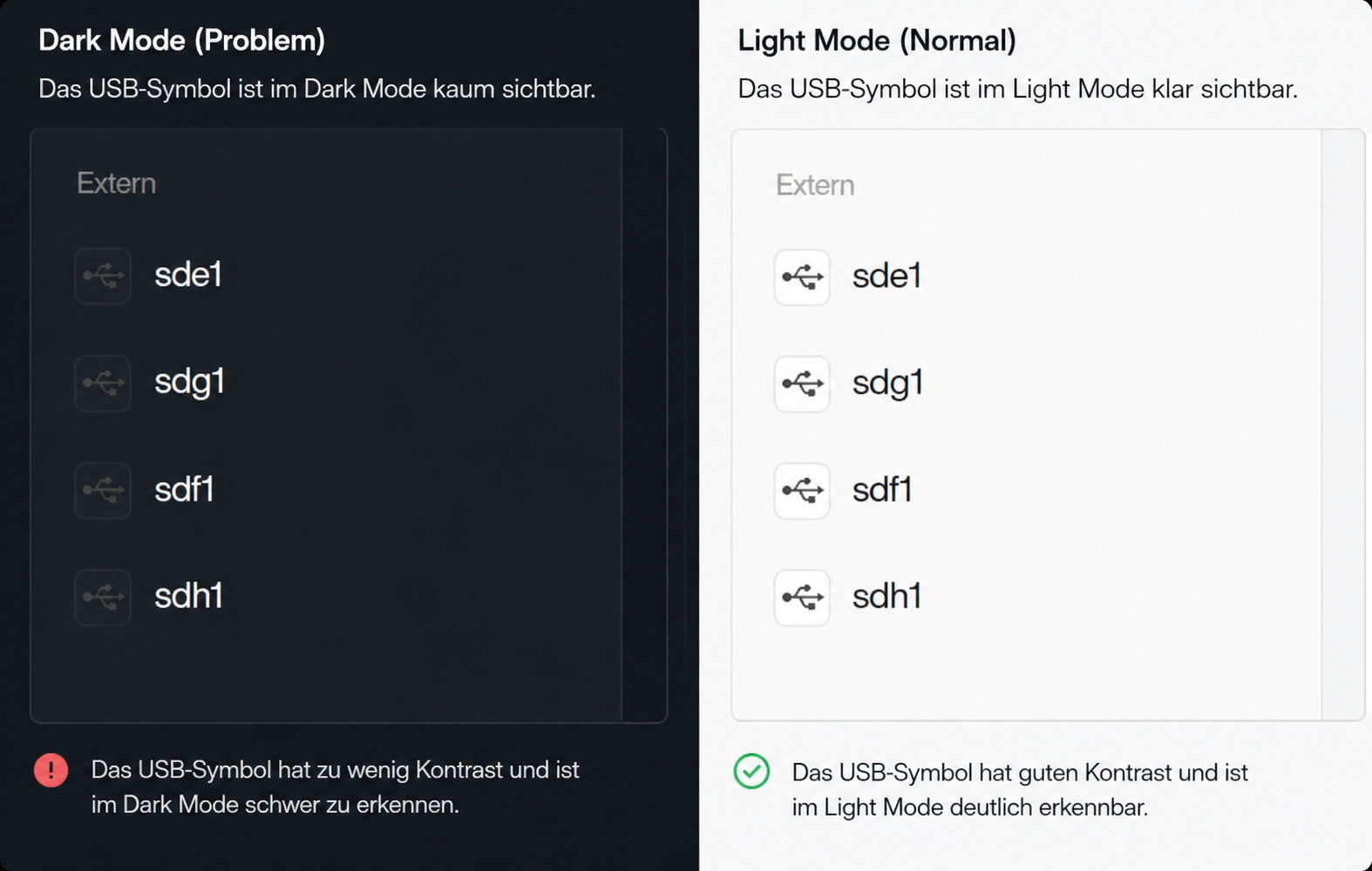
I found another small UI issue in Beta 2.
In the Files app, when a file with the same name already exists, the warning message is almost unreadable in Dark Mode because the text color has very little contrast with the yellow background.
In Light Mode, the same dialog is displayed correctly and the message is easy to read.
I’ve attached screenshots of both Dark Mode and Light Mode for comparison.
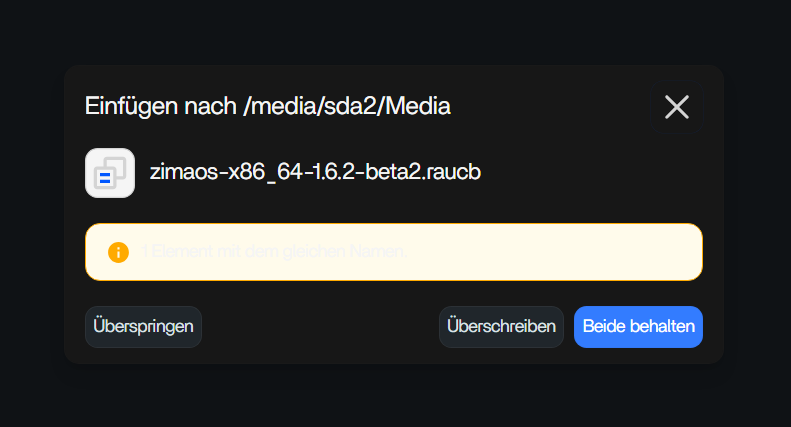
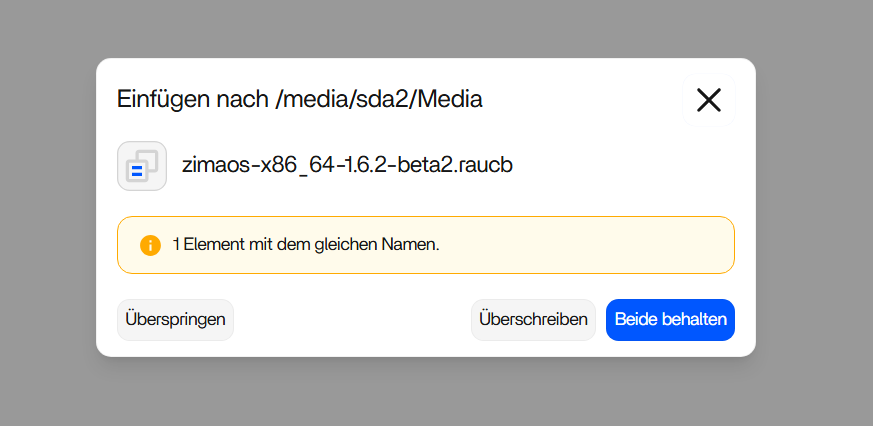
1 Like
Thank you so much for your feedback! I will pass it on to my team!
I rebooted my system to verify whether this was just a one-time issue, but the same warning appears after every reboot.
Evidence:
● casaos-every-boot.service loaded failed failed CasaOS every boot
Since this happens consistently after each restart, it may be a regression in Beta 2. I’m not sure if it’s only a false status report or if the service is actually failing, but I wanted to report it.
I found another issue in Beta 2.
The ZimaOS-HD entry at the top of the Files app seems to cause a problem. Previously, if I removed this entry, I could access the Media folder without any issues.
In Beta 2, this no longer works and I get an error instead.
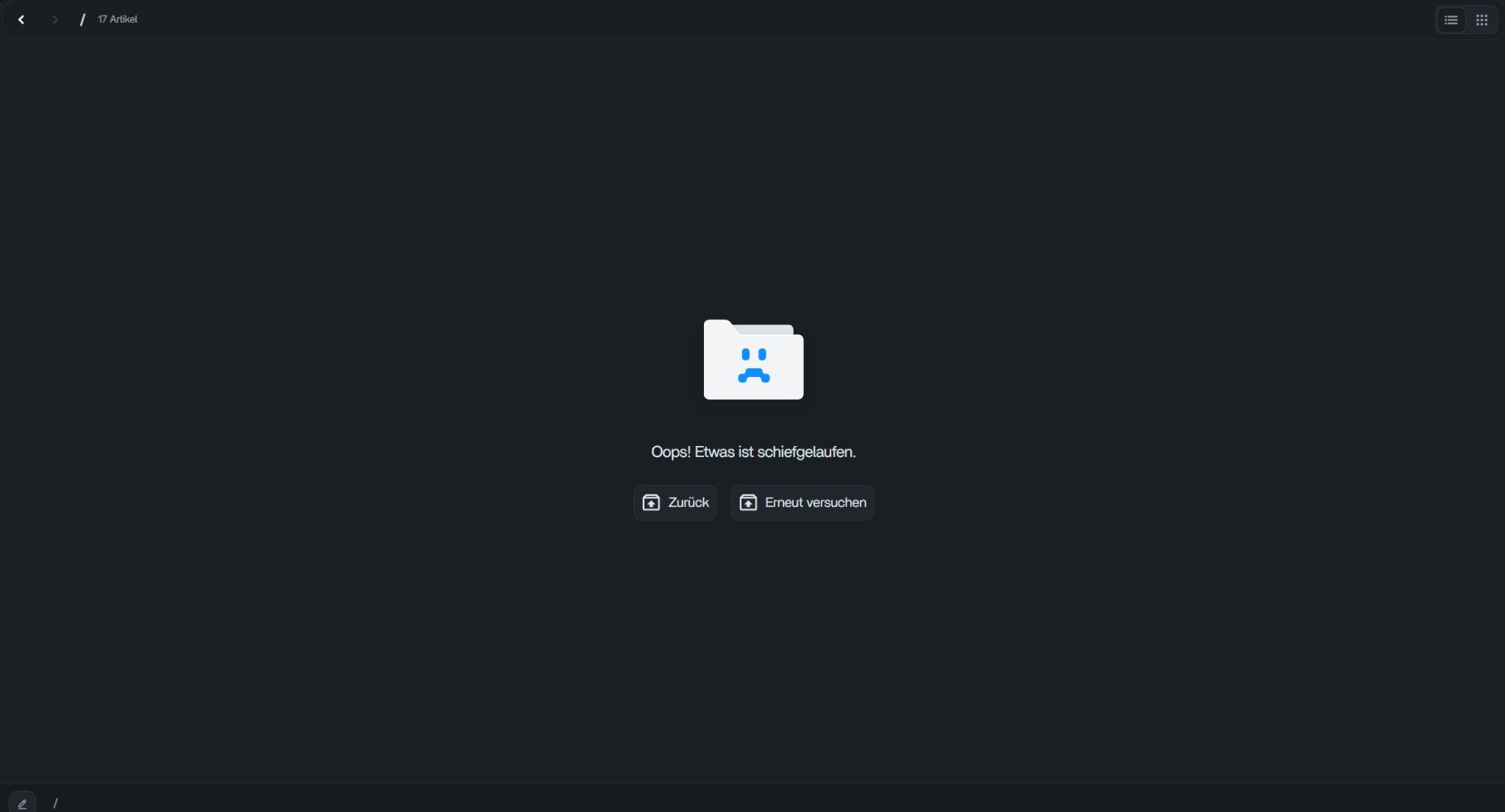
All folders
I found another issue in Beta 2 related to Favorites in the Files app.
I have several folders pinned under Favorites.
I removed one of them (“Documents”) as a test, and that worked correctly. I was also able to add it back to Favorites.
However, when I try to reorder the Favorites list by moving the folder, the operation fails with the message:
“This request was blocked by the security policy.”
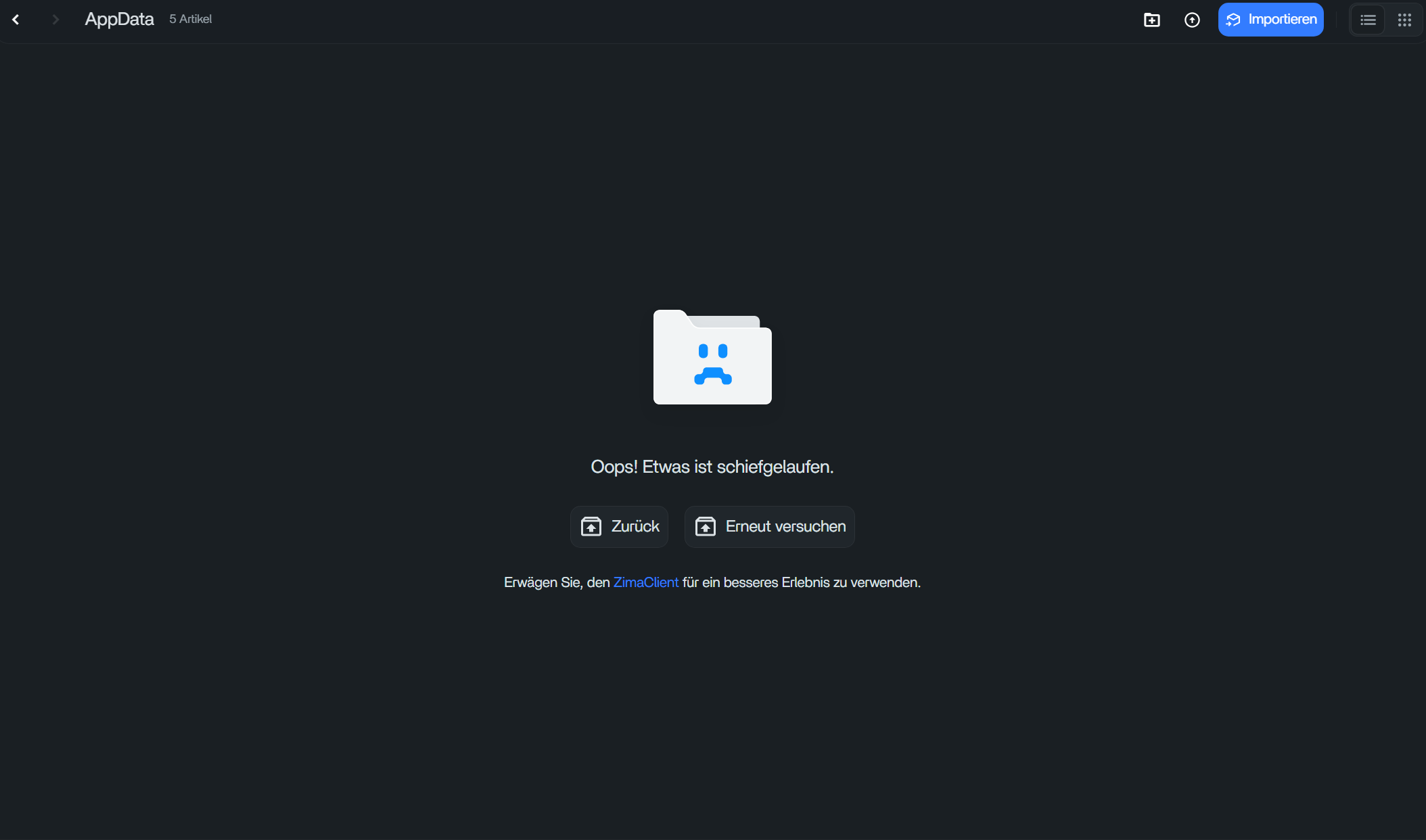
The same error also occurs when I click the three-dot menu for the AppData favorite. After that, the Files app shows the error page with the message:
“Oops! Something went wrong.”
It looks like several Favorites operations are being blocked by the same issue.
I’ve attached screenshots.
After upgrading to 1.6.2-beta2, is this still the case? If you can provide screenshots of error reports, it can help us locate the problem more quickly
Thanks for your feedback. Could you provide more information to ensure I haven’t left any information? I tried to reproduce but failed
Here’s how I do it:
- The unstar “Documents” folder
- Reopen the star “Documents” folder
- Adjust the order of the Starred folder
Thanks for your feedback. We will fix this issue in the next version. By the way, we want to understand what you usually do when accessing the /media directory, since currently you cannot create or delete folders in the media directory