Hello,
I can’t run tailscale.
App installed, link to add device, ok…but never connected (no green point in admin devices tailscale)
I have a ZimaOs Plus license, but if i can’t run Tailscale is a BIG problem.
I have three Zimablade running, Two with CasaOs and tailscale running.
The third with ZimaOs and impossible to run tailscale, and is very important for me.
Thanks.
Sorry I might not be much help, but I can confirm that I have migrated to Zimaos 1.5 and my Tailscale is working. Did you happen to confirm if your Authorization Key is correct? You may want to try to update that and see if it works.
Good Luck
Many thanks !!
Can you send me any link or tutorial?
Best regards.
In the App Store install the one circled. That is the only one I have been able to get to work.
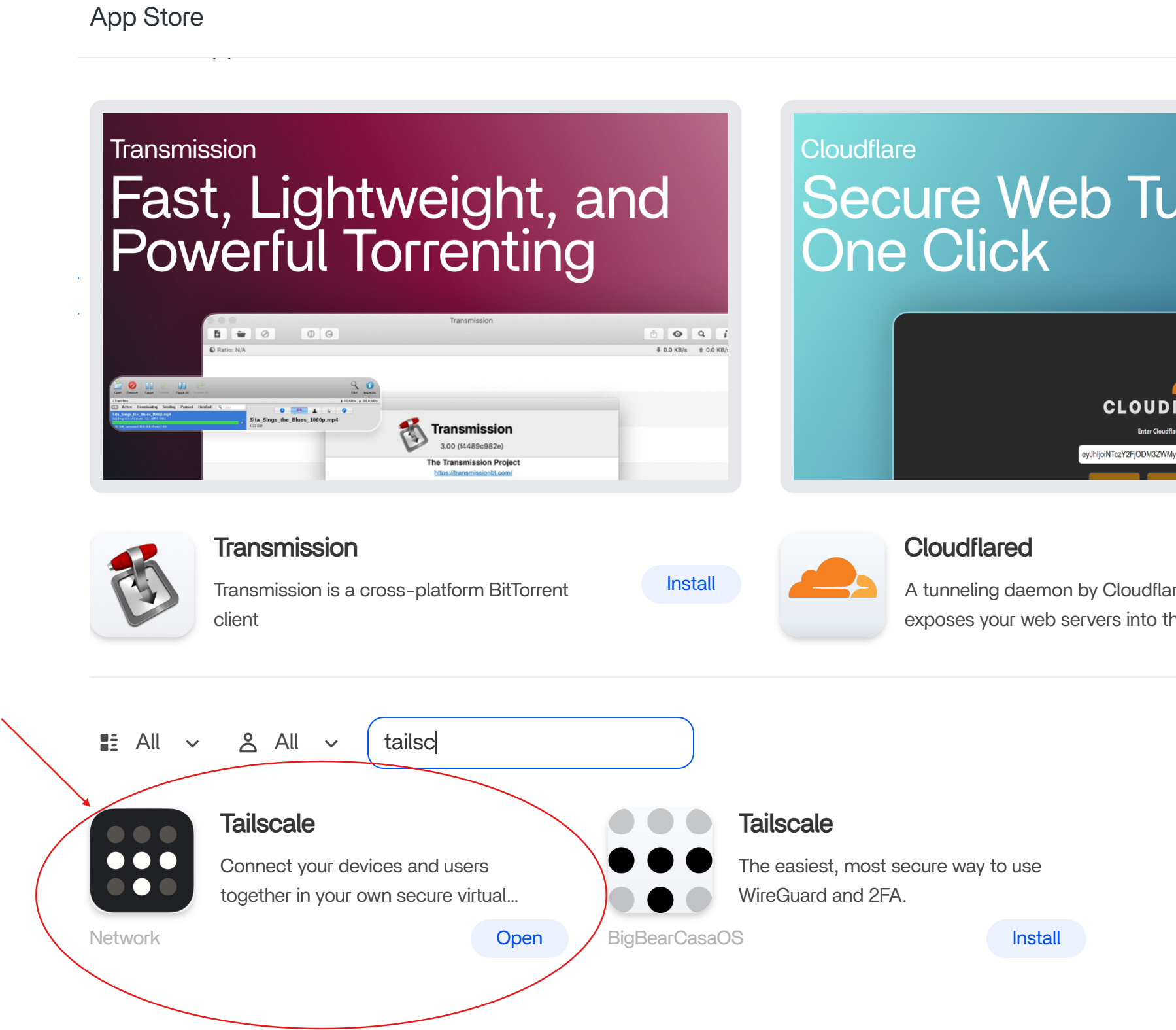
Once installed I had to change the Web UI to what is shown below:

Then go to Tailscale get the Authorization Key. This then needs to be update in the field to the right

I hope this helps. Sorry I am still learning so I have gone through a lot of trial and error
 You are de Boss !!!
Many thanks, friend !!!
Thank you for the excellent tutorial. It got me most of the way, however I needed to do another step.
I had been running Tailscale for a couple of months, without issue, then it seemed to stop. I tried updating, rebooting, and the tutorial above to no avail. I also tried deleting and reinstalling the app as stated above.
What finally got my Tailscale working was to delete the app, and then go into the ZimaOS-HD/AppData directory and delete the folder “tailscale”. Maybe I should have known that, but I am new to the linux scene.
I then reinstall the tailscale app from the appstore, and then follow the tutorial above. That worked first time. I hope this helps.