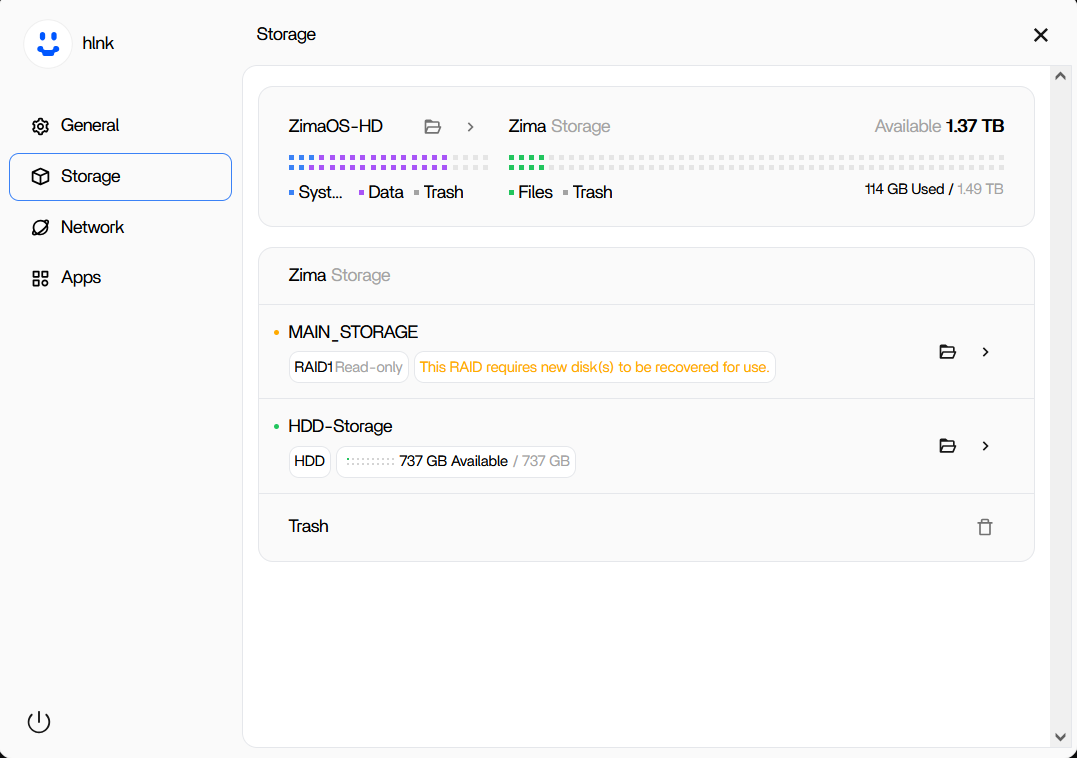
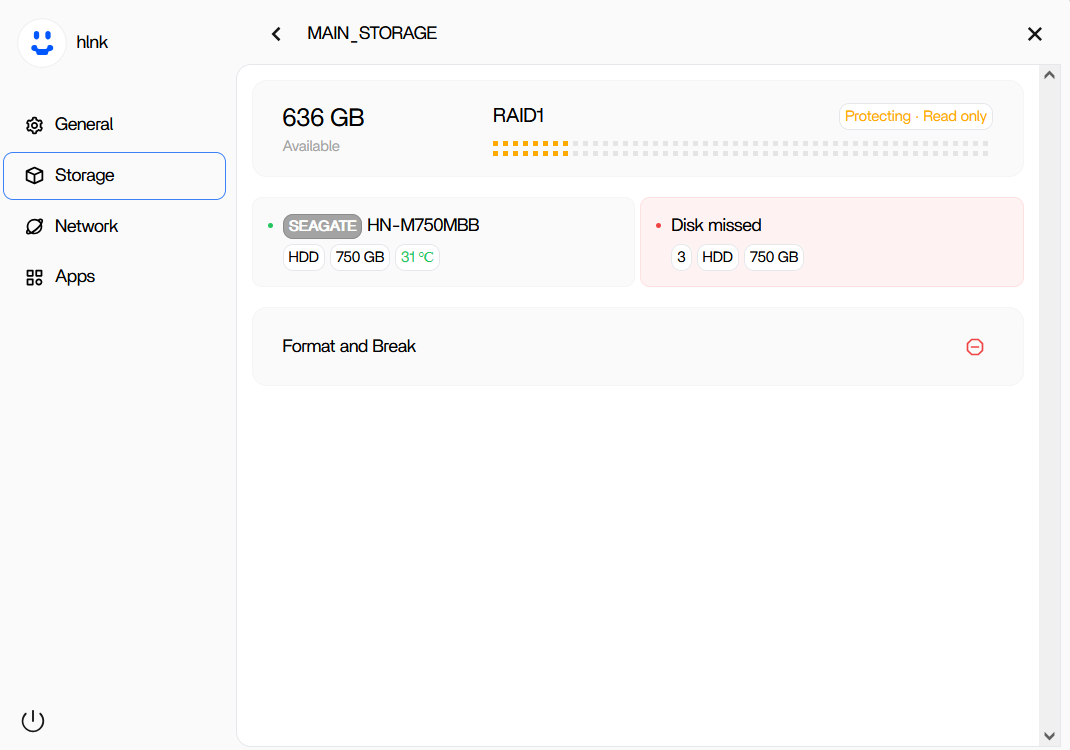
I have a ZimaBoard with ZimaOS installed. I initially made a setup based on RAID 1 with two 750GB disks. One of them failed, so it entered recovery mode.
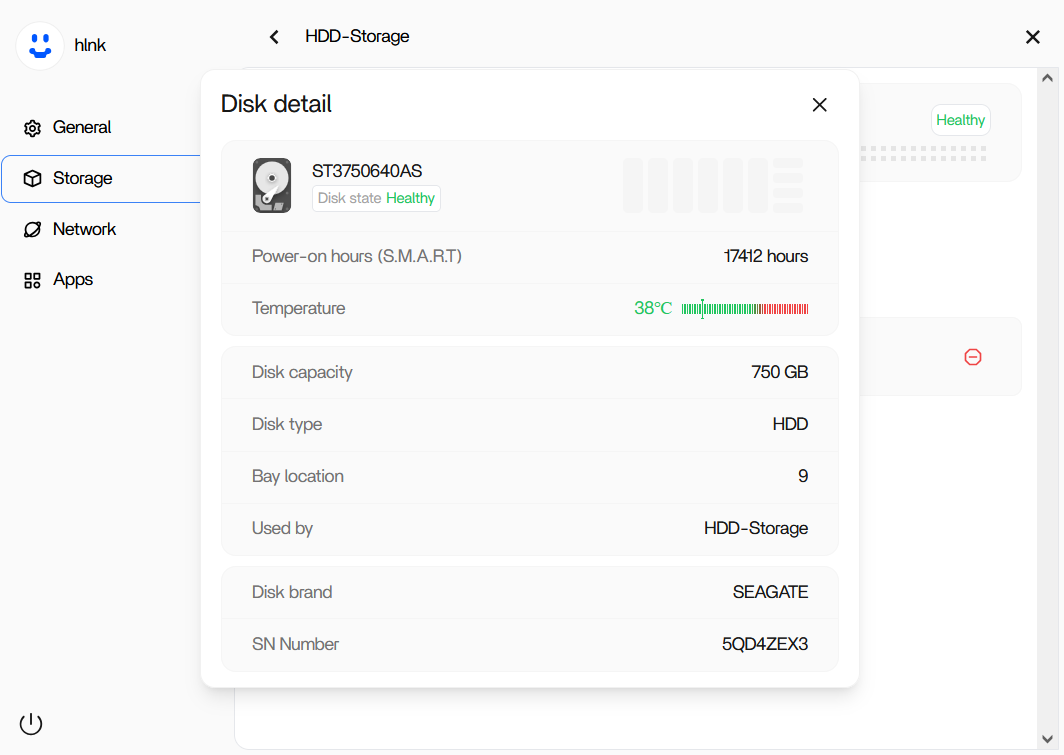
I bought another 750GB HDD to do RAID recovery and connected it to the machine, it is correctly detected as a separate drive, but ZimaOS won’t give me an option to start recovery and add it to the existing RAID.
MAIN_STORAGE is the RAID disk and HDD-storage is the newly added drive.
I have already formatted the new disk, and I see a recovery start option on other threads related to this issue but I don’t see any of that here.
I have an identical issue. It seems the only difference is that my array is of two 2 TB disks. I too have replaced the bad drive with a new one. I have updated to v 1.4.2 b1. I appreciate the new Create Storage tool, but the Combine section doesn’t include joining with the existing disk in the array. I would be nice to have a documented procedure for repairing an array.
# In some cases, you need to switch to root
# You may need to type the password again
sudo -i

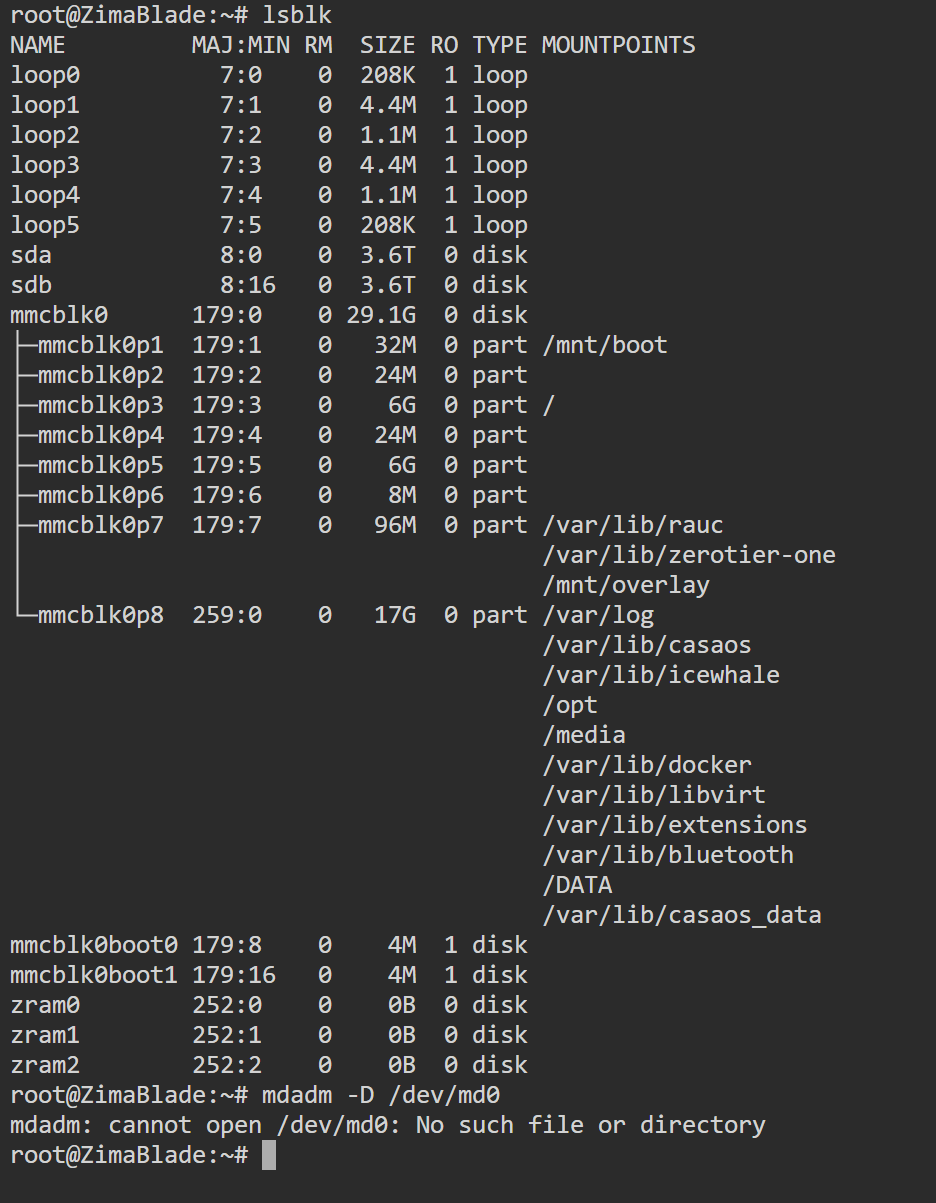
lsblk
# lsblk output...

mdadm -D /dev/md0
# mdadm output...
so, after all this time you found a way to recover a raid 1, otherwise I will be forced to say goodbye to zimaos,
it seems like a joke that something so important at the base of a server is not implemented,
I urge everyone to change their server’s operating system as soon as possible!
Sorry for the inconvenience, but like you, we believe data loss is unacceptable.
Therefore, we will spare no effort in both feature development and engineering support. And I’m happy to report that version 1.4.4 will provide a more comprehensive RAID 1 repair process. Please continue to provide us with timely feedback so we can improve your product experience!
Sorry for not reaching out earlier. I messed around with var/lib/casaos until I couldn´t get it fixed. I am happy to get through CLI commands to repair the Raid1.
No, I was asking you to please help me to find a day to repair raid1. I was saying that if needed and you know a way i am trying to follow your instructions, even if technically difficult. Let me know what you need. Thanks.