Hello guys,
I got a problem like this one Problems with Upgrades to 1.3.2/1.3.3 and Partition Slot, but with other facts,
I’m installing ZimaOS on a QNAP TS677 with 62GB of RAM and a RAID of 4 drives, including an SSD (with the OS installed on it).
After upgrading using OTA, the device restarts with an error: Slot B is corrupted.
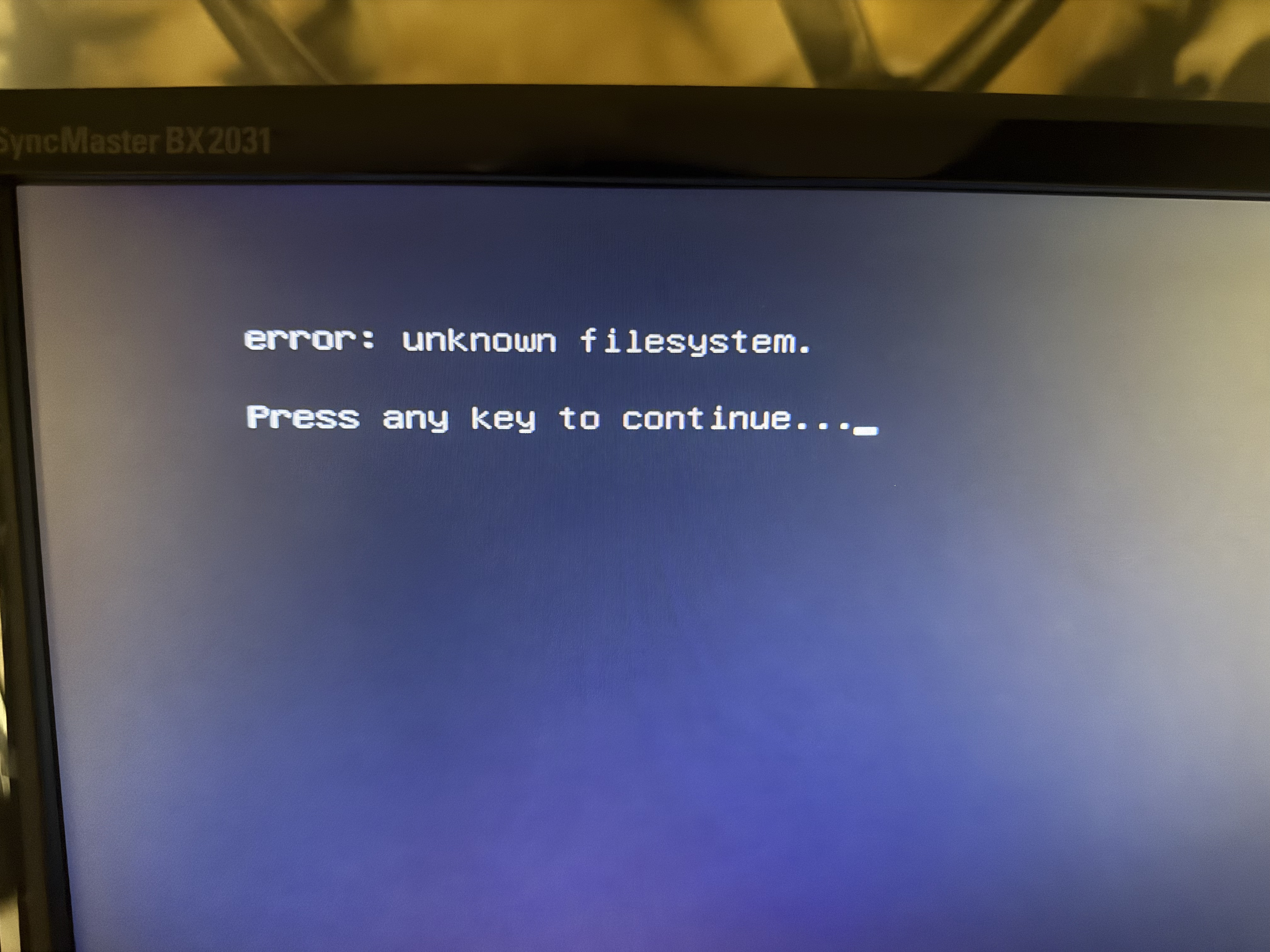
i logged back with slot A and rauc status is :
=== System Info ===
Compatible:  zimaos-zimacube
Variant:
Booted from: kernel.0 (A)

=== Bootloader ===
Activated: kernel.0 (A)

=== Slot States ===
  [boot.0] (/dev/disk/by-partlabel/casaos-boot, vfat, inactive)

⏺ [kernel.0] (/dev/disk/by-partlabel/casaos-kernel0, raw, booted)
      bootname: A
      boot status: good
    [rootfs.0] (/dev/disk/by-partlabel/casaos-system0, raw, active)

○ [kernel.1] (/dev/disk/by-partlabel/casaos-kernel1, raw, inactive)
      bootname: B
      boot status: bad
    [rootfs.1] (/dev/disk/by-partlabel/casaos-system1, raw, inactive)
fstab
root@ZimaOS:~# cat /etc/fstab
/dev/root / auto ro 0 1
root@ZimaOS:~# cat /mnt/overlay/upper_etc/fstab
cat: /mnt/overlay/upper_etc/fstab: No such file or directory
Then I performed a Terminal upgrade, and it says it is successful, with no luck.
curl -fsSL 'https://ota.zimaos.com/' | sh
root@ZimaOS:~# curl -fsSL 'https://ota.zimaos.com/' | sh
[INFO] ZimaOS upgrade script starting...
[INFO] Current version: 1.5.0
[INFO] Current channel: stable
[INFO] Getting latest version for channel: stable
[INFO] Target version: 1.5.3
[INFO] Starting system upgrade...
[INFO] Attempting download (try 1): zimaos-x86_64-1.5.3.raucb
######################################################################## 100.0%
[SUCCESS] Download successful: zimaos-x86_64-1.5.3.raucb
[INFO] Installing zimaos-x86_64-1.5.3.raucb...
installing
  0% Installing
  0% Determining slot states
 10% Determining slot states done.
 10% Checking bundle
 10% Verifying signature
 20% Verifying signature done.
 20% Checking bundle done.
 20% Checking manifest contents
 30% Checking manifest contents done.
 30% Determining target install group
 40% Determining target install group done.
 40% Updating slots
 40% Checking slot boot.0
 42% Checking slot boot.0 done.
 42% Copying image to boot.0
 60% Copying image to boot.0 done.
 60% Checking slot kernel.1 (B)
 62% Checking slot kernel.1 (B) done.
 62% Copying image to kernel.1
 63% Copying image to kernel.1
 64% Copying image to kernel.1
 65% Copying image to kernel.1
 66% Copying image to kernel.1
 67% Copying image to kernel.1
 68% Copying image to kernel.1
 69% Copying image to kernel.1
 70% Copying image to kernel.1
 71% Copying image to kernel.1
 72% Copying image to kernel.1
 73% Copying image to kernel.1
 74% Copying image to kernel.1
 75% Copying image to kernel.1
 76% Copying image to kernel.1
 77% Copying image to kernel.1
 78% Copying image to kernel.1
 79% Copying image to kernel.1
 80% Copying image to kernel.1 done.
 80% Checking slot rootfs.1
 82% Checking slot rootfs.1 done.
 82% Copying image to rootfs.1
 83% Copying image to rootfs.1
 84% Copying image to rootfs.1
 85% Copying image to rootfs.1
 86% Copying image to rootfs.1
 87% Copying image to rootfs.1
 88% Copying image to rootfs.1
 89% Copying image to rootfs.1
 90% Copying image to rootfs.1
 91% Copying image to rootfs.1
 92% Copying image to rootfs.1
 93% Copying image to rootfs.1
 94% Copying image to rootfs.1
 95% Copying image to rootfs.1
 96% Copying image to rootfs.1
 97% Copying image to rootfs.1
 98% Copying image to rootfs.1
 99% Copying image to rootfs.1
 99% Copying image to rootfs.1 done.
 99% Updating slots done.
100% Installing done.
Installing `/tmp/zimaos_upgrade/zimaos-x86_64-1.5.3.raucb` succeeded
[SUCCESS] Upgrade completed!
[INFO] System will apply new version after reboot
[INFO] Upgrade completed! Please reboot system to apply update
[INFO] Cleaning up temporary files...
before restart :
root@ZimaOS:~# rauc status
=== System Info ===
Compatible:  zimaos-zimacube
Variant:
Booted from: kernel.0 (A)

=== Bootloader ===
Activated: kernel.1 (B)

=== Slot States ===
  [boot.0] (/dev/disk/by-partlabel/casaos-boot, vfat, inactive)

○ [kernel.0] (/dev/disk/by-partlabel/casaos-kernel0, raw, booted)
      bootname: A
      boot status: good
    [rootfs.0] (/dev/disk/by-partlabel/casaos-system0, raw, active)

⏺ [kernel.1] (/dev/disk/by-partlabel/casaos-kernel1, raw, inactive)
      bootname: B
      boot status: good
    [rootfs.1] (/dev/disk/by-partlabel/casaos-system1, raw, inactive)
after restart same image above Slot B to file system found
i hope this can be fixed without losing the RAID since it have 5 TB of DATA