Unfortunately, I’m having a problem with Pi-Hole. With Port 67.
Terminal Info: UNCONN 0 0 0.0.0.0:67 0.0.0.0:* users:((“dnsmasq”,pid=1334,fd=3))
With the command: killall -9 dnsmasq I cannot end this.
Error Message:
killall: can’t kill pid 1334: Operation not permitted
killall: can’t kill pid 1335: Operation not permitted
Update Gravity not working in Pi-Hole ist not working, Error Message:
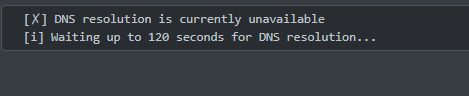
[✗] DNS resolution is currently unavailable
[i] Waiting up to 120 seconds for DNS resolution…
Does anyone have an idea?
I have the feeling that this no longer works after the update, before the Update, I could still update Gravity…
This is really frustrating now, I thought it would be a simple system.
But somehow one problem after another keeps cropping up. I’m curious to see if I can get Plex to work.
You’re running into a normal ZimaOS behaviour, not a Pi-hole fault.
On ZimaOS, port 67 is locked by the system’s own dnsmasq service. It’s protected by systemd, so you can’t kill it. That’s why:
Operation not permitted
Pi-hole can’t use port 67 on this OS. That port is only needed if you try to run Pi-hole as a DHCP server — and on ZimaOS, that isn’t possible because the OS already provides DHCP/DNS discovery services.
Because Pi-hole can’t take over the system resolver, Gravity updates fail and DNS shows as unavailable.
The simple fix:
Disable Pi-hole DHCP completely.
Let your router handle DHCP as usual.
Use Pi-hole only for DNS filtering (ports 53/80).
Set a reliable upstream DNS inside Pi-hole (Cloudflare, Quad9, etc.).
Once Pi-hole isn’t fighting for port 67, DNS resolution and Gravity updates will work again.
The problem is that DHCP is not enabled in Pi-hole; the checkmark is removed. And DHCP is enabled on the router. How do I configure it to only set DNS filters for ports 53/80? Cloudflare is enabled, except for IPv6. Cloudflare is enabled, I’ve only disabled IPv6 there.
How is it with CasaOS? Otherwise, I’ll switch over there and start all over again.
If Pi-hole DHCP is already disabled and your router is doing DHCP, then you’re actually very close, the only thing Pi-hole needs on ZimaOS is port 53 for DNS and port 80 for the web UI. Nothing else.
You don’t need to configure anything special for “53/80-only” mode.
Pi-hole automatically runs that way as long as DHCP is off, which you’ve already done.
The real issue is that Pi-hole is still trying to talk to the system’s resolver, and ZimaOS blocks that path because its own dnsmasq owns port 67 and part of the DNS chain. When Pi-hole can’t reach a resolver, Gravity updates fail.
I suggest the following to stabilise it.
I believe this is the cleanest way on ZimaOS.
I think it will fix your Gravity issue:
In Pi-hole > Settings > DNS, make sure you only use external upstreams (Cloudflare, Quad9, Google).
Do not rely on the system resolver.
Leave DHCP completely off. Your router is already doing this correctly.
Restart the Pi-hole container so it picks up the upstream DNS cleanly.
After that, Pi-hole will run exactly as a DNS filter on ports 53/80 and Gravity should update normally.
Regarding CasaOS: the behaviour is the same. CasaOS is just a UI on top of standard Linux, the underlying base system still reserves port 67 for dnsmasq. Switching won’t fix this specific conflict.
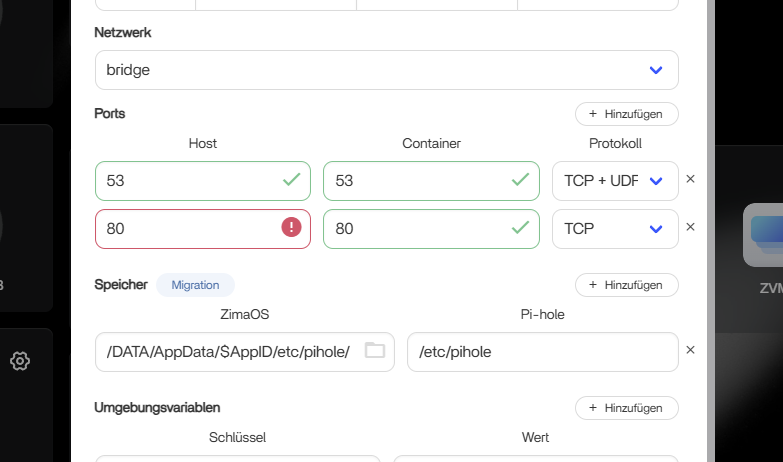
Thanks for your help so far. I’ve now done a clean install again. I wanted to install Pi-hole in advanced mode, but the system says that port 80 is already in use (see screenshot).
Can I just enter a different port there? Should I enter something specific, or just a number? Because that post says to use port 80. If I understand correctly.
Sorry, I’m a complete novice.
Because that post says to use port 80. If I understand correctly:
Port 80 is blocked because ZimaOS itself uses port 80 for the dashboard.
That’s completely normal. Pi-hole can only bind to port 80 if you free it first.
You have two options, and both work fine:
Option 1: Change the ZimaOS WebUI port
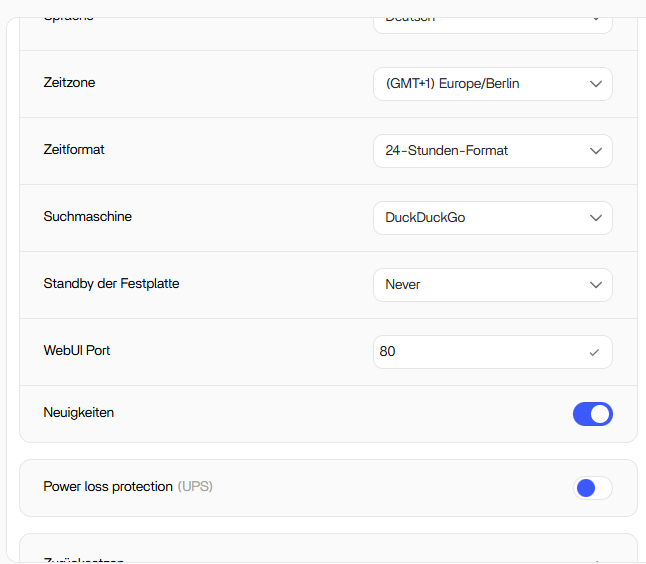
Go to Settings > WebUI Port and enter a different number (for example 8080).
Save > ZimaOS will restart the dashboard on the new port.
After that, Pi-hole is allowed to use port 80.
Option 2: Keep ZimaOS on port 80 and move Pi-hole’s web port
This is simpler for beginners.
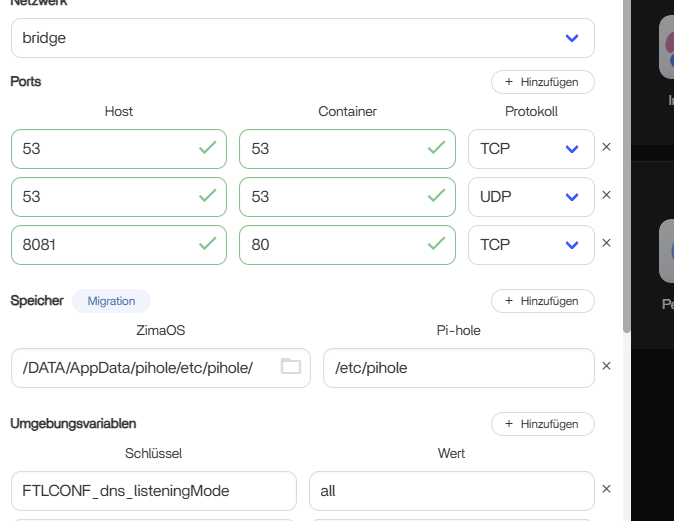
In the Pi-hole container, map something like:
DNS still stays on 53/UDP and 53/TCP, nothing changes there.
I suggest option 2 because it avoids touching the system port.
I believe it is the easiest setup while you’re learning the layout.
I think it will remove the conflict instantly without breaking anything.
Your port setup now looks correct.
At this point the problem is not the ports anymore, it’s where Pi-hole is trying to send its DNS requests.
When Pi-hole says “DNS resolution is unavailable”, it means:
Pi-hole can’t reach any upstream DNS server
(Cloudflare, Google, Quad9, etc.)
This usually happens on ZimaOS for one very simple reason:
Pi-hole is still trying to use the system resolver instead of external DNS.
To fix it:
Go to Pi-hole > Settings > DNS.
Only enable outside DNS servers (Cloudflare, Quad9, Google).
Make sure nothing is pointing to “127.0.0.1” or “ZimaOS” as upstream.
Save > Restart the Pi-hole container.
Blocklists cannot cause this.
Even with zero blocklists, Pi-hole must be able to reach an upstream DNS first, otherwise Gravity and all lookups fail.
I think your setup is very close.
I suggest confirming the upstream DNS settings, because this is the last missing link.
If you want, send a screenshot of your DNS tab and I’ll point out exactly what to toggle.
Here I am again, I had a power outage. Now Pi-hole isn’t working again. Before the power outage, everything was working perfectly and without any problems; I could update the blocklists without any issues.
Now I’m getting this DNS error again? Why?
It’s not the point that I constantly have to reinstall the system and start from scratch just so Pi-hole works. Or hope that the power never goes out.
I’m starting to think that something’s wrong with ZimaOS, Docker, or something else. I didn’t change anything, and it worked perfectly before. It’s only because of that stupid power outage that I’m having this problem again.
Why can’t you edit the YAML file? That might be the solution to the problem. If that’s the cause..
–dns=127.0.0.1 I’m supposed to enter it into the pi-holeYAML file, but I can only download it and not edit
it.
Isn’t it possible to read out error codes? Why are some files protected when access to them is necessary?
I get why this is frustrating, especially since it worked perfectly before the power outage. But this isn’t a Pi-hole bug or a ZimaOS bug. It’s a very common Docker issue after an unclean shutdown.
When the power went out, the container was stopped mid-write. Pi-hole stores runtime state in its AppData folder, and after a hard stop that state can become inconsistent. Docker restarts fine, but Pi-hole DNS breaks. That’s why you changed nothing and it suddenly stopped working.
This is also why reinstalling feels “dirty”. Removing the app does not remove its persistent data. Docker keeps /media/ZimaOS-HD/AppData/pihole,
so Pi-hole comes back with corrupted leftovers.
You don’t need to edit YAML or add --dns=127.0.0.1. Pi-hole runs its own resolver and forcing Docker DNS usually makes things worse. ZimaOS blocks editing compose files on purpose to prevent system damage.
The correct fix after a power outage is simply:
Stop the Pi-hole container
Delete the entire folder /media/ZimaOS-HD/AppData/pihole
Reinstall Pi-hole and start it once
That is the only true clean reinstall. You should not need to do this regularly, only after hard power cuts.
Your frustration is valid. This is just an unfortunate Docker edge case, not something you caused.
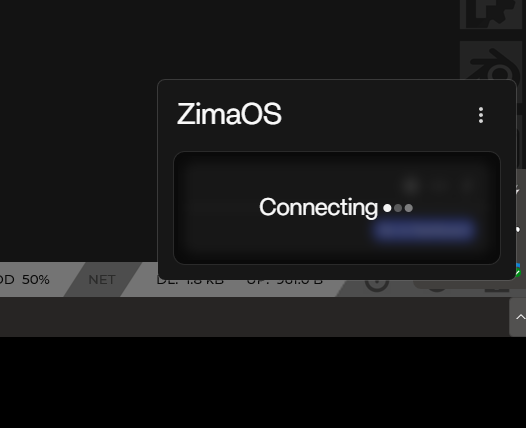
However, there’s also a problem with Zima OS itself; when I try to restart it, I get a black screen with no interface, and I can’t connect via the app. Before the power outage, I was able to restart the system without any problems.
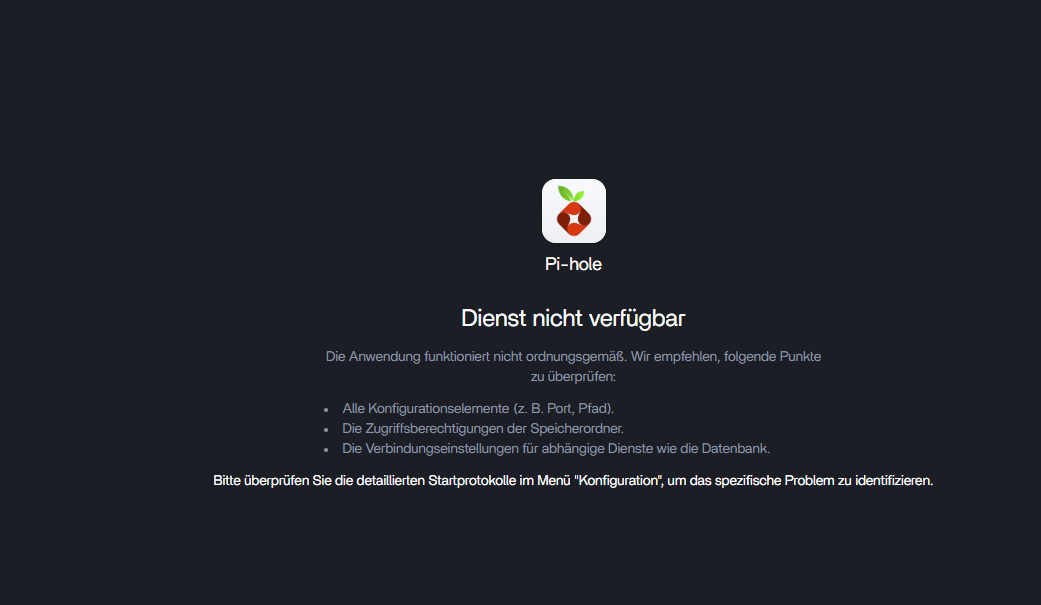
Unfortunately, reinstalling Pi-Hole doesn’t work; when I try to access Pi-Hole, it doesn’t work.
So, every time I have to connect a monitor, keyboard, and mouse to the server PC, restart the PC, and first check if the boot order is correct in the BIOS.
The problem now seems to be that the boot order changes when restarting ZimaOS, which is very strange. As I said, everything worked perfectly before. Power outages can happen, of course. But having problems like this every time would be very bad.
I’ve now reconnected everything to the server and changed the boot order. I can now access Zima OS again.
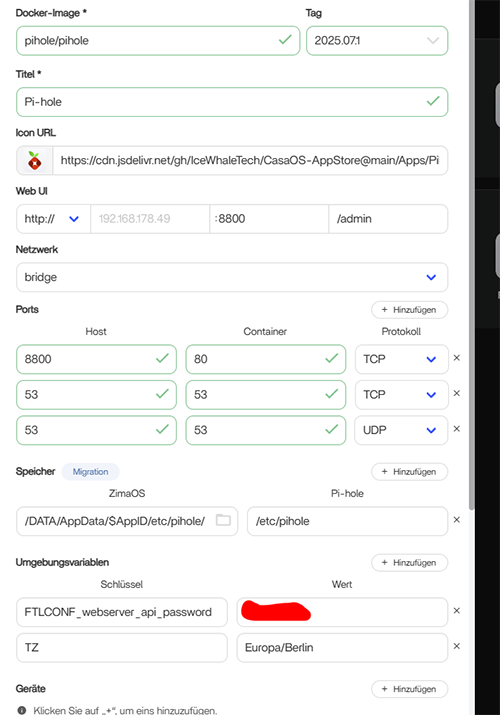
And I’m reinstalling Pi-hole.The folder has been completely deleted. These are the settings:
Great, I hope the system isn’t damaged. And how could I repair a damaged file system?
If the system can be repaired, will everything be gone, including all installed apps?
I’ve now reinstalled Pi-Hole, and I’m getting the following messages: