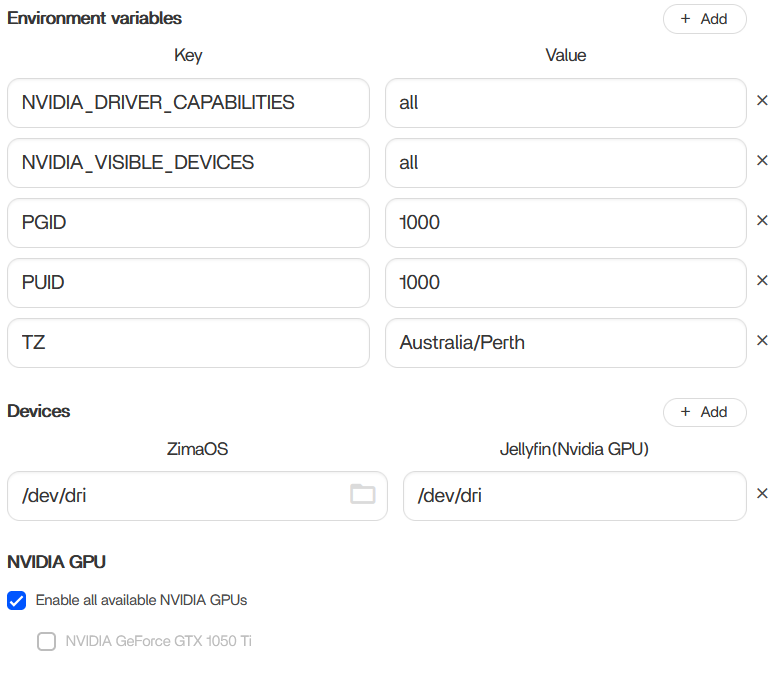
Hello,
I’m new to Zima OS and recently completed my build, however I am having issues with my system not utilising my GTX1050Ti GPU.
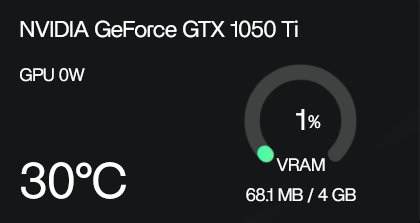
Initially the system would recognise the GPU but no matter what I did the GPU would always sit at 1% and 0 watts, despite enabling transcoding on Jellyfin.
I had installed the Jellyfin(Nvidia GPU) version of the app, enabled transcoding and tested it only to get the same result, 1% utilisation at 0 watts.
Further more I think I have made a mistake and tried following the tutorial for the RTX50XX series gpu thinking that would get me the latest drivers. Sadly that had only made things worse and now my Jellyfin and Immich applications are completely down along with the widget for my GPU, but it still does display “NVIDIA Corporation GP107 [GeForce GTX 1050 Ti] (rev a1)” in the Device info.
Can anyone please help with reverting my system back to it’s original state by uninstalling the drivers I had mistakenly installed from the “ Tutorial: How to use RTX 50XX Series GPU on ZimaOS? ” tutorial. And properly get my GTX1050Ti transcoding in jellyfin?
Best regards,
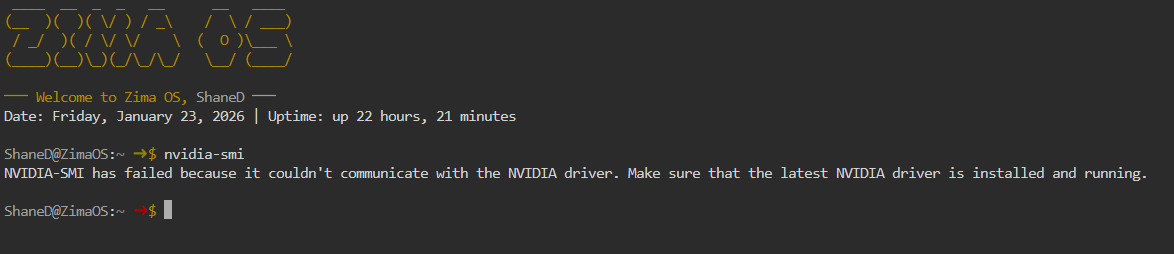
The following is the error message I recieve after trying to restart the jellyfin(Nvidia GPU) app.
Error response from daemon: Cannot restart container dd9935f7dcc8ae585915d20f678ba3865d06dc55405f8bad42cec19d4a9da5de: failed to create task for container: failed to create shim task: OCI runtime create failed: runc create failed: unable to start container process: error during container init: error running prestart hook #0: exit status 1, stdout: , stderr: Auto-detected mode as ‘legacy’ nvidia-container-cli: initialization error: nvml error: driver not loaded: unknown
I believe the key issue is this line from your container error:
nvidia-container-cli: initialization error: nvml error: driver not loaded
This means the NVIDIA driver is currently NOT loaded on the ZimaOS host, so any “Nvidia GPU” containers (Jellyfin GPU / Immich GPU) will fail to start because Docker can’t access NVML.
This normally happens when a driver was installed incorrectly or a mismatched driver package was applied (for example following the RTX 50xx tutorial on a GTX 1050Ti).
Suggested recovery plan (safe + clean)
- Remove / undo the RTX 50xx driver changes so the system returns to a normal state
- Reboot
- Confirm the host driver is loaded again (
nvidia-smi should work)
- Only then start Jellyfin Nvidia again and enable NVENC transcoding
If nvidia-smi doesn’t work on the host, Jellyfin Nvidia cannot work either.
Once you’re back to normal, the GTX 1050 Ti should work fine for Jellyfin transcoding (NVENC / H.264 / H.265 depending on settings), but utilisation may still look low because video encode doesn’t always show high “3D GPU %”.
If you want, paste what you get from:
- Device page screenshot (GPU widget)
- and the output of:
nvidia-smi (or error)
and we can guide the exact fix steps from there.
How do I remove/undo the RTX50xx drivers?
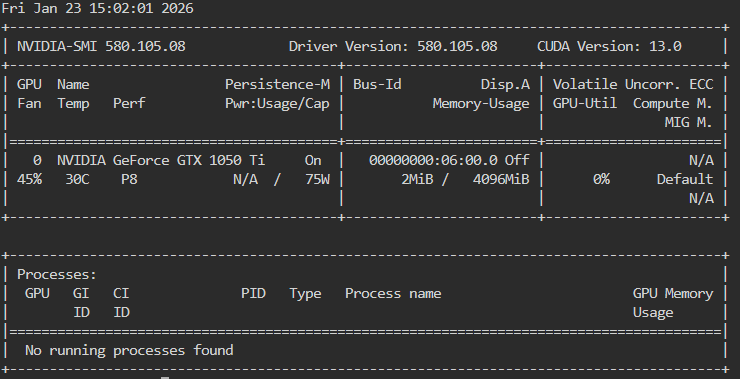
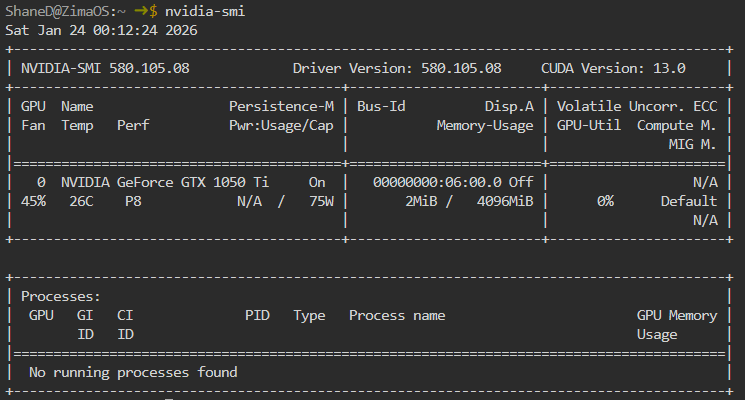
Current nvidia-smi results
use uninstall-nvidia-kernel-open , then reboot.
Looks like it is back to normal now
Utilisation still remains low but could be down to not showing high “3D GPU%” like you mentioned
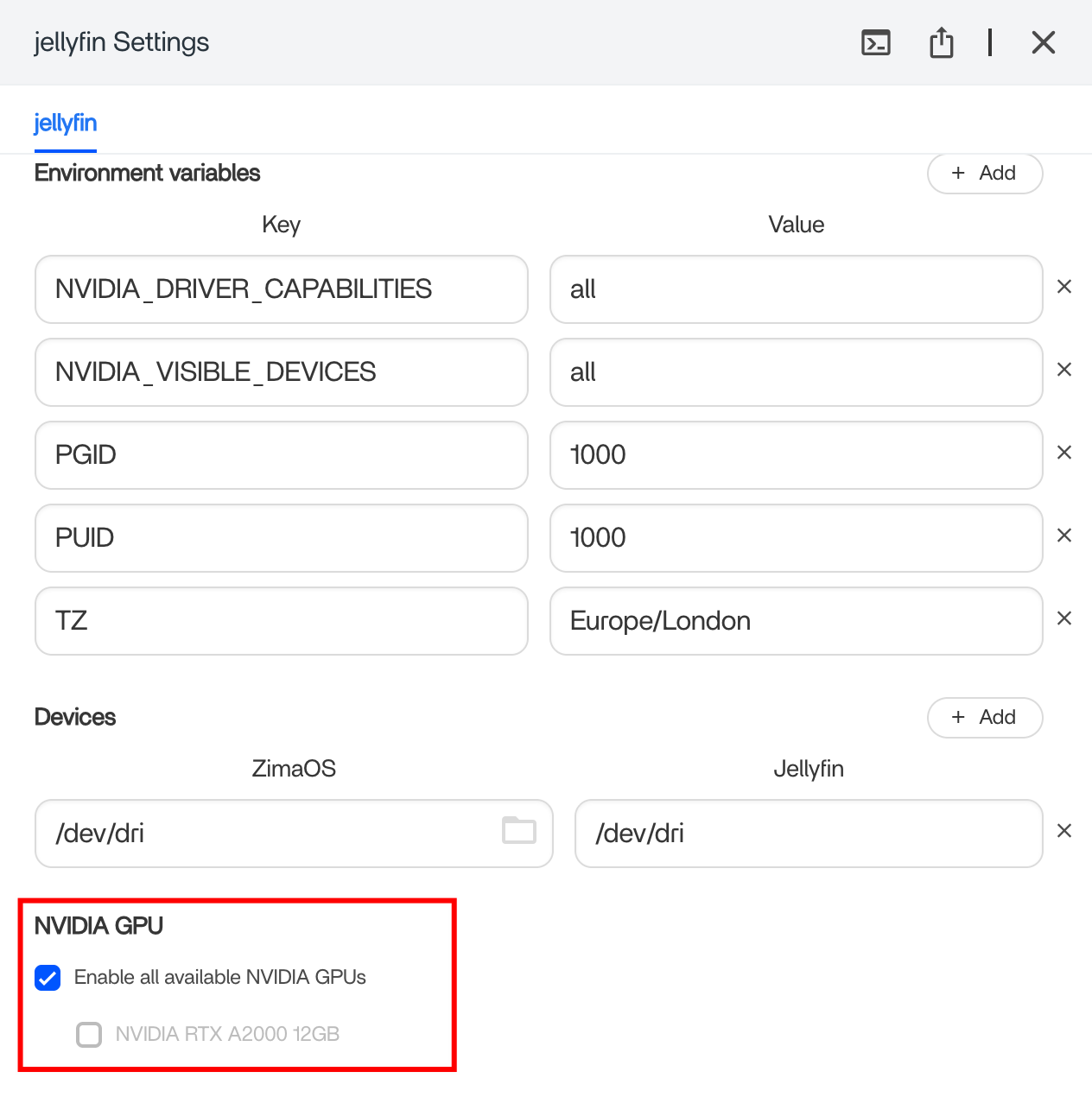
There are three things you need to confirm:
-
In the Jellyfin container settings of ZimaOS, turn on Nvidia GPU support. As shown below:
-
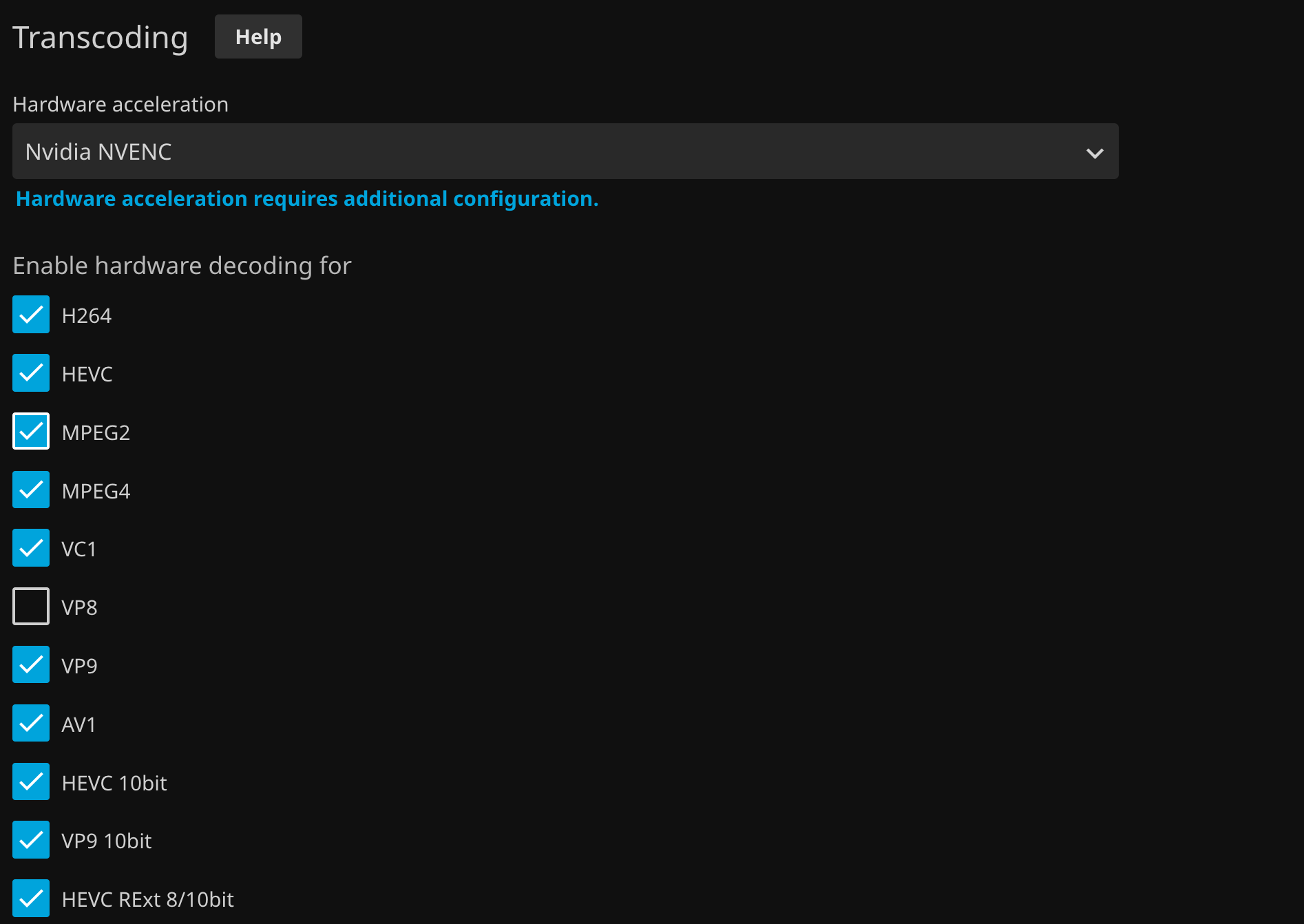
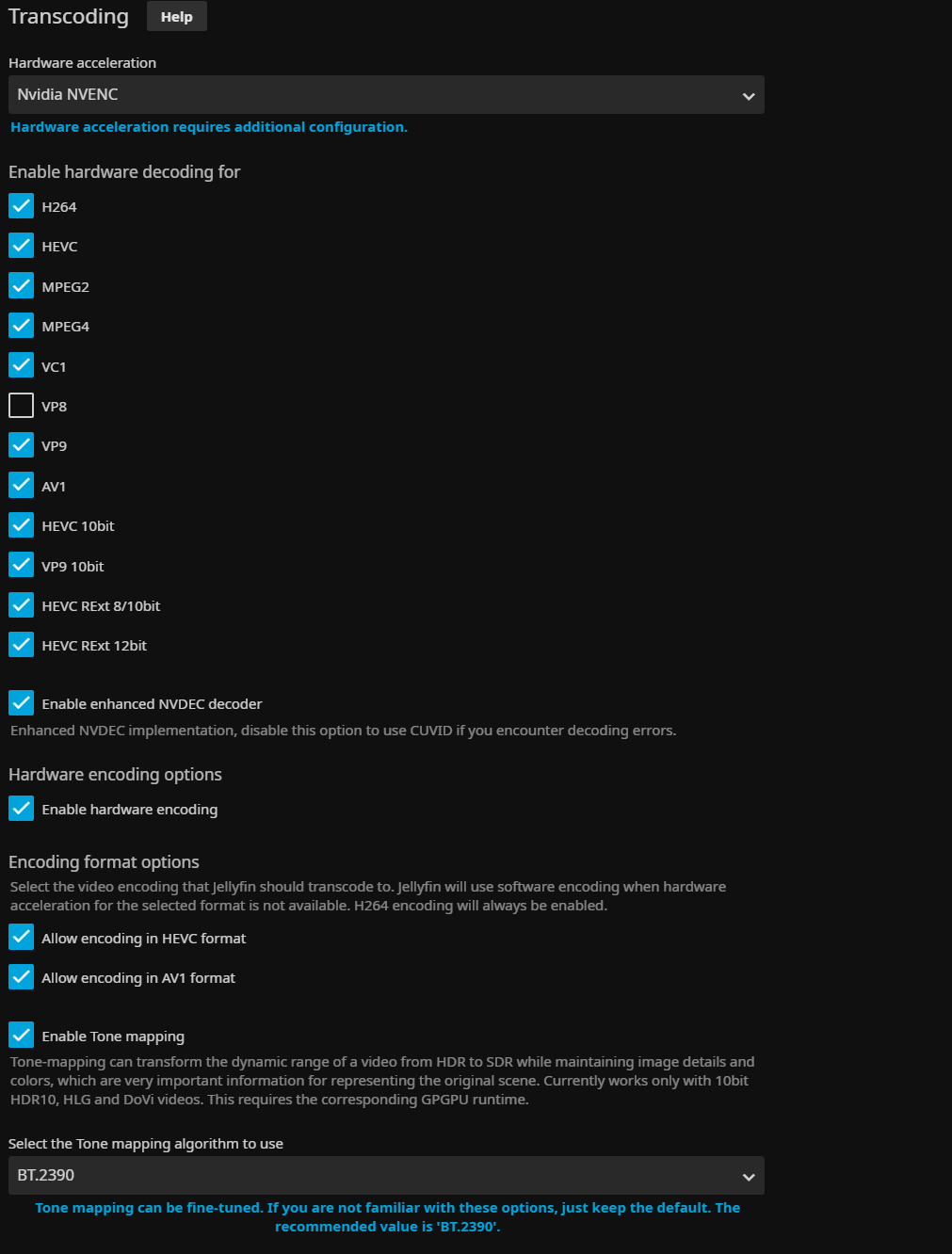
Enable Nvidia NVENC in Jellyfin’s Transcoding, as shown below:
-
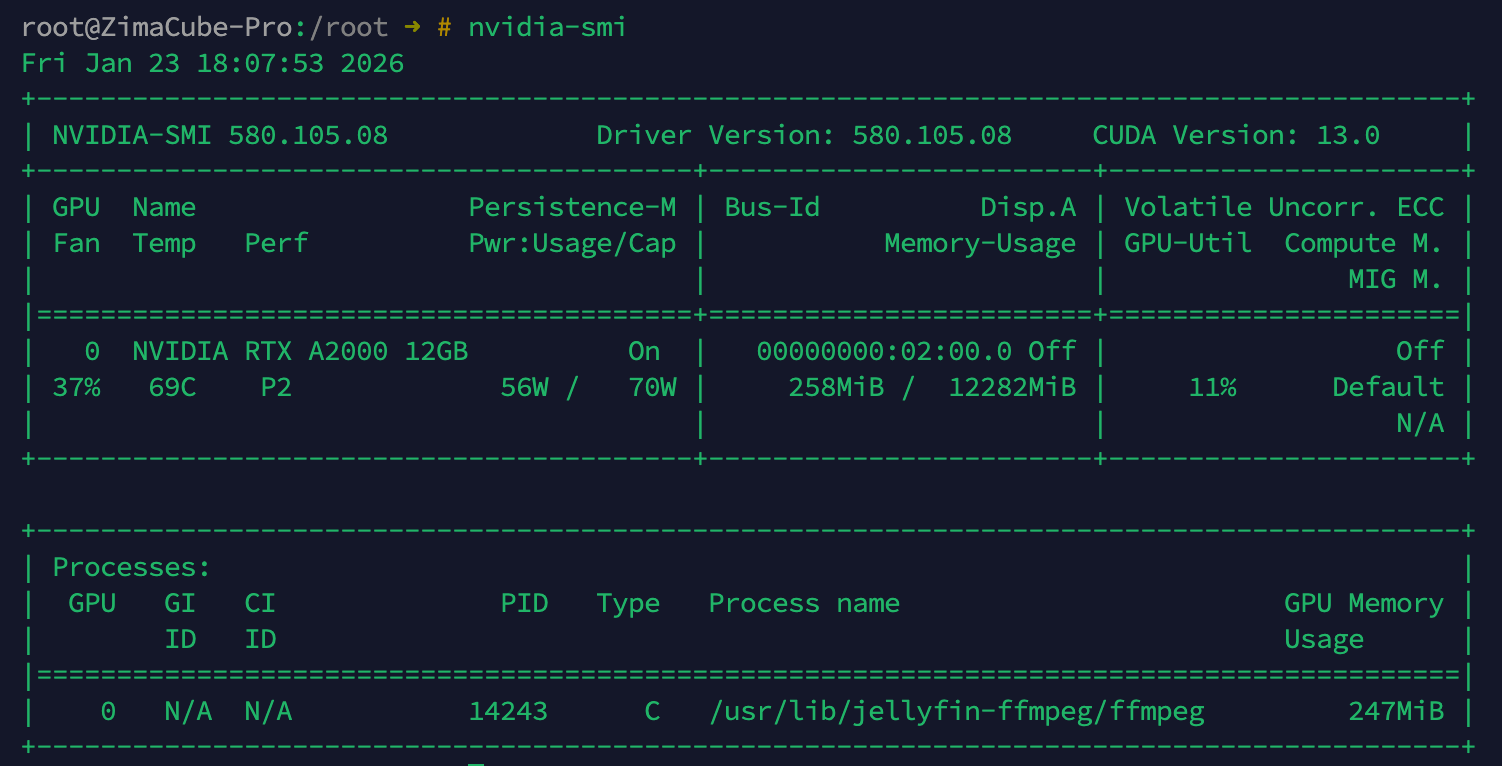
Try playing a video using transcoding, and finally confirm at nvidia-smi that ffmpeg has GPU hardware acceleration enabled:
Seems that ffmpeg isn’t there whilst transcoding 4k video