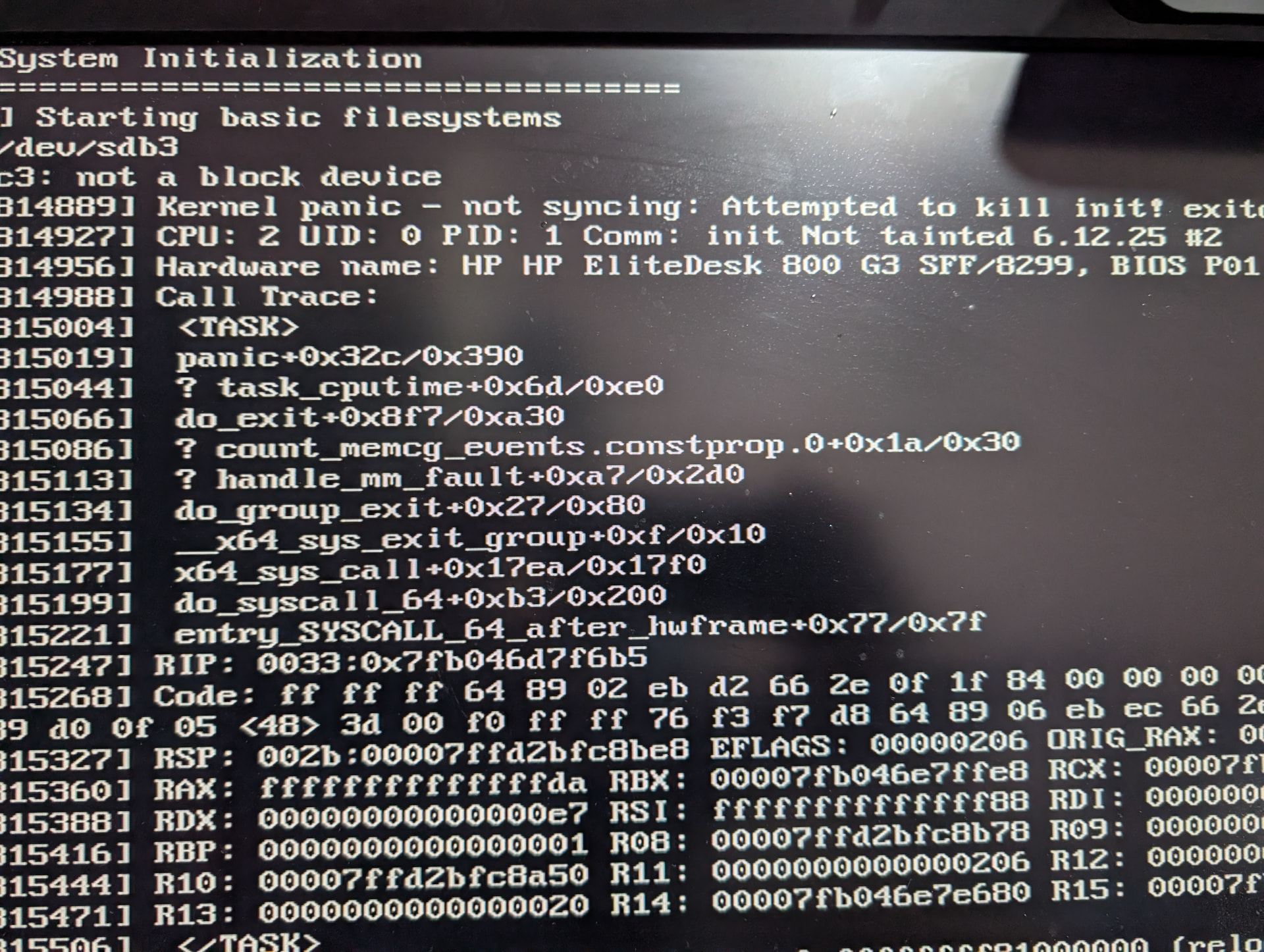
If I install ZimaOS to a drive, the initial install process works - then asks me to remove the USB and reboot.
Upon reboot, I get a “Kernel Offset” error, and the system reboots constantly (getting to the point of the Kernel Offset, then rebooting again).
However, if I remove this drive from my PC, and use it as a USB external drive and boot from that - it boots perfectly!
I’ve had the same issue on both a HP EliteDesk G3 800 system, and a X99 motherboard.
Both refuse to boot if the boot drive is INTERNAL - but if I move the drive to a external USB enclosure, boot from that - it will boot no issues to ZimaOS fully.
The has been tested on differing boot drives (a 128gb SSD, 6TB SATA, and a 2tb SSD) - all exibit the same behaviour. I’ve also tried burning the ZimaOS using both a Mac and Windows PC - same issue with both.