Both drives being internal SATA and both ext4 makes this look less like a filesystem compatibility issue and more like a Files app move-operation regression in ZimaOS 1.6.2.
So the confirmed pattern is:
source: sda1
destination: sda4
both ext4
both internal SATA
move done through ZimaOS Files app
files move successfully
source folder remains behind empty
small test folder behaves the same
copy is not affected
started after ZimaOS 1.6.2
I will keep this on the ZimaBrain/ZimaOS 1.6.2 regression watch list as:
Files app move operation leaves empty source folders behind after moving folders between internal ext4 drives.
One extra useful test, only if you have time: please try moving one single test folder, not multiple folders at once, and confirm whether the same empty source folder remains. That will help narrow whether it is a general folder move issue or mainly a multi-folder move issue.
After moving the folder, all files and subfolders are moved successfully to the destination, but the original top-level source folder is left behind as an empty folder.
If the folder contains only files and no subfolders, I cannot reproduce the issue.
There is a bit of an annoying happening. When you visit a page or a tab of the browser after a sleep or restart of the active PC , you see that there are no tiles from the applications in the Web UI. They fell away. And when you activate a tab in the browser, then it won’t update those tiles to be visible again. This has never happened before. There’s something terribly wrong with the events.
Before adding more new features, I think it would be better to focus on fixing the existing issues in the Files app.
For me, the two most important ones are:
The issue where moving folders leaves empty source folders behind.
The Dark Mode issue where the text cursor (caret) is almost invisible when creating or renaming files and folders.
These two issues affect everyday usability much more than new features.
I also tested ZimaOS 1.7.0 Beta 1, but I rolled back to the previous version because I couldn’t use it properly. None of my apps would open normally, so I wasn’t able to test the new App Store or the other new features.
Once the core functionality is stable again, I’ll be happy to continue testing future beta releases and provide feedback.
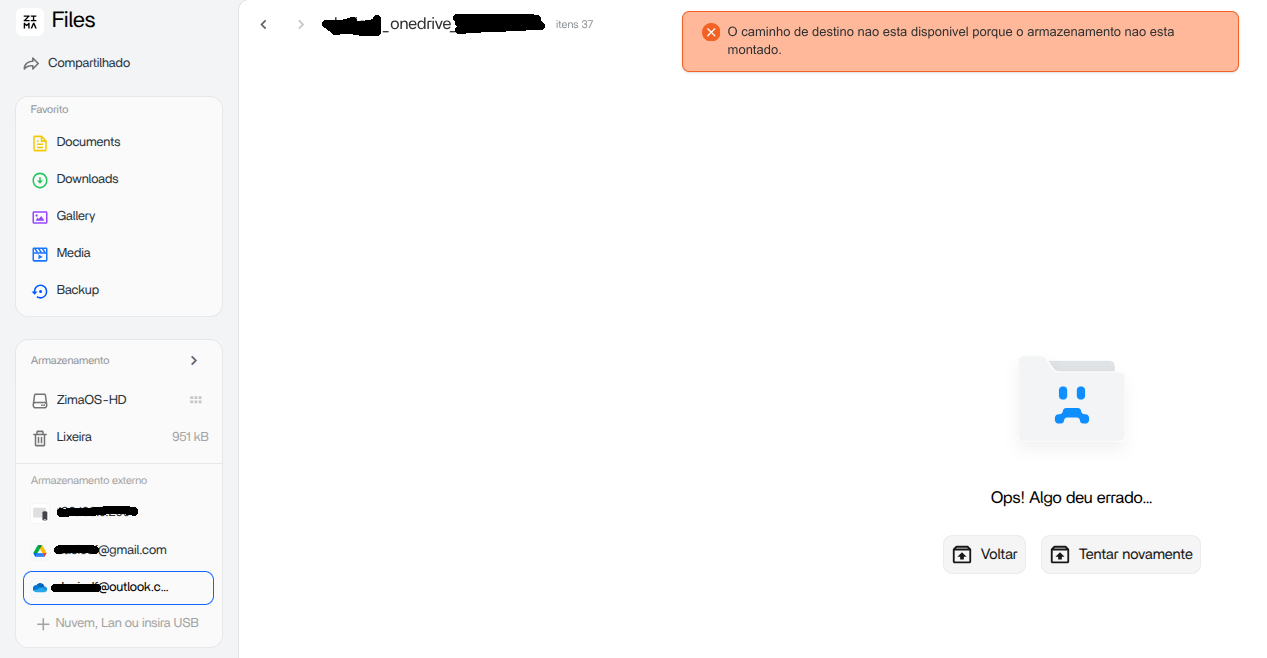
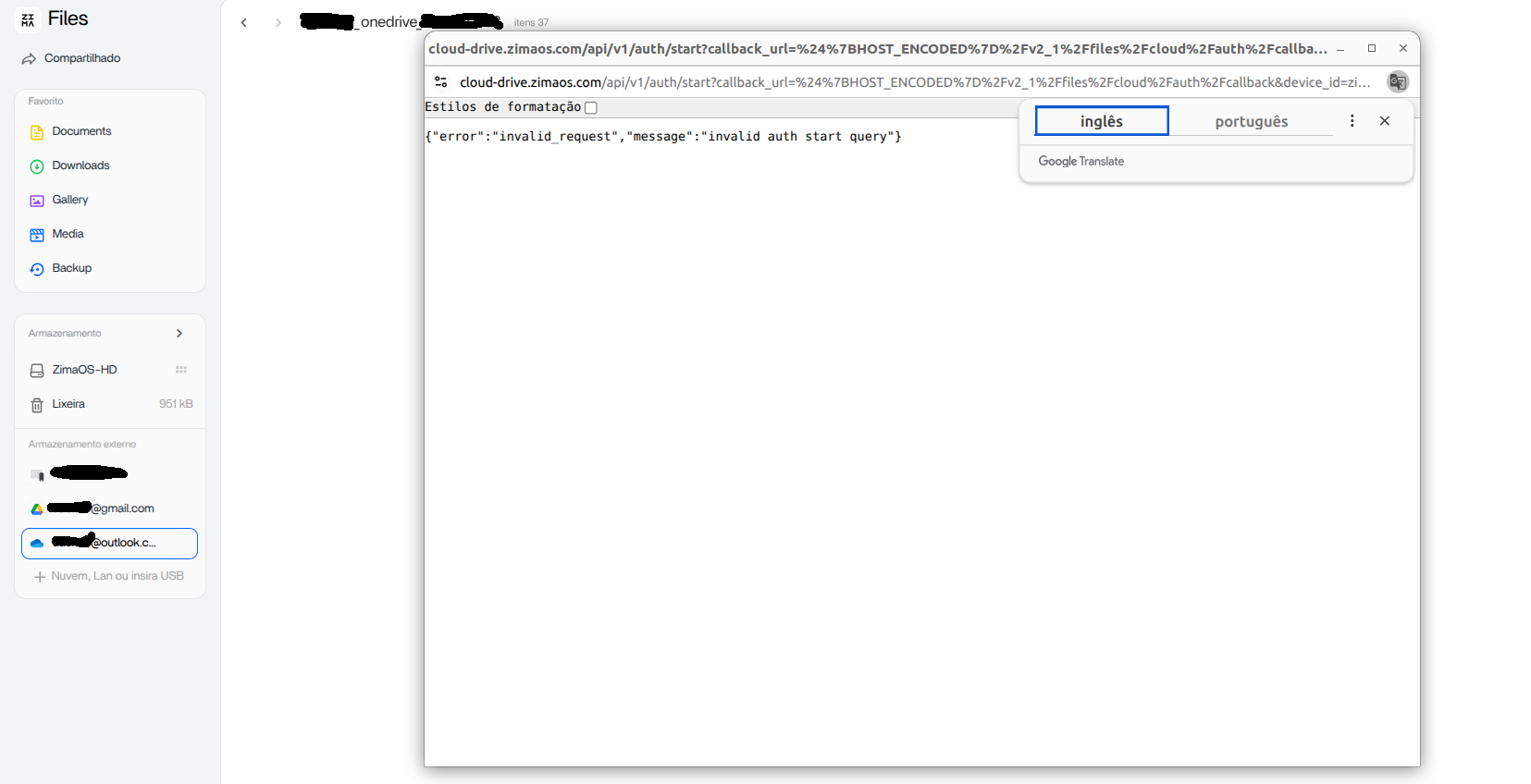
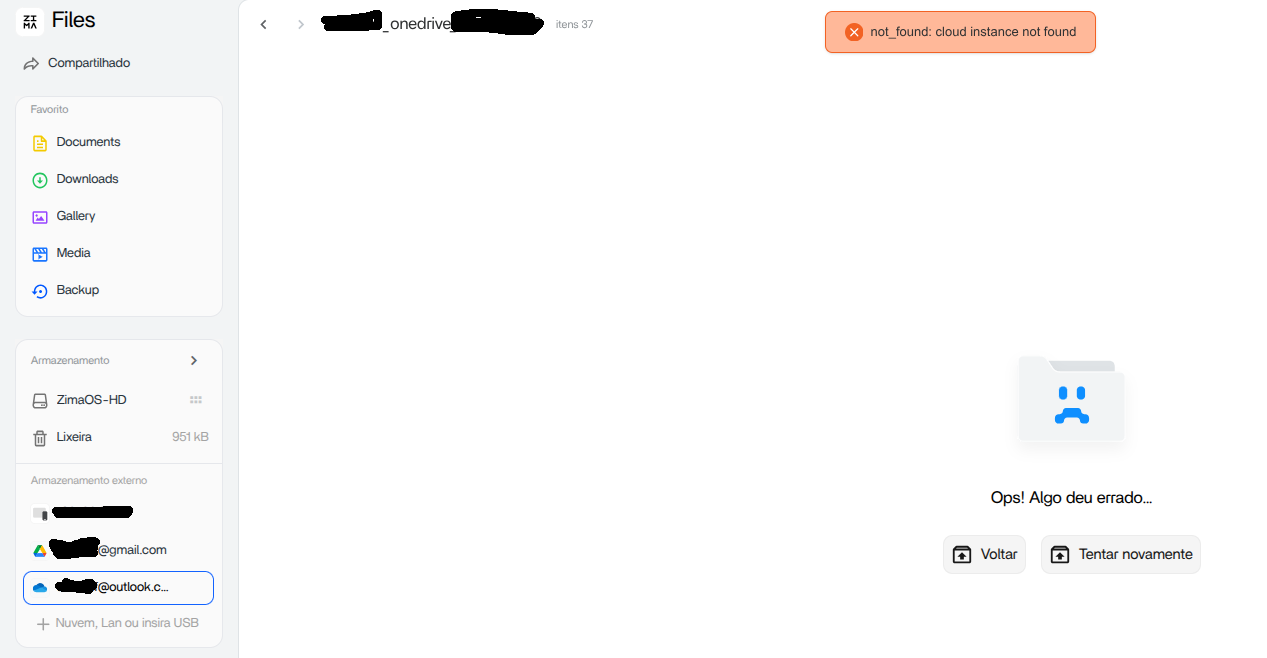
I am having trouble mounting external drives, such as Google Drive or OneDrive. I cannot connect, create, or delete a connection for any account in the external storage.
@isanto1306 What does it mean that the application can’t be opened? Isn’t the list of applications displayed? Let me investigate this problem:
Do you log in with the main account or the sub-user?
Do you use LAN access or remote access similar to Tailscale?
If the application list cannot be displayed, you can refer to No apps in th frontend - #4 by Bin to help me take a screenshot to troubleshoot and locate the problem.
Hi @Bin, I think you may have mixed up my issue with another one. I don’t have any problems with Google Drive or OneDrive. External Storage works correctly for me.
Yes, there were folders with the same name in the destination.
After the move completed, all files were moved correctly, but the original source folders remained as empty folders.
One question: do you think the folder move issue will also be fixed before the official ZimaOS 1.7.0 release?
For me, this is currently one of the most important issues because it affects everyday file management.
Since the Dark Mode cursor issue is already planned to be fixed, I hope the folder move regression can also be resolved before the stable 1.7.0 release.