ZimaOS v1.6.0 Released: More Personal, More Reliable, Better Storage Experience

I had qBittorrent an Nzbget downloading things over SMB and it worked fine, after the 1.6 update on a Zimacube it stopped working due to wrong permissions if I rolled back to 1.4.6 it worked again; but I wanted the update so I tried with ChatGPT and after a lot of troubleshooting it helped me to fix /etc/fstab by doing the next steps on terminal:

Try with this line to change the permissions temporarily on SMB shared directory:

sudo mount -t cifs //10.10.1.10/Downloads /media/10.10.1.10/Downloads \

  -o username=User,password='password',uid=1000,gid=1000,file_mode=0775,dir_mode=0775,vers=3.0,noperm

To make this permanent after a lot of troubleshooting now on Claude I got a script that I ran on terminal:

sudo tee /etc/systemd/system/fix-smb-permissions.service << 'EOF'
[Unit]
Description=Fix SMB mount permissions
After=network-online.target

[Service]
Type=oneshot
ExecStartPre=/bin/sleep 30
ExecStart=/bin/sh -c '\
  mount -o remount,uid=1000,gid=1000,file_mode=0775,dir_mode=0775,noperm //10.10.1.11/Downloads /media/10.10.1.10/Downloads && \
  mount -o remount,uid=1000,gid=1000,file_mode=0775,dir_mode=0775,noperm //10.10.1.11/music /media/10.10.1.10/music && \
  mount -o remount,uid=1000,gid=1000,file_mode=0775,dir_mode=0775,noperm //10.10.1.11/video /media/10.10.1.10/video && \
  mount -o remount,uid=1000,gid=1000,file_mode=0775,dir_mode=0775,noperm //10.10.1.11/home /media/10.10.1.10/home'
RemainAfterExit=yes

[Install]
WantedBy=multi-user.target
EOF

sudo systemctl daemon-reload
sudo systemctl enable fix-smb-permissions.service
sudo systemctl is-enabled fix-smb-permissions.service

I had other issue where all my external drives changed their names like “ExternalDrive_1” and messed with my backups, to fix that I had to:

Lazy unmount the drives: sudo umount -l /dev/sda2

Unmount the old folder: sudo rm -r /media/ExternalDrive_1

Make a new directory: sudo mkdir /media/ExternalDrive

Remount the new drive: sudo mount /dev/sda2 /media/ExternalDrive

and make it permanent by editing /etc/fstab and adding this line:

LABEL=ExternalDrive /media/ExternalDrive exfat defaults,umask=0000,uid=1000,gid=1000 0 0

And remount using: sudo mount -a


And after all this troubleshooting i’m really wondering what happened with this update that messed with all the SMB shares and external drives.
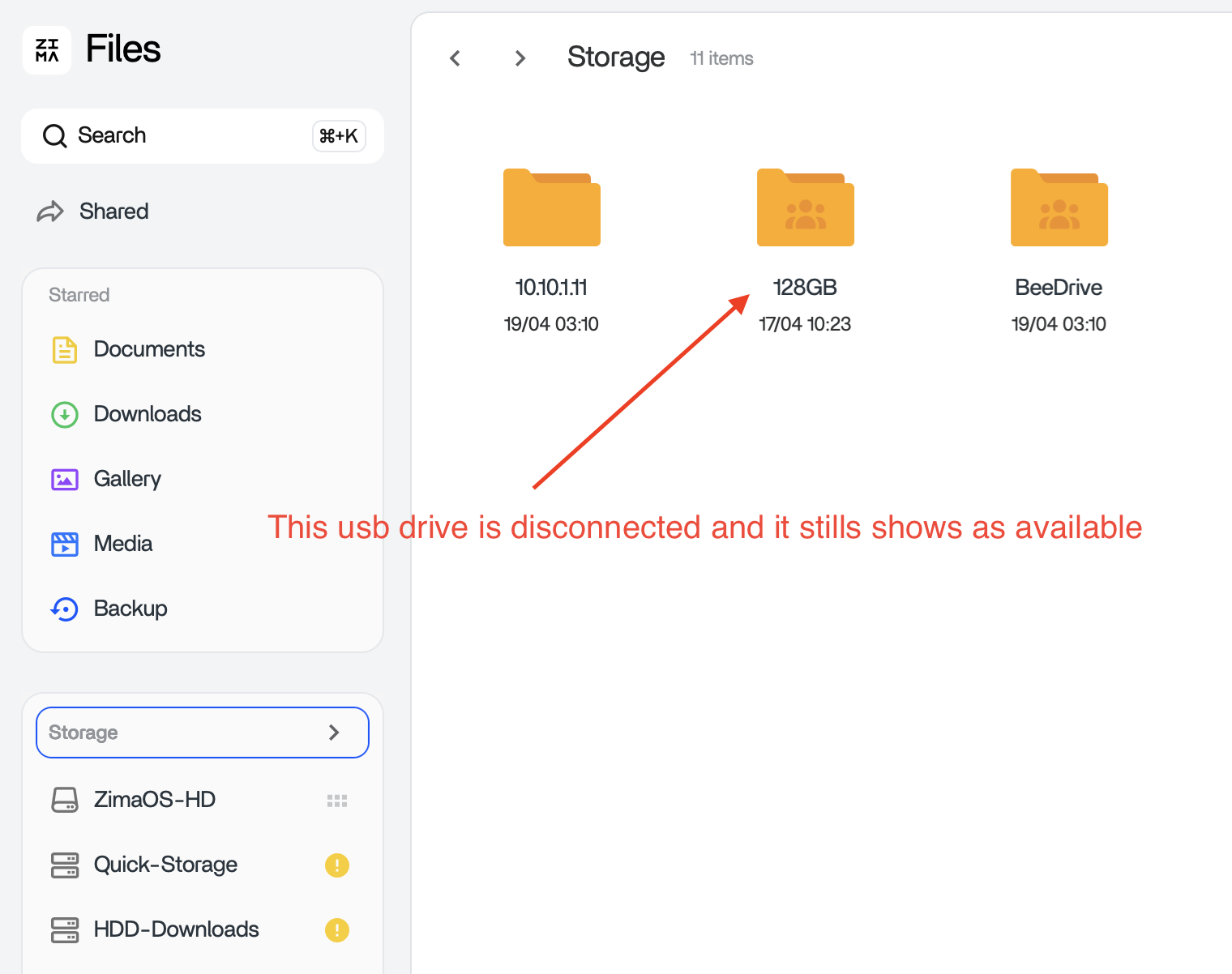
Thank you for your feedback, we are very sorry for the problems you encountered, we will do our best to help you solve the problem, the current problem is that the device located on the USB has not been automatically mounted successfully, resulting in a series of follow-up problems, the system disk you mentioned is full, there is a high probability that because the USB is not automatically mounted, the backup task will still be automatically backed up to the mount point of /media/ your original USB, so you will see that the system disk is full

I updated to 1.6 with no issues on my end.

Reading through your post, what you ran into with SMB permissions and the drives being renamed lines up with what a few others are seeing as well.

It looks like 1.6 is a bit stricter with how permissions and storage mounts are handled. So setups that were working before (like SMB shares without explicit uid/gid, or drives relying on auto mount names) may need a small adjustment after the update.

Your fix with:

  • uid=1000,gid=1000,file_mode=0775,dir_mode=0775 for SMB
  • and switching to a stable mount (like using LABEL in fstab)

…is actually a good example of bringing things back into alignment so Docker apps can write again and paths stay consistent.

That would explain why:

  • Rolling back works straight away
  • But updating needs a bit of tweaking depending on the setup

If anyone else is seeing similar issues, I’d start by checking:

  • If the drive mount path has changed
  • If the container user (usually UID 1000) has write access to SMB

Once those are aligned again, things seem to come good.

Hi, and I’m sorry for the frustration this has caused.

We released v1.6.0 last Friday, so our response to some of the issues was not as timely as it should have been. It’s now Monday and our team is back online and actively following up on the upgrade-related problems.

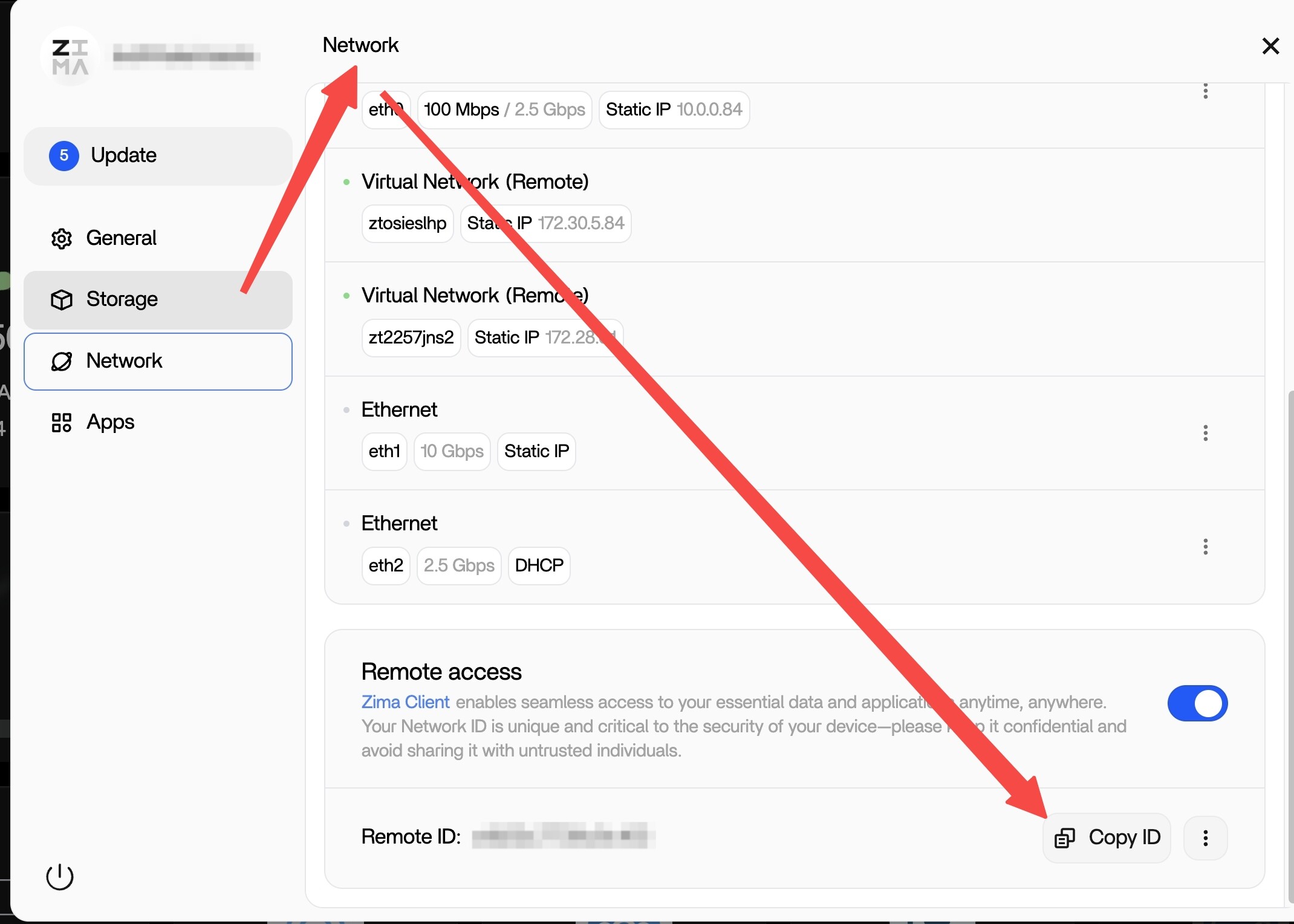
If you’re willing, could you provide your remote ID and your ZimaOS account credentials so we can check the issue for you remotely? Please send to rally@icewhale.org

Please rest assured that we are professional technical support staff. We will only proceed with troubleshooting after receiving your explicit authorization, and we will never view or store your private data.

We’ll do our best to help identify the issue and get you a clear answer as soon as possible.

We look forward to your reply.

Hi ALL:

We will prioritize resolving the USB auto-mounting issue and release a fix as soon as possible. For certain issues causing system disk space consumption due to USB auto-mounting, we will need to handle them remotely on a case-by-case basis.

This reply sounds too AI generated :confused:

It has happened to me… what I have seen when a drive is disconnected a “mount point” or something gets permanent in .media, is an invisible route that you can see if you connect via SMB on a PC or a Mac and enable “show invisible” or via the ZimaOS Files app under “Storage”, the system gets confused and starts backing up on that “mount point” or virtual folder and fills your main drive, what I have done is just delete that folder using terminal (sudo rm -rf /media/usbdisconected) or Finder.

This is another huge bug to kill.

Haha I wish AI could fix half the stuff I deal with.

Just sharing what I’m seeing across a few setups. Looks like Raller confirmed it anyway, USB mount not coming back properly after the update is the main cause, then everything else follows from that.

Oh ok! sorry, hehe! :grin:

Thank you for your feedback. We understand the issue.

  1. When a mounted disk is disconnected, if there are still tasks using that mount point, a corresponding mount point will be created under /media (actually using the system space).
  2. The Files folder under /media that is not mounted will be actively blocked from being displayed to prevent users from uploading files through the Files folder and causing secondary pollution.
  3. Regarding the issue where backup/docker still creates a folder under /media and occupies the corresponding path when the disk is not mounted as expected, we will resolve this issue in the next few versions.

I’d like to know what tasks were performed on this 128GB of storage space to ensure we haven’t missed any services.

  1. Docker installation/mapping directory
  2. Client Backup
  3. WebUI Backup
  4. SMB usage on Windows/macOS

It happens with the backup app, on the 128GB I was running a music sync, but it has happened with other drives of larger capacity to backup video and backups.

Also if I connect any kind of drive the mount path keeps registered if the drive gets disconnected.

And also I’m noticing that on ZimaOS 1.6 EFI partitions are showing.

Thanks!

Read this very carefully. DO NOT UPDATE TO 1.6.0 Save yourself hours/days of work and lost data. This was a huge screwup! An apology from the team is in order for releasing this!

Maybe I’ve been lucky. I waited unill the non-beta version was released and I haven’t noticed any issues.

I have have ZVM (windows Server DC) and that started fine after the upgrade.
All Docker containers have started okay, and no storage issues with boot drive.

I don’t have a USB drive plugged in, so can’t confirm if that’s an issue or not.

Hi ALL,

We’re very sorry for the frustration this caused.

Since the 1.6.0 release went out last Friday, we did not respond as quickly as we should have. That is on us, and we sincerely apologize. We will also change our future release schedule to Monday to make sure the team can respond more promptly if issues appear.

In addition, we have identified the related problems and will release v1.6.1 as soon as possible tomorrow.

v1.6.1 fixes include:

  • Fixed an issue where USB devices were not automatically mounted after upgrade

  • Fixed an issue where backup tasks could continue writing to the system mount point after the original mount point was lost

  • Fixed an issue where mod modules did not restart according to their service policy after reboot

Again, we’re truly sorry for the trouble and appreciate everyone who reported these issues and shared feedback.

3 Likes

I just want to take a moment to say a big thank you to the ZimaOS development team for the latest 1.6.0 update.

You’ve done an amazing job — everything is now working 100% perfectly on my system. Honestly, it has never run this smoothly before. The improvements really make a difference, and it shows how much effort and care you put into your work.

Please keep it up — you’re doing fantastic work!

Thank you very much :raising_hands:

4 Likes

The data was not lost; it’s just that the disk mounted via USB did not automatically mount successfully according to the original strategy. A fix for this issue will be released in version 1.6.1 today.

We’ve also addressed this issue in version 1.6.1. Currently, it’s confirmed that if the path is an unmounted path under /media, backup tasks will no longer back up to that path. This prevents backup data from being written to the system disk and filling it up if the disk fails to mount.

2 Likes

That is a big OOOOOPS. Does’nt Work! Don’t install.

I couldn’t find the option to BACKUP the ZimaOS operating system settings. If it doesn’t exist, it would be useful to implement it because if the operating system’s hard drive fails, it becomes impossible to restore the same configuration.