This is a video describing my problem…. ZIMAOS terminal login issue #1
Thanks for the video.
Please double-check your actual username inside ZimaOS:
- Click your profile icon (top left)
- Go to Settings > Account
- You’ll see your username there (like in the screenshot below)
That exact name is what you must use in the web terminal, not your email or anything else.
Login details to use
- Username: (exact name shown in Settings > Account)
- Password: your ZimaOS login password
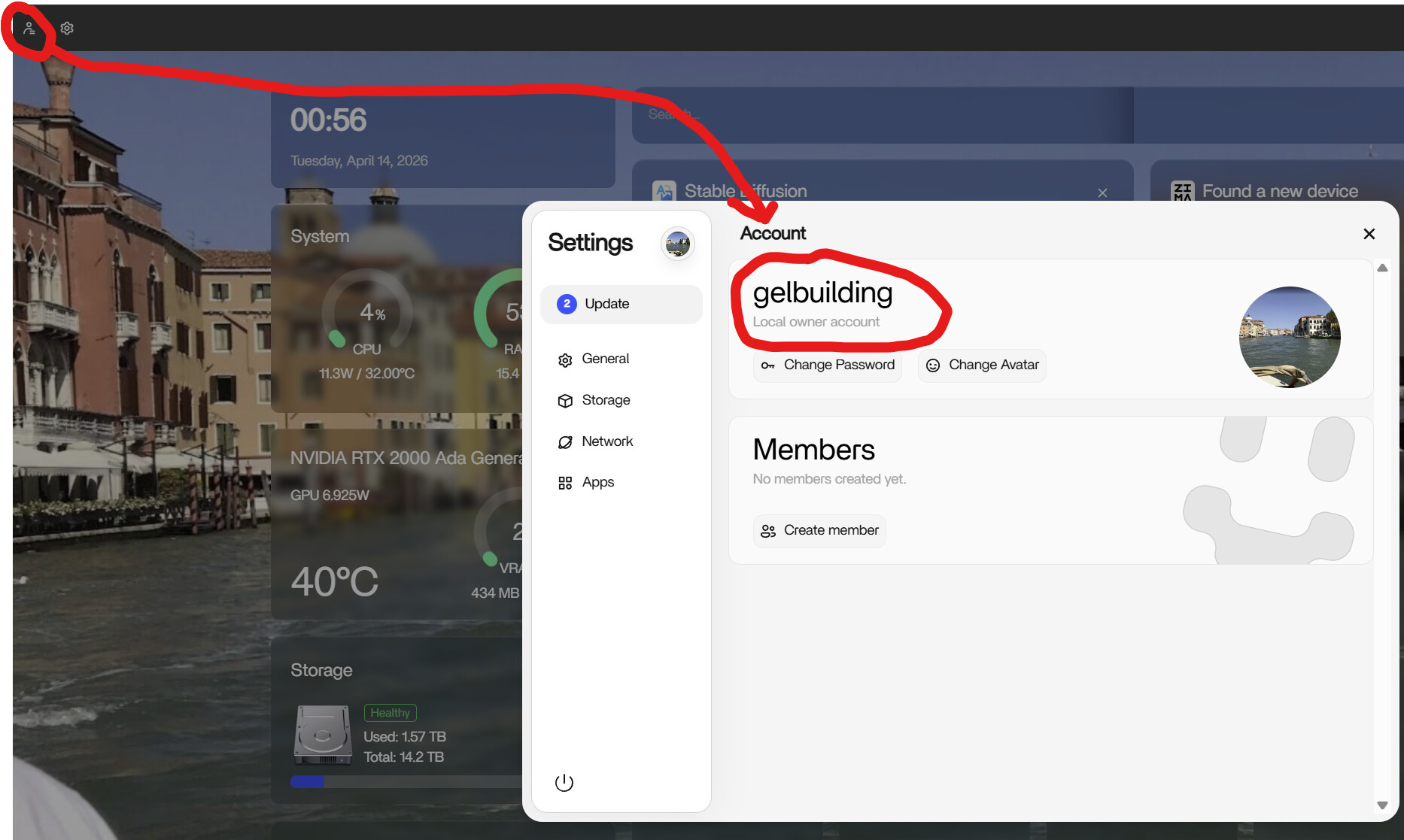
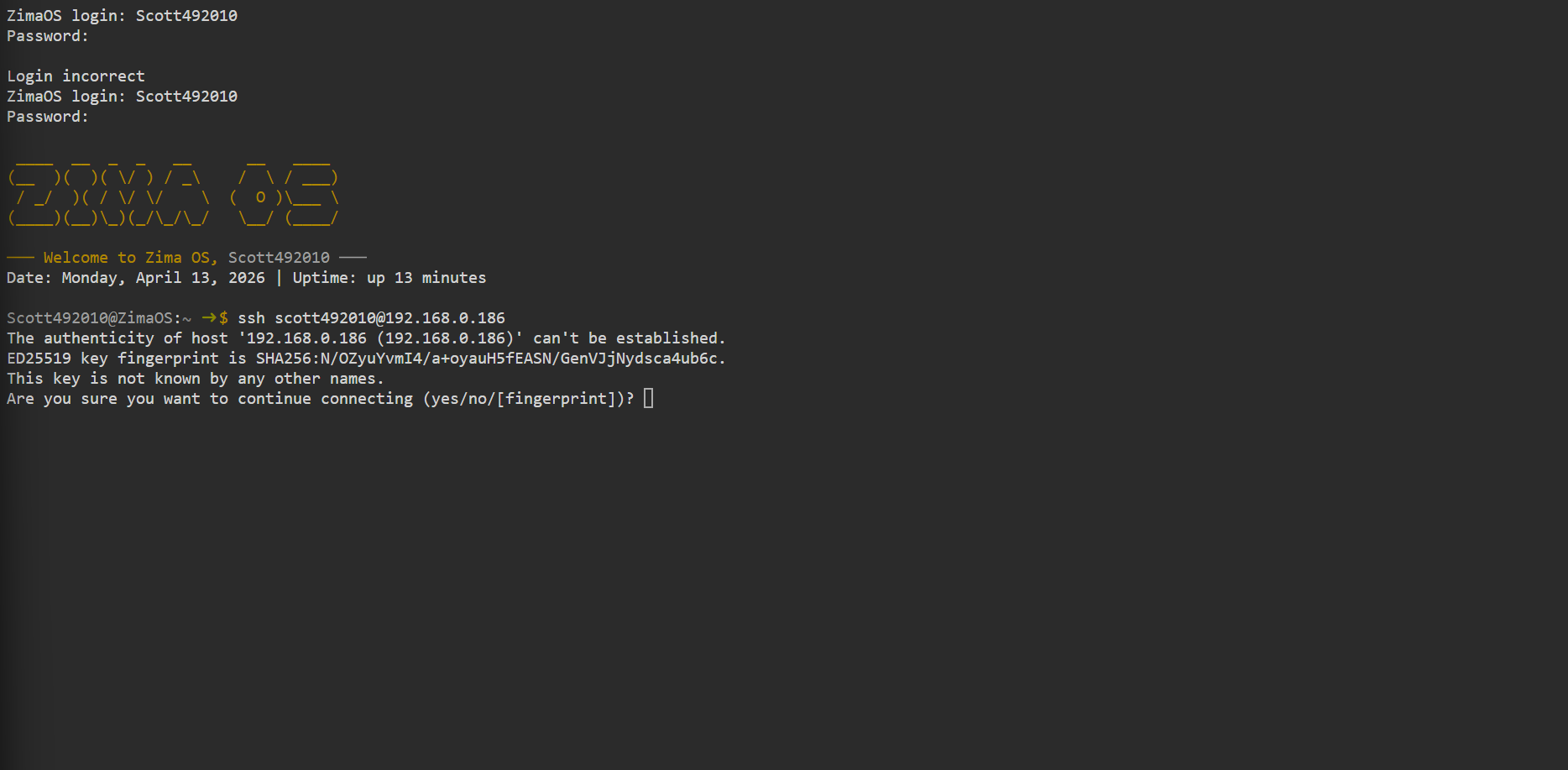
looks like your username begins with capital S but you’re typing all lower case. also find it strange you can log in with root using root/password. tried to replicate it on my end to check and it doesnt allow it so not sure if something is wrong with the install or version. sounds like quite the security flaw.
well you were correct. Using a captial S worked.
And yes it is wierd that i can connect with root/password. which is wierd.
I am following the instructions of how intall open vpn to remotely access immich @ 28:59 and i am getting wierd results unlike him in that youtube video.
any particular reason your choosing open vpn for remote access? tailscale and netbird are simpler and have client apps for majority of devices and operating systems which the zima client sort of lacks for now.
also both tailscale and netbird are one click installs from app store, just need to add a key to the apps to connect everything together.
i want it to be the easiest for sharing immich with family members and truly i have no clue what i am doing and after two days of searching this was seemingly the best tutorial to follow. If you have another tutorial for me to follow i would be excited to try it.
cant find a guide for zima in particular, but all you really need to do is install the app, register an account create a setup key and add the setup key to the app. repeat for each device.
ya i actually watched that youtube video earlier. between the dog pestering me and everybody under the sun coming up and trying to talk to me i just could not get a grasp on any of it. Like i said i have no clue what i am doing. They sure do not make it simple. Maybe if i was Geordi Laforge and new the terminology a little better hehehehe. Sadly i am ignorant and need somebody to hold my hand and walk me thru step by step. It has literally taken me a year to get Immich running on ZimaOS while using an external drive. At this point i am thinking it might take another year to get this remotely accessible.
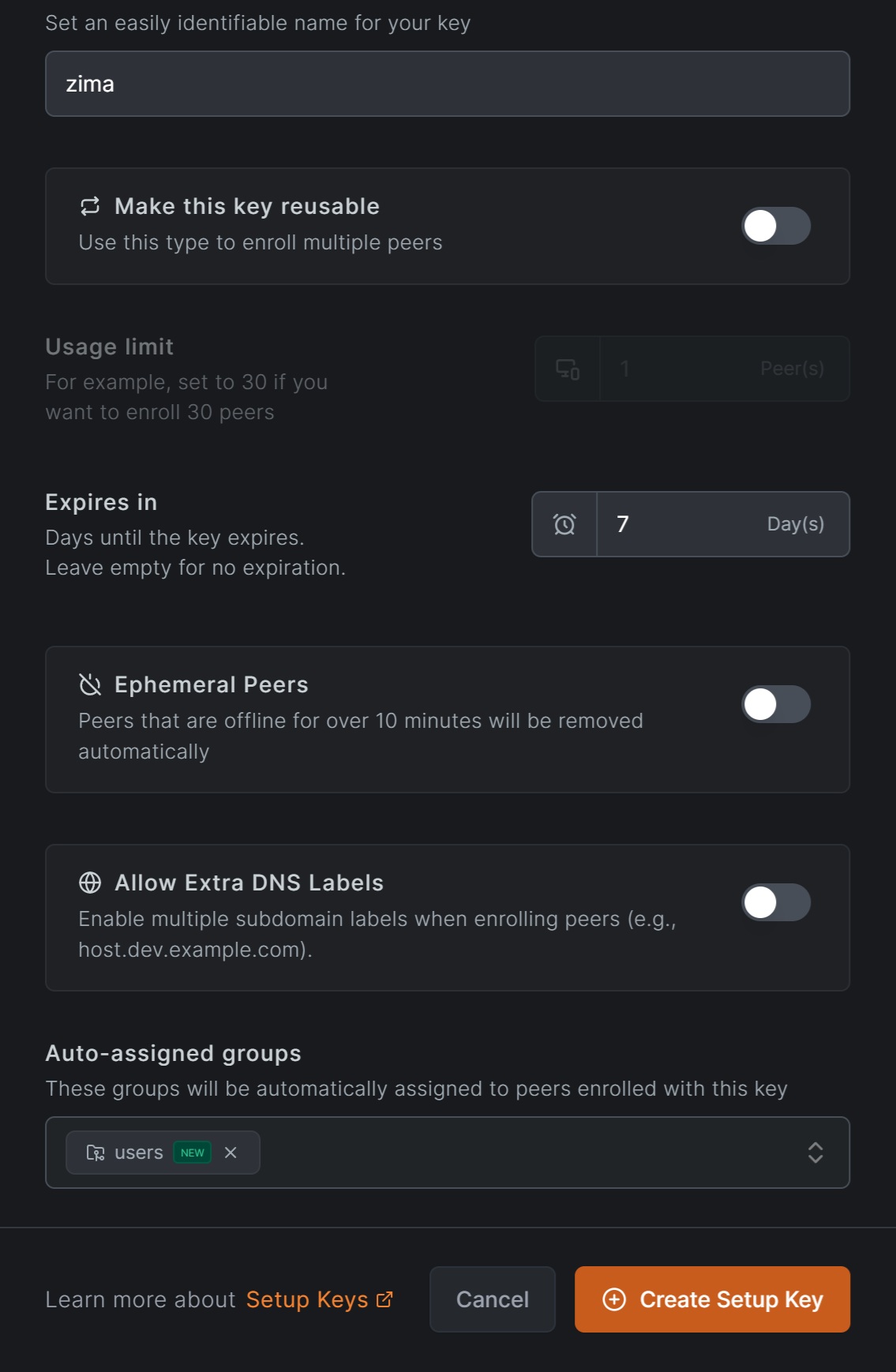
lol seems daunting at first just take your time, you need to head to https://netbird.io/ click get started on top right of page, sign up for an account and login to the control panel. click setup keys and create a key for your zima server giving it a name and then create a group ( i named it users in the image) so you can add more devices and assign them to that group
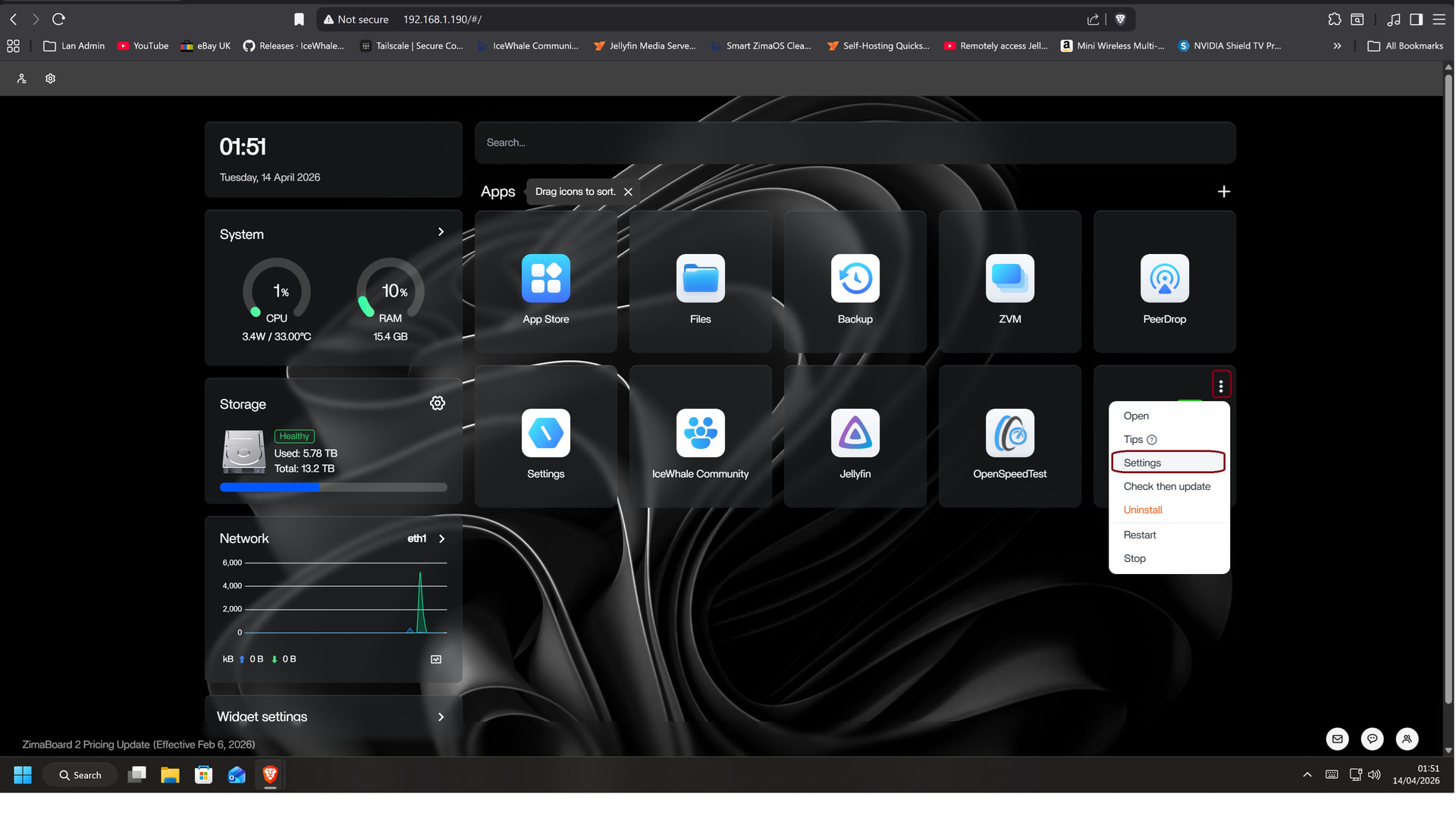
install netbird from app store, then click three dots on the top right of the app icon and go to settings
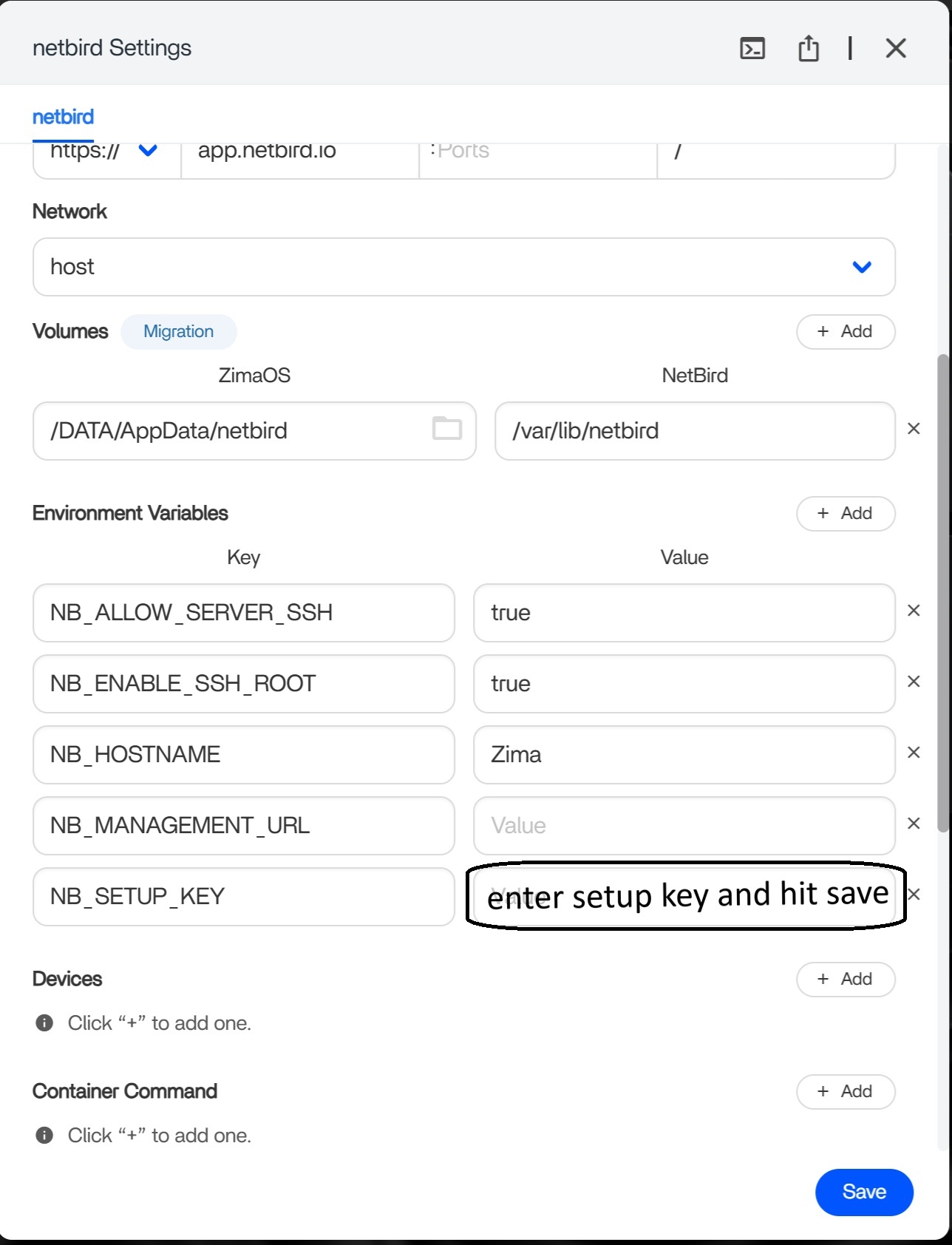
enter setup key in the docker settings and press save. check your control panel on netbird website you can confimr your device is connected.
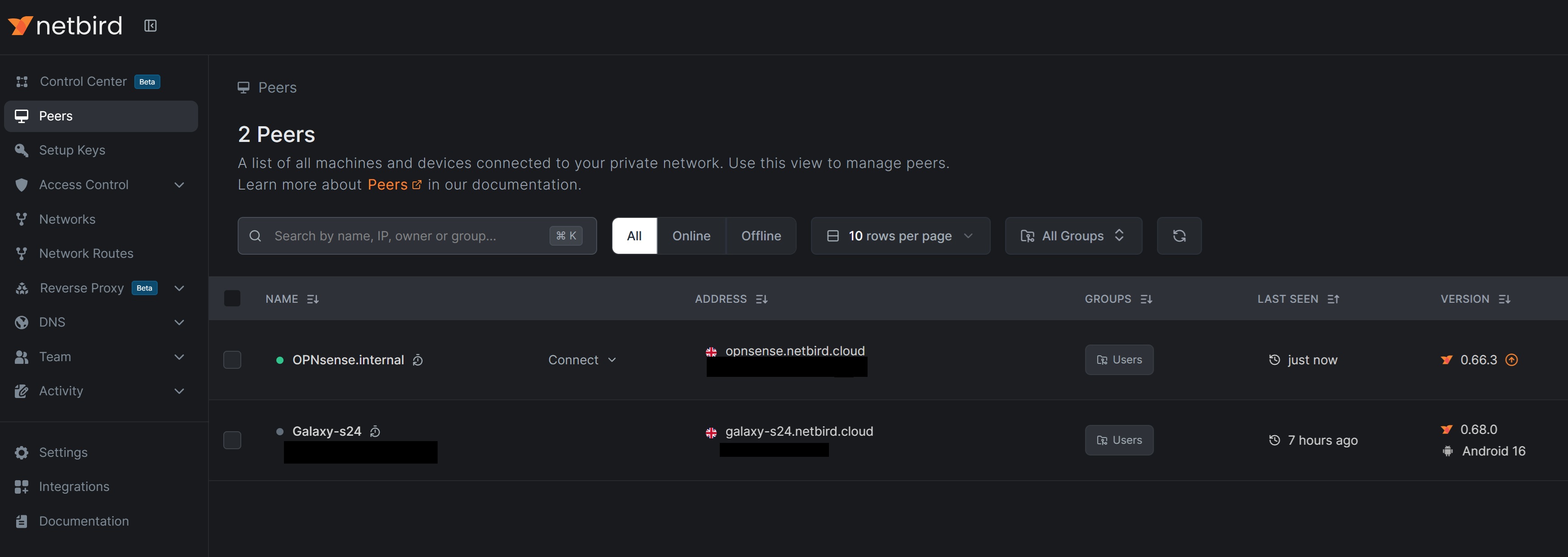
create a setup key for each device you want to connect and enter it in the apps.
there is also a invite users section you can send an invite by email to other folk you would like to give access to.
once your connected you should be able to access zima from a browser using the address for your zima server or point apps to it like jellyfin etc using your zima ip address
for the most simple way you just need to install the apps and connect them all using the setup key for peer 2 peer connections, but you can make some pretty complicated setups making a routing peer to share a whole subnet with security policies etc if you wanted to watch some netbird tutorials.
If i understand everything correctly all those ads stating “ replace google photos with immich” were false. Because approx. every week or every other week i make an album of all my photos and share the google photos album with approx. 15 friends and family.
If i go this route i will have to goto a service that has nothing to do with immich or my photos in order to share a album or photo with up to 5 ppl for free and if i want to share it with more i would need to pay a fee.
seems complicated, frustrating and possibly a huge lie. What i am wondering is why would immich add a share option in the upper right corner of their screen? sounds like if i was able to use that share option i will have to thru several other steps to make it work each time.
depends really the vpn connection doesnt really need to use a seperate account for each person you can just create set up keys from the one account (100 of them)
think of the vpn as a wifi connection you just give someone the router name and wifi password to connect. same deal with the vpn. each user will still need to login to your zima nas with their own username and password you created in zima or immich etc
I am also dealing with elderly people …. one of which claims he cannot access my photos because he cannot get google photos to work with the username and password he set up. the only way he sees my photos is if i make a slide show and share it with him via youtube. then he is all excited and happy. So i was hoping to set this up so he wouldnt have to sign in and no any kind of usernames and passwords. I can just imagine how he feels when he is trying to access anything…… strong passwords
sounds like you’d need to look more into self hosting through a reverse proxy with a domain name or something, zima is pretty new too (version 1.6) still really young in its development and more features will be added to make things easier etc. I dont know how I could make things easier for you with immich etc for elderly users. I don’t use immich and not I’m into photography lol sorry
maybe be better creating a new post for ideas on simplifying immich
1 Like