ZimaOS - Local backup destination and overall treatment of usb drives

Hey, this post will be partly already answered, but there are a few bullet points I’d like to cover so hopefully okay. Also, I apologize beforehand if something below is completely misinterpreted.

Close to when ZimaOS was available to be installed on 3rd party hardware I first started out with installing on an older Mac mini, thought it be the perfect use for it.
No matter what I tried I never got usb connected drives to be a part of the overall Zima storage display (the grid of dots), nor to manage them with raid.
I gave up and bought myself the Zimablade, only to realize it was identical behavior.

What I’ve found out so far is that there is actually no support planned for allowing usb drive to be managed as a part of zimastorage/raid setup, more than just them being external devices.
In another post/topic [Zima-Giorgio] asked a member for screenshots of current and expected behavior, so I went ahead and put together a few visual mockups + flows, hope that is okay, if not let me know and I’ll of course take it offline.

These are available in a public open mural (no need to have an account) at the below adress that provides current behavior and a suggestion to expected behavior.
There are two areas adressed;

  1. The ability to further manage externally connected drives from the user interface.

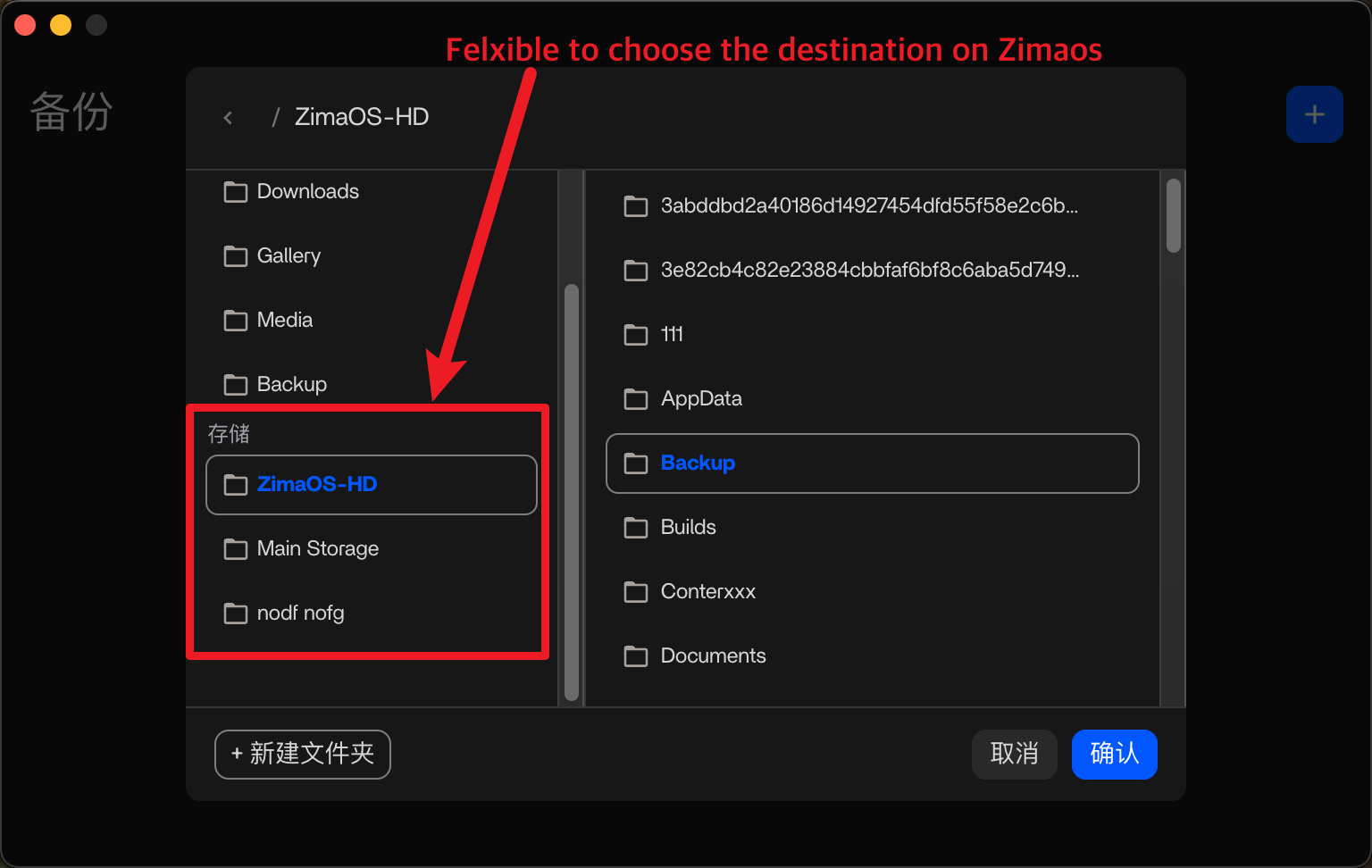
  2. The option to choose which drive to backup against. When choosing a local folder and backing up to ZimaOS, then not only see the Zima device but all that is connected for further control.

Again I might be completely off, but there is no ill intent with any of this, just a wish for something that for me would elevate the Zima ecosystem tremendously compared to any other competitor.

I’d be happy to create additional visuals or discuss further if needed, just let me know.
The mural board is available here and public open so no need for having an account:
MURAL Board

Regards, Peter

2 Likes

Hi Peter,
Thanks for putting this together, your visuals are clear and very helpful. I checked the Mural board and the flows make perfect sense. You’ve captured the current behaviour accurately and the expected behaviour you outline is exactly the type of clarity users look for, especially around external drive handling and 3-2-1 backup destinations.

Just to confirm the technical side:
• USB drives in ZimaOS are currently treated as external/removable only. They aren’t part of the ZimaStorage pool and can’t be used in RAID today, this is by design, not a bug.
• Backups also follow that separation, which is why the dashboard and desktop app only expose “local ZimaOS storage” instead of every attached drive.

Your suggestion essentially closes the gap between what users expect (“If the drive is connected, let me manage it or back up to it”) and what ZimaOS currently allows. The way you mapped the “today vs expected” behaviour makes the issue extremely clear without being critical.

I think this kind of structured feedback is valuable for the team, and I’d encourage you to share the visual mock-ups directly with community@icewhale.org
as well, they help prioritise real-world use-cases.

Nice work, and thanks again for laying it out so clearly.

1 Like

I really appreciate this post, because it is exactly what I have been trying to articulate and I certainly don’t have the technical (or artistic) prowess to put something like this together.

Zima Team, I implore you to please consider these requests. I would venture to bet that many users (myself included) have much of their storage as external drives. Furthermore, I can only assume that a fair bit of Zima users are running ZimaOS on a device like a miniPC, laptop, or NUC. I’m personally running it on an Intel NUC and don’t have the ability to add any more internal drives on my Zima Machine.

I was speaking to a former Unraid user today and telling him that I was considering Unraid for this specific purpose. According to that user, Unraid does not have this type of support either.

I will say, there was a point in which my NUC was displaying the expected behavior with my 4TB external Seagate HDD. I’m not entirely sure what I did for it to behave like that (meaning, that 4TB drive being in my total storage stats). I have troubleshot many different things via Linux commands to get the behavior back, but to no avail.

I really like Zima and much like the OP I am not attempting to be critical. That said, I would love for this to be changed in an upcoming update… even if it were an option buried deep down in settings to give the user this option.

EDIT: My apologies, I did not mean for this comment to be a reply to gelbuilding, this comment was meant to be a reply to the OP.

1 Like

Hi everyone, I’m Collin, the Product Manager for ZimaOS.
I’ve gone through this entire thread carefully, and I want to sincerely thank anadrogena for creating the MURAL board. Your thinking around the storage management module is almost exactly aligned with the direction we’re planning internally — and the clarity of your visuals is extremely helpful.

I’d like to address a few points raised in this discussion:


1. About backup destinations

In earlier versions of ZimaOS, we already implemented support for any data source → any backup destination without restrictions.
If you’re unable to select the device you want as a target, it’s very likely due to running an older version of the system.

:backhand_index_pointing_right: Our current version is ZimaOS 1.5.3.
If you are already on the latest version and still experience issues, please feel free to reply here — our technical support team will follow up and assist you directly.


2. About USB storage management

I’m genuinely happy to see how aligned the community is on this topic — and we share the same perspective internally.

In our next major design iteration, ZimaOS will support fully managing all types of storage devices, including:

  • Creating RAID
  • Using drives independently
  • Formatting
  • Viewing details
  • Mounting / unmounting
    … and more.

Our core philosophy is simple:

:backhand_index_pointing_right: Users should have full control over their storage devices.
The system should guide with helpful warnings, not impose unnecessary limitations.

This capability is currently under product design and development.
The visual structure shown in the MURAL board is excellent, and I will bring it into our internal discussions with the team.


If you have more ideas, use cases, or questions, please keep the conversation going here.
Every piece of feedback truly helps us make ZimaOS better — and we really appreciate the time you all take to share your experiences.

2 Likes

CC @gelbuilding

Hi!
Super happy it was appreciated, if there is anything needed just shout and I’d be happy to assist, all flows and assets are done in vectors and easy to export or change.

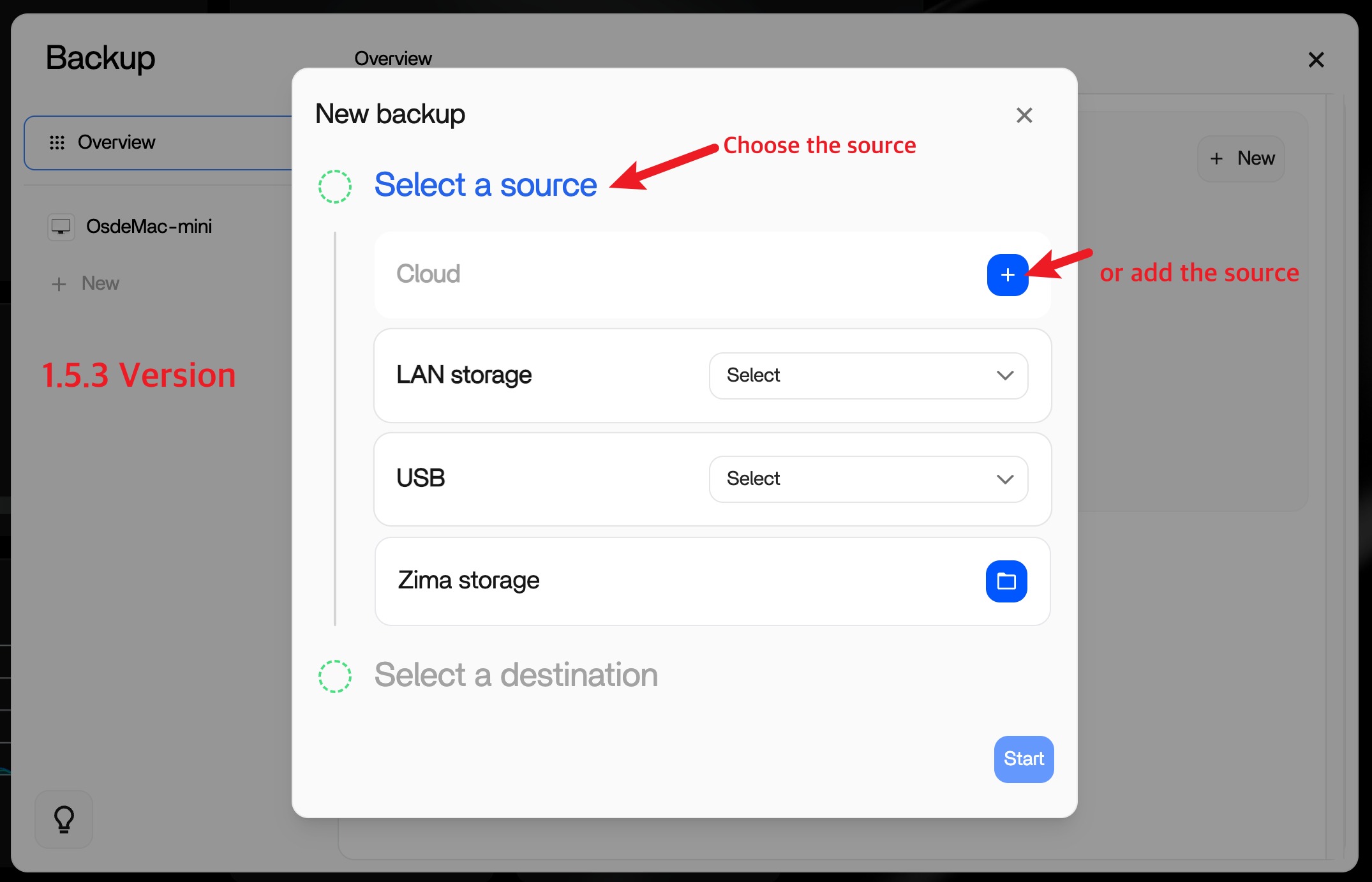
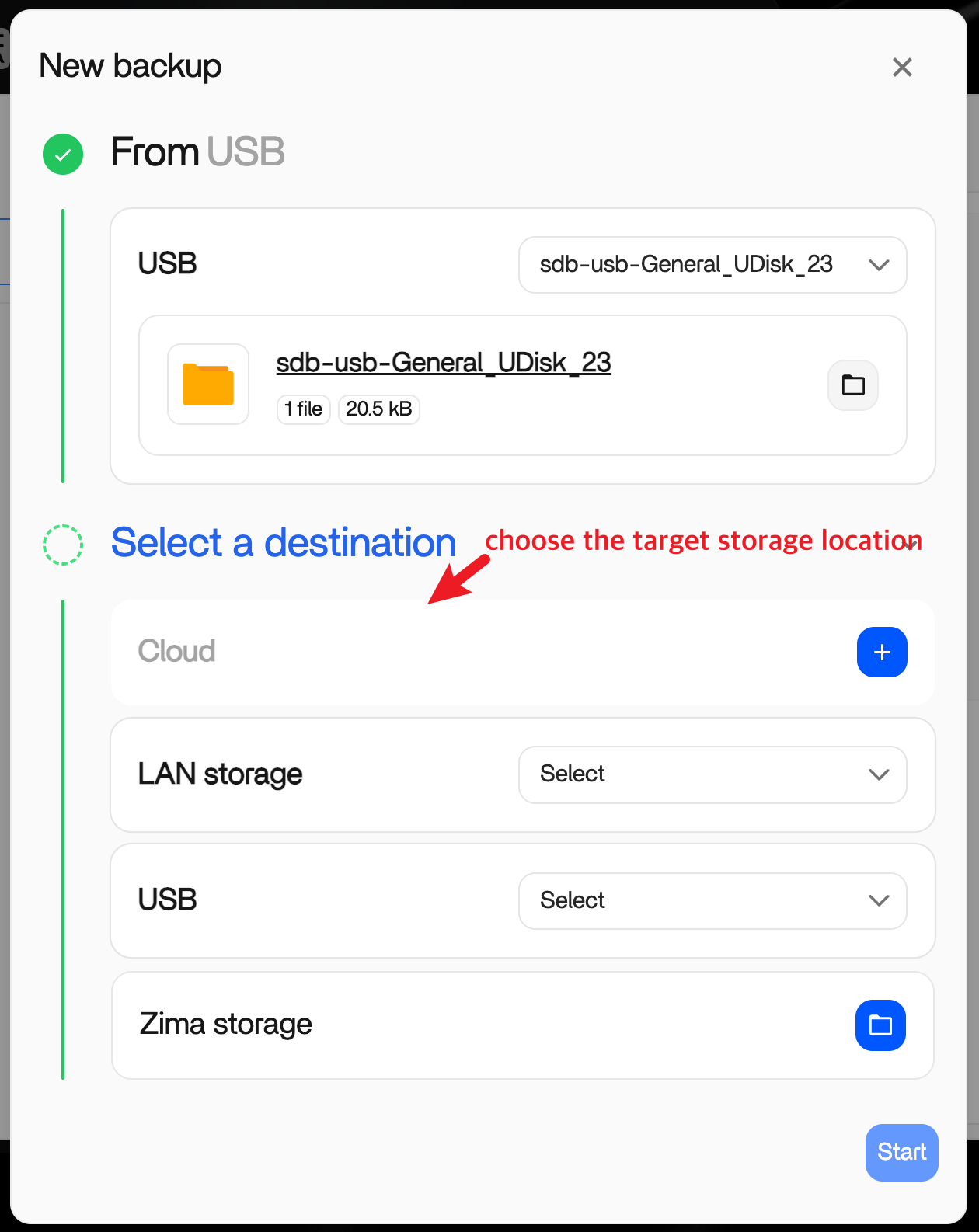
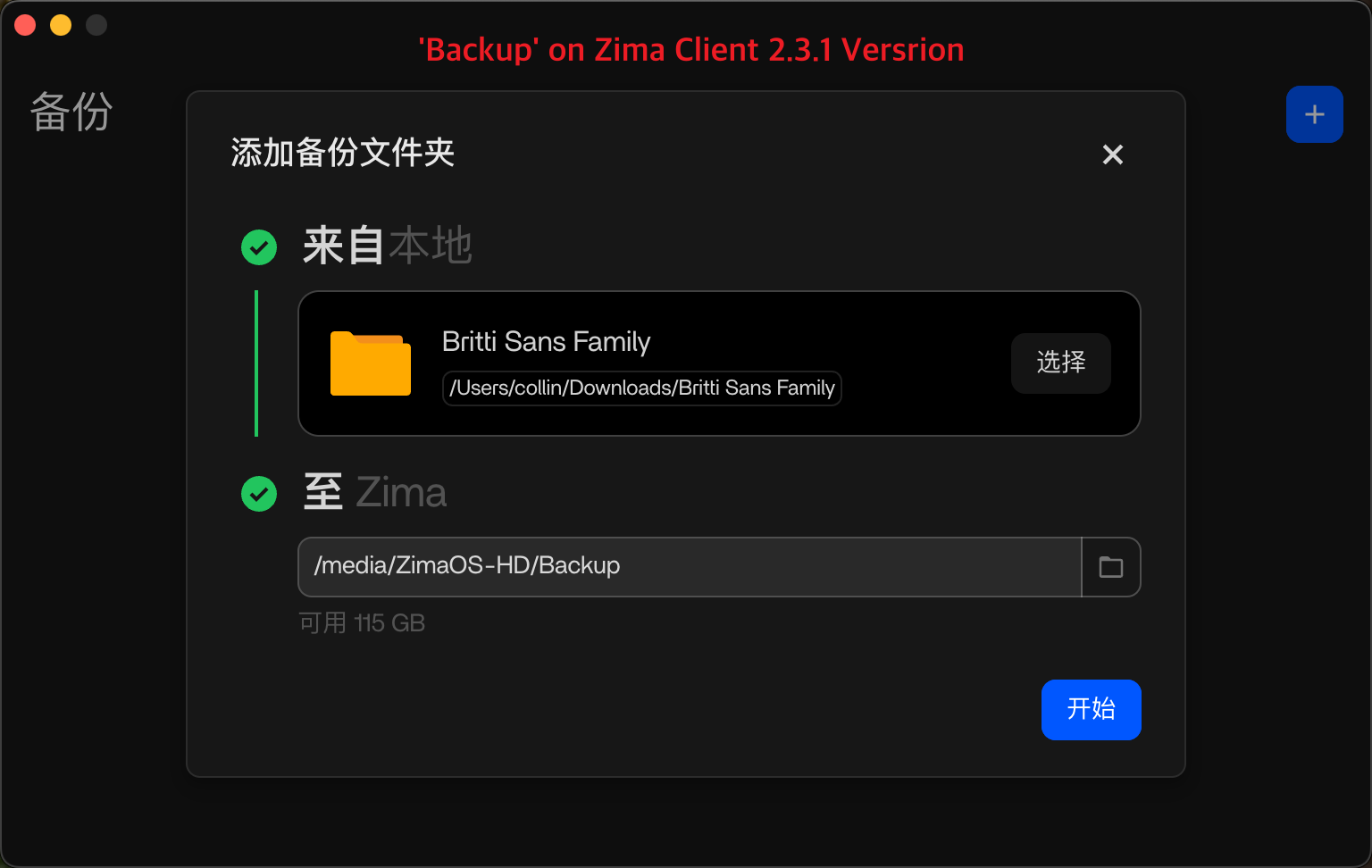
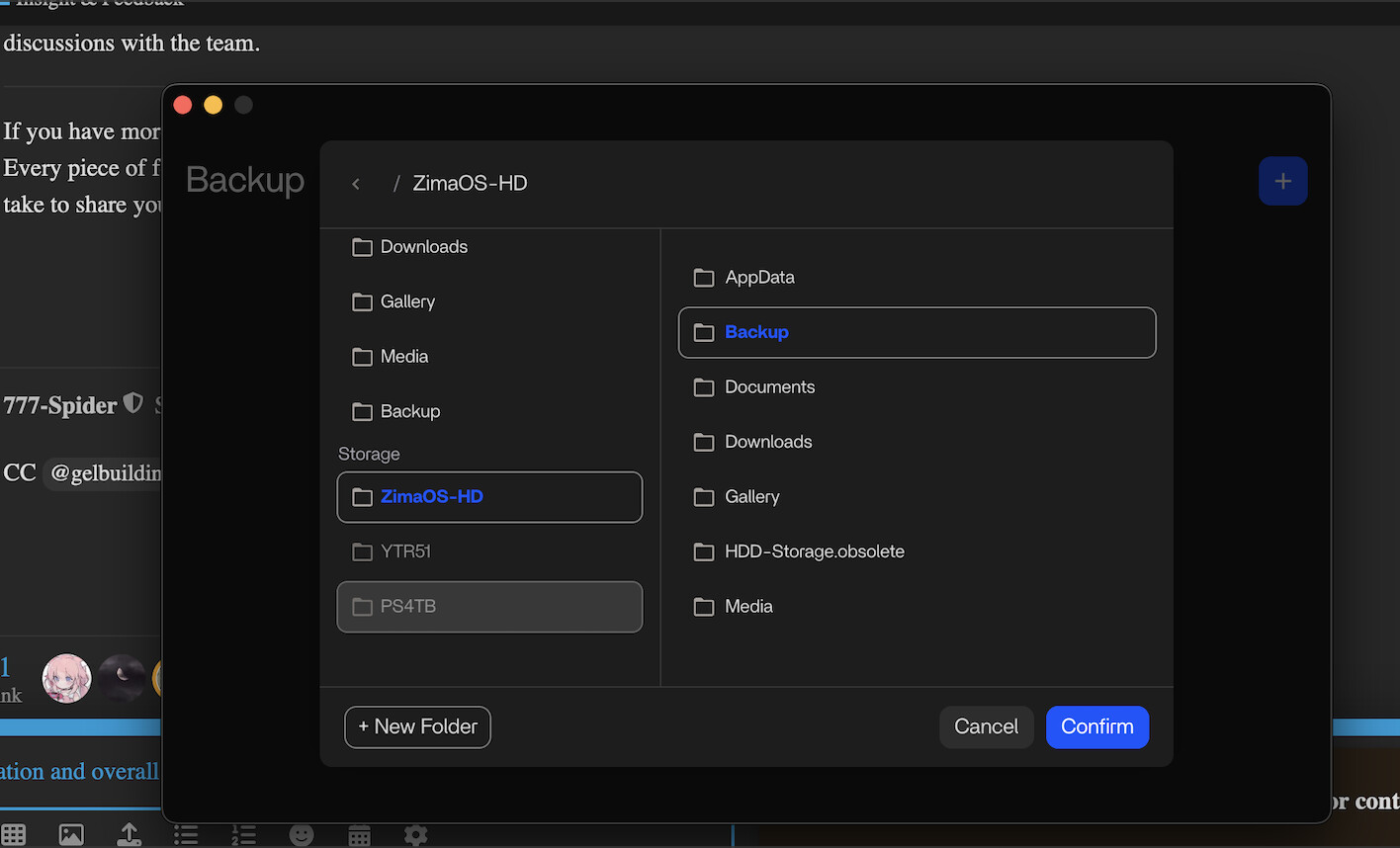
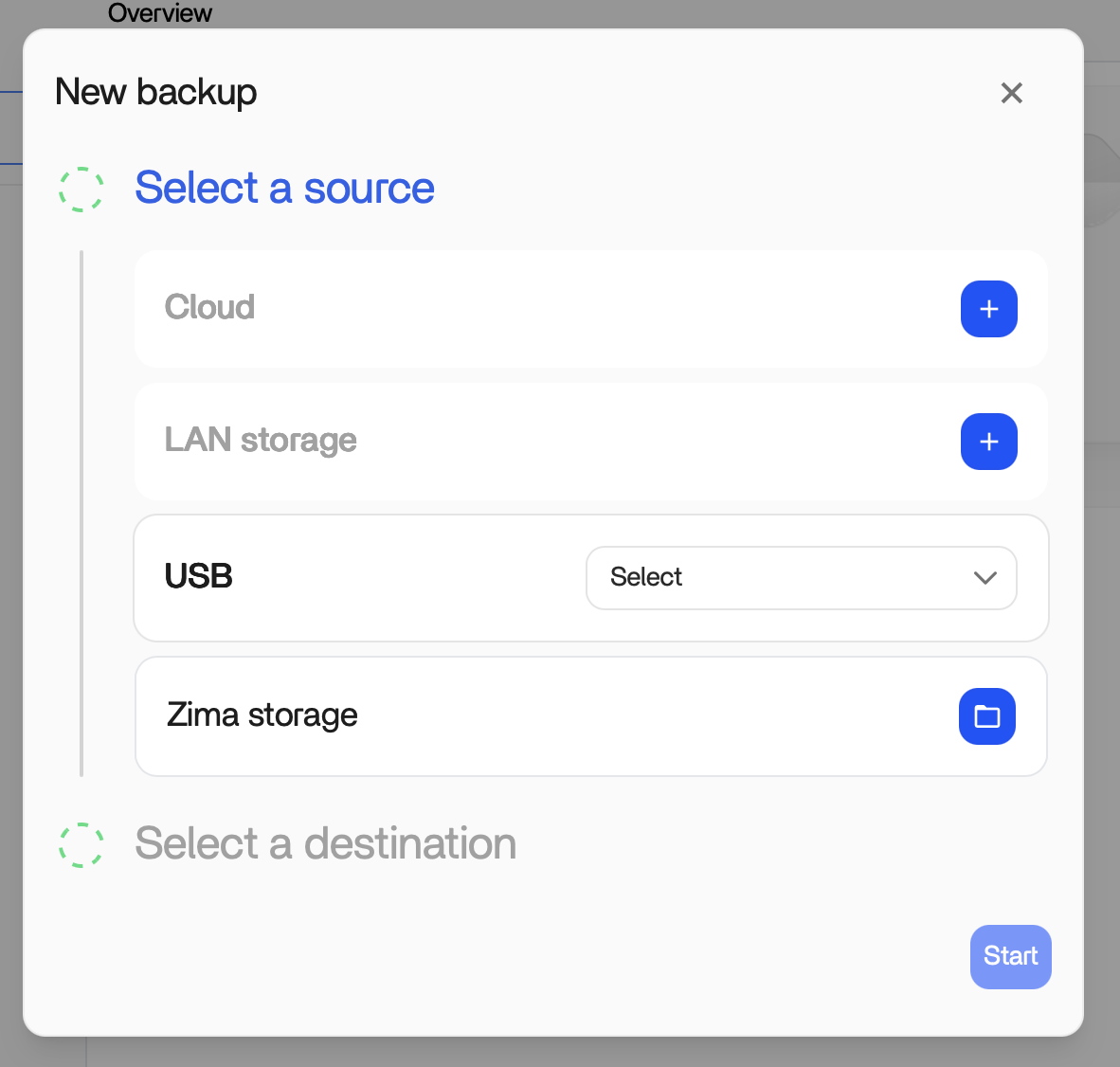
At the moment I am on 1.5.3, when using the Desktop app for backup, choosing a local target is no problem. When choosing destination of the backup the connected drives are greyed out and not available to choose:

When going about the same flow from the browser client it is not possible to choose a local folder (by local I mean on a device other than ZimaOS, in this case a laptop).

When choosing a target destination the behavior is the same as with the desktop client, drives connected to my Zimablade through Usb are not possible to choose/greyed out.

Thanks for the detailed follow-up — this is a very good question, and I realize we haven’t explained this architecture clearly enough before. Let me clarify how backup is currently designed in ZimaOS.

The key point is that Web, Client, and Mobile have different responsibilities in the backup system.

Web (Dashboard / Browser)
The backup module on the Web is primarily a management and visibility layer, not a data-source client.
Its main purpose is to:

  • Provide a unified view of backup status across devices (PC, mobile, Zima itself)
  • Show progress, history, and error states
  • Give users confidence that their data is protected

For security and technical reasons, the Web cannot directly access local files on your computer or phone, so it does not create backup tasks from local devices.

Zima Client (PC / Mac)
The desktop client is responsible for initiating backups from your PC, because it can safely access local file systems and create backup tasks.

Mobile App
Similarly, the mobile app is responsible for backing up phone photo libraries.

In other words:

  • PC files → Zima Client
  • Mobile photos → Mobile App
  • Web → Manage storage targets and monitor all backup tasks

Regarding USB backup destinations:
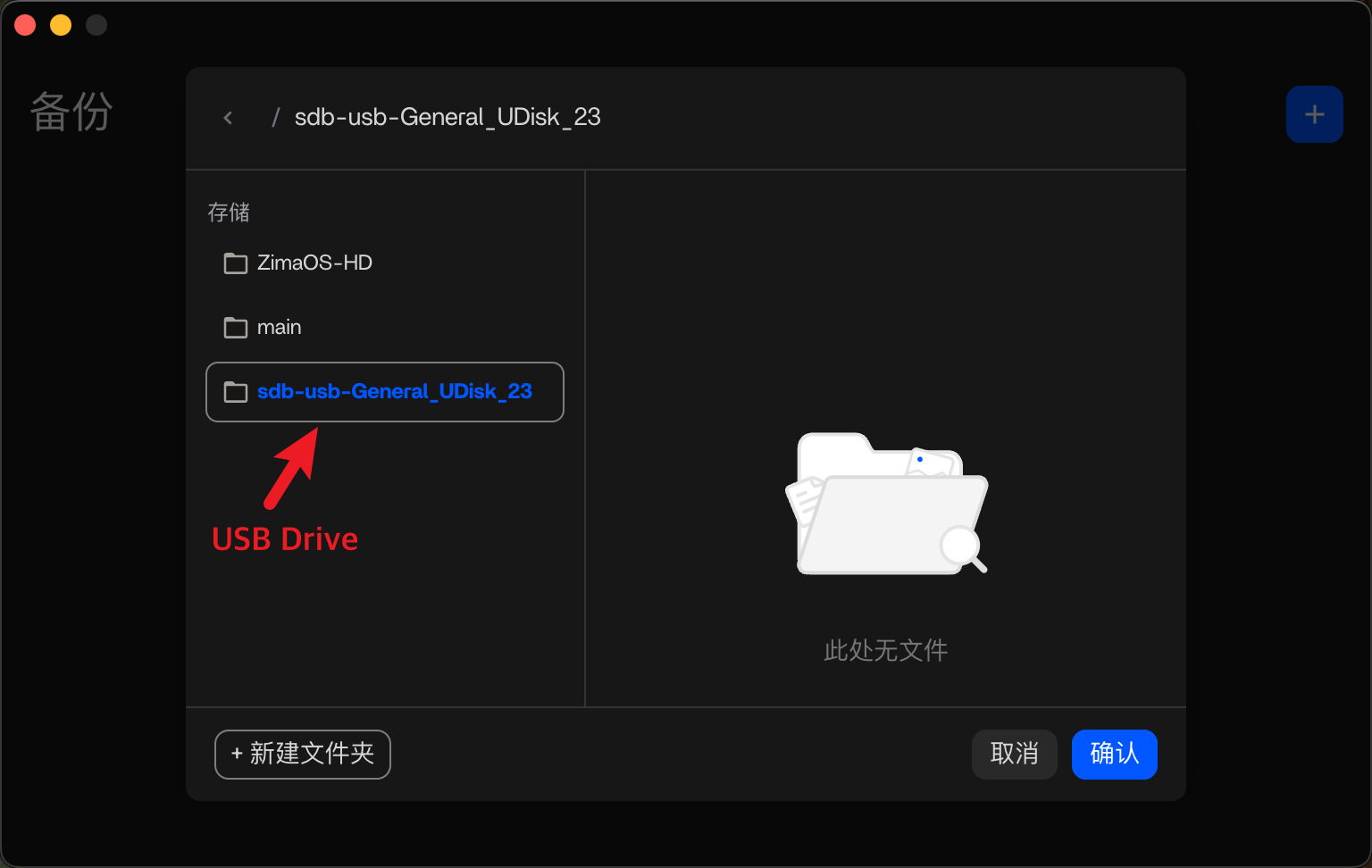
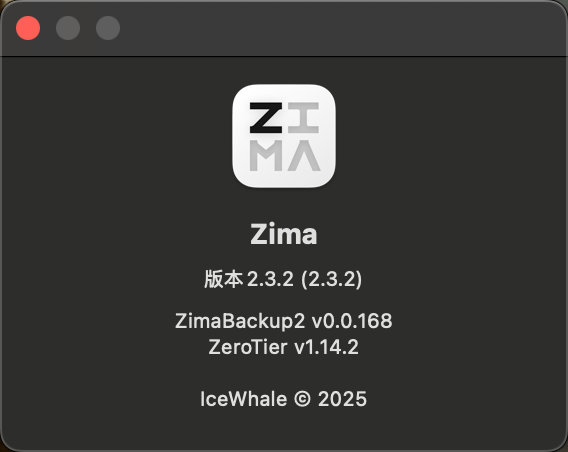
On Dec 15, we released ZimaClient 2.3.2, which already supports using USB drives as backup destinations.
ZimaClient updates automatically, but if the version hasn’t refreshed yet, please try quitting and reopening the app.

Your feedback and the MURAL board are extremely valuable, especially around making these roles and capabilities clearer in the UI. We’ll continue improving both functionality and communication here.

Thanks again for the thoughtful input — it genuinely helps us improve ZimaOS.

2 Likes

Hey and thanks for clarifying, makes perfect sense to me.
I was on 2.3.1 and just updated to 2.3.2 and I just want to say THANK YOU! Love it!
A truly perfect start on this Monday. :heart:

3 Likes

Will these features and others be hardware platform agnostic or focused primarily on Zima hardware and everyone else hardware platform will be best effort?