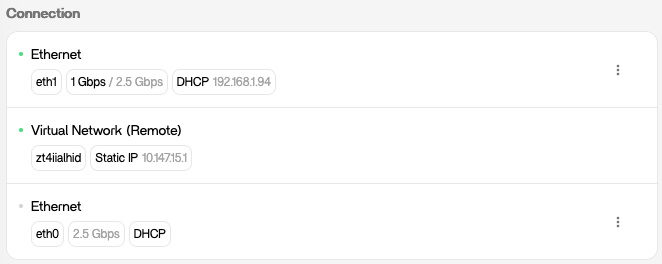
IPv6 address : I have IPv6 DHCP enabled in parameters and on my unifi network, it should be nice to have all IPv6 address like for IPv4 or indication if there is none
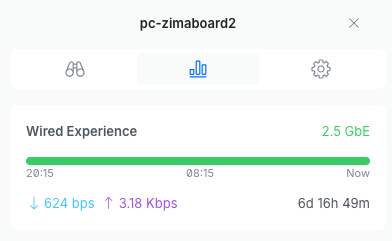
wrong ethernet speed : on my unifi switch, my zimaboard is on 2.5Gbps but only 1Gbps in UI. After rebooting the zimaboard, 2.5Gbps appears. It should update info without rebooting system.
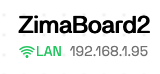
display manual ethernet connection : even if I have configured ethernet to manual IP address (192.168.1.95), it still shows DHCP with old IP (192.168.1.94). After rebooting zimaboard, right static IP appears. It should update info without rebooting system.
Since installing the beta I have been unable to transfer files from a usb connected drive. I get a message stating that I have reached the limit of 4 drives allowed for the free version and that I have to upgrade to the pro version. When using the stable version there was no problem transferring files. I have the pro version installed on a different nas so I can’t afford to buy another one. Why the change?
I too lost my Plus license when I updated to 1.6.0-beta1, because it changed my DC (Device Code?).
Per a similar issue in another thread, I sent an email to community@icewhale.org to get a new license code.
I tried using the Contact Us support page, but it fails to send the message. I also sent emails to lauren @zimaspace.com, who sent the “Welcome to ZimaOS Plus” email, and to support @icewhale.org, but received nothing from them, yet. I understand this is all happening on a weekend, so we’ll see how long this takes.
Lessons Learned: In Settiings > General > Developer mode, UNCHECK “Join the Beta experience”. Duh.
ZimaOS beta 1.60-beta1 is much better than 1.54. I had made a ZimaPool, and I was populating it with directories. When I tried to set each as SMB shares the GUI choked. As soon as I updated to 1.60-beta1 the SMB change was easy using the GUI.
The simple visual change and main screen are better and make better sense.