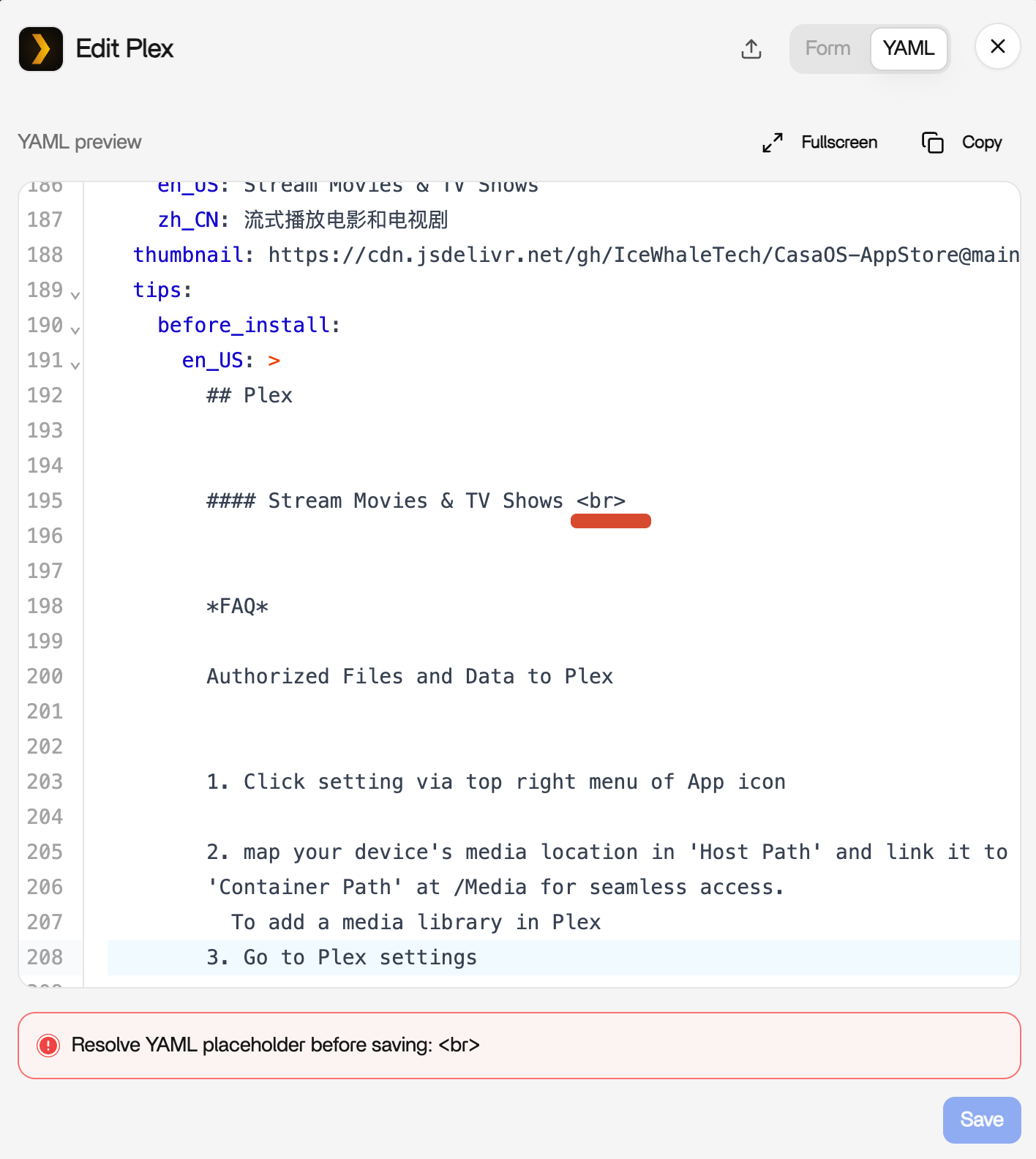
i just updated to 1.7.0 plex stopped working after update.
when clicking on manage it shows
Resolve YAML placeholder before saving:
how to fix that
regards
i just updated to 1.7.0 plex stopped working after update.
when clicking on manage it shows
Resolve YAML placeholder before saving:
how to fix that
regards
Thanks for your feedback. You can remove the <br> from the tips value in the YAML file. Please refer to the image below for details.
Additionally, could you manually run the following command in the command line?
sudo docker start plex
After running it, please send us a screenshot of the error message.
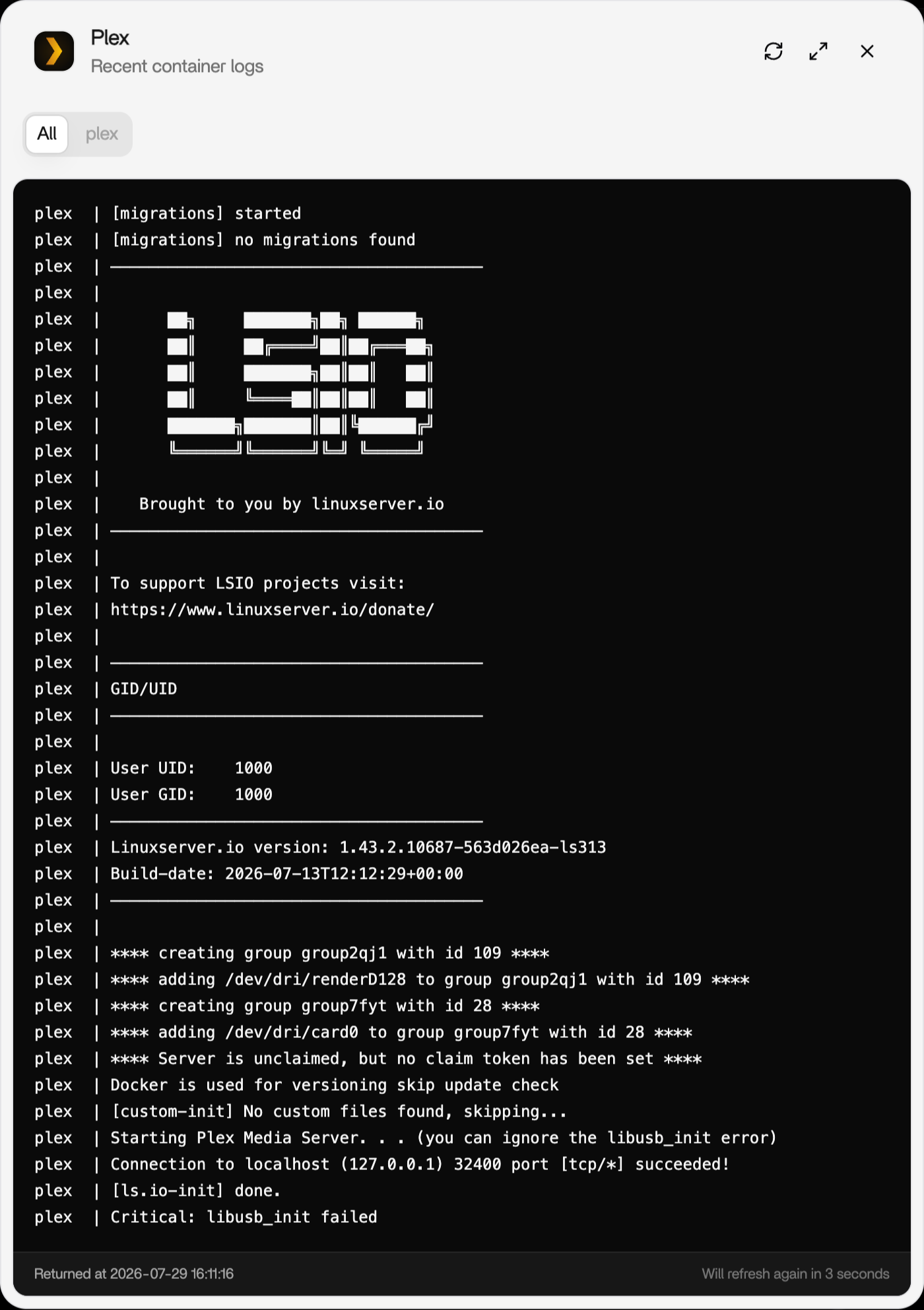
Also, please click Logs on the Dashboard and send us a screenshot of the log page as well.
thank you for your replay
i uninstalled plex and reinstall it again, its working now
plex  |
plex  |    Brought to you by linuxserver.io
plex  | ───────────────────────────────────────
plex  |
plex  | To support LSIO projects visit:
plex  | https://www.linuxserver.io/donate/
plex  |
plex  | ───────────────────────────────────────
plex  | GID/UID
plex  | ───────────────────────────────────────
plex  |
plex  | User UID:    1000
plex  | User GID:    1000
plex  | ───────────────────────────────────────
plex  | Linuxserver.io version: 1.43.2.10687-563d026ea-ls311
plex  | Build-date: 2026-06-29T13:13:50+00:00
plex  | ───────────────────────────────────────
plex  |
plex  | **** permissions for /dev/dri/renderD128 are good ****
plex  | **** permissions for /dev/dri/card0 are good ****
plex  | **** Server already claimed ****
plex  | Docker is used for versioning skip update check
plex  | [custom-init] No custom files found, skipping...
plex  | Starting Plex Media Server. . . (you can ignore the libusb_init error)
plex  | Connection to localhost (127.0.0.1) 32400 port [tcp/*] succeeded!
plex  | [ls.io-init] done.
plex  | Critical: libusb_init failed
except that i cant update to new version! the update option is not there anymore.
Warning: At present, uninstalling plex in zimaos v1.7.0 will delete appdata by default. Please back up the configuration data before operating.
We will solve this problem in the next version.