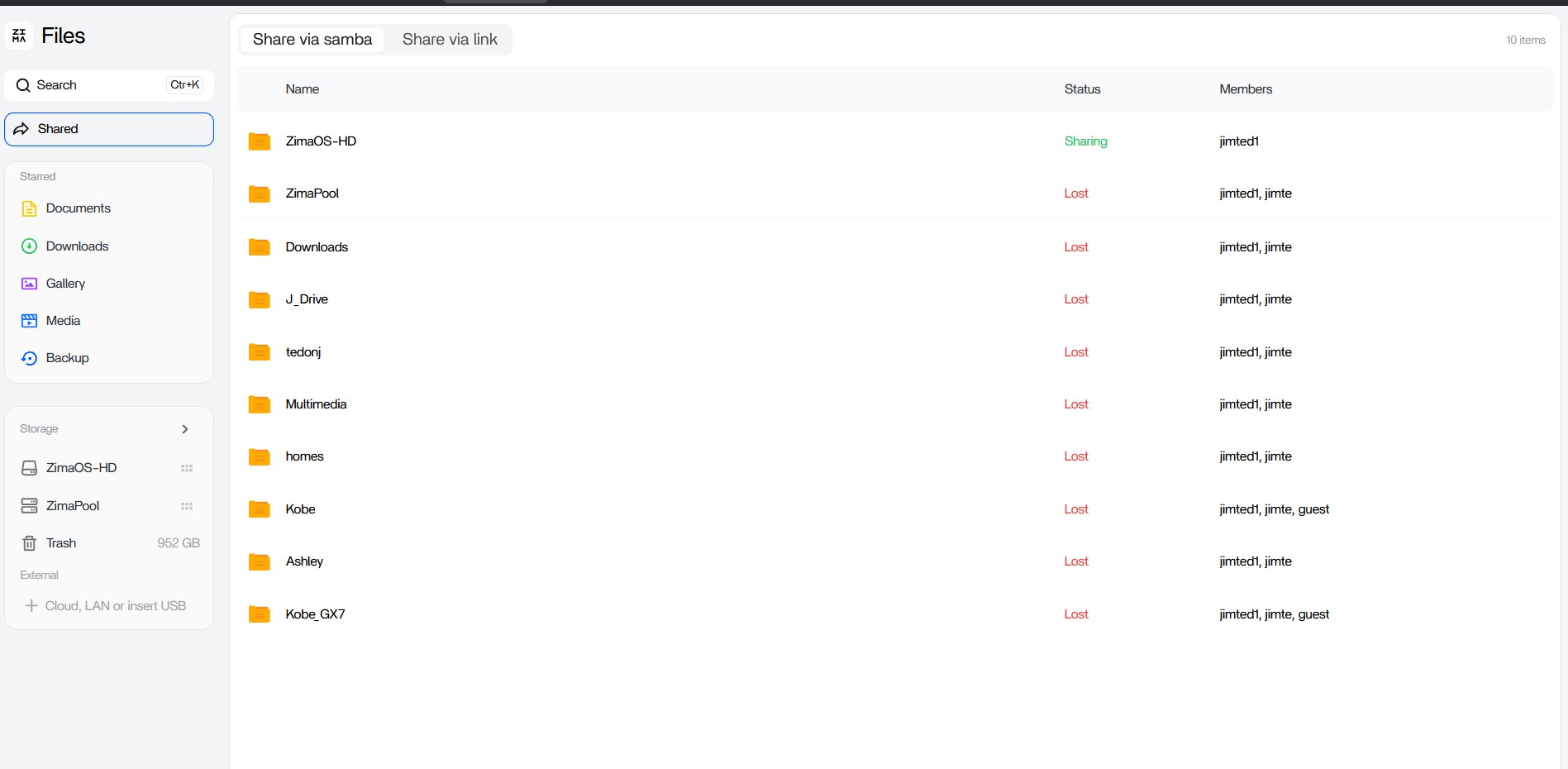
I used the update menu from the general ZimaOS screen to update from 1.6.1 to 1.6.2 Beta. After my Zimaboard2 updated and rebooted, none of my shares came back online.
Additionally, my previously loaded Apps do NOT show up, including Immich and Pi-hole.
Hi, can you take screenshots of the error image? Also, can I run the following commands on the command line? Then find the diskinfo.log file in Files and send it to us
I checked the logs and found that RAID data was not lost, but the RAID UUID matched the NVMe UUID, causing the RAID mount to be at the wrong destination. We want to learn more, and I replied to you in the email. Looking forward to your reply
I did not see a reply from you, except for the original note asking me to run that command string that produced the disk io log. If there is a further command you would like, please send it again.
Also, you stated that RAID data was not lost. Is there a process or command you can advise me to use to recover my RAID volumes?
Hi, could you please check whether my email ended up in your spam folder? I’ve also just sent you a PM and a new email. Looking forward to your reply.
To better understand your usage scenario and further determine the cause, we would like to confirm a few details with you. Please describe the complete usage history of the sda, sdb, and NVMe drives:
Do you remember which system version this RAID was created on?
Was it originally created using the two 12TB drives, sda and sdb? Or was it previously created using the NVMe drive together with a 12TB drive?
Have you used the NVMe drive normally before? Was its directory name at that time nvme0n1-nvme-SPCC_M.2_PC?
Also, has this NVMe drive ever been added to the RAID?
If possible, would you be willing to provide remote information?(remote ID and your ZimaOS account credentials). We’d like to check this issue for you remotely. You can send them to my email: dina@icewhale.org
I am so sorry for not checking the SPAM folder. I found your emails in the SPAM folder. I had wrongly assumed that because I was still getting many regular Icewhale marketing and such that I didnt think of SPAM.
Amazing support !! As a former Technical Support Engineer from EMC, I am impressed!!