Zimaos 1.4.2-beta2 to 1.4.2 update - how?

I have ZimaCube Pro/Creator, and I installed 1.4.2-beta2 from scratch with the installer image.
Now I see 1.4.2 is out (not beta). How do I update? I did try putting the /DATA/ruac/offline/ folder, but nothing happened. Is there (still) no online update feature? Or isn’t there an update path from beta to release version?` What about a command to trigger the update using that ruacb file or some other file?

admin@ZimaCube-Pro:~ ➜ $ cd /DATA/rauc/offline/
admin@ZimaCube-Pro:~/rauc/offline ➜ $ pwd
/DATA/rauc/offline
admin@ZimaCube-Pro:~/rauc/offline ➜ $ ls -lA
total 1048224
-rw-r--r-- 1 root root 1073374521 Aug  7 01:32 zimaos_zimacube-1.4.2.raucb

Bonus question - how do I contact support? I have a hardware problem, most of the times I reboot at least one harddrive is not showing up. I tried emailing support@icewhale.org but that did not get me a response.
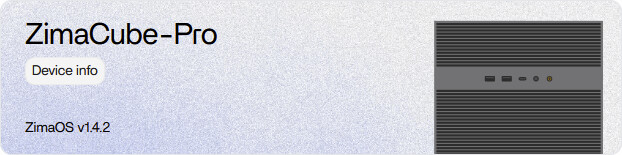
Of course I found a way after I posted.. I found the ‘rauc’ command. So I’ll post the solution in case someone else looks for this.

Using CLI, I was able to upgrade.

Since 1.4.2-beta2 was the first release, I could see that the “B slot” was “bad”, because no new image was installed:

admin@ZimaCube-Pro:~/rauc/offline ➜ $ rauc status
=== System Info ===
Compatible:  zimaos-zimacube
Variant:     
Booted from: kernel.0 (A)

=== Bootloader ===
Activated: kernel.0 (A)

=== Slot States ===
  [boot.0] (/dev/disk/by-partlabel/casaos-boot, vfat, inactive)

⏺ [kernel.0] (/dev/disk/by-partlabel/casaos-kernel0, raw, booted)
      bootname: A
      boot status: good
    [rootfs.0] (/dev/disk/by-partlabel/casaos-system0, raw, active)

○ [kernel.1] (/dev/disk/by-partlabel/casaos-kernel1, raw, inactive)
      bootname: B
      boot status: bad
    [rootfs.1] (/dev/disk/by-partlabel/casaos-system1, raw, inactive)

I issued the install command and the new image (1.4.2 release) was written to “slot B”:

admin@ZimaCube-Pro:~/rauc/offline ➜ $ rauc install zimaos_zimacube-1.4.2.raucb 
installing
  0% Installing
  0% Determining slot states
 10% Determining slot states done.
 10% Checking bundle
 10% Verifying signature
 20% Verifying signature done.
 20% Checking bundle done.
 20% Checking manifest contents
 30% Checking manifest contents done.
 30% Determining target install group
 40% Determining target install group done.
 40% Updating slots
 40% Checking slot boot.0
 42% Checking slot boot.0 done.
 42% Copying image to boot.0
 60% Copying image to boot.0 done.
 60% Checking slot kernel.1 (B)
 62% Checking slot kernel.1 (B) done.
 62% Copying image to kernel.1
...
 79% Copying image to kernel.1
 80% Copying image to kernel.1 done.
 80% Checking slot rootfs.1
 82% Checking slot rootfs.1 done.
 82% Copying image to rootfs.1
...
 99% Copying image to rootfs.1
 99% Copying image to rootfs.1 done.
 99% Updating slots done.
100% Installing done.
idle
Installing `/DATA/rauc/offline/zimaos_zimacube-1.4.2.raucb` succeeded

A new status showed “B slot” as “good” and would be the next image to be booted after a reboot.

Checking the /etc/os-release saw the “beta2” gone, so did the

admin@ZimaCube-Pro:~ ➜ $ cat /etc/os-release 
NAME="ZimaOS"
BOARD="ZimaCube"
VERSION="v1.4.2"
ID=zimaos
VERSION_ID=1.4.2
PRETTY_NAME="ZimaOS v1.4.2"
CPE_NAME=cpe:2.3:o:icewhale:zimaos:1.4.2:*:development:*:*:*:zimacube:*
VARIANT="ZimaOS ZimaCube"
VARIANT_ID=zimacube
SUPERVISOR_MACHINE=ZimaCube
SUPERVISOR_ARCH=amd64
BUILD_DATE="2025/08/01 13:41:23 UTC"
MANUFACTURER="IceWhale Technology"
MODEL=ZimaCube