Got my Zimaboad set it up and out of the box it said Damage in red on the storage in the client. I thought that maybe it was because I had no external storage, so I bought two Exos 10 TD drives and hooked them up. They are not able to be seen as the device boots or in the space to create the bays. I then notice that the storage service was not booting. I have tried a few things to wipe the drive metadata, etc, but this continues to persist and I’m not able to create any drive arrays. Is this an OS issue or a hardware issue and how do I resolve?
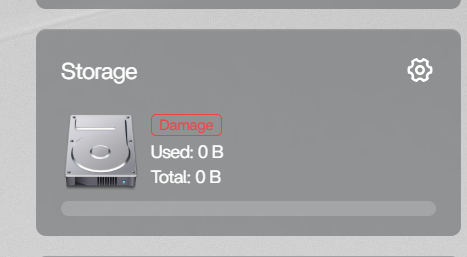
That definitely does not sound normal for a brand new setup. If the storage service is already showing “Damage” in red on first boot, and the drives are not appearing during boot or in the RAID/bay creation screen, then this points more toward a storage service or detection issue rather than the Exos drives themselves.
Before doing anything destructive, I would first confirm whether the OS can actually see the disks at the hardware level.
From the ZimaOS terminal or SSH, can you post the results of:
lsblk -o NAME,SIZE,MODEL,FSTYPE,MOUNTPOINT
and:
sudo fdisk -l
Also check whether the storage service is failing with:
systemctl status zimaos-storage.service
and:
journalctl -u zimaos-storage.service -n 50 --no-pager
A few of us have seen strange storage-related behaviour lately around the 1.6.x releases, especially involving stale metadata, inactive mounts, or the storage service failing to initialise correctly. But first we need to verify whether the drives are actually being detected by the kernel before assuming it’s hardware or RAID metadata related.
I would avoid wiping metadata or forcing RAID cleanup further until we see those outputs.