Hi, I am a little frustrated with my device, I installed
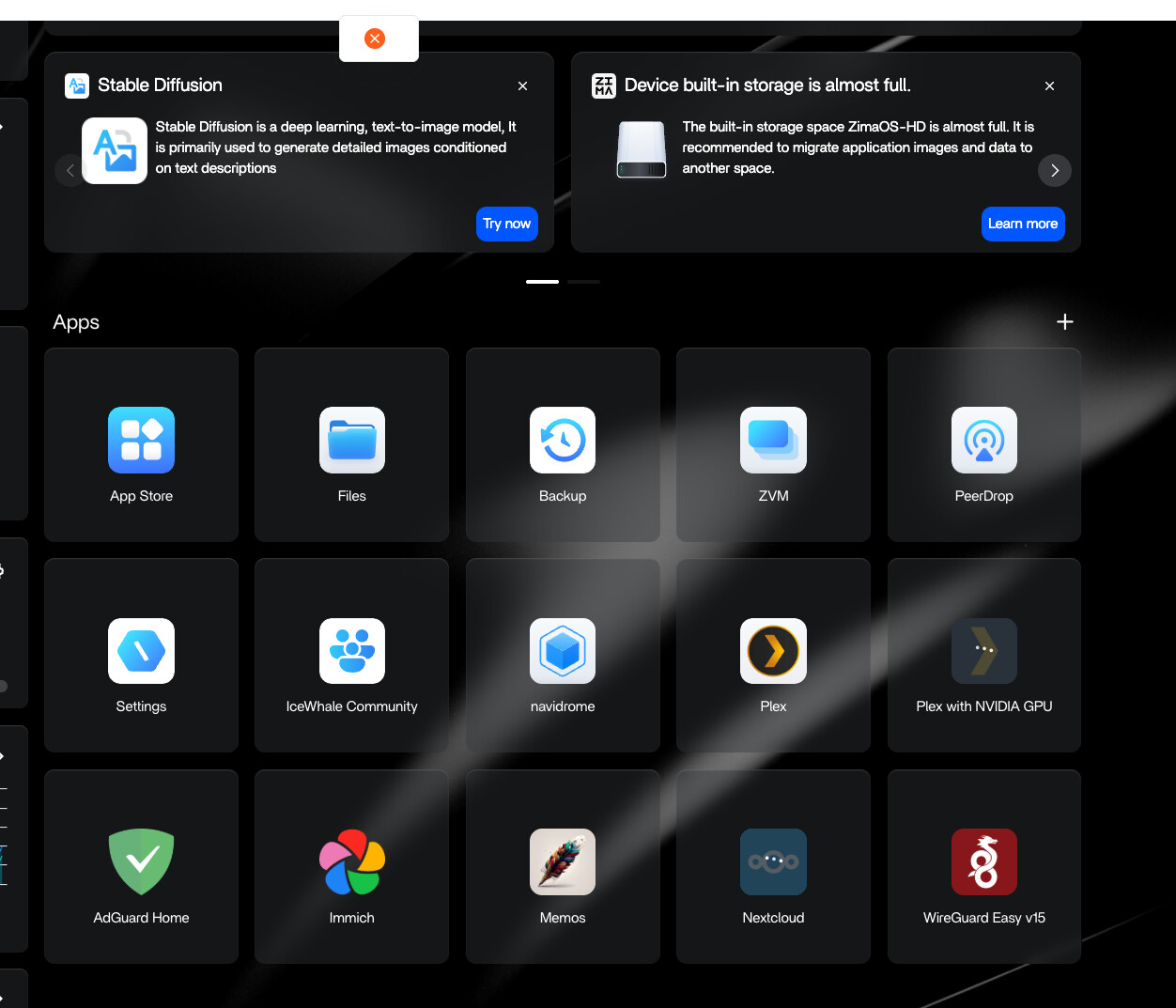
* adguard, immich, memos, nextcloud, wireguard easy, plex.
before they were running, now, when i try to run them they dont work, if i try to uninstall I get a red “X” in the middle of screen below the http:// address.
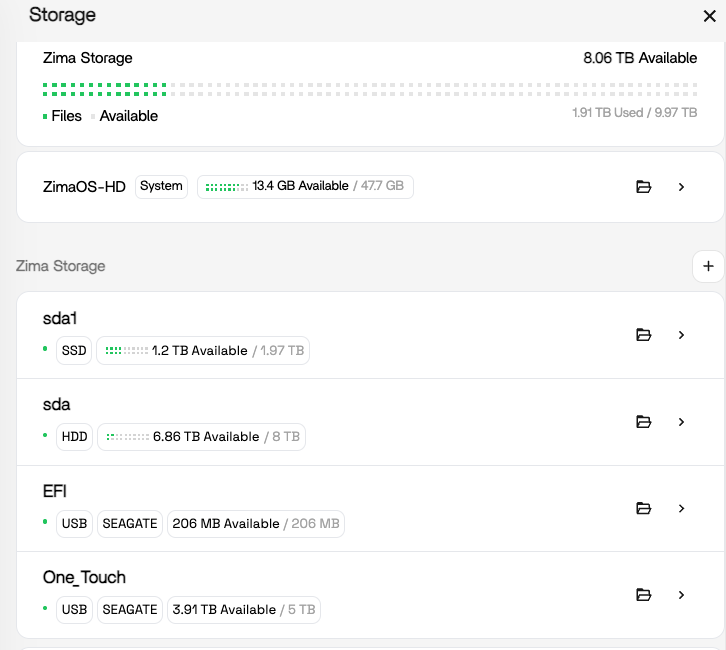
I am not sure what to do at this point, i have a SATA drive 8TB, SATA1 drive 2TB, and USB 5TB drive external.
How can i make this a fresh start, and have all the containers, and files saved where they should be, should i do a factory reset ? if so, how should i do that ?
I am not sure why i have only 13.4 GIgs available in the zima-os drive ? i think I should have more space, not sure what i should do,
thanks
thanks
my intention has been to run this as a file server, where i can organize all my files. BUt, although this works, I can’t run the programs I installed. I am running zimaos v1.6.1,
Zima-OS is stored on the internal eMMC “drive”. By default, most of the useful apps are stored un sub-directories of there, with very limited space.
AFAIK you need to migrate these to one of your “external” disks, preferably the SSD for VMs but NFI for the rest (it depends on how hard you will hit them; for example, media files probably (?) don’t need SSD speed).
If you go to Settings, Apps, there are options there for moving some directories to new locations - do this.
IME not all directories under Zima-OS are moved like this though. I logged into the ZimaOS shell then moved them manually, specifically the VM and Media subdirectories. Just make them symlinks to the new directory. Reply if you need more details instructions.
And sorry, IDK if you’ll need to redo your install nor how to do that (Google should know), but personally I would to avoid lingering hard-to-diagnose problems (running out of disk is rarely handled well by linux apps).
P.S. NFI = No F****** Idea, AFAIK = As Far As I Know, IDK = I Don’t Know, IME = In My Experience 
I would be very careful about manually moving Docker folders and creating symlinks unless you first confirm what is actually consuming the eMMC space.
On the ZimaBoard 2, the internal eMMC is small, and in 1.6.x it’s very easy for Docker images, volumes, logs, thumbnails, or failed app installs to silently fill it up. Once the system partition gets low, Docker and CasaOS/ZimaOS apps can start behaving exactly like this:
- apps fail to start
- uninstall fails
- red X popup in the UI
- Docker becomes unstable
- app installs fail
Before considering a factory reset, I would first check what is actually using the space.
Something like this would help identify it safely:
df -h
docker system df
du -xh /DATA/AppData --max-depth=1 2>/dev/null | sort -h
That will show:
- if the eMMC is actually full
- whether Docker images/volumes are the issue
- which app folders are consuming space
I would avoid blindly deleting or symlinking folders until you see those results, especially on ZimaOS 1.6.1 where storage/mount handling has already caused some strange behaviour for multiple users lately.
Also, your screenshot shows:
- ZimaOS-HD system partition: only ~13.4 GiB free out of 47 GiB
- multiple additional drives available with lots of free space
So the cleaner long-term solution is usually:
- keep the OS on eMMC
- move AppData / Docker data to the SSD
- keep large media on HDD/USB
But I’d verify the current state first before migrating anything.
I should add that I manually moved VM and Media when they were empty (in fact, VM didn’t exist but I saw what the path was going to be when I went to create my first VM).
But yeah, use the UI’s migrate tool for the things you can - App data, App image, User database [I am 99% sure this did not move Media which is why I moved it manually but I may have misremembered tbh].
That’s a good clarification and I think that’s the important distinction here.
If the folders are still empty, manually relocating them is usually low risk. But once Docker apps, databases, or VM disks already exist, manually moving things around with symlinks can get messy very quickly if paths, permissions, or mounts are even slightly wrong.
For most users, I’d strongly recommend using the built-in migrate options first under:
Settings > Apps
especially for:
- AppData
- App image
- User database
Those are the big ones that normally fill the eMMC.
Then after migration, verify where Docker is actually writing data before installing more apps.
I also agree Media may not always move automatically depending on version and timing. ZimaOS 1.6.x has had quite a few storage path/mount inconsistencies reported lately, so it’s better to verify with commands rather than assume everything migrated correctly.
Personally, before doing a factory reset, I’d still want to see:
df -h
docker system df
du -xh /DATA/AppData --max-depth=1 2>/dev/null | sort -h
because there’s a good chance the issue is simply the eMMC filling up from Docker layers, volumes, logs, or failed app pulls rather than actual corruption.