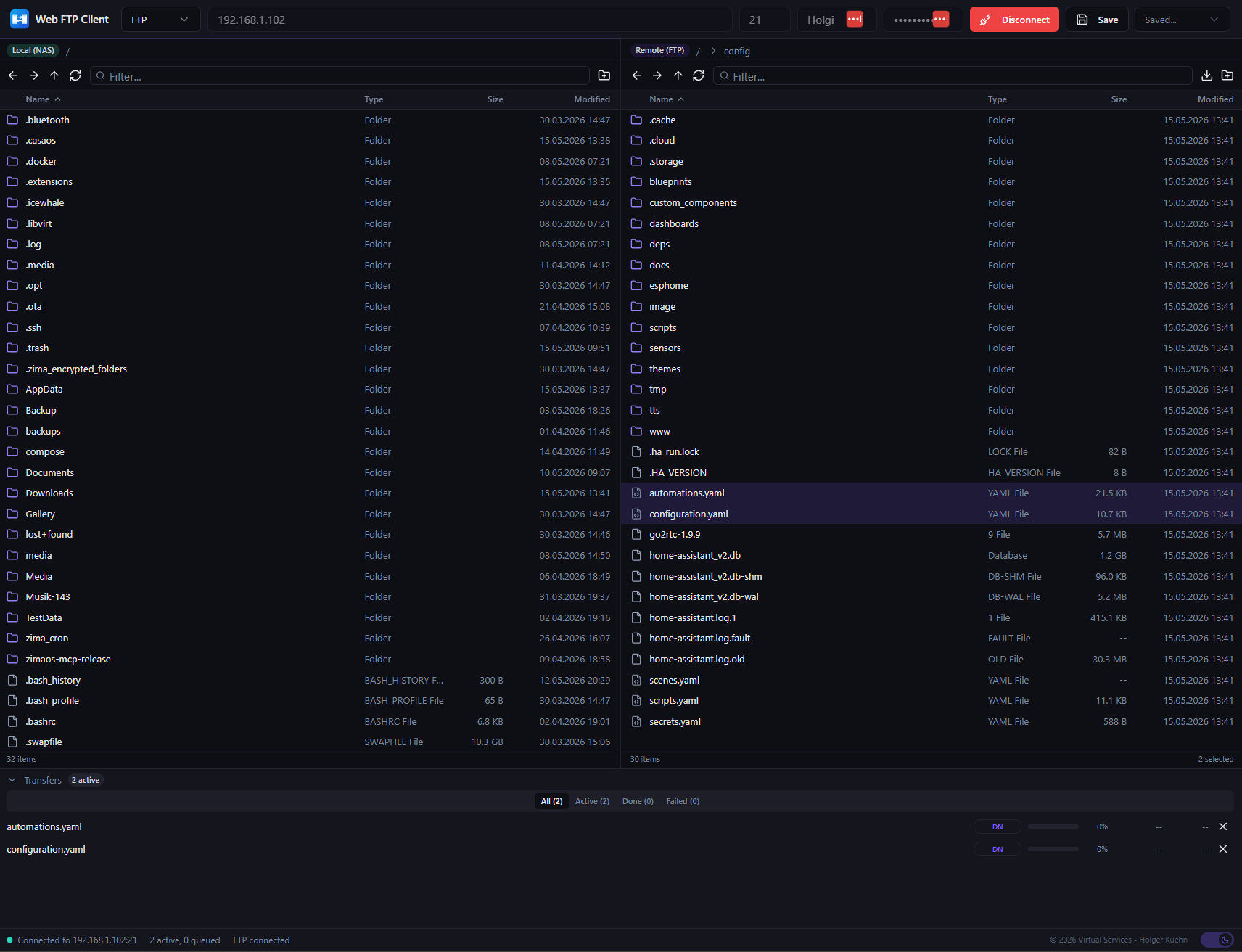
I’d like to share a little app I built for ZimaOS: a Web FTP Client that runs directly in your browser.
If you’ve ever needed to transfer files between your ZimaCube and a remote server – or even between services running on your local network – this app makes it simple without needing any desktop FTP client installed.
What it does:
Connect to remote servers via FTP, FTPS, and SFTP
Drag & Drop file transfers between local (NAS) and remote
Browse both sides in a familiar dual-pane interface
Manage multiple connections simultaneously
Bookmarks for saving and quickly switching between your favorite connections
Use cases:
Manage files on your remote VPS directly from ZimaOS – deploy configs, pull logs, update scripts
Access your Home Assistant config directory – quick backups etc.
Transfer files between multiple machines on your local network without SSH or scp commands
Pull or push backups between your NAS and off-site servers
Manage content on a remote web server – update websites, upload media, edit configs
On the roadmap:
Multi-connection tabs
Edit-in-place (edit remote files directly in the browser)
The app runs as a Docker container on ZimaOS and integrates into the dashboard.
Would love to hear your feedback or feature ideas!
This is very cool, Lintux. The dual-pane layout makes a lot of sense for ZimaOS, especially because many users are managing files between NAS storage, VPS servers, Home Assistant, backups, and other local services.
A few feature ideas that could make it even more useful:
Connection profiles / presets
Saved connections with name, host, protocol, port, username, and default remote path would be very handy.
Default local folder per bookmark
For example, a Home Assistant bookmark could open /DATA/AppData/home-assistant locally and /config remotely.
Transfer queue with retry
If a large upload fails, being able to retry just the failed item would be great.
File preview before download
Simple preview for .txt, .yaml, .json, .log, .env, and config files would be very useful.
Edit config files with backup protection
For edit-in-place, maybe automatically create a .bak copy before saving. That would make it safer when editing things like Home Assistant or Docker config files.
Permission / owner display
Showing file permissions and owner/group would help advanced users diagnose access issues.
Dark/light theme matching ZimaOS
The current dark UI looks great, but matching the ZimaOS theme would make it feel even more native.
Optional read-only mode
A safety mode where users can browse and download but not delete or overwrite files.
Overall, this looks like a really practical app for ZimaOS. I can definitely see this being useful for users who do not want to keep using SSH, SCP, or desktop FTP clients just to move files around.