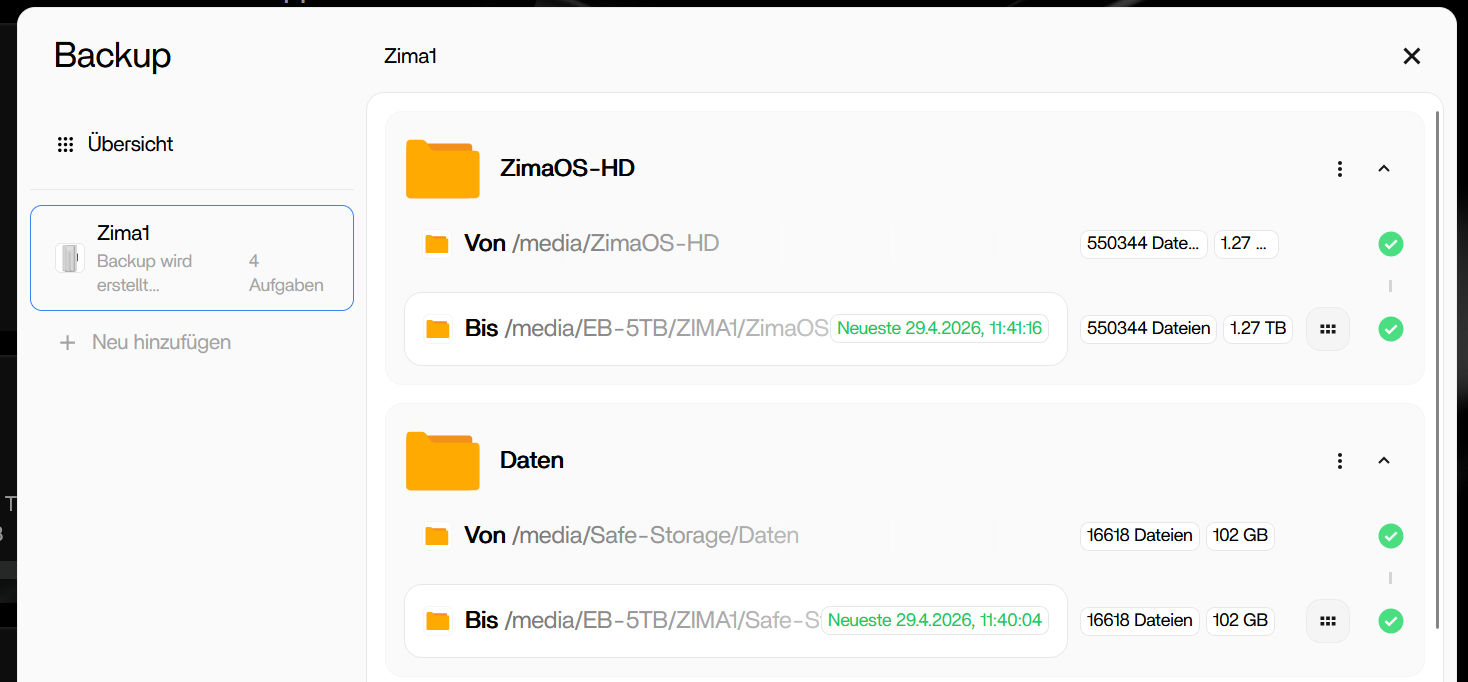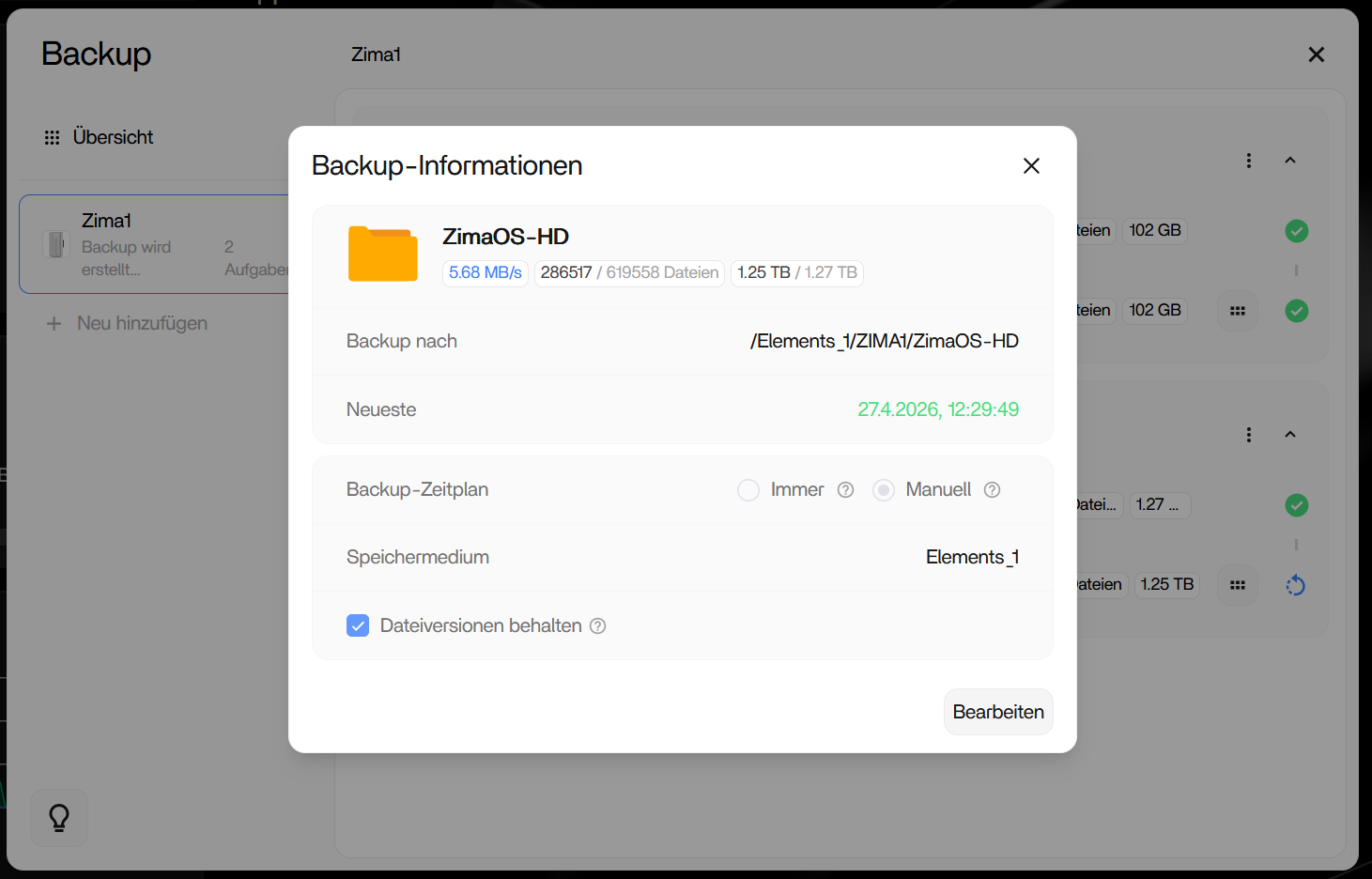
Stuck again…
It seems the backup app is useless for creating a meaningful backup.
As I mentioned earlier, if you want to back up your system, you do not need to back up the entire system disk. However, if you still insist on doing so, we can help you investigate the cause.
It looks like some files on your ZimaOS-HD cannot be backed up. Please follow the steps below to regenerate the error log, then send the error log to us.
All commands below should be run as root:
sudo sed -i '/^[[:space:]]*Debug[[:space:]]*=/d; /^[[:space:]]*LogFileExt[[:space:]]*=[[:space:]]*log[[:space:]]*$/a Debug = true' /etc/icewhale/files-backup.conf && cat /etc/icewhale/files-backup.conf
systemctl restart icewhale-files-backup.service
cp /var/log/icewhale/files-backup.log /DATA/files-backup.log
Thank you so much for your efforts! I’ll gladly test it. Perhaps I didn’t express myself clearly. Or maybe I’m making a mistake in my thinking.
The error occurs not only with ZimaOS-HD but also when selecting Safe Storage as the source. I suspect a running program is blocking the backup. Apparently, the programs aren’t stopped during the backup process.
My goal is a backup that allows me to resume operations as quickly as possible on another Zimaboard2 and different hard drives if my Zimaboard2 and/or all hard drives fail. In our area, the internet is only 1-2 MB/s “fast”. If I have to download all the apps again after a failure, it will take days.
Which folders and data do I need to back up for my purposes, and what’s the most efficient way to do it? I’ve created a folder under Safe Storage for my personal and business data, and then corresponding subfolders within it. This way, I can select this main folder in the backup app, and everything is backed up. This works without any problems, but it’s not very helpful without the appropriate apps.
Is there perhaps a better method?
I’ve been considering buying another Zimaboard2 and connecting it to my current device via Wi-Fi to have a backup device with all the necessary data readily available. Of course, this would require ensuring that the backup device reliably receives all the data.
If anyone has any better ideas or suggestions, I would be very grateful!
Thanks to your help, we were able to find the error and have a temporary solution.
The Collabora Server app was blocking the backup. Here’s just one example of thousands of error entries:
2026-04-29T08:56:58.313+0200 error File error {“task_id”: “2129903874”, “error_type”: “unknown”, “file_path”: “/AppData/collabora/child-roots/1-7aba67d6/5Ri1YV3yBc1riTC8/opt/collaboraoffice/lo/lo/lo/lo/lo/lo/share/config/soffice.cfg/dbaccess/ui/useradmindialog.ui”, “error_message”: “create parent directory failed: mkdir /media/EB-5TB/ZIMA1/ZimaOS-HD/AppData/collabora/child-roots/1-7aba67d6/5Ri1YV3yBc1riTC8/opt/collaboraoffice: not a directory”, “scene”: “write”, “error_title”: “Unbekannter Fehler”, “func”: “service.(*LocalReporter).ReportBackupError”, “file”: “/home/runner/work/IceWhale-Files-Backup/IceWhale-Files-Backup/service/local_control.go”, “line”: 475}
If I manually stop Collabora Server before the backup, the backup completes. After a while, it looks like it’s about to hang again, but eventually the date and time of the latest backup appear. As far as I can tell, all the data is there.
Thanks for the feedback! We will adapt to this backup problem
Hi, thanks for the feedback.
Could you please tell us which software/application you are using when this issue occurs? It would also be helpful if you could share the software version and whether it was installed via the App Store, Docker, or manually.
Hello!
I hope this information helps. The following apps were installed and active on the ZimaBoard2 at the time of the error:
App Name - Docker Image - Tag/Version
MariaDB - linuxserver/mariadb - 11.4.8
phpMyAdmin - phpmyadmin/phpMyAdmin - 5.2.3
FileZilla - jlesage/FileZilla - 3.69.6
Dolibarr - docker.io/dolibarr/dolibarr - 23.0.0
Gonic - sentriz/gonic - 0.20.1
LibreOffice - lscr.io/linuxserver/LibreOffice - 25.8.1.1
Nginx Proxy Manager - jc21/nginx-proxy-Manager 2.13.5
Home Assistant - homeassistant/home-assistant - 2025.11
Nextcloud - x - 32.0
Collabora Server - collabora/code - 25.4.904
Excalidraw - excalidraw/excalidraw - x
Traccar - traccar/traccar - 6.12-ubuntu
Mailcow - Package acme · GitHub - 2026-03b
Docmost - docmost/docmost - 0.21.0
Syncthing - syncthing/syncthing - 2.0
I installed most of the apps via the App Store, Mailcow via the terminal.
OK, thank you for the detailed information. This is very helpful!