This is my first time doing something based on Linux.
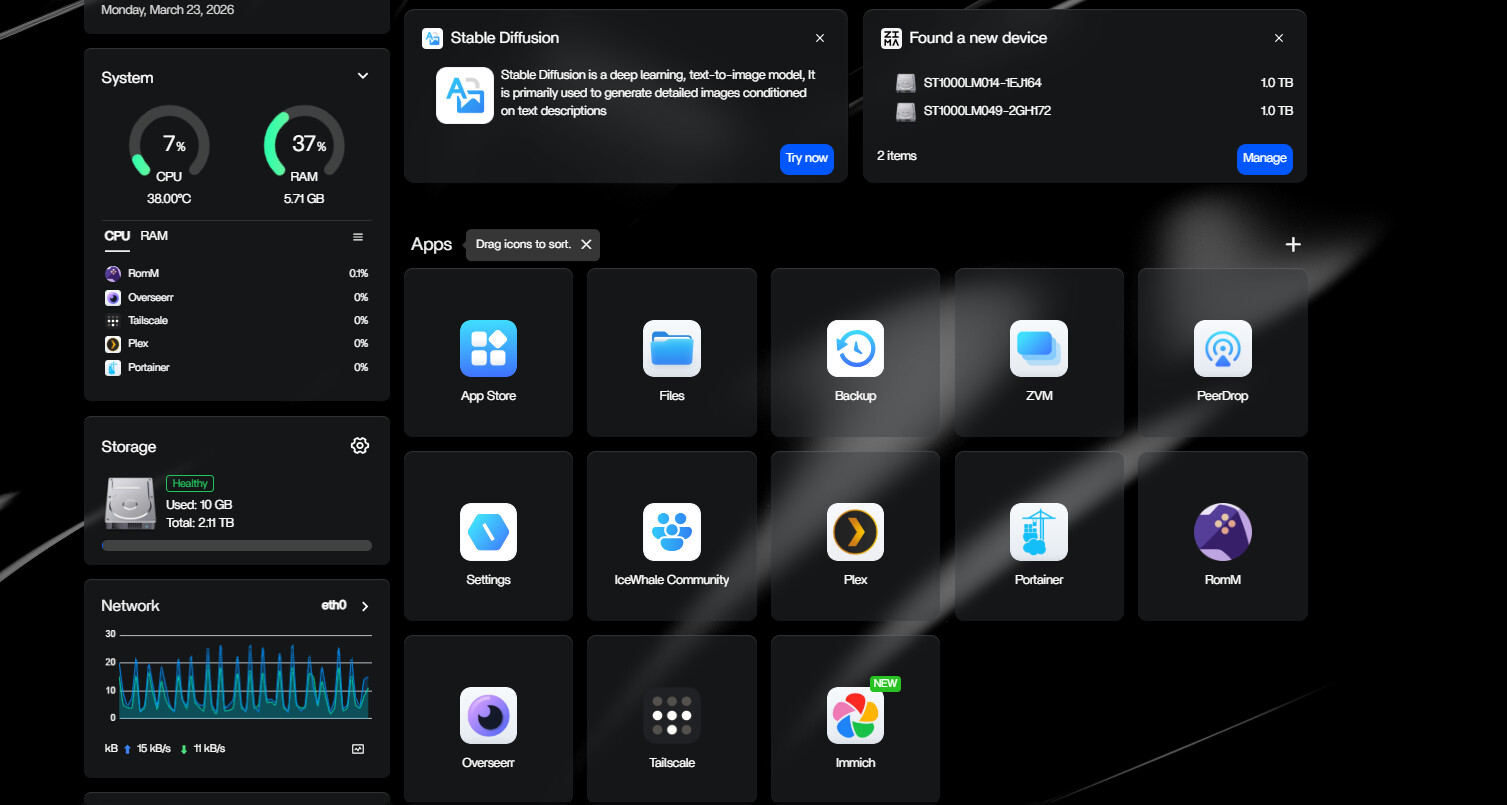
I have an HP T640 thin client which I want to use as my first NAS server, to potentially move on to the real thing later.
This is my configuration:
HP T640 (AMD R1505G, 8GB DDR4, 128GB NVMe)
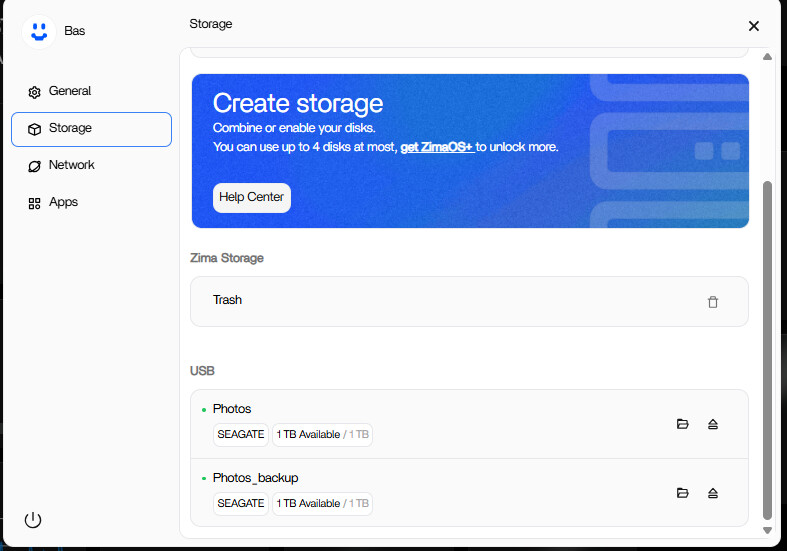
2x Seagate 2.5-inch HDDs in 2x Ugreen USB enclosures (RAID 1)
1x WD 4TB External HDD for Plex video
I am aware that ZimaOS cannot treat external drives as internal. However, given that the thin client has no internal storage slots, I have no other choice.
Programs I want to use:
Immich. This program works, but if I want to change the storage location, Immich won’t start anymore.
The intention is for the photos to be stored on 1TB and for the other drive to act as a fail-safe safeguard.
I understand that RAID 1 is not possible with external drives. For this, I found the backup function in ZimaOS. It seems to work. However, after every server restart, it forgets these settings.
Plex, on the 4TB HDD. With this drive, it wouldn’t be a big deal if it were to fail.
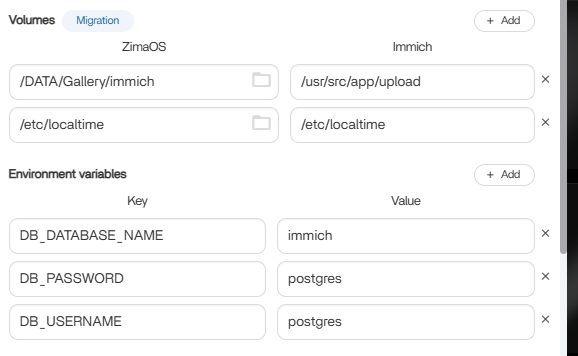
This is the error i get after changing the directory for Immich:
Error response from daemon: Cannot restart container bb34adddcbc307c30a41c6aa642833390dda8671275280b9993d79b8d8d337dc: failed to create task for container: failed to create shim task: OCI runtime create failed: runc create failed: unable to start container process: error during container init: error mounting “/media/Photos/Immich” to rootfs at “/etc/localtime”: create mountpoint for /etc/localtime mount: cannot create subdirectories in “/var/lib/docker/overlay2/58b086265e74ddc9052881d1c9978c383fff2812f93f1a0d3bccea2cb37c0d8e/merged/usr/share/zoneinfo/Etc/UTC”: not a directory: unknown: Are you trying to mount a directory onto a file (or vice-versa)? Check if the specified host path exists and is the expected type