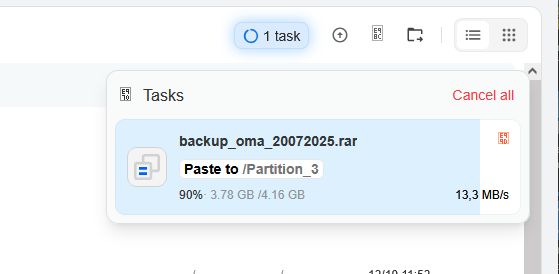
I´m trying the 1.4.2beta2 on a Dell Wyse 5070 (Intel Celeron J4105) and HDD connected on USB3. I´m getting constant speed around 13 Mb/s with large files on different drives while the possible speed should be around 90 Mb/s. It´s the same speed with the new backup-app and also while copying on the files-app.
Does others have the same problem?
What speed get you with usb-connected drives?
What could be the reason - not recognized hardware on the Wyse? Missing drivers on ZimaOS?
What or how can i check on ssh-console?
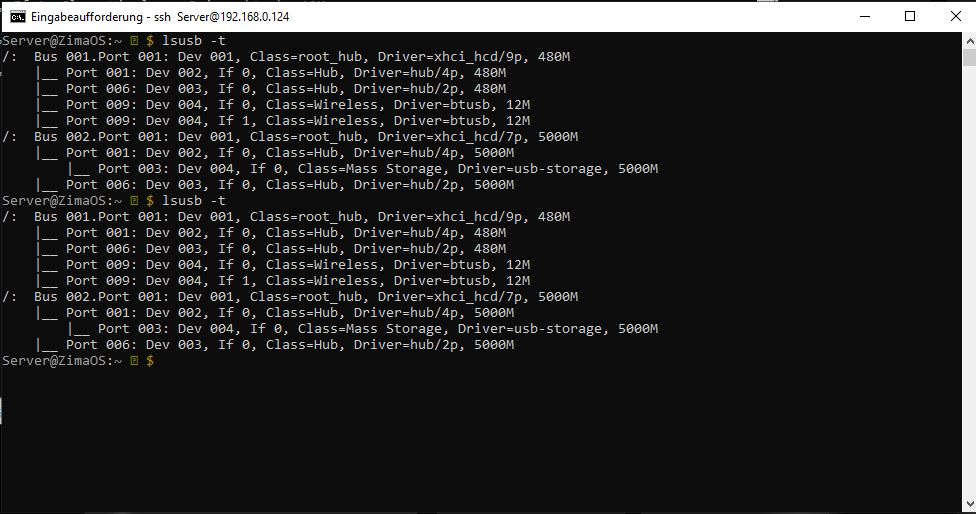
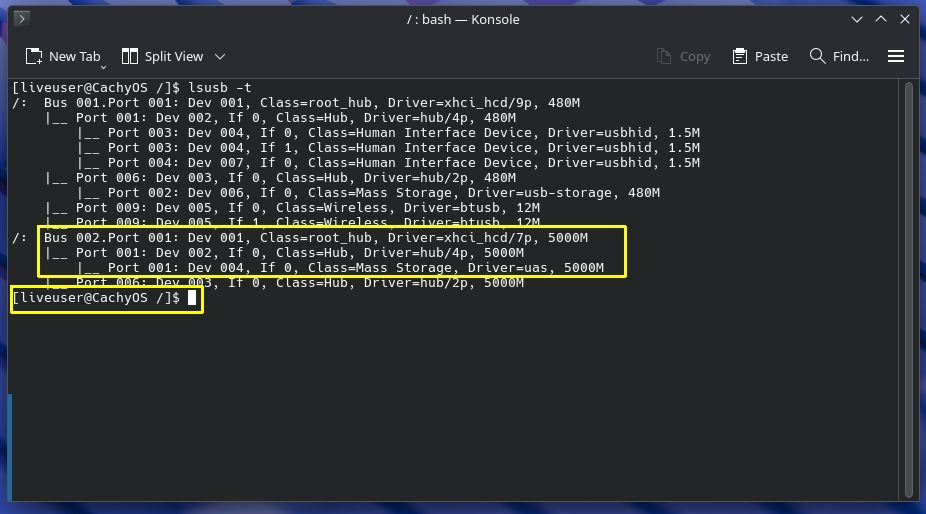
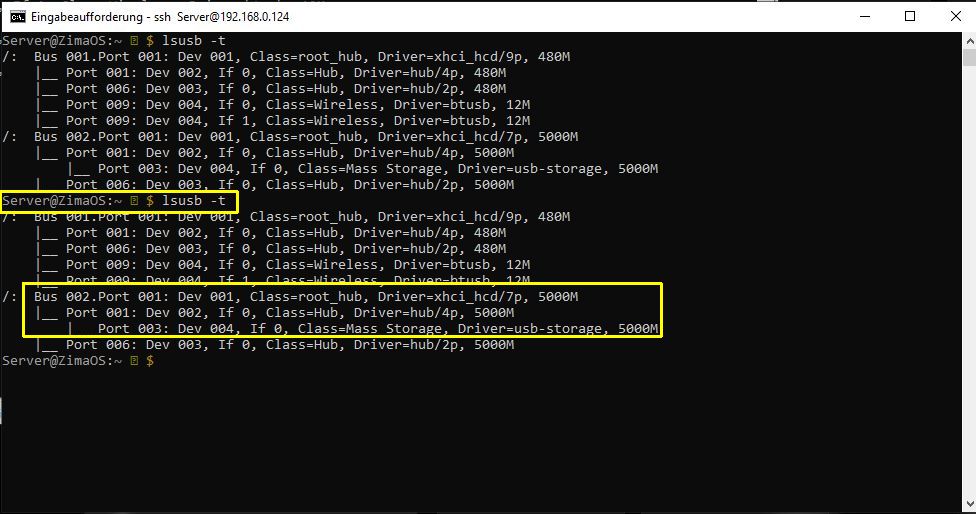
I´ve tried this with ZimaOS 1.4.4-beta1 and i get the same (slow) speed. But connection is 5Gbit/s and the disk worked faster on same port under a live linux from stick.
Here is a picture from the usb-connection:
Speed on ZimaOS: 13,3 Mb/s in “Files” and 12,92 Mb/s on console.
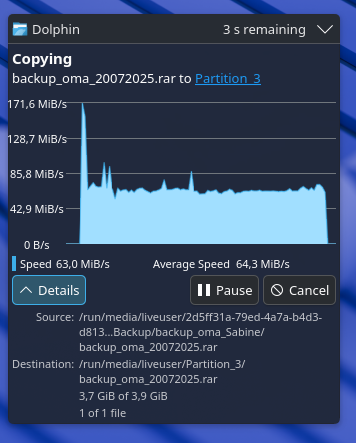
Speed on CachyOS: 64,3 Mb/s in “Dolphin”, was unable to get speed on console on live system
(Speed of this HDD at USB3 on Win10 was around 90 Mb/s - this is near the theoretical 100 Mb/s. But 60 is 4 times faster then 13 - and 13 Mb/s seems to be only usb2-speed.)
Also attached is a file with hardwarelisting (between).
In between the pictures above is a txt-file with the hardwarespecs (“anon” because without serials). But i attach it again.
It´s a Dell Wyse 5070 with Intel Celeron J4105, 8 Gb of RAM, an 1 Gb SATA-SSD (Intenso) and a
USB-enclosure Hiyatek HY-EB-2508-U3 with JMicron JMS566 SATA 3Gb/s bridge with a
Seagate ST1000LM014-1EJ164 SSHD.
(Btw. the disk is fully recognized and can be mounted by ZimaOS in this enclosure.)
If you look in the txt-file, you will find the connection and more information, if you search for “jmicron”.