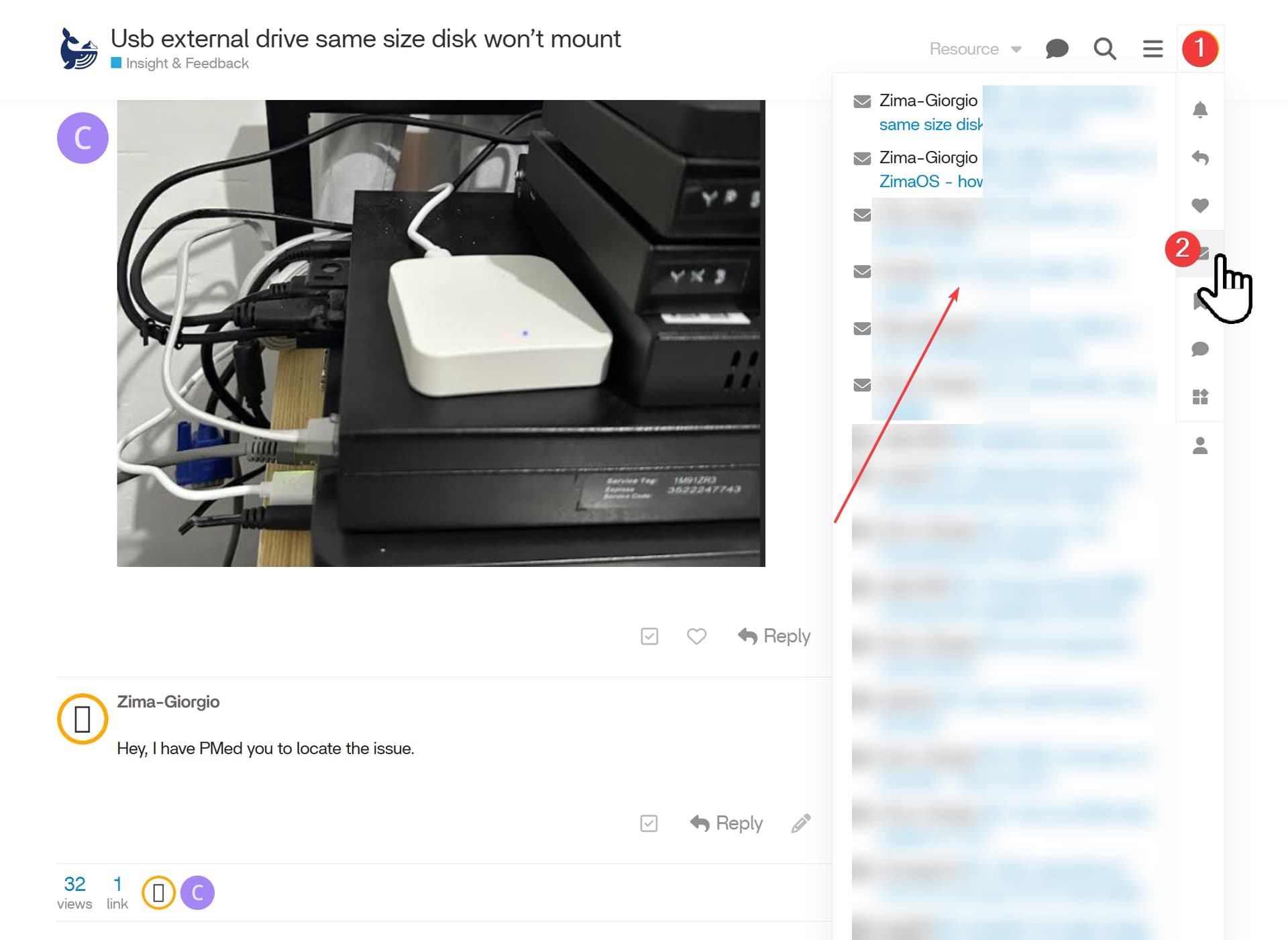
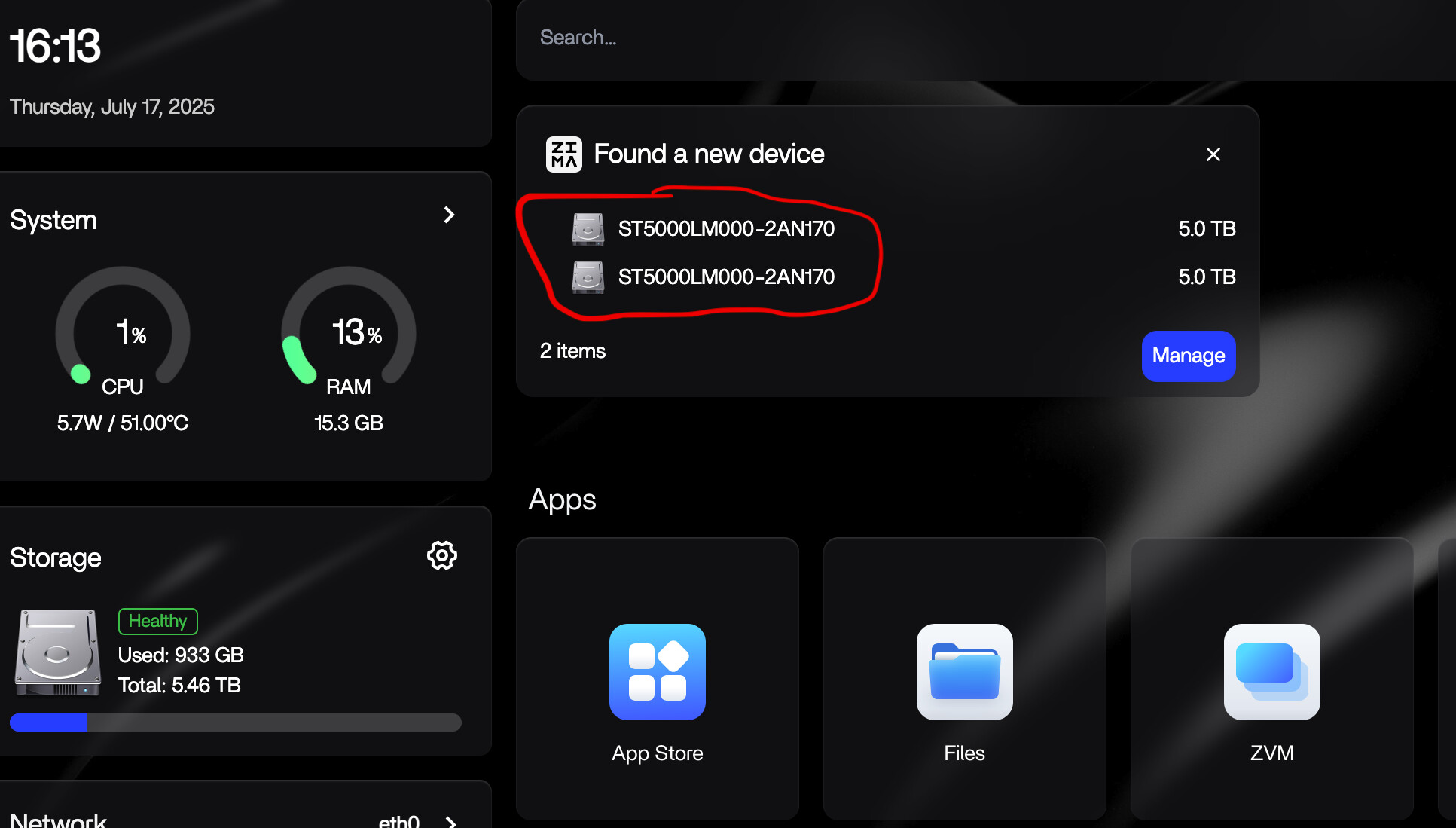
hi, any help would be appreciated, found a problem when two usb external drive with the same size 5tb, only one disk is mounted, current setup dell optiplex 3000 micro pc.
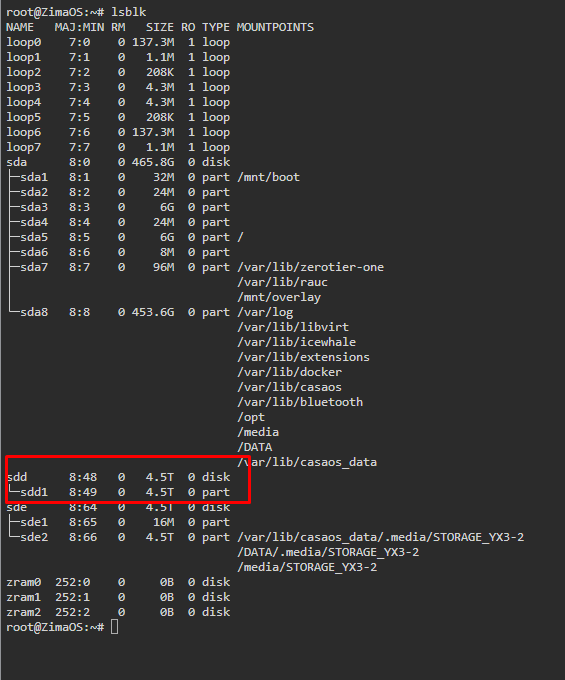
First, if you are familiar with CLI, you can run lsblk and forward the output/result here.
Useful steps for the CLI:
Enter CLI(Settings-> General-> Developer mode view-> SSH Access enable → Web-based terminal)
Log in
Run these commands after logging in:
# In some cases, you need to switch to root
# You may need to type the password again
sudo -i

lsblk
# lsblk output...
Second, check if you used a supported FS. If not, create one.
Be careful and know what you will do. !!! Create a supported FS on your drive.
# Switch to root
sudo -i

# View the device name
lsblk

# If it is mounted, you need to unmount it first
# This command is used to unmount the mounted storage device partition
# The square brackets represent the currently mounted storage device partition
# umount /dev/[sde1]


# This command is used to delete the entire storage partition and file system
# The square brackets represent the currently detected [storage device name]
wipefs /dev/[sde]

# This command is used to create a file system
# The square brackets represent the name of the storage device currently detected
# You can also use this file system mkfs.exfat /dev/[sde]
mkfs.ext4 /dev/[sde]
Look forward to your feedback.
Copy that. We will investigate it.
Before the conclusion, would you please pull out and plug back the USB cable to test if it will work?
Also, give us the specs of your USB accessories. The photos of your setup are helpful.
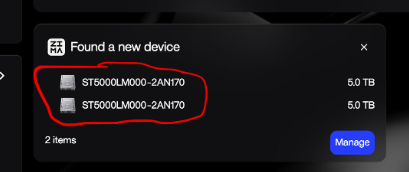
already pulled and put it back again, but on the dashboard reading the device with same id, as i check the harddrive are different serial numbers, btw here are my setup.
1x seagate 1tb,
2x seagate one touch 5tb,
dell OptiPlex 3000 ,
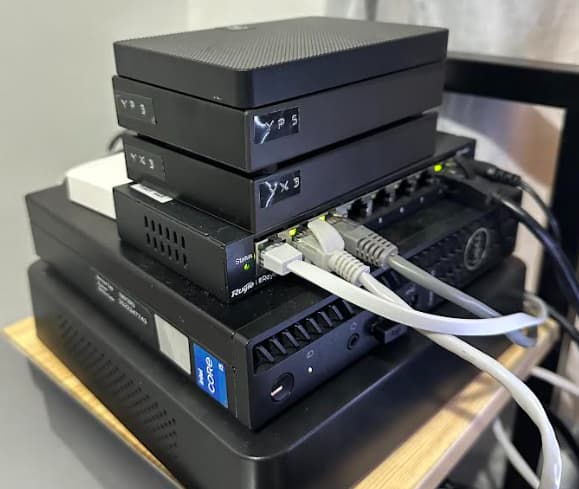
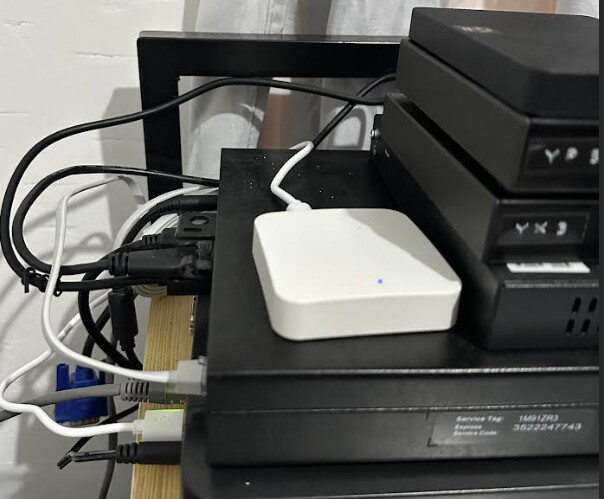
Hey, I have PMed you to locate the issue.