I made a video describing my problems after updating and how after trying to step back my Plex no longer works.
any suggestions to resolve this would be appreciated.
I made a video describing my problems after updating and how after trying to step back my Plex no longer works.
any suggestions to resolve this would be appreciated.
I have also discovered that if i goto files and attempt to play a video file it causes the screen to go grey or fade and basically locks it up. I have to close the browser and reload it. I am assuming the usb drives are not mounting correctly. Yet i have no clue what to do about it.
Well…. I spent all day Sunday trying different things. I have somehow successfully got everything working except Plex. It simply will not start.
I am now considering taking opinions on the best alternative to zimaos/casaos. Hate to run in to these issues every month or two when there is a update. Its not doing anything now but collecting dust.
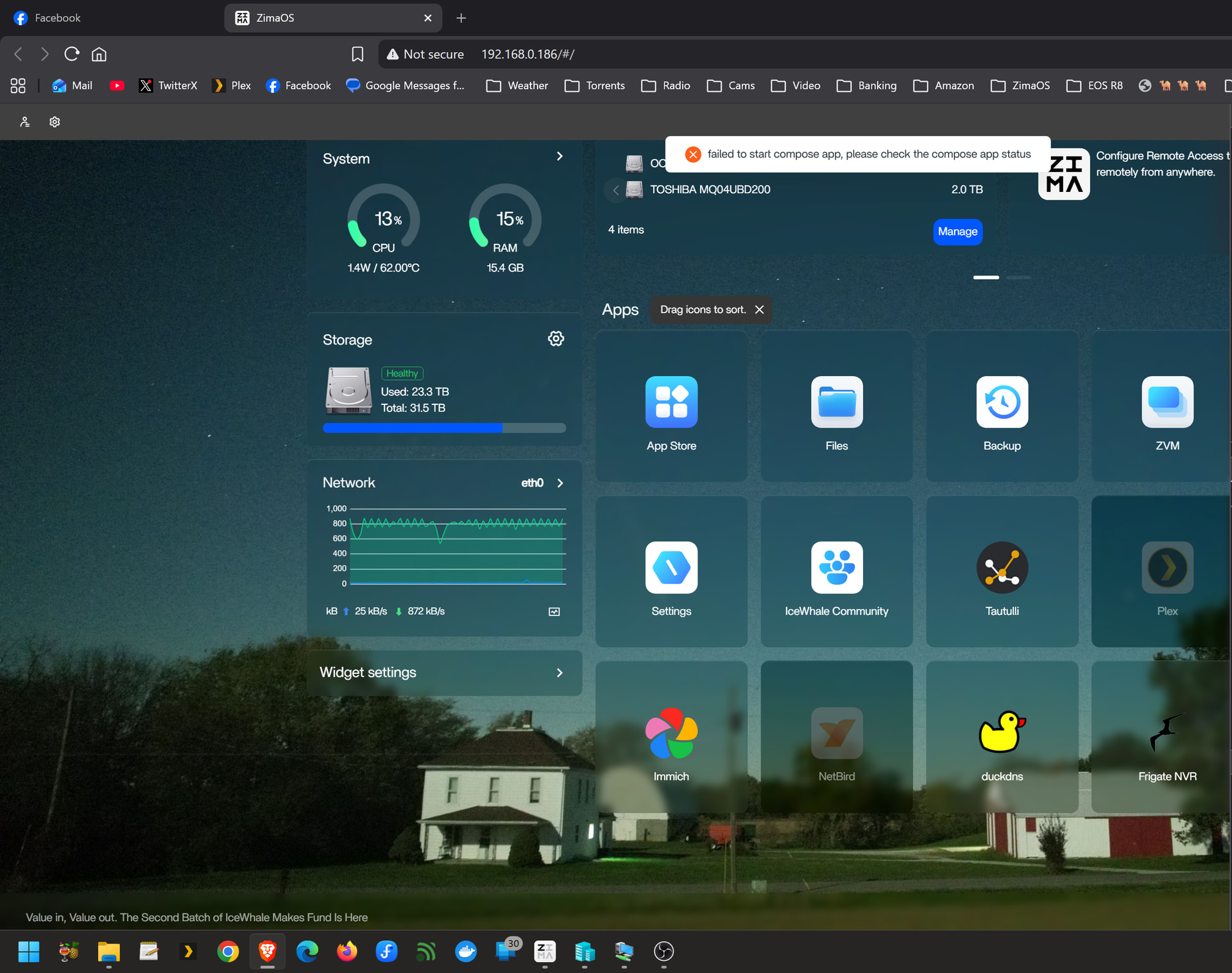
That failed to start compose app means Plex itself is failing, not the whole system.
Since everything else works, just check Plex:
docker ps -a | grep plex
docker logs <plex_container_name>
Most likely cause is a bad mount or broken config after the update.
Quick fix: remove only the Plex container and reinstall it (keep your media/config).
Don’t wipe the system, this looks isolated to Plex
Ok. Yes. I was able to get plex to work by clicking the Privileges…thereby giving it privileges. But now some things play in plex others say they do not exist even though i am able to play other videos within the same ext. usb harddrive.
Good, that confirms it’s a permissions issue
If some files play and others don’t (same drive), it’s usually inconsistent ownership/permissions on the files or folders.
Quick check:
ls -l "/path/to/your/media"
You’ll likely see mixed owners (some root, some different UID).
Fix is to align permissions on the whole media folder, for example:
chmod -R 755 "/path/to/your/media"
If it still happens, Plex may also need a library refresh after the update.
This isn’t a Plex bug, it’s the update changing access to your USB mount.
Hello, the reason may be that the error path of the docker prompt is “Avolusion 14TB”, but the path of mounting is “Avolusion_14TB”
Would you be willing to provide remote information?(remote ID and your ZimaOS account credentials). We’d like to check this issue for you remotely.
My email address: dina@icewhale.org
We will make every effort to help you identify the issue.