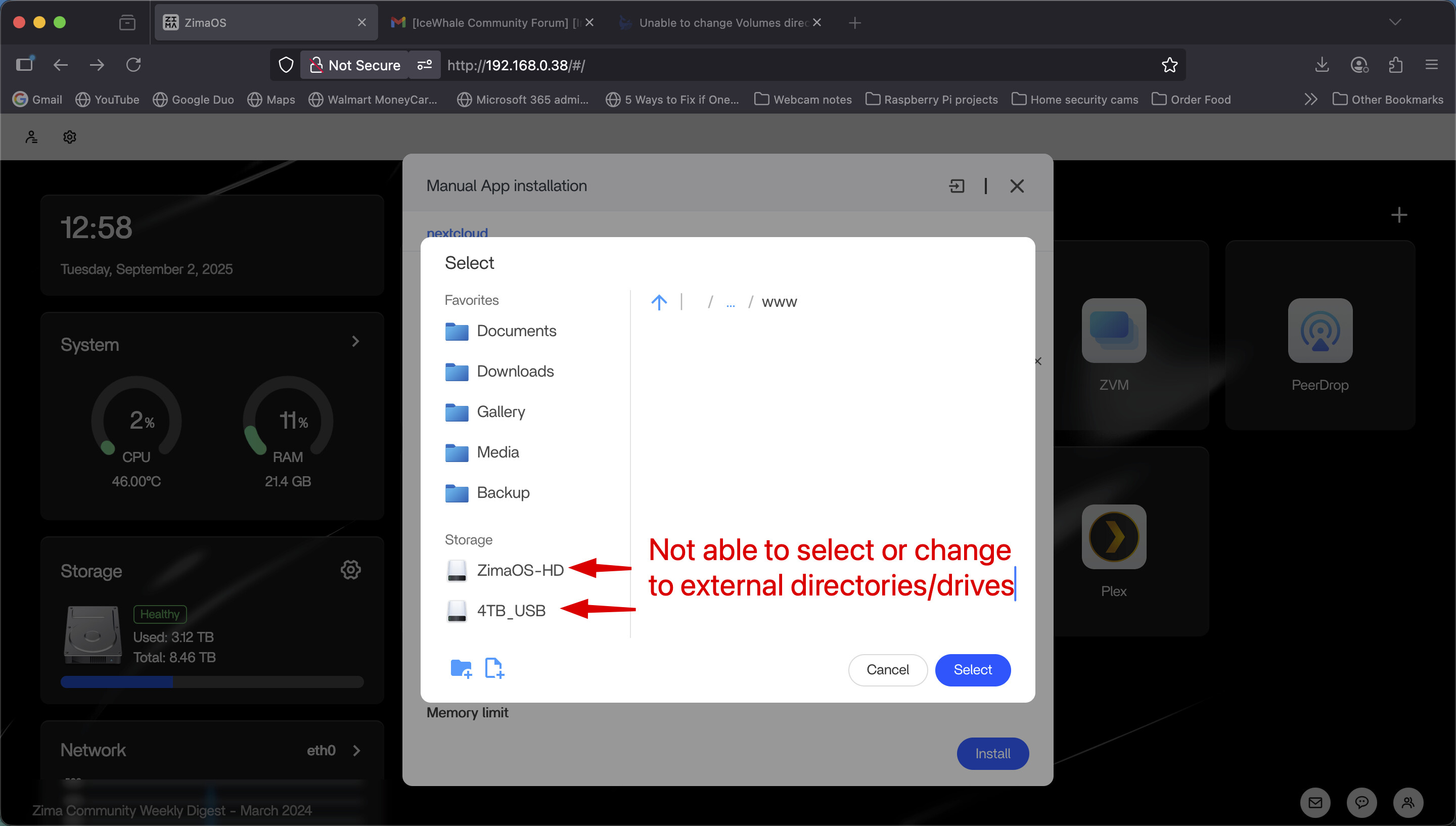
When creating any apps, under Volumes, I am no longer able to change to other directories to adjust my installation or storage directories. Even if I copy the storage path from Files to the Volumes box, it still won’t accept the path. It sticks to the default path for the assigned app. Please fix.
2 Likes
Currently running ZimaOS v1.4.4-beta1 on my mini PC x86.
Here are my specs in case you need it.
CPU
AMD Ryzen 5 3550H with Radeon Vega Mobile Gfx
4 Cores2.10 GHz8 Threads
RAM
2 RAM 24 GB total
3200 MHzDDR4
GPU
Advanced Micro Devices, Inc. [AMD/ATI] Picasso/Raven 2 [Radeon Vega Series / Radeon Vega Mobile Series] (rev 71)
I’m on ZimaOS v1.4.3 and can reproduce this: when creating an app, the Volumes field lets me type a host path but on Save it snaps back to the app’s default. It feels like the picker’s validator (or the app template) is forcing the default under /DATA/AppData/, and any path it can’t validate just silently reverts. Two things that consistently work for me: first, create the target folder in Files under /DATA before selecting it (the picker seems to reject non-existent paths); second, use Custom Install so you can define your own host:/container bind—those stick. As a stopgap, dropping a symlink inside the default app path that points to your real storage folder under /DATA also works. This looks like a UI regression rather than anything to do with your hardware; my Ryzen box shows the same behavior. Devs, it would help a lot if the editor either allowed editable host paths again or surfaced a clear validation error instead of silently reverting.
Would you please reproduce this and take a screen record of it? We want see the whole process to locate the issue.
As said above, the phenomenon is not expected. We do allow editing after your installation. Besides, you can even migrate your configuration/apps/data to another path in the settings panel.
Look forward to your feedback.
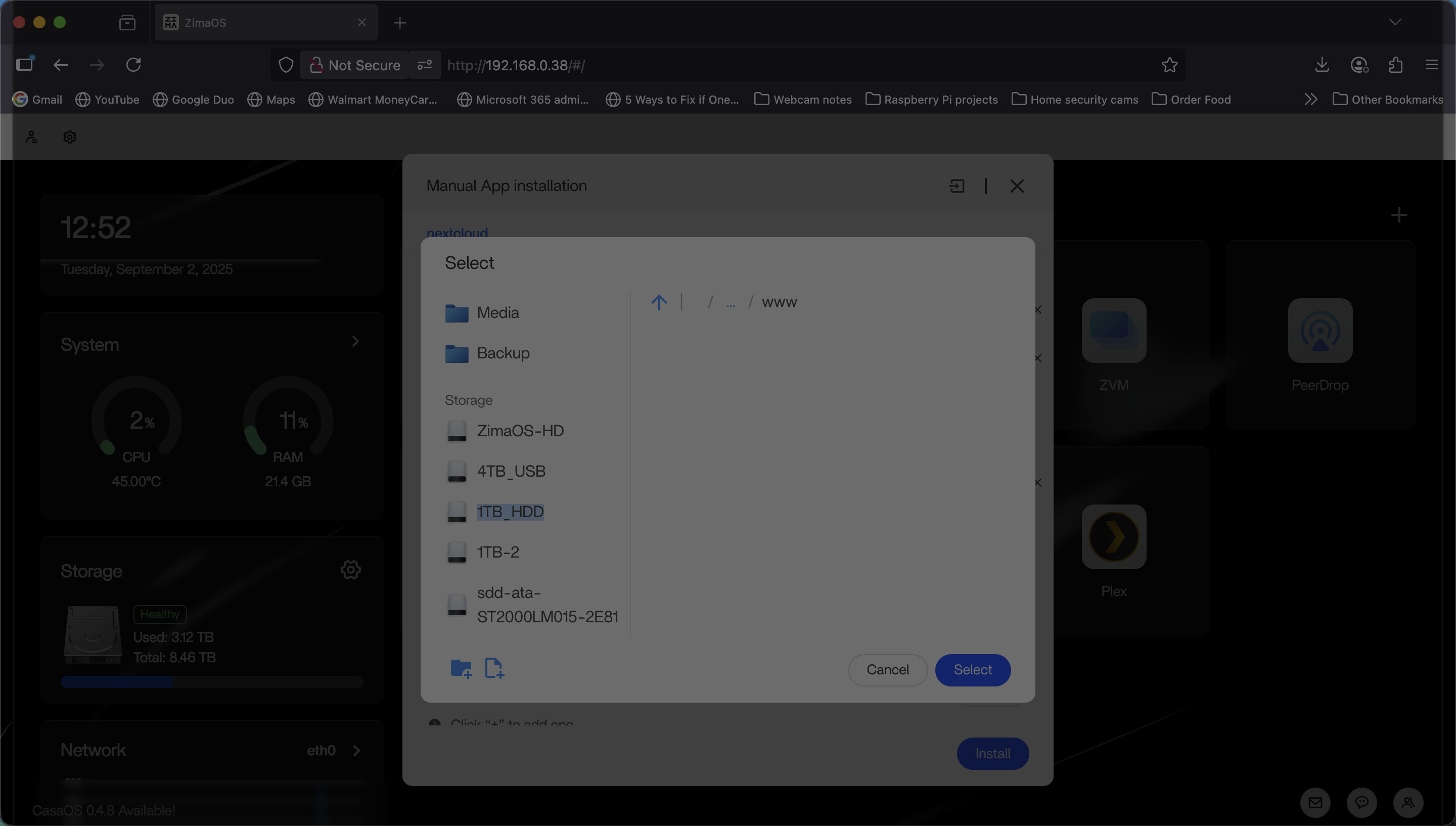
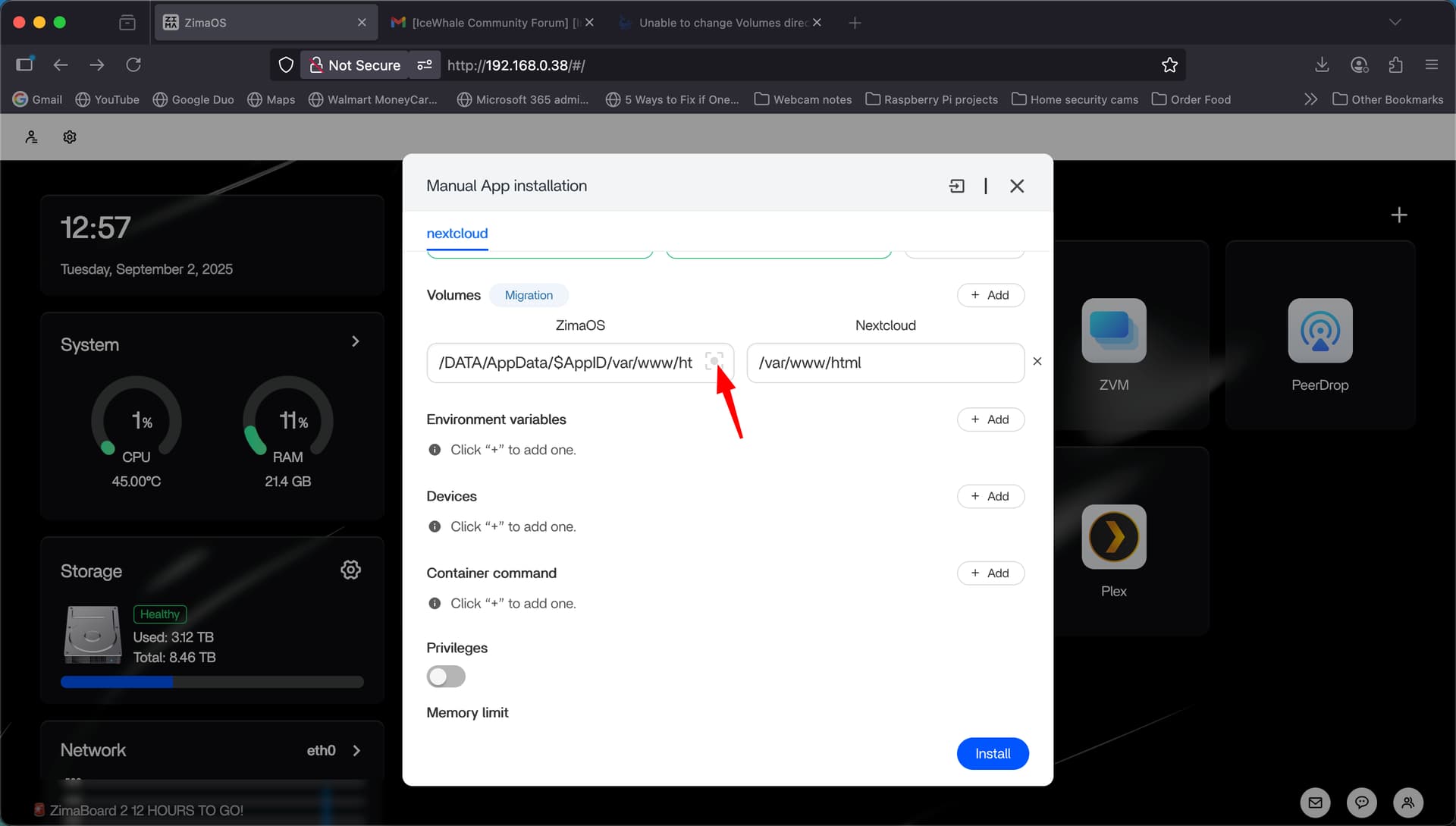
Here’s a screenshot of what I’m talking about. When adding ANY app from the App Store, or even making a custom Docker app, I’m unable to change from the default Volume directory to any other directory or external drive. See attached image.
Got that.
I think this post is helpful.
Look forward to your feedback.
1 Like
Did you get this resolved? I have the same issue.