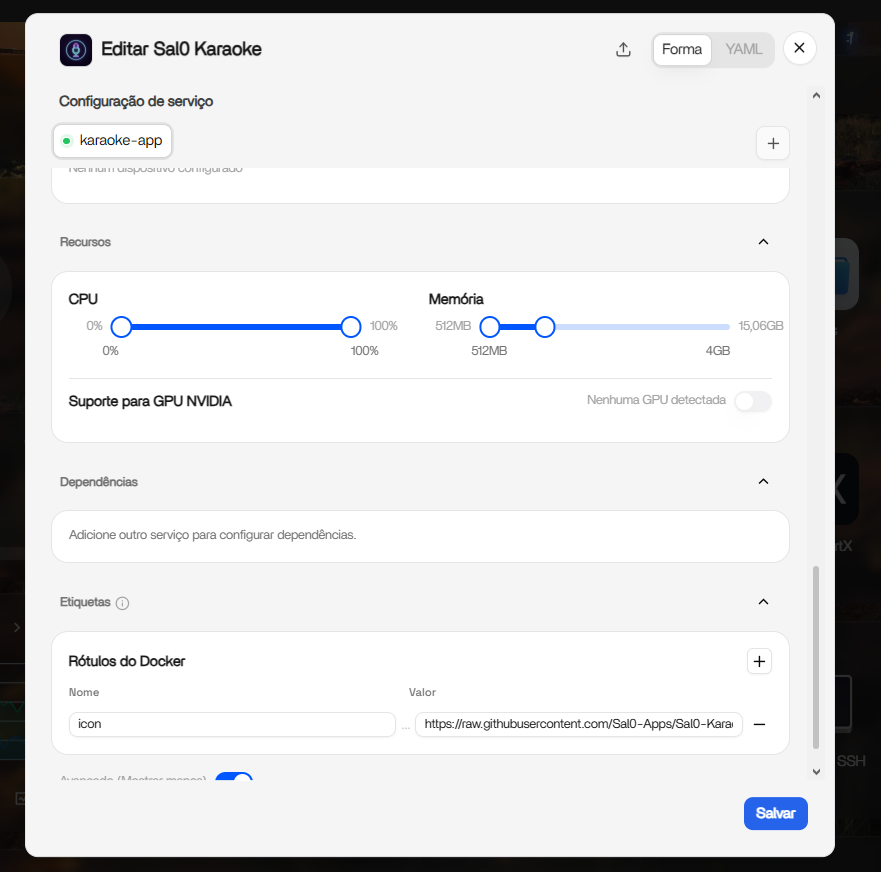
As can be seen in the image this is the limit of RAM allocation that the sitema is leaving for apps in the installation preventing updates
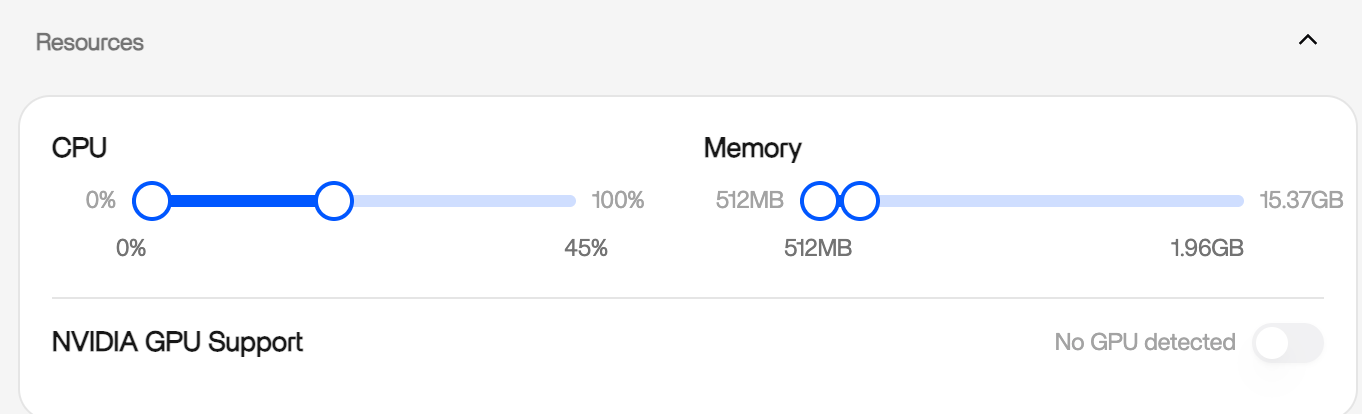
I can’t drag it—that’s the problem. I need to manually change everything in the YAML to a whole number. This might be happening because my memory is being detected with non-integer values, but this didn’t happen before this version.
Can you provide a compose file when you can’t drag RAM? After you modify in YAML, can you drag them into the Form?
If I try to update an app, it won’t let me due to the RAM limit; the same happens if I try to install one. The only workaround is to set the limit to 15GB in the YAML editor; the bar turns completely white in the visual editor, but if I tap it, it reverts to 500MB, forcing me to edit the YAML again to proceed with the installation.
Victor, I believe you have identified a regression in the 1.7.0-beta1 visual editor.
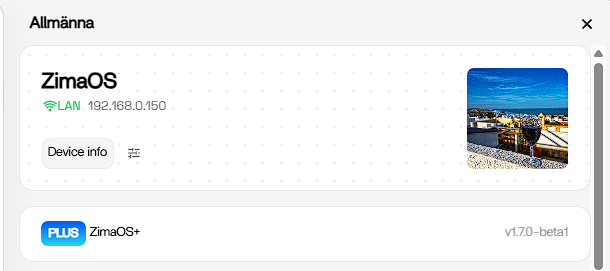
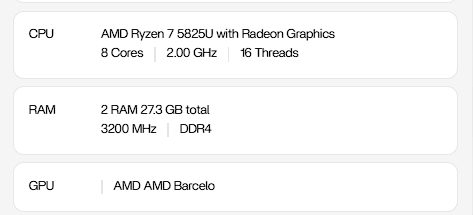
A 16 GB system showing approximately 15.06 GB as usable memory is normal and should not prevent the slider from working. The important evidence is that the installation works after entering a whole-number value in YAML, but touching the RAM control changes it back to 512 MB.
That suggests a conversion or rounding problem between the YAML value and the visual editor.
Could you please post the output of these two commands?
free -b
docker info --format 'Docker memory total: {{.MemTotal}} bytes'
Also attach the exported compose file requested by Dina, after removing any passwords, tokens or other private information.
I would not reinstall anything at this stage. This needs to be confirmed and corrected in the beta.
Just an update, Victor. I have now tested the same RAM control on my own 1.7.0-beta1 system.
I increased the allocation to the full 15.37 GB, saved it, reopened the app editor and the value remained correctly.
This means the problem is not affecting every 1.7.0-beta1 installation, so it may be specific to your compose configuration or how the visual editor is parsing the memory value on your system.
I also noticed your interface displays 15,06GB with a decimal comma, while mine displays 15.37GB with a decimal point. This may be relevant, but it is not confirmed.
The command outputs and exported compose file requested above should help identify the exact difference.
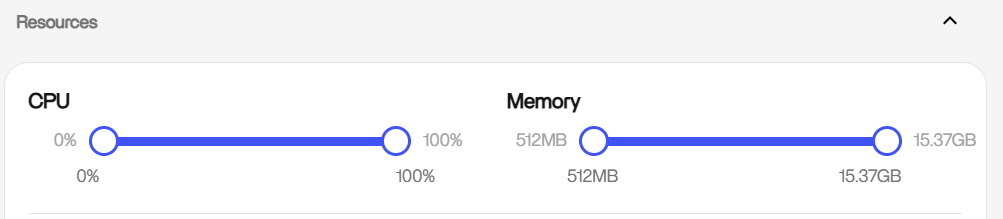
Hi, can you record a related video? This will help us be more focused. Also, can you provide this compose file?
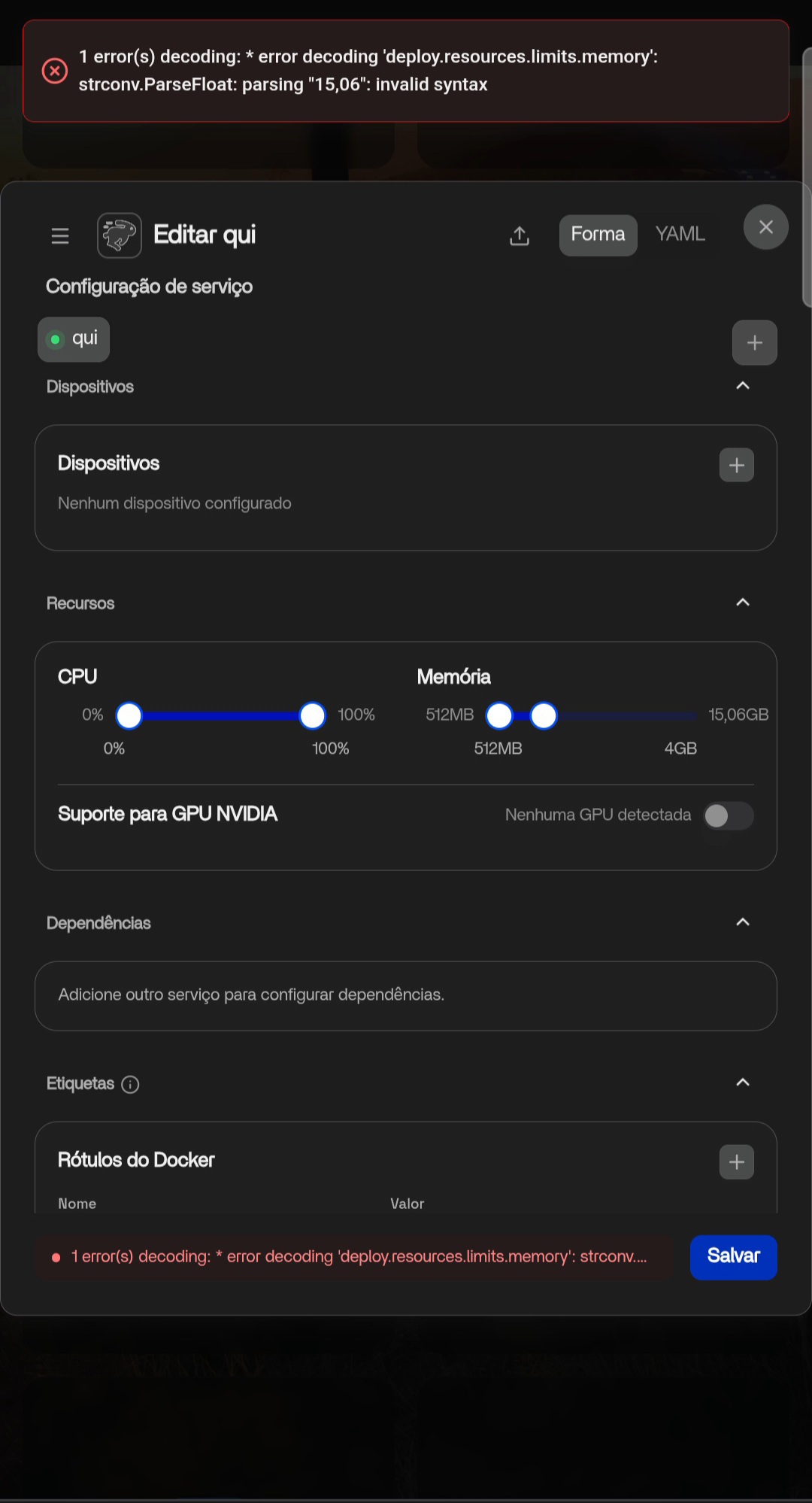
Victor, that error confirms your suspicion.
The important part is:
strconv.ParseFloat: parsing "15,06": invalid syntax
The Portuguese interface is formatting the memory value as 15,06, but the backend expects 15.06. Your RAM is being detected correctly. This is a locale/number-formatting bug in the visual editor.
For now, use the YAML editor and set:
deploy:
  resources:
    limits:
      memory: 15GB
    reservations:
      memory: 512MB
Save directly from the YAML editor and avoid touching the memory slider afterward, as the Portuguese form may convert the value back to a decimal comma.
That screenshot gives the IceWhale team the exact error and a clear way to reproduce it.
I can’t send much right now, but I believe this helps for the time being; thank you both for your attention.
Thanks for your feedback. We will fix this issue in the next version
No, he didn’t touch that value — the ZimaOS UI generates it.
The custom-app dialog serializes deploy.resources.limits.memory through pretty-bytes, and passes maximumFractionDigits: 2 but no locale. In pretty-bytes, that combination still triggers toLocaleString(undefined, options) — i.e. the browser’s locale. On a German (or French/Spanish/Italian/Portuguese/Dutch) browser that produces a decimal comma.
Chain in the shipped frontend (ZimaOS 1.7.0-beta1, /usr/share/casaos/www/):
- assets/Loading-DLtYR2_B.js → Cs(e) = Tn(Math.max(0, Math.round(e)), {binary: true, noi: true, space: false, maximumFractionDigits: 2}) — no locale
- Tn = pretty-bytes in assets/index-CdvirOHD.js → s(Number(t), i.locale /* undefined */, {maximumFractionDigits: 2})
- helper: (locale === true || options !== undefined) && (result = n.toLocaleString(undefined, options)) → system locale wins
Result: the YAML tab shows memory: 15,06GB, and the Go backend rejects it:
error decoding ‘deploy.resources.limits.memory’:
strconv.ParseFloat: parsing “15,06”: invalid syntax → HTTP 400
Isolated with two otherwise identical payloads: 14,92GB → 400, 14.92GB → 200.
Repro: set browser language to German/Portuguese → Apps → „+" → Install custom app → look at the YAML tab → Install.
Note it’s host-dependent: if total RAM lands on a whole GiB number there’s no decimal digit and no failure — which is probably why it passed testing.
Workaround: fix the value by hand in the YAML tab, or use the UI in English.
Suggested fix: don’t use a display formatter to build machine-readable YAML. Either force locale: “en” in Cs(), or serialize locale-independently ((bytes / 1024**3).toFixed(2), or integer m/bytes). Making the backend accept commas would only treat the symptom.
Minor, cosmetic: binary: true + noi: true means GiB math labelled “GB”.
Bug Report already written
Thanks for your feedback. We will fix this issue in the next version
Estou tendo exatamente os mesmos problemas que o colega @VictorSal0.
Gravei um video da tela e o coloquei neste link: https://youtu.be/NPh8sCxu-BY
Há algum meio de contornar este problema para todos os apps sem que seja necessário editar individualmente o YAML de cada um dos apps?
I also did well to do this update on my test server and not have it installed on my server in production. The memory as previously stated is not adjustable. Some changes to the YAML do not want to happen and are declared as errors.
Thank you for your feedback. We will fix this issue in the official release.
Atualizei para o beta 2 e o problema foi solucionado!
Muito obrigado a todo time de desenvolvimento!