Dear Community please help -
Setup
-
ZimaOS on Beelink mini PC
-
Navidrome running in Docker (accessible locally)
-
Tailscale via Docker (Tailscale app)
-
Network mode: host
-
Privileged: enabled
-
/dev/net/tun mounted
Issue
Navidrome works locally, and Tailscale shows connected, but:
-
Cannot access ZimaOS and Navidrome remotely via Tailscale
-
Tailscale admin shows: “This machine does not expose any routes”
-
No subnet routes / no “Approve” button
What I tried
- Adding
tailscale up --advertise-routes=192.168.x.0/24
Logs always show:
routes=[]
Question
Is subnet routing supported when running Tailscale via Docker on ZimaOS?
Or is it required to run Tailscale on the host to access services like Navidrome remotely?
Goal
Access Navidrome from iPhone over Tailscale (no port forwarding)
Thank You Very Much
Inder
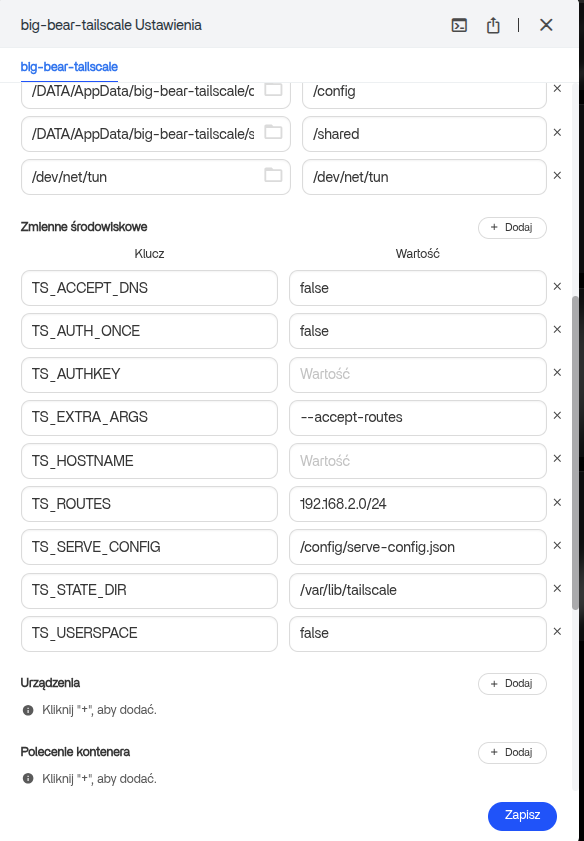
Yes, subnet routing is possible with Tailscale running in a Docker container on ZimaOS and it works correctly in my setup.
I am attaching my YAML for the application container so you can use it as a reference.
name: big-bear-tailscale
services:
  big-bear-tailscale:
    cap_add:
      - net_admin
      - sys_module
    cpu_shares: 90
    command: []
    container_name: tailscale_router
    deploy:
      resources:
        limits:
          memory: 10368632862
        reservations:
          devices: []
    environment:
      - TS_ACCEPT_DNS=false
      - TS_AUTH_ONCE=false
      - TS_AUTHKEY=
      - TS_EXTRA_ARGS=--accept-routes
      - TS_HOSTNAME=
      - TS_ROUTES=192.168.2.0/24
      - TS_SERVE_CONFIG=/config/serve-config.json
      - TS_STATE_DIR=/var/lib/tailscale
      - TS_USERSPACE=false
    image: tailscale/tailscale:v1.96.5
    labels:
      icon: https://cdn.jsdelivr.net/gh/homarr-labs/dashboard-icons/svg/tailscale-light.svg
    privileged: true
    restart: always
    volumes:
      - type: bind
        source: /DATA/AppData/big-bear-tailscale/state
        target: /var/lib/tailscale
        bind:
          create_host_path: true
      - type: bind
        source: /DATA/AppData/big-bear-tailscale/config
        target: /config
        bind:
          create_host_path: true
      - type: bind
        source: /DATA/AppData/big-bear-tailscale/shared
        target: /shared
        bind:
          create_host_path: true
      - type: bind
        source: /dev/net/tun
        target: /dev/net/tun
        bind:
          create_host_path: true
    ports: []
    devices: []
    network_mode: host
x-casaos:
  architectures:
    - amd64
    - arm64
  author: BigBearTechWorld
  category: BigBearCasaOS
  description:
    en_us: Zero config VPN. Installs on any device in minutes, manages firewall
      rules for you, and works from anywhere.
  developer: tailscale
  hostname: ""
  icon: https://cdn.jsdelivr.net/gh/homarr-labs/dashboard-icons/svg/tailscale-light.svg
  index: /
  is_uncontrolled: false
  main: big-bear-tailscale
  port_map: "5252"
  scheme: http
  store_app_id: big-bear-tailscale
  tagline:
    en_us: The easiest, most secure way to use WireGuard and 2FA.
  thumbnail: ""
  title:
    custom: Tailscale_router
    en_us: Tailscale
This looks great, i’ll give it a run this weekend. Thank you very much
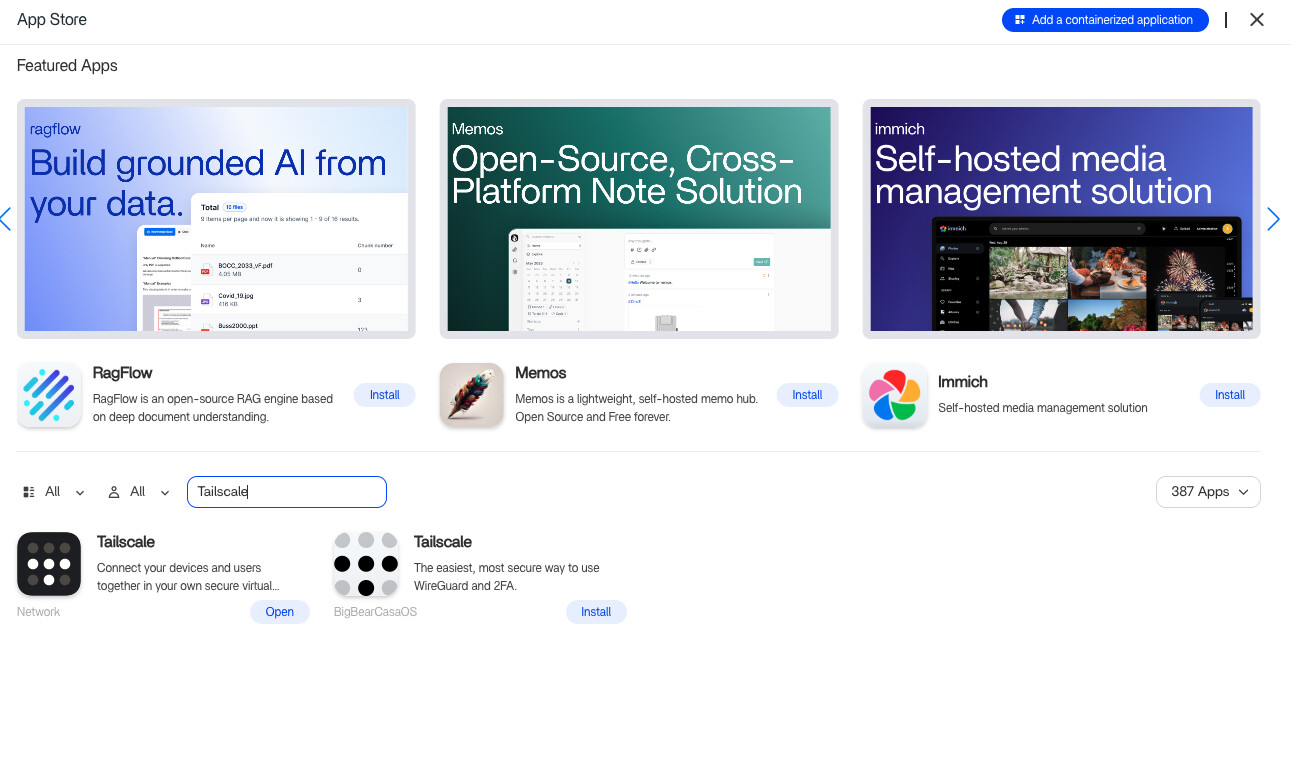
Hey I haven’t yet tried but understood the new env arguments , but also noticed that you are on Big Bear Tailscale Docker and i am on the other , as on App store there are 2 , which one to go with ?