one of my storage pools is saying read only I’ve been able to right to it before and now it says with yellow indicator it is read only? Can some in the community give me a solution it is 16 tb of storage in raid 5.
Please attach the version and screenshots.
version 1.54
sorry I must have hit wrong button to screenshot the page I have updated Zima OS and it gave me this info can you help me?
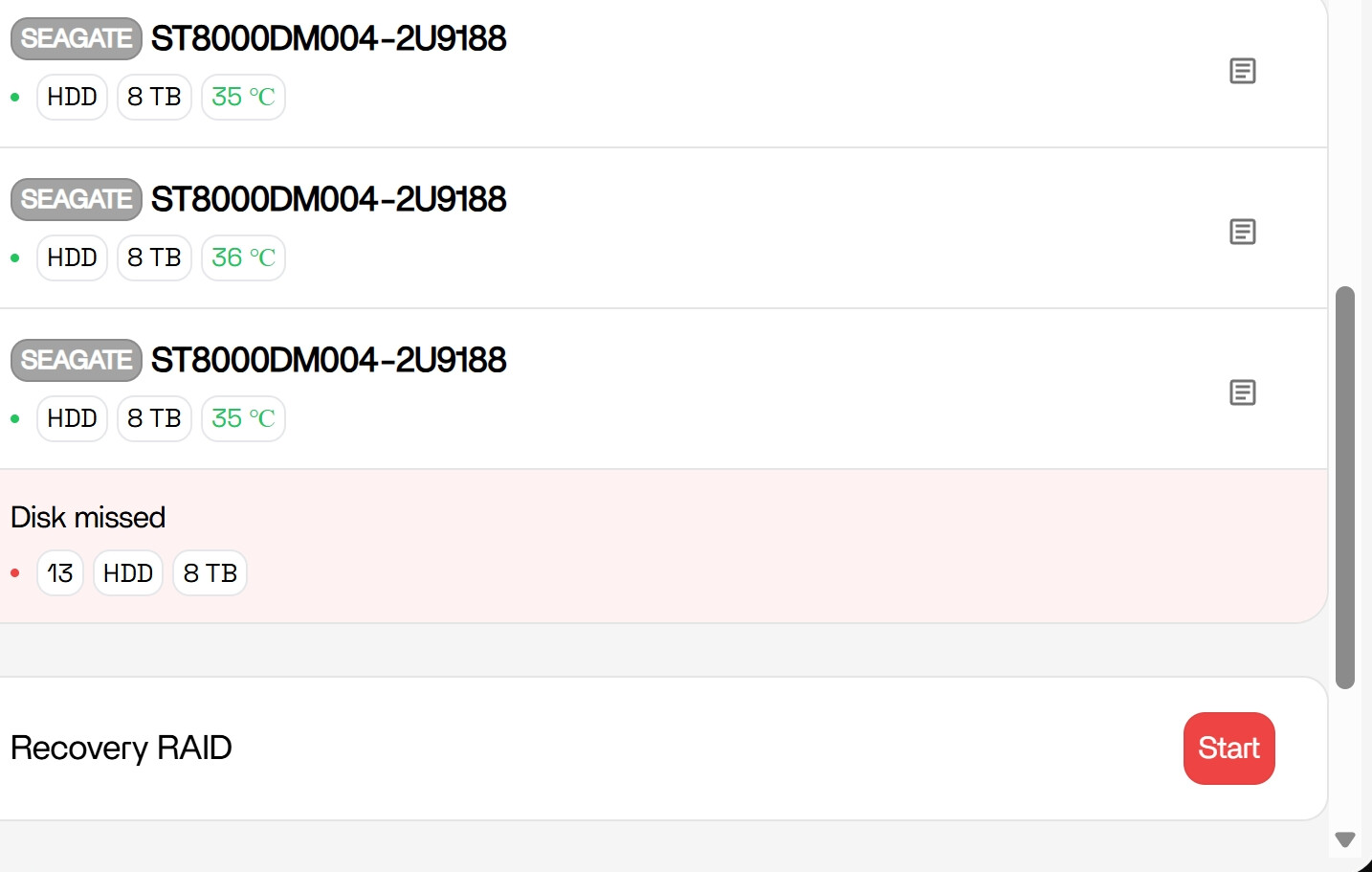
Looks like your RAID has dropped a disk, which is why the pool has gone read-only.
From your screenshot:
- “Disk missed” > one drive is no longer part of the array
- RAID5 goes into a degraded/protective state
- ZimaOS mounts it read-only to prevent data loss
This is usually caused by:
- Failed drive
- Loose SATA/power cable
- DAS/USB instability
Good news, RAID5 can handle one disk loss, so your data should still be intact.
Before hitting “Recovery RAID”, just confirm what happened to that disk:
- Does it still show in Storage or is it gone?
- Any disconnects, errors, or strange noises?
- Did this happen after reboot or randomly?
If the disk is unstable or missing, don’t start recovery yet.
If it comes back stable, then you can proceed.
Right now the system is protecting your data, so no rush, just confirm the disk state first.
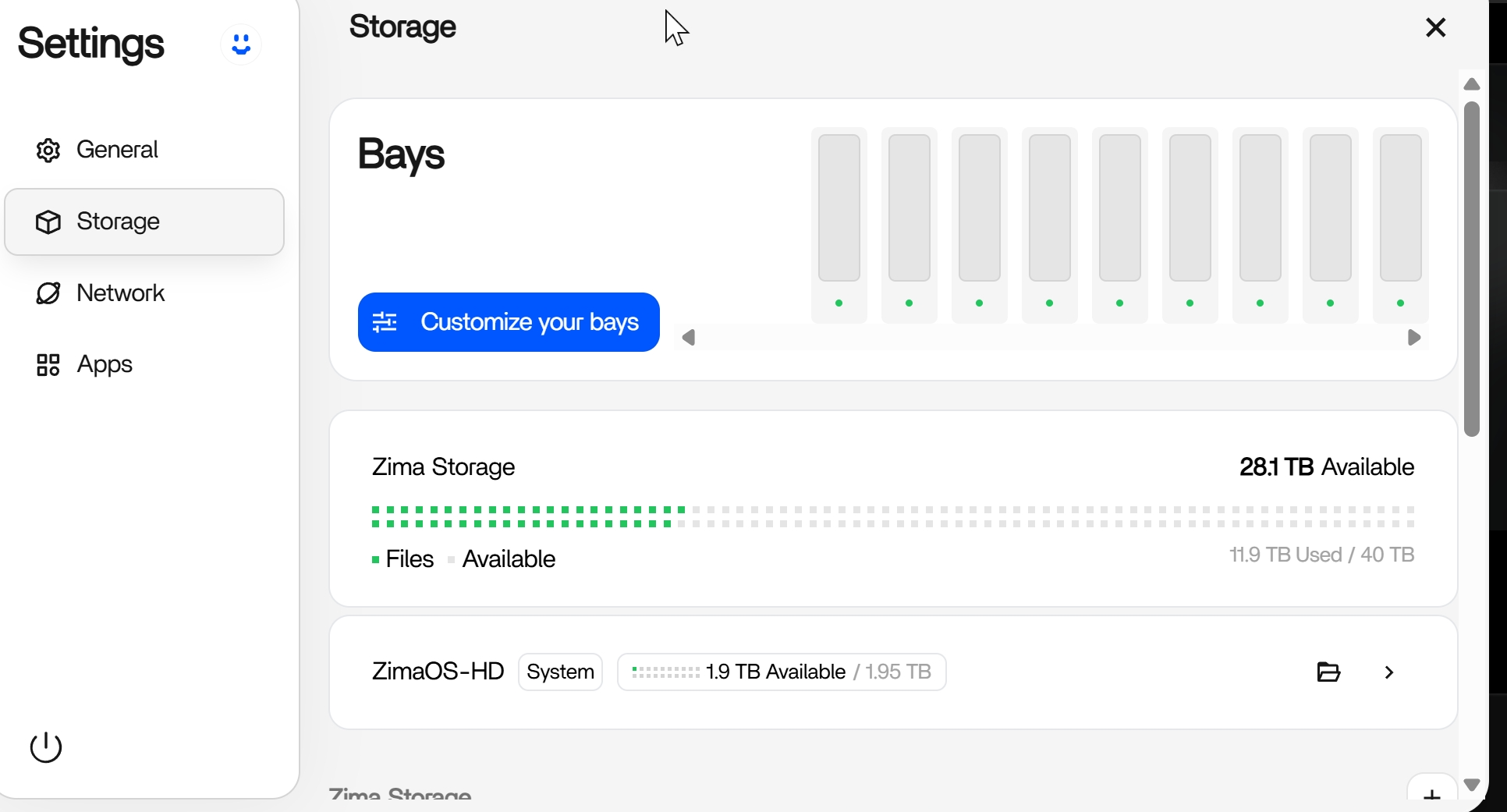
For some reason it does not say that anymore. It fixed itself? what is happening anyways hopefully I will be able to write to that volume. Here is a screen shot of what I am looking at for storage. Do I need to customize drives not sure how to do that? Thank you so much for helping me
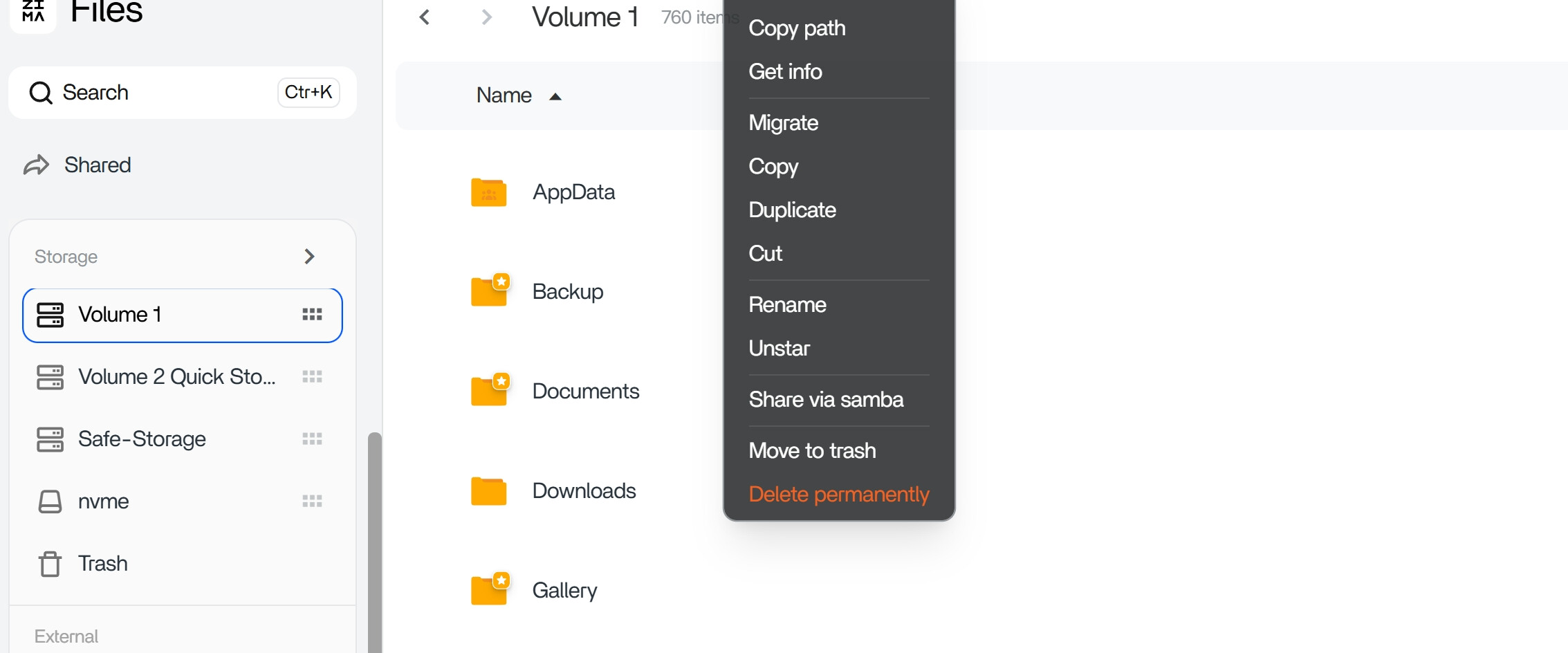
now it is back saying recover but when I go to files I see volume is not highlighted to read only anymore
“Customize your bays” is just the normal storage layout option, not related to your RAID issue.
What’s likely happened is:
The disk dropped out earlier > system went read-only
Disk came back > array stabilised
Now everything looks normal again > recovery option disappears
So seeing “Customize” now just means the system is back to its standard state.
As long as:
No “disk missed”
No read-only warning
You can write to the volume
You’re good.
I’d just keep an eye on it for now, if it happens again, then we start looking at a loose cable or a drive starting to fail.