Hello,
I’m trying to share a Synology SharedFolder with my freshly received ZimaBoard 2.
They are both on the same LAN, Syno (192.168.213.13); ZimaBoard (192.168.213.112)
I activated on the Synology the SMB protocol, and created a user with RW permission on a folder and authorised SMB application.
When I try to connect ZimaBoard to the smb://192.168.213.13 with the Synology user and password, I always get a “connection error : EOF” message.
Any idea on how to fix this?
Are you feeling Samba is activated? In Zimaos
Hey, to better help you, we need more info. Please fill in the template.
I will describe this problem as follows:
[Problem description.]
And I can reproduce the problem like this:
[the detailed steps to reproduce the problem.]
[images and photos are better.]
[videos and screen records are best.]
And I remember I did this to my machine before the problem showed up:
[If exists, please attach the operations might be related to the issue.]
And I have tried these operations to fix it:
[The steps you might have tried.]
[images and photos are better.]
[videos and screen records are best.]
[If you used CLI, then you did this by]
[What user? root? non-root?]
[In what method? Dedicated connected screen/keyboard? Web terminal? SSH?]
And here are the specs of my machine:
[the detailed specs of the machine where the problem happens]
[the specific version of the OS]
[the specific version of the Client OS]
I found the issue! The Synology was limiting the SMB protocol to v1; and Zima needs at least v2!! Thanks for your help.
Yes it’s activated
Currently running latest Zima, having same problem connecting to my old DroboFS, I think that is using SMBv1 and cannot connect to it.
I see theres a developer switch to turn on and off the smb 1 support and i see it’s changing the samba config files, but is that only changing incoming connections to zima or outcoming as well?
Tried a RW user from Drobo and still fails with this error.
Thanks Joe
Hello. Is there any solution for this error finally? I have the same when trying to connect to NSA325
Hi folk. The same problem when I try to connect my USB HDD attached to my router. It only supports Samba v.1 protocol. I can access it all over my LAN using \\192.168.1.254\sda1 path.
When I enter smb://192.168.1.254 to Zima, I get “connection error: EOF” message.
Looks like Zima’s Samba client doesn’t support v.1 protocol.
Please help. I intent to use USB HDD as detachable backup drive, that is physically located in different building. Thanks in advance.
PS: Here are the results of smbclient -L //192.168.1.254 command:
Sergey@HomeLab:~ ➜ $ smbclient -L //192.168.1.254
Password for [WORKGROUP\Sergey]:
    Sharename       Type      Comment
    ---------       ----      -------
    sda1            Disk      samba share dir sda1
    IPC$            IPC       IPC Service (Netis Samba Server)
Reconnecting with SMB1 for workgroup listing.
Looks like Samba client sees sda1 share, but I don’t know how to connect it.
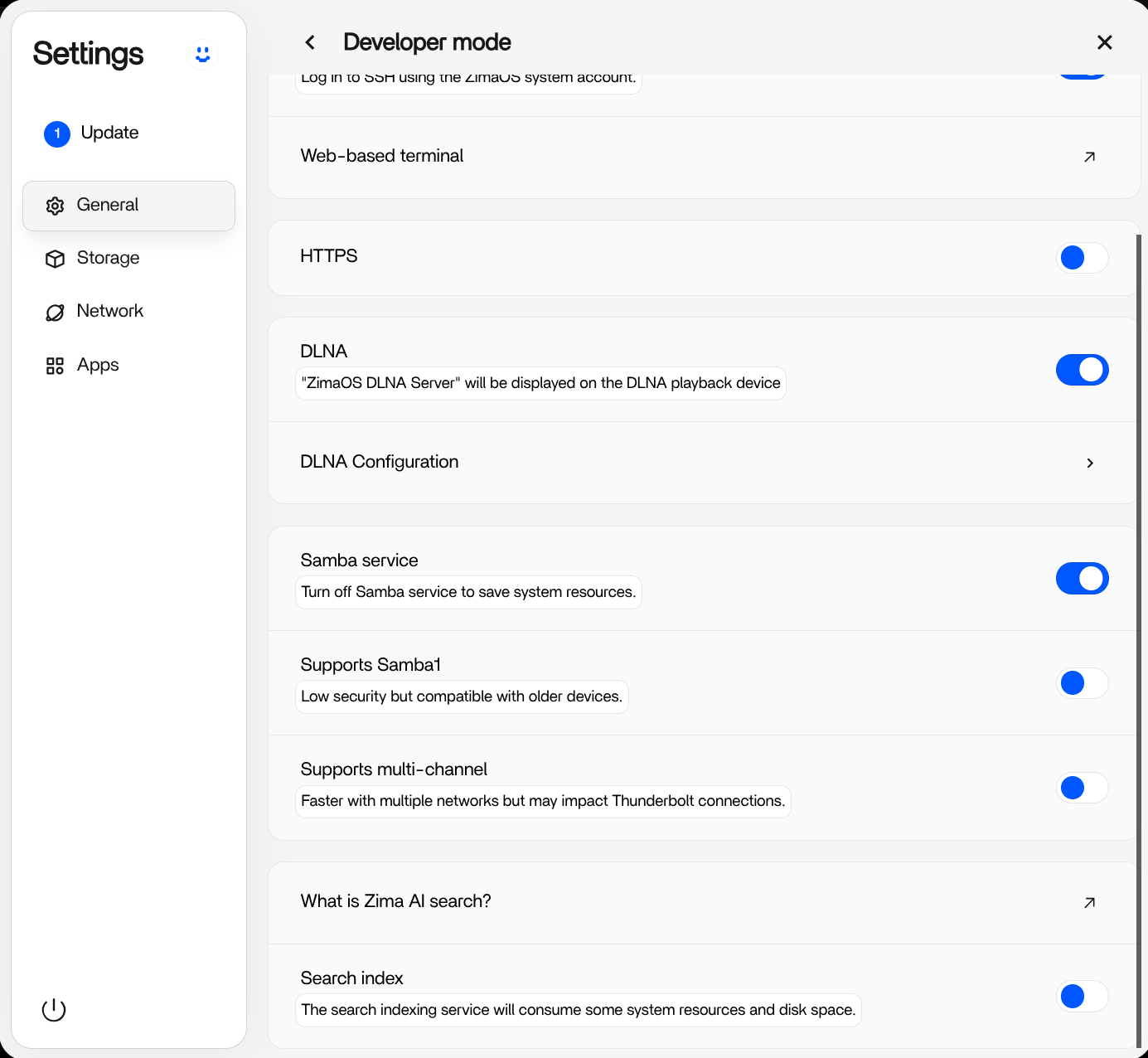
It is enabled
It doesn’t work, bro. Still cannot add my share sda1. Probably there is a method how to add it via terminal commands, but I’m a newbie in Linux.