I made a video demonstrating the issue.
Have seen your video.
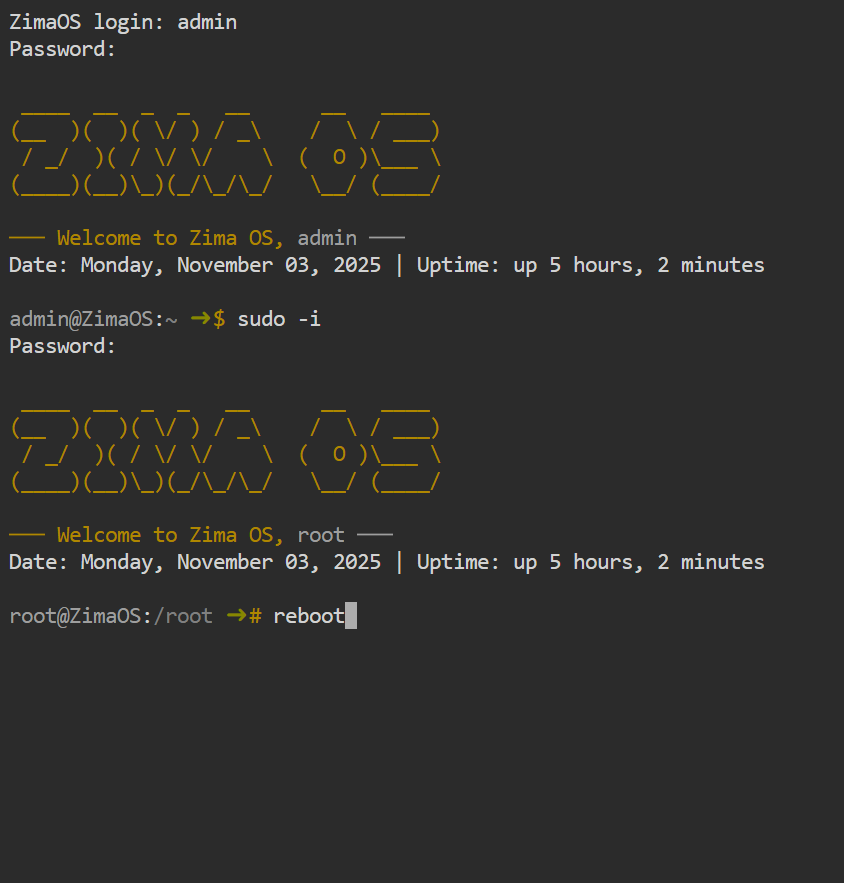
First, how to restart the OS by the command line?
The answer is: input your username and password to log in to that terminal. And then
- type
sudo -ito switch to root account, and you need to input your password again; - type
reboot, and hitEnterkey to restart.
Second, regarding the UI issue of the shutdown button.
Would you please use a new browser, or use the browser’s incognito mode to try this function again to eliminate the issue from the browser cache?
Also, to help others understand and respond quickly, please use the format below to provide more info.
Description
Explain what’s happening in simple terms.
Before It Happened
Mention any changes or actions performed before the issue appeared.
Troubleshooting Tried
Describe what you’ve already done to fix it.
(Include visuals if possible.)
System Details
Add your hardware specs, ZimaOS version, and Client OS version.
(This section will be automatically included in your signature once available.)
Thank you for taking the time to include these details, it helps everyone resolve issues faster and keeps the community running smoothly.
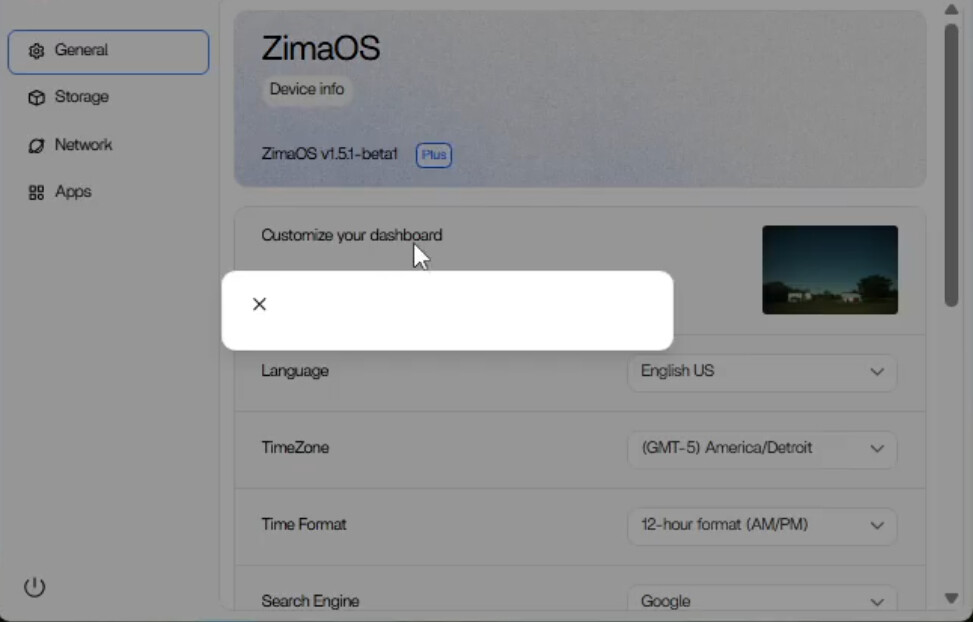
Description: Using my Brave browser i was unable to restart, shutdown, or log off. After submitting a youtube video to this forum showing my interaction with ZimaOS i was asked to use a different browser or brave incognito mode to illimenate the issue from the browser cache. First, i attempted restarting with brave browser incognito mode and it worked perfectly. I do not believe anything has changed recently other than updating the zimaOS. I have however noticed the icons of my browser favorites tool bar look different. I am guessing my browser recently updated.
System Details.
Hardware Specs:
GMKtec G3 Plus
Intel 12th gen Twin Lake N150
16GB ddr4
512Gb SSD
Zima client + ZimaOs 1.5.1 beta1
I deleted the cache and browsing history on my brave browser and now everything seems to work properly. I guess we can say this problem is solved.
1 Like