Hi,
I’m using an Intel NUC10i7FNK2 with the latest available firmware. Secure Boot is disabled, and UEFI is enabled in combination with a M.2 Sata WD 240GB
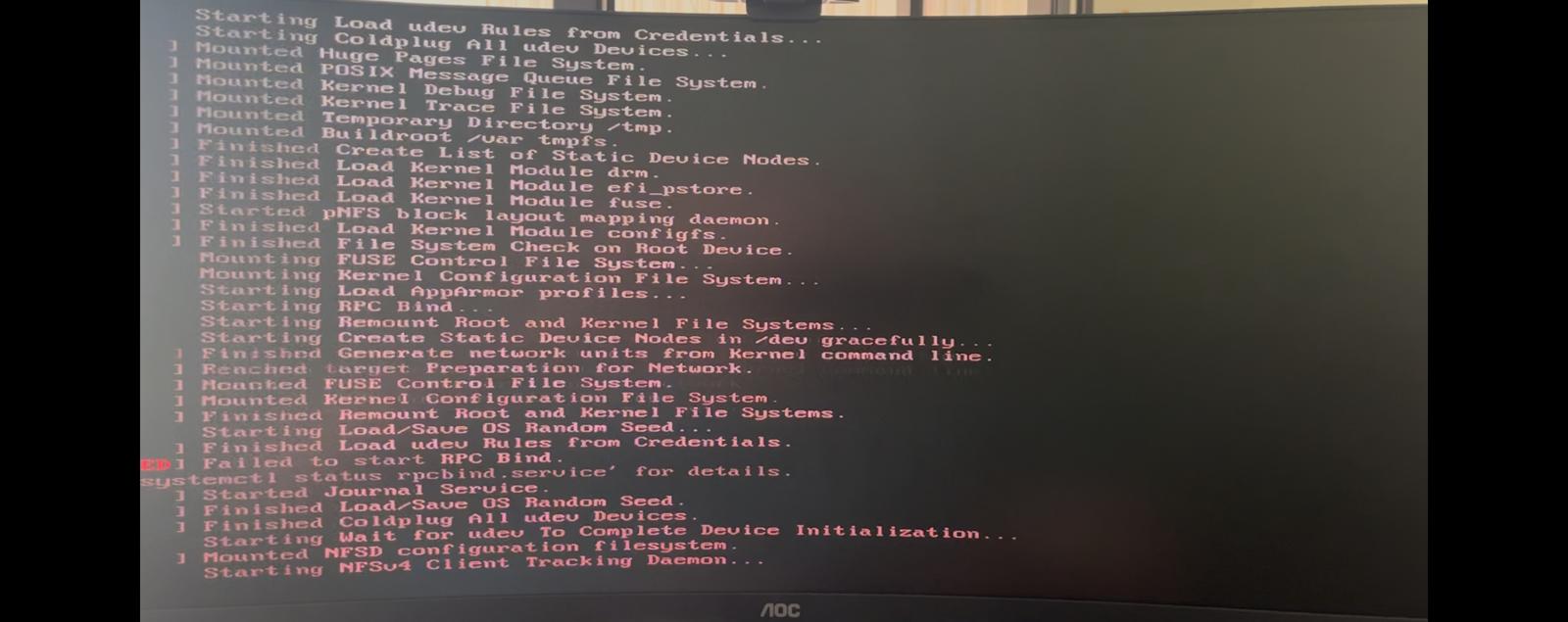
The installation process completes successfully (100%) and prompts me to remove the USB media at the end. Upon reboot, the system uses slot A and begins to load, but then it suddenly shuts down without warning.
I’ve tried several stable builds, but the result remains the same 
Has anyone experienced this issue or have any idea what might be causing this behavior?
Hi,
I did try the provided “Installation/Troubleshooting” Guide, but without any success.
In short, this is what I already performed:
- Intel BXNUC10i7FBK2 with 16 GB RAM and a M.2 Sata WD of 240GB
- The BIOS is at the latest available version, being FNCML357.0066.2024.1011.0925
- Performed a ‘clear to default’ of the BIOS settings
- Current BIOS has following options: ‘Time & date=up-2-date’, ‘Secure Boot=disbaled’, ‘HD mode=AHCI’, ‘UEFI BOOT=enabled’, ‘Intel Virtualization Technology=enabled’, ‘VT-d=enabled’, ‘USB boot=enabled’, ‘1st boot device=USB media’, ‘USB S4/S5 Power= enabled’.
- Balena Etcher was used to create the bootable USB drive
- Tried using a Linux Live (ref. Try Ubuntu), but that also performed a shutdown during initial loading.
- Used several other USB media & USB Ports
- Max. & balanced power settings
- Tried the installation on my (older) Lenovo ThinkCentre pc (CPU-i5 & Sata SSD), which worked perfectly, thus the installation media is working just fine.
Given the fact that I also have it with Ubuntu (but not with Proxmox) I don’t have a clue anymore as to what it could be.
If anyone could advice me what to do, I would be very grateful.
For future reference or anybody else facing this issue, I’ve just solved the issue by “turning off Intel Turbo Boost Technology on the Performance → Processor page.”
Thank you for your feedback, and we look forward to your future use and sharing of related experiences.