Sorry for the inconvenience. We really want you to make the app work. But some knowledge is necessary.
The first thing is to know the path and files associated with Docker. This article is helpful:
Is there a method to show what soft links have been created?
Yes, in CLI, type ls /DATA -al to show the soft-links after migration:
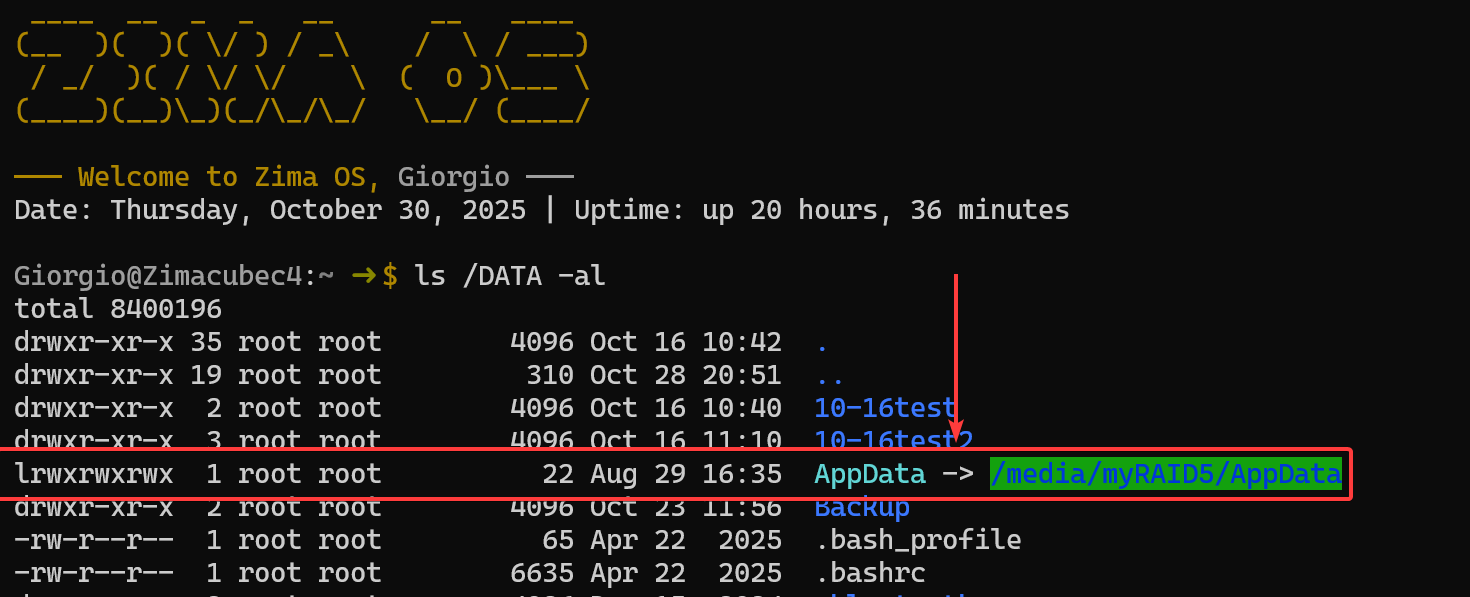
The arrowed part is a link, and the path after the right arrow is the ‘real’ path.
use the browse facility when setting up the Plex libraries.
The browse function is limited. For example, the LAN sharing folder is not shown or selectable. And we are improving it.
So, how to get the paths for folders, like shared by LAN? Currently, the CLI is an easy way. But for some users, it is hard to handle the command line interface. Will any GUI be implemented for this? Yes, we are improving this, and please give us more time to implement it.
when I migrate for instance the Documents folder to the nvme drive, there still remains a Documents folder on the ZimaOS-HD drive
Indeed, we have two levels of migration capabilities.
- The
migrating locationin Settings panel:
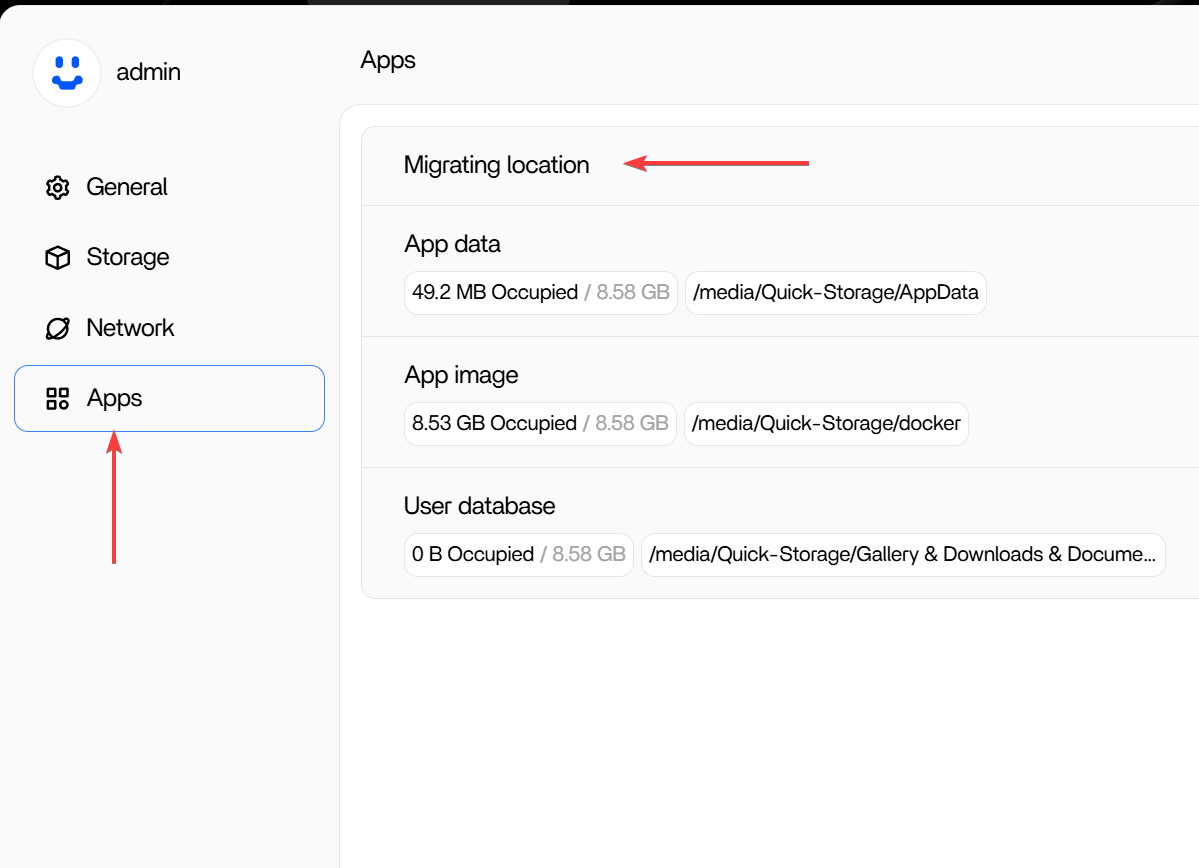
The migrating location function here will create those soft-links after you use it.
- The
migratefunction in the right click menu in Files app:
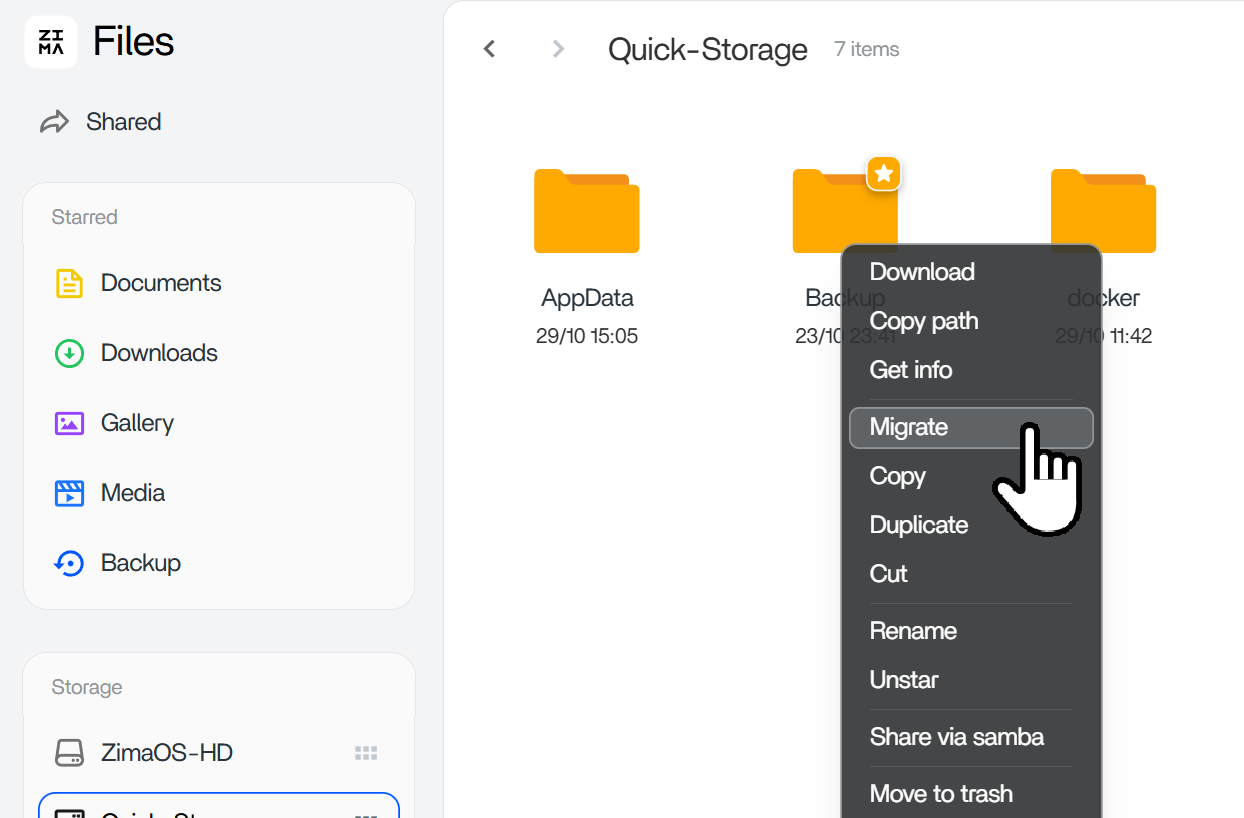
The migrate function here will do Folders/Files migration and give you a migration task report, which will give you confidence about file integrity after the migration. This migrate function won’t create soft-links.
We apologize again for any potential complexities associated with using Docker apps, and for any confusion caused by the current imperfections in ZimaOS’s path selection functionality. We will improve these aspects and provide more content to eliminate uncertainty. If you discover any better app installation experiences or path selection solutions, please feel free to provide feedback.
We are all ears.
Hope this is helpful.