Hi team, I want to report a new weired problem.
Version 1.4.3
Run on Beelink Mini ME
Today I try custom app install from docker-compose and it did not work. I reinstalled ZimaOS completely. I reinstalled ZimaOS from scratch the same result. I though may be some files were cached, I try in Incognito tab, same result. Although it worked before I know for sure.
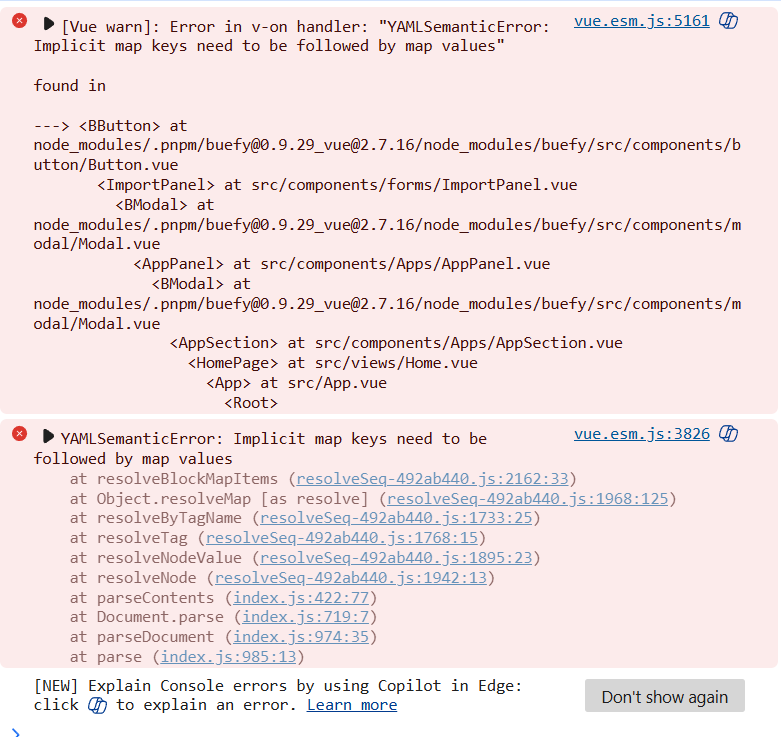
I am a developer, so I opened a console, cleaned it and clicked Submit docker-compose text. Here is what I get.
If I just load ZimaOS I get this
and 2 more
I do not know where to move from here. I would just input all the data to fields in GUI, but my custom container requires
    tmpfs:
      - /run
and there is no option to add it, only from loading docker-compose.
Strange that it worked when I first installed ZimaOS as a test Installation. But i run so many test it created some artifacts I wanted to start clean and now everything brock. Not everything, custom app build, but that is my prime feature.
Can you provide the docker compose yaml file that is getting the error? So we can test it.
name: syncthing
services:
  syncthing:
    container_name: syncthing
    environment:
    - PGID=0
    - PUID=0
    image: syncthing/syncthing:2.0
    labels:
    icon: https://cdn.jsdelivr.net/gh/selfhst/icons/png/syncthing.png
    ports:
    - mode: ingress
        target: 8384
        published: "8384"
        protocol: tcp
    - mode: ingress
        target: 22000
        published: "22000"
        protocol: tcp
    - mode: ingress
        target: 22000
        published: "22000"
        protocol: udp
    - mode: ingress
        target: 21027
        published: "21027"
        protocol: udp
    restart: unless-stopped
    stop_grace_period: 1m0s
    volumes:
    - type: bind
        source: /DATA/AppData/syncthing/data
        target: /var/syncthing
        bind:
            create_host_path: true
    - type: bind
        source: /media/SLOT4/Syncthing
        target: /media/data/syncthing
    privileged: true
networks:
  default:
    name: syncthing
I can see now it is badly formatted. But that is what I copied and saved from old ZimaOS by exporting container. I managed to format it nicely and it does parse and fill the UI fields..
name: syncthing
services:
  syncthing:
    container_name: syncthing
    environment:
      - PGID=0
      - PUID=0
    image: syncthing/syncthing:2.0
    labels:
    icon: https://cdn.jsdelivr.net/gh/selfhst/icons/png/syncthing.png
    ports:
      - mode: ingress
        target: 8384
        published: "8384"
        protocol: tcp
      - mode: ingress
        target: 22000
        published: "22000"
        protocol: tcp
      - mode: ingress
        target: 22000
        published: "22000"
        protocol: udp
      - mode: ingress
        target: 21027
        published: "21027"
        protocol: udp
    restart: unless-stopped
    stop_grace_period: 1m0s
    volumes:
      - type: bind
        source: /DATA/AppData/syncthing/data
        target: /var/syncthing
        bind:
            create_host_path: true
      - type: bind
        source: /media/SLOT4/Syncthing
        target: /media/data/syncthing
        bind:
          create_host_path: true
    networks:
      - host
    privileged: true
networks:
  default:
  name: syncthing
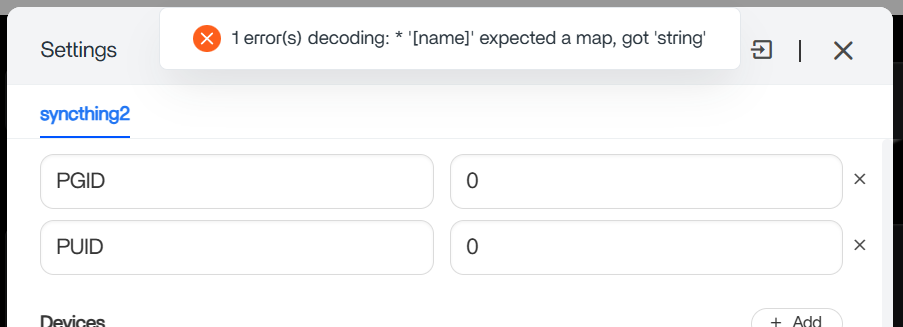
But now when I try to install I get this error
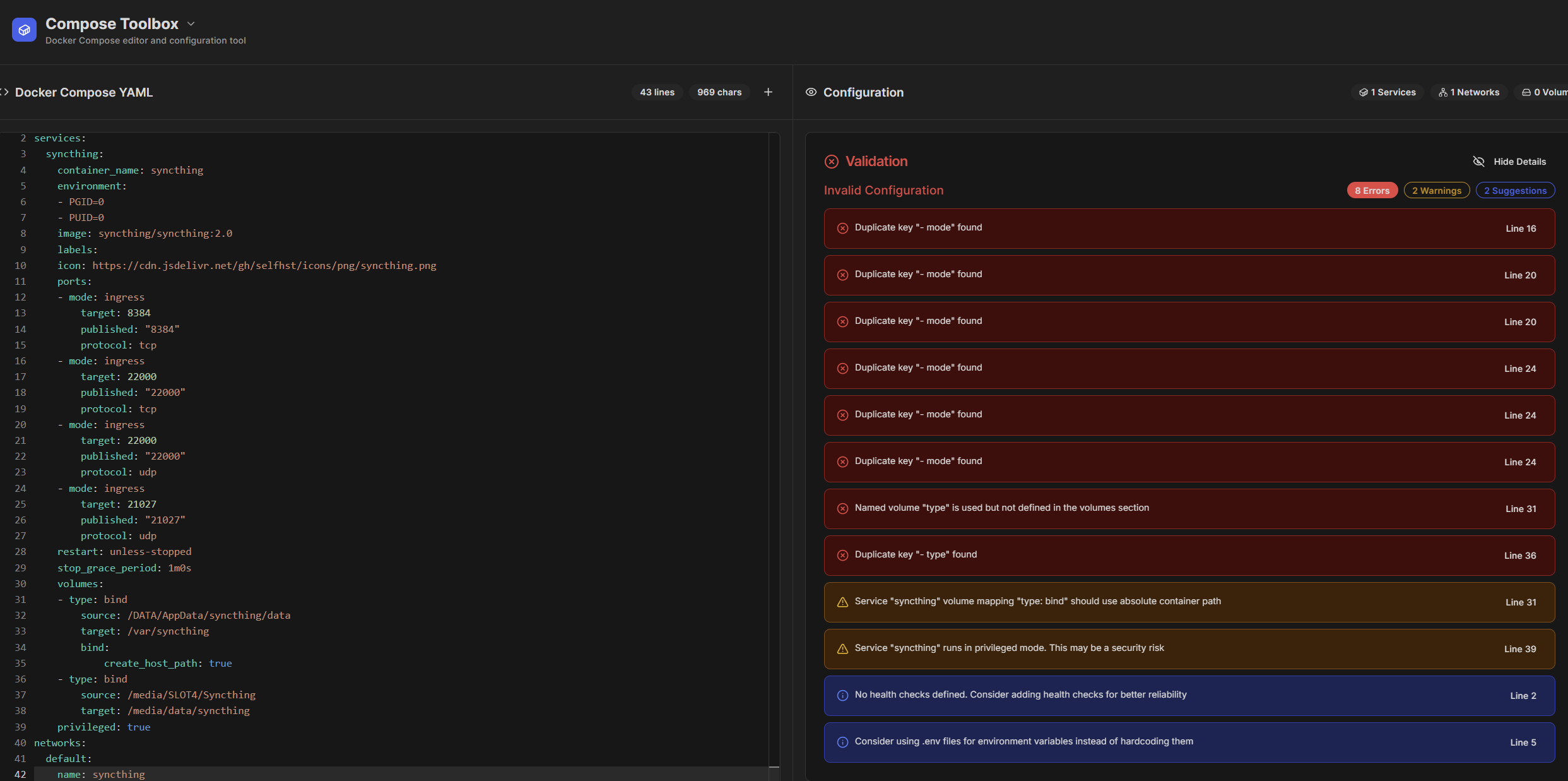
Do you use compose Toolbox?
It looks like the problem isn’t with your browser or cached files but with the compose file itself. You’ve got some Swarm_specific options mixed in that normal Docker Compose (and the ZimaOS importer) can’t parse, and the volumes section is structured in a way that confuses the parser. That’s why you’re seeing errors about duplicate keys and invalid YAML even though the file may have worked before.
If you strip out the unsupported Swarm bits and rewrite the volumes and networking in plain Compose format, the file imports cleanly again. The only thing the GUI still can’t handle is adding tmpfs mounts, so if your container needs those, you’ll have to keep using the compose import.
I’ve been using Compose Toolbox myself and really like it.
It makes spotting and fixing these kinds of YAML issues so much easier and helps surface any errors before trying to import.
2 Likes
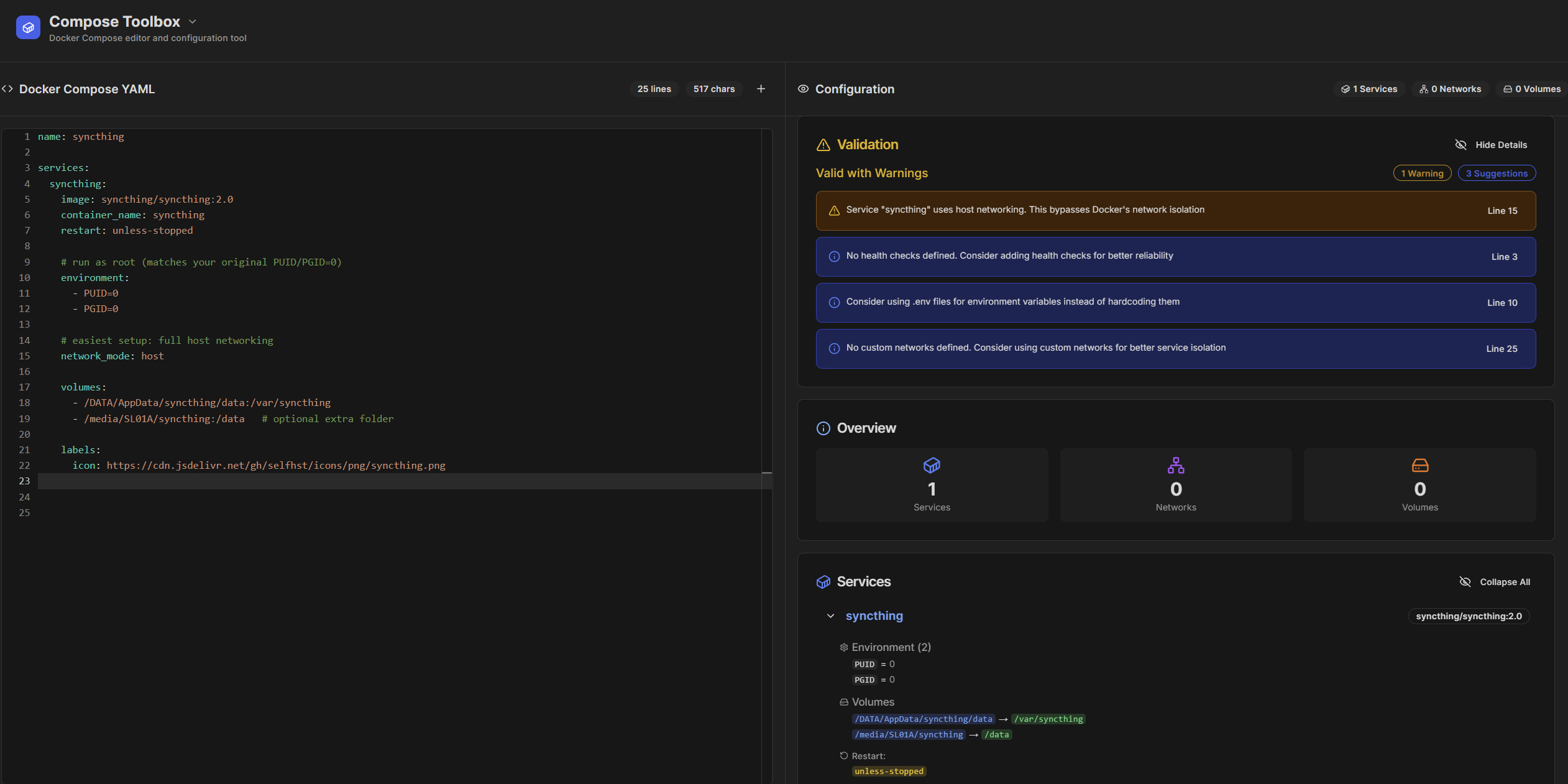
I cleaned up the Compose file by removing all the invalid Swarm-only keys in the ports section that were causing duplicate “mode” and “protocol” errors. The volumes section was also simplified.
It no longer uses the extra bind configuration at the root and is now just clean, direct mounts. I dropped the unnecessary custom network and privileged flag, since Syncthing doesn’t need either. The result is a plain, Compose_valid file that runs with host networking and works out of the box, leaving only optional suggestions like adding a health check or moving environment variables to a .env file if I want to polish it further.
1 Like
Yes it all was formating problems. Something happened to fomating when I copied it to my Obsidian notes. All swarm options are from ZimaOS. Before reinstall OS I exported all my containers and saved those compose files.
By the way, thank you for composetoolbox. I now has been able to selfhost it with
services:
  composetoolbox:
    image: ghcr.io/bluegoosemedia/composetoolbox
    ports:
      - "3000:3000"
    environment:
      - NODE_ENV=production
    restart: unless-stopped
    volumes:
      - ./composetoolbox/data:/app/data
and now can create compose files locally.