Nice, thanks for sharing the final update.
That makes sense, changing the IP addressing allowed Windows to see the two NICs as distinct paths, which is exactly what SMB Multichannel needs to engage properly.
Good confirmation that the hardware was fine and it was down to IP/path visibility.
3 Likes
Just my 10 cents, but I guess caching is more effective on TrueNAS.
In my case, difference was just around 10 percent, but I got a lot more RAM in my “servers” ….
And I was almost 100 percent sure about swapping the NICs around, since I have done that myself.
It’s weird, but Windows is still not where it should be and has been at #7 ….
Thanks for the input
Agreed, RAM and caching can definitely influence short-term results, especially on systems like TrueNAS with more aggressive caching.
In this case though, the big change came from NIC/IP layout rather than cache behaviour. Once Windows could clearly see two distinct paths, SMB Multichannel kicked in and throughput scaled as expected. The hardware was fine, it was more about how Windows was selecting and using the interfaces.
Appreciate you sharing your experience, it lines up with what we’ve seen as well.
1 Like
Ok i got new problem now  My smb multichannel setup does sometime kickout to singlechannel and one card stop working after i while. so I took a test with iperf3 and find out with one nic got problem that was sitted in PCi gen4 slot.
So i tok that and install on another pci slot with lower gen now its working but i get max speed 1.8Gb one way and 1.5 another way.
But its more stable now i hope so. My speed slow down beacuse of limit to pci slot now because one rtl8127 10GBe nic is pcix1 gen4 card
But SMB3 Multichannel works now because i set it to diffrent ip adress in different subnet. 192.168.1.x and 192.168.2.x
Finally I have managed to fix all the problems I had with instability.
I updated latest bios on the Asus tuf z570 motherboard which fixed the problem with unstable Pci port. After the Bios update I have had the server up for 12 hours without any problems 
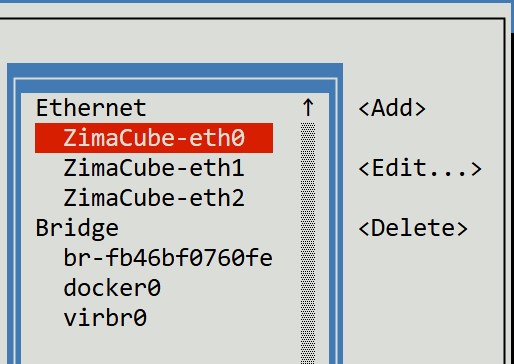
Now I have changed the settings for the network cards to 9000mtu
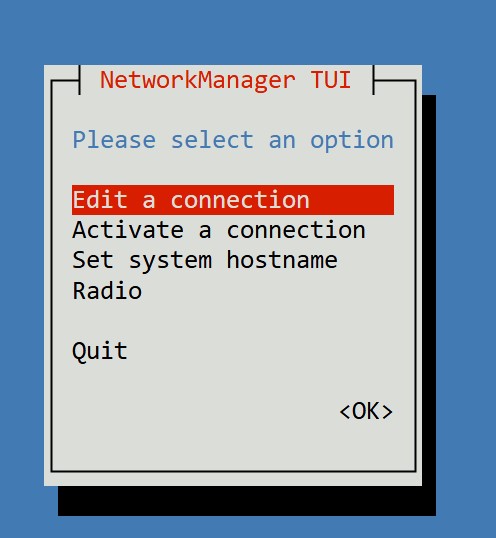
You have to go into advanced settings which you have to start with terminal by typing sudo nmtui
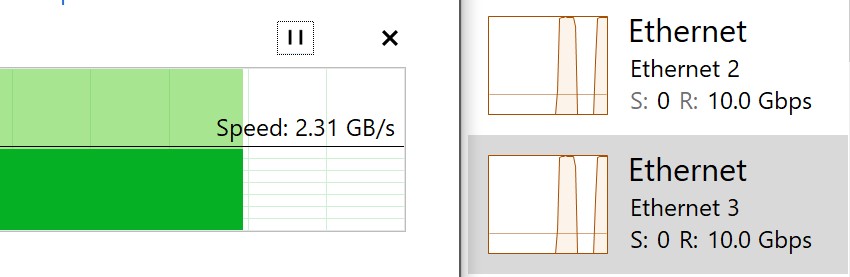
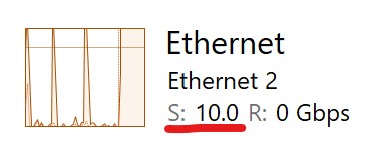
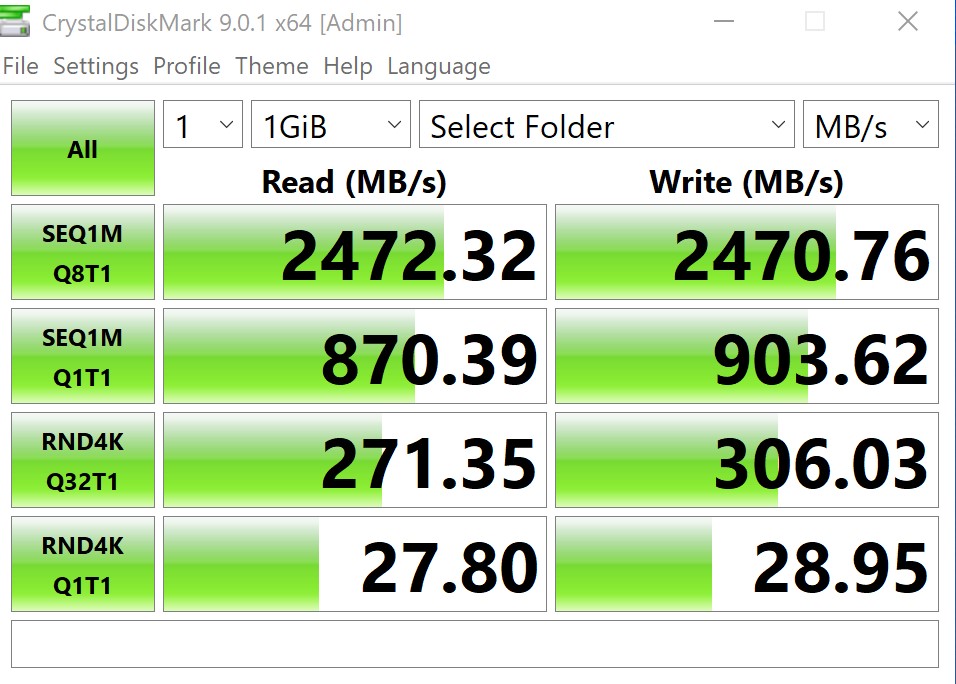
Now i get full 10Gbit on both cards wich in smb3 multichannel is 20Gbit
up and download to ZimaOS server
I get this result in CrystalDiskmark
Thanks for the detailed update, this actually explains the behaviour very well.
What you’re seeing now lines up with two separate factors:
- PCIe lane limitation
If the RTL8127 10GbE NIC is a PCIe x1 Gen4 card, then even though the NIC itself is “10Gb”, it can’t sustain full 10Gb in both directions.
A PCIe x1 Gen4 slot tops out at roughly ~2 GB/s raw bandwidth, and once overhead is factored in, real-world throughput around 1.5–2 Gb per direction is exactly what you’d expect.
So the lower but more stable speed makes sense given the slot change.
- SMB Multichannel now behaving correctly
Putting each NIC on a different subnet (192.168.1.x / 192.168.2.x) is the key part. That makes the two interfaces clearly distinct to Windows, so SMB Multichannel stays engaged instead of collapsing back to single-channel. This also explains why it was unstable before.
So overall:
- The instability was very likely PCIe slot / signal / lane-related
- The reduced speed is explained by PCIe bandwidth limits
- SMB Multichannel itself is now working as intended thanks to the IP separation
If you ever want to push closer to full 10Gb again, the next step would be a NIC that runs in at least a PCIe x4 slot, but stability-wise you’re now on solid ground.
Good troubleshooting, you narrowed this down properly
1 Like