Hi everyone, I’d appreciate your help with this issue:
I installed ZimaOS yesterday and had some apps installed via the app store. At first they worked fine and took me to the containers, but after some time they stopped working correctly. Every time I try to open an app using the dashboard, I get a white screen, then a screen saying that the app is loading, before getting this.
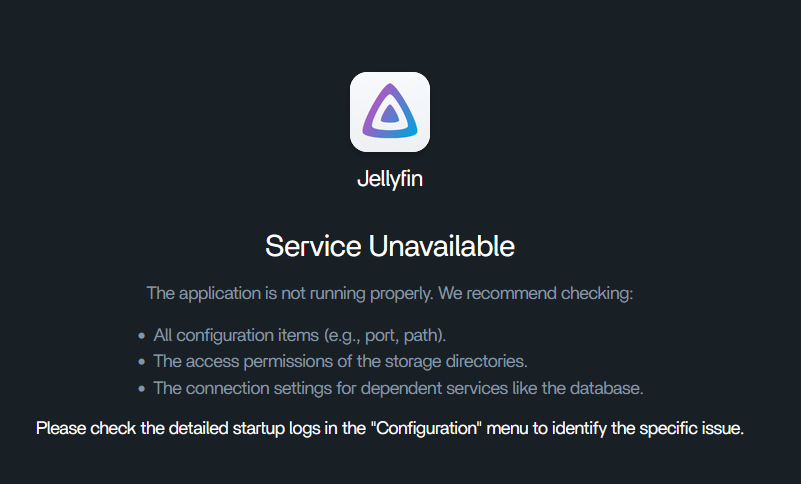
I am trying to connect to my ZimaOS computer via Tailscale with another computer being used as an exit node (with that taking about a day to do since I couldn’t configure my exit node at all). When connecting locally, the apps do the same thing. I can connect to it via Tailscale but can’t use any of the apps (even though earlier today I was able to access Jellyfin just fine).
Before It Happened
Originally I was having an issue with Tailscale where the ZImaOS configuration would not allow me to set an exit node, but keeping the computer on overnight and using my laptop instead of my desktop allowed me to configure it. Tailscale was having the same issue with having the service unavailable so I had to connect using the port.
Troubleshooting Tried
I have tried reinstalling the apps, making sure docker is installed and up to date (it is), and have rebooted the system twice. When I tried to restart docker using this command, it says that no such file or directory is there. I have tried connecting to the apps through their ports, and none of them work besides Tailscale.

System Details
ZimaOS version 1.5.4
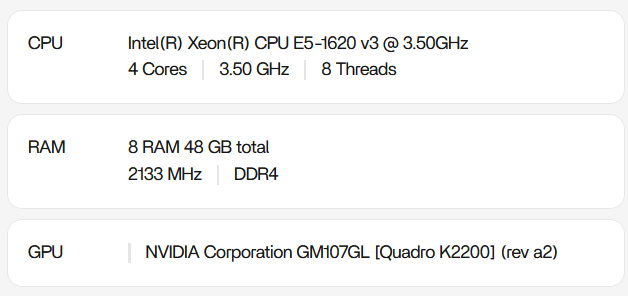
I am hoping that someone smarter than I am with this is able to help out. I’m still very new to this, and I would appreciate it.