Running ProtonVPN in ZimaOS

Hi all,

I’m new to all this. Like really, really new. I bought a Zimacube with a very simple goal, to set up a media server with arr stacks on it. However, I quickly found I’m way over my head and have quickly found myself stuck at trying to set up a VPN to encrypt my internet data.

While I’m sure the answer is rather obvious, I’ve been struggling to piece it together.

My first guess was to install WireGuard-Easy, but I found that that isn’t exactly what I needed?

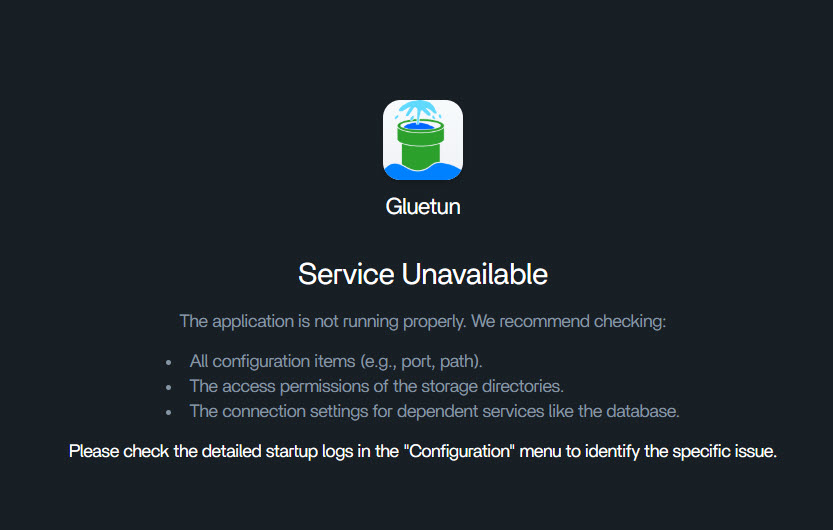
So I moved on to try and get things running through Gluetun first. I tried to import it through Docker compose, but in the end, I simply can’t get it to run. I’m sure there are things I need to change in the settings/compose file, but I’m a bit at a loss. The things I did try to change did not seem to work.

I did try to go down the path of using Portainer, but again, I can’t seem to understand what I need to be doing in it.

Even a nudge in the right direction would be insanely helpful! Thank you for your patience in advance!

1 Like

I would love to be able to run ProtonVPN. I know proton supports WireGuard and OpenVPN. But my skills and knowledge are not at that level to setup a container yet.

Don’t stress, VPN + Docker is one of the most confusing first hurdles.

Quick clarity first:

  • WireGuard-Easy = mainly for hosting your own VPN server (VPN into home)
  • Gluetun = a VPN client container (routes apps like qBittorrent / arr stack through ProtonVPN)

So for your goal (ARR stack + encrypted outbound traffic), I believe Gluetun is the correct path

The simplest working approach

  1. Get Gluetun running first (ProtonVPN credentials + server set)
  2. Put apps you want behind VPN on the same Docker network
  3. Route them via Gluetun using:
  • network_mode: "service:gluetun" (most common + easiest)

About Portainer

On Portainer, don’t worry, you’re not missing anything obvious.

I believe the main confusion is that Portainer doesn’t make VPN easier, it’s just a UI that runs the same Docker Compose behind the scenes. So I suggest ignoring Portainer for now and getting Gluetun working first.

If you still want to use Portainer:

  • go to Stacks
  • paste your compose file
  • click Deploy
  • then check Containers > gluetun > Logs

If Gluetun won’t start

It’s usually one of these:

  • ProtonVPN “VPN username/password” not the normal Proton login
  • missing required env vars (country/server/protocol)
  • missing permissions (CAP_NET_ADMIN)
  • YAML indentation/spacing issues

If you paste your Gluetun compose + the first 30 lines of the logs, we can point to the exact issue and get you running fast.

1 Like

Hi gelbuilding!

Thank you so much! Even your tips managed to get me just that little bit further to get this working!

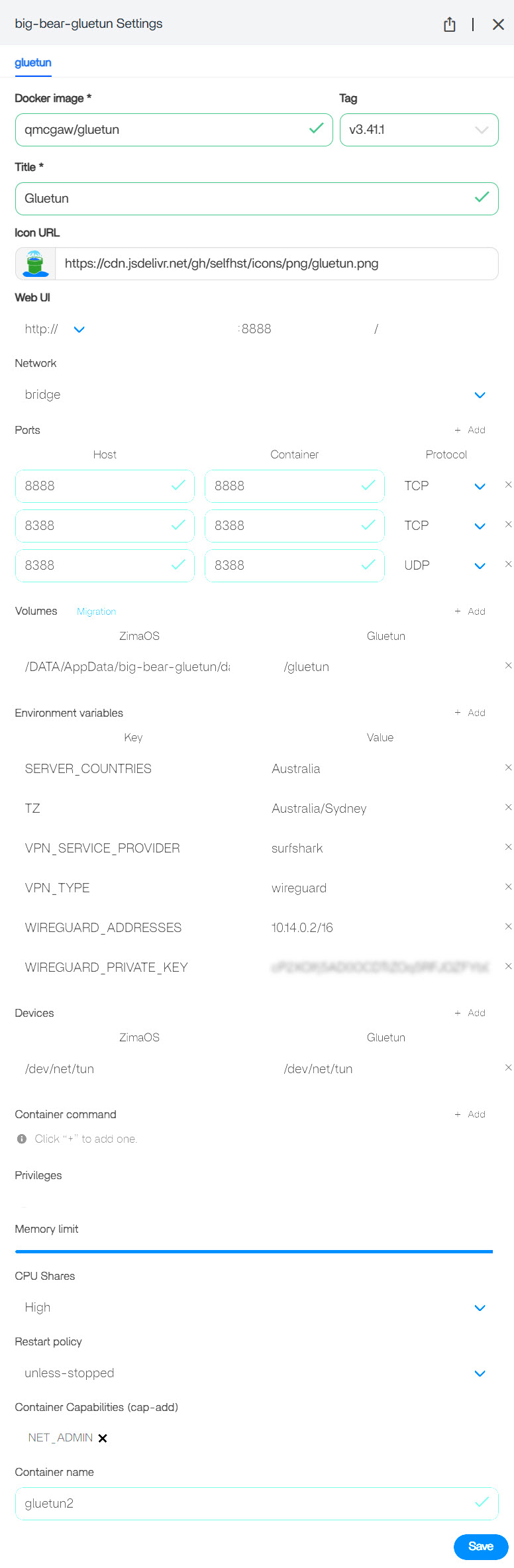
Well, sort of. I used the below compose and for a time it made progress. It seeemed to be running in the background and doing something, but I uninstalled it to try and tweak a few things. However, when I try to install the same compose file, it no longer will allow me to import.

So at the moment, I do not have logs. I should have grabbed the logs when I got it running the first time, but I did not. I’m not sure what is going on?

Compose

services:
gluetun:
image: qmcgaw/gluetun
container_name: gluetun
# line above must be uncommented to allow external containers to connect.
cap_add:
- NET_ADMIN
devices:
- /dev/net/tun:/dev/net/tun
ports:
- 8888:8888/tcp # HTTP proxy
- 8388:8388/tcp # Shadowsocks
- 8388:8388/udp # Shadowsocks
volumes:
- /DATA/AppData/gluetun:/gluetun
environment:
- VPN_SERVICE_PROVIDER=protonvpn
- VPN_TYPE=wireguard
# Wireguard:
- WIREGUARD_PRIVATE_KEY=CMm+EnbTNabsqnVgvx4hOuTwNUEX8Kbzg+tcsr4oiVA=
- WIREGUARD_ADDRESSES=10.2.0.2/32
# Timezone for accurate log times
- TZ=
# Server list updater
- UPDATER_PERIOD=

However, a default compose with no edits will import. However, since it doesn’t have any edits, it obviously won’t run or work.

Default Compose

services:
gluetun:
image: qmcgaw/gluetun
# container_name: gluetun
# line above must be uncommented to allow external containers to connect.
cap_add:
- NET_ADMIN
devices:
- /dev/net/tun:/dev/net/tun
ports:
- 8888:8888/tcp # HTTP proxy
- 8388:8388/tcp # Shadowsocks
- 8388:8388/udp # Shadowsocks
volumes:
- /yourpath:/gluetun
environment:
- VPN_SERVICE_PROVIDER=ivpn
- VPN_TYPE=openvpn
# OpenVPN:
- OPENVPN_USER=
- OPENVPN_PASSWORD=
# Wireguard:
# - WIREGUARD_PRIVATE_KEY=wOEI9rqqbDwnN8/Bpp22sVz48T71vJ4fYmFWujulwUU=
# - WIREGUARD_ADDRESSES=10.64.222.21/32
# Timezone for accurate log times
- TZ=
# Server list updater
- UPDATER_PERIOD=

Yep, you were very close, and the fact it “worked once” is a huge clue: your compose is valid, but now ZimaOS is rejecting the import because of one of these common issues:

Why it won’t import now (most likely causes)

  1. YAML indentation / formatting got broken
  • ZimaOS’s compose importer is more strict than normal docker-compose.
  • If you pasted it without proper spacing, it can reject it.
  1. You included a raw WireGuard private key in a web UI
  • Some platforms sanitize or reject values containing +, /, or =.
  • Even though Docker would accept it, the UI import validator might fail.
  1. Blank env vars
  • You currently have:
    • - TZ=
    • - UPDATER_PERIOD=
  • Some UIs fail validation when required fields are blank (even if Docker would allow it).

The fix: use the “safe” version of your compose

This version avoids UI-import issues, removes blank env vars, and uses the recommended Gluetun env names for ProtonVPN WireGuard.

Important: In a public forum post, you MUST remove the private key before posting.

services:
  gluetun:
    image: qmcgaw/gluetun:latest
    container_name: gluetun
    cap_add:
      - NET_ADMIN
    devices:
      - /dev/net/tun:/dev/net/tun
    ports:
      - "8888:8888/tcp"
      - "8388:8388/tcp"
      - "8388:8388/udp"
    volumes:
      - /DATA/AppData/gluetun:/gluetun
    environment:
      - VPN_SERVICE_PROVIDER=protonvpn
      - VPN_TYPE=wireguard

      # ProtonVPN WireGuard config
      - WIREGUARD_PRIVATE_KEY=PUT_YOUR_KEY_HERE
      - WIREGUARD_ADDRESSES=10.2.0.2/32

      # strongly recommended
      - TZ=Australia/Sydney
      - SERVER_COUNTRIES=Australia

Why this version imports reliably

  • Quotes around ports (some validators require it)
  • No empty values (TZ and UPDATER_PERIOD were blank)
  • Uses a standard server selector so Gluetun actually connects

Most important ProtonVPN detail

ProtonVPN has two different logins:

What Gluetun needs:

  • Proton “WireGuard config” private key (from Proton VPN app / dashboard)

What does NOT work:

  • Your normal Proton account password
  • Your “regular Proton login user/pass”

You’re doing WireGuard so you’re on the right track.


After it imports: the quickest way to confirm it’s working

Once deployed, check Gluetun logs.

You should see something like:

  • “Wireguard connected”
  • “Public IP: xxx.xxx.xxx.xxx”
  • and no constant reconnect loops.

Next step (ARR stack routing)

Once Gluetun is stable, the easiest way to route an app through it is:

network_mode: "service:gluetun"

Example (qBittorrent behind VPN):

  qbittorrent:
    image: lscr.io/linuxserver/qbittorrent
    network_mode: "service:gluetun"
    depends_on:
      - gluetun
    environment:
      - PUID=1000
      - PGID=1000
      - TZ=Australia/Sydney
    volumes:
      - /DATA/AppData/qbittorrent:/config
      - /DATA/Downloads:/downloads

Final tip (very ZimaOS-specific)

If you “uninstalled” Gluetun but kept the old container name or network, the UI sometimes gets stuck.

Fix: change this:

container_name: gluetun

to:

container_name: gluetun2

Import again, if that works, it confirms ZimaOS had a name conflict.


If you want, paste what exact error ZimaOS shows during “import” (even just screenshot text), and I’ll write the exact corrected compose that will definitely deploy on ZimaOS.

1 Like

Shoot. I didn’t realize that about the private key. Considering I can’t edit my previous post, I revoked the key from my account and got a new one.

But great news! Your solution worked! It seems like Gluetun is running now!

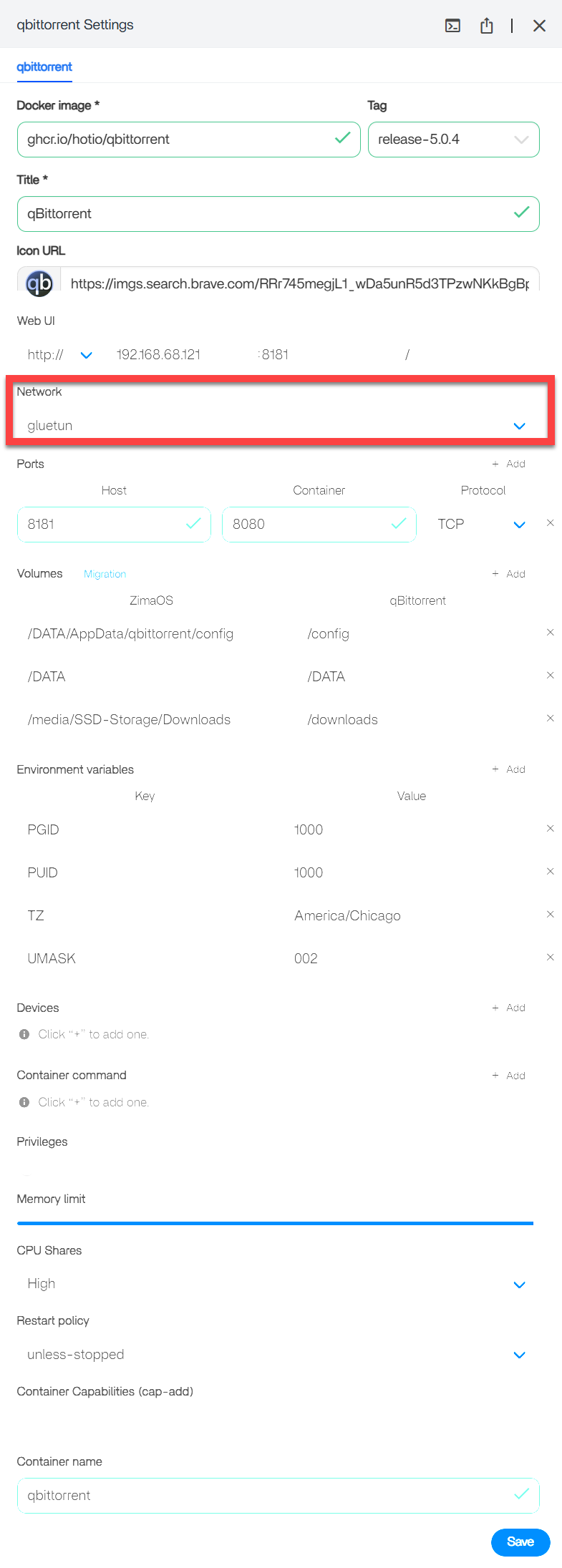
Before I progress to the next step of setting up a stack, I did have a question. How do I input the “network_mode: “service:gluetun”” into ZimaOS. Does it go as a seperate Compose file and installation of qBittorrent? Or would it go in the compose fine of gluetun (and does that mean I need to uninstall and reinstall?).

Where does network_mode: "service:gluetun" go?

It does NOT go inside the Gluetun container itself.

It goes inside the compose definition of the app you want routed through the VPN (qBittorrent, etc).

The key rule

To use:

network_mode: "service:gluetun"

Gluetun and qBittorrent must be in the SAME compose file (same stack).

Because service:gluetun only works when both services exist in the same Compose project.


So in ZimaOS, what should you do?

I suggest this approach:

Step 1, Keep Gluetun running (don’t break what’s working)

Since Gluetun is already running, you should not try to “bolt qBittorrent onto it separately”.

Step 2, Create ONE combined compose stack

In ZimaOS, you should create one Custom Compose app that contains:

  • gluetun
  • qbittorrent

in the same YAML file.

This is the cleanest and most reliable method.


Example: Gluetun + qBittorrent stack (copy/paste)

Use this exact structure:

services:
  gluetun:
    image: qmcgaw/gluetun:latest
    container_name: gluetun
    cap_add:
      - NET_ADMIN
    devices:
      - /dev/net/tun:/dev/net/tun
    ports:
      - "8080:8080"     # qBittorrent WebUI
      - "6881:6881/tcp" # qBittorrent incoming TCP
      - "6881:6881/udp" # qBittorrent incoming UDP
    volumes:
      - /DATA/AppData/gluetun:/gluetun
    environment:
      - VPN_SERVICE_PROVIDER=protonvpn
      - VPN_TYPE=wireguard
      - WIREGUARD_PRIVATE_KEY=PUT_YOUR_KEY_HERE
      - WIREGUARD_ADDRESSES=10.2.0.2/32
      - SERVER_COUNTRIES=Australia
      - TZ=Australia/Sydney

  qbittorrent:
    image: lscr.io/linuxserver/qbittorrent:latest
    container_name: qbittorrent
    network_mode: "service:gluetun"
    depends_on:
      - gluetun
    environment:
      - PUID=1000
      - PGID=1000
      - TZ=Australia/Sydney
      - WEBUI_PORT=8080
    volumes:
      - /DATA/AppData/qbittorrent:/config
      - /DATA/Downloads:/downloads
    restart: unless-stopped

Why are qBittorrent ports under Gluetun?

Because when you use:

network_mode: "service:gluetun"

qBittorrent no longer has its own network interface, so all qBittorrent ports must be exposed via Gluetun.

This is the #1 part that confuses people, but it’s normal.


Do you need to uninstall/reinstall?

If Gluetun is installed alone right now:

Yes, you should replace it with the combined stack.

Because qBittorrent must exist in the same stack for service:gluetun to work.

Safest upgrade path:

  1. Stop/remove the existing Gluetun app (but keep /DATA/AppData/gluetun)
  2. Deploy the combined compose stack above
  3. It will reuse the same config volume and continue working

Quick verification (important)

After deploying:

  • Open qBittorrent:
    http://<zimacube-ip>:8080

Then verify traffic is going through VPN (you can also add a small IP-check container later if you want).

Also: if Gluetun drops, qBittorrent should lose internet too, that’s the safety benefit.

Thank you so, so much! I followed your steps, and it seems to be up and running with qBittorrent now as well.

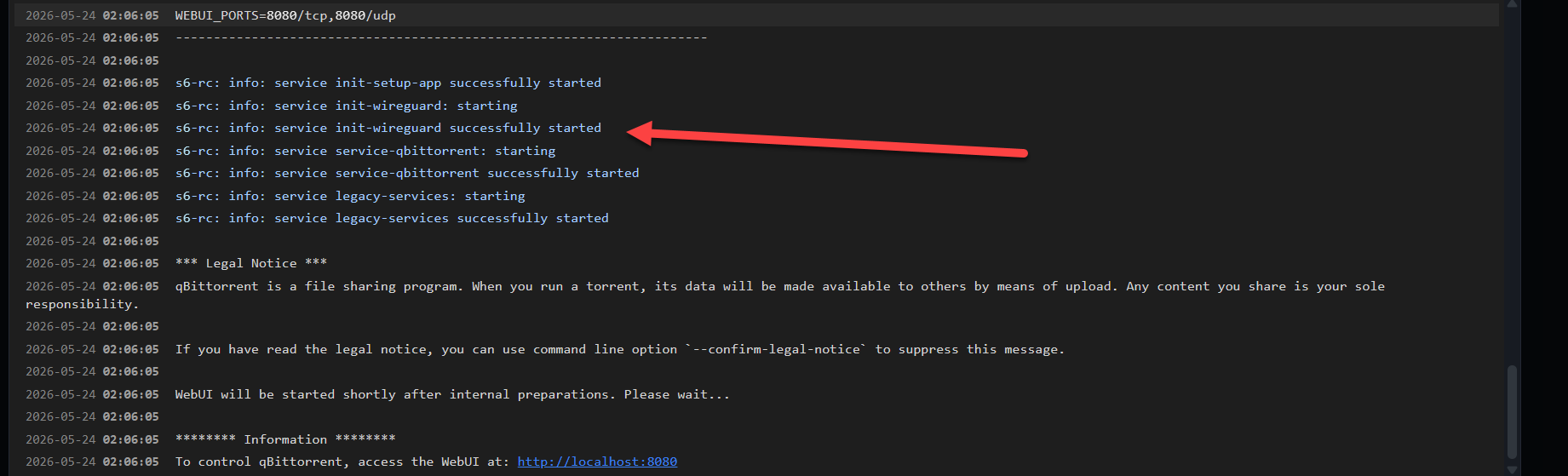
The logs seems to be doing an odd thing where they refresh, but it doesn’t seem to be interfering with the actual network, and each time it refreshes, it says the connection is successful.

Here’s the log

Log

qbittorrent | [migrations] started

qbittorrent | [migrations] no migrations found

qbittorrent | ───────────────────────────────────────

qbittorrent |

qbittorrent | ██╗ ███████╗██╗ ██████╗

qbittorrent | ██║ ██╔════╝██║██╔═══██╗

qbittorrent | ██║ ███████╗██║██║ ██║

qbittorrent | ██║ ╚════██║██║██║ ██║

qbittorrent | ███████╗███████║██║╚██████╔╝

qbittorrent | ╚══════╝╚══════╝╚═╝ ╚═════╝

qbittorrent |

qbittorrent | Brought to you by

qbittorrent | ───────────────────────────────────────

qbittorrent |

qbittorrent | To support LSIO projects visit:

qbittorrent |

qbittorrent | ───────────────────────────────────────

qbittorrent | GID/UID

qbittorrent | ───────────────────────────────────────

qbittorrent |

qbittorrent | User UID: 1000

qbittorrent | User GID: 1000

qbittorrent | ───────────────────────────────────────

qbittorrent | version: 5.1.4-r1-ls436

qbittorrent | Build-date: 2026-01-11T07:02:52+00:00

qbittorrent | ───────────────────────────────────────

qbittorrent |

qbittorrent | [custom-init] No custom files found, skipping…

qbittorrent | WebUI will be started shortly after internal preparations. Please wait…

qbittorrent |

qbittorrent | ******** Information ********

qbittorrent | To control qBittorrent, access the WebUI at:

qbittorrent | Connection to localhost (::1) 8080 port [tcp/http-alt] succeeded!

qbittorrent | [ls.io-init] done.

gluetun | ========================================

gluetun | ========================================

gluetun | =============== gluetun ================

gluetun | ========================================

gluetun | =========== Made with :heart: by ============

gluetun | ======= =======

gluetun | ========================================

gluetun | ========================================

gluetun |

gluetun | Running version latest built on 2025-12-29T05:33:29.822Z (commit 9b9b723)

gluetun |

gluetun | 2026-01-14T03:23:51+11:00 INFO [routing] default route found: interface eth0, gateway 172.17.0.1, assigned IP 172.17.0.2 and family v4

gluetun | 2026-01-14T03:23:51+11:00 INFO [routing] local ethernet link found: eth0

gluetun | 2026-01-14T03:23:51+11:00 INFO [routing] local ipnet found: 172.17.0.0/16

gluetun | 2026-01-14T03:23:51+11:00 INFO [firewall] enabling…

gluetun | 2026-01-14T03:23:51+11:00 INFO [firewall] enabled successfully

gluetun | 2026-01-14T03:23:51+11:00 INFO [storage] merging by most recent 20901 hardcoded servers and 20901 servers read from /gluetun/servers.json

gluetun | 2026-01-14T03:23:52+11:00 INFO Alpine version: 3.22.2

gluetun | 2026-01-14T03:23:52+11:00 INFO OpenVPN 2.5 version: 2.5.10

gluetun | 2026-01-14T03:23:52+11:00 INFO OpenVPN 2.6 version: 2.6.16

gluetun | 2026-01-14T03:23:52+11:00 INFO IPtables version: v1.8.11

gluetun | 2026-01-14T03:23:52+11:00 INFO Settings summary:

gluetun | ├── VPN settings:

gluetun | | ├── VPN provider settings:

gluetun | | | ├── Name: protonvpn

gluetun | | | └── Server selection settings:

gluetun | | | ├── VPN type: wireguard

gluetun | | | ├── Countries: australia

gluetun | | | └── Wireguard selection settings:

gluetun | | └── Wireguard settings:

gluetun | | ├── Private key: qBu…lA=

gluetun | | ├── Interface addresses:

gluetun | | | └── 10.2.0.2/32

gluetun | | ├── Allowed IPs:

gluetun | | | ├── 0.0.0.0/0

gluetun | | | └── ::/0

gluetun | | └── Network interface: tun0

gluetun | | └── MTU: 1320

gluetun | ├── DNS settings:

gluetun | | ├── Keep existing nameserver(s): no

gluetun | | ├── DNS server address to use: 127.0.0.1

gluetun | | ├── DNS forwarder server enabled: yes

gluetun | | ├── Upstream resolver type: dot

gluetun | | ├── Upstream resolvers:

gluetun | | | └── cloudflare

gluetun | | ├── Caching: yes

gluetun | | ├── IPv6: no

gluetun | | ├── Update period: every 24h0m0s

gluetun | | └── DNS filtering settings:

gluetun | | ├── Block malicious: yes

gluetun | | ├── Block ads: no

gluetun | | └── Block surveillance: no

gluetun | ├── Firewall settings:

gluetun | | └── Enabled: yes

gluetun | ├── Log settings:

gluetun | | └── Log level: info

gluetun | ├── Health settings:

gluetun | | ├── Server listening address: 127.0.0.1:9999

gluetun | | ├── Target addresses:

gluetun | | | ├──

gluetun | | | └──

gluetun | | ├── Small health check type: ICMP echo request

gluetun | | | └── ICMP target IPs:

gluetun | | | ├── 1.1.1.1

gluetun | | | └── 8.8.8.8

gluetun | | └── Restart VPN on healthcheck failure: yes

gluetun | ├── Shadowsocks server settings:

gluetun | | └── Enabled: no

gluetun | ├── HTTP proxy settings:

gluetun | | └── Enabled: no

gluetun | ├── Control server settings:

gluetun | | ├── Listening address: :8000

gluetun | | ├── Logging: yes

gluetun | | └── Authentication file path: /gluetun/auth/config.toml

gluetun | ├── Storage settings:

gluetun | | └── Filepath: /gluetun/servers.json

gluetun | ├── OS Alpine settings:

gluetun | | ├── Process UID: 1000

gluetun | | ├── Process GID: 1000

gluetun | | └── Timezone: australia/sydney

gluetun | ├── Public IP settings:

gluetun | | ├── IP file path: /tmp/gluetun/ip

gluetun | | ├── Public IP data base API: ipinfo

gluetun | | └── Public IP data backup APIs:

gluetun | | ├── ifconfigco

gluetun | | ├── ip2location

gluetun | | └── cloudflare

gluetun | └── Version settings:

gluetun | └── Enabled: yes

gluetun | 2026-01-14T03:23:52+11:00 INFO [routing] default route found: interface eth0, gateway 172.17.0.1, assigned IP 172.17.0.2 and family v4

gluetun | 2026-01-14T03:23:52+11:00 INFO [routing] adding route for 0.0.0.0/0

gluetun | 2026-01-14T03:23:52+11:00 INFO [firewall] setting allowed subnets…

gluetun | 2026-01-14T03:23:52+11:00 INFO [routing] default route found: interface eth0, gateway 172.17.0.1, assigned IP 172.17.0.2 and family v4

gluetun | 2026-01-14T03:23:52+11:00 INFO [healthcheck] listening on 127.0.0.1:9999

gluetun | 2026-01-14T03:23:52+11:00 INFO [dns] using plaintext DNS at address 1.1.1.1

gluetun | 2026-01-14T03:23:52+11:00 INFO [http server] http server listening on [::]:8000

gluetun | 2026-01-14T03:23:52+11:00 INFO [firewall] allowing VPN connection…

gluetun | 2026-01-14T03:23:52+11:00 INFO [wireguard] Using available kernelspace implementation

gluetun | 2026-01-14T03:23:52+11:00 INFO [wireguard] Connecting to 180.149.228.66:51820

gluetun | 2026-01-14T03:23:52+11:00 INFO [wireguard] Wireguard setup is complete. Note Wireguard is a silent protocol and it may or may not work, without giving any error message. Typically i/o timeout errors indicate the Wireguard connection is not working.

gluetun | 2026-01-14T03:23:58+11:00 INFO [dns] downloading hostnames and IP block lists

gluetun | 2026-01-14T03:24:01+11:00 INFO [dns] DNS server listening on [::]:53

gluetun | 2026-01-14T03:24:03+11:00 INFO [dns] ready

gluetun | 2026-01-14T03:24:08+11:00 INFO [ip getter] Public IP address is 180.149.228.71 (Australia, New South Wales, Sydney - source: ipinfo+ifconfig.co+ip2location+cloudflare)

gluetun | 2026-01-14T03:24:10+11:00 INFO [vpn] You are running on the bleeding edge of latest!

I ran a quick bash code check for the container IP (docker inspect -f ‘{{range .NetworkSettings.Networks}}{{.IPAddress}}{{end}}’ Gluetun) and it returned an IP that isn’t shown in the log but also isn’t shown as my current IP address outside of the container. So I assume it’s working?

But yes, downloading on qBittorrent is now working!

I will now try and see if I can get an arr stack running through Gluetun as awell, and then I should be good to go, I think?

Again, thank you so much for your help.

Nice work, this log looks healthy and I believe your VPN is working correctly.

Why the logs “refresh”

That’s normal. ZimaOS log viewer often auto-refreshes/reconnects, and Gluetun also outputs periodic status lines. The key is you are not seeing constant disconnect/reconnect loops.

Proof the VPN is active

This line confirms it:
Public IP address is 180.149.228.71 (Australia, Sydney ...)

That means Gluetun is on ProtonVPN, and since qBittorrent is using:
network_mode: "service:gluetun"
qBittorrent is also routed through the VPN.

Why docker inspect shows a different IP

docker inspect shows the internal Docker IP (172.x.x.x), not your public VPN IP. So it won’t match the log, and that’s expected.

Next step

Yes, you can now build the ARR stack.

I suggest routing only these through Gluetun:

  • qBittorrent (yes)
  • Prowlarr (optional)

Keep these normal (no VPN needed):

  • Sonarr / Radarr / Bazarr

You’re basically past the hardest part.

I’m sorry to bother you one more time, but it appears that I cannot get Sonarr or Radarr to see Prowlarr. Every time I try to get Prowlarr to connect to Sonarr, the connection times out.

More specifically, Prowlarr spits out: “Invalid request Validation failed: – BaseUrl: Unable to complete application test, cannot connect to Sonarr. Http request timed out”

What I’ve tried:

  1. Installing Sonarr and Radarr as individual containers separate from each other and from the Gluetun Network Compose.
  2. Integrating Sonarr and Radarr into the Gluetun Network compose, but keeping them independent from the Gluetun network service
  3. Integrating Sonarr and Radarr into the Gluetun network compose and making them rely on Gluetun’s network.

None of these seem to work. It will consistently time out the connection, and occasionally Prowlar will timeout for an index test as well.

I have also tried to set the url to localhost and the container names (radarr:7878 for instance) and those immediately fail.

I’m sure there is something obvious I am missing here, but my research is coming up short.

I’m sorry to bother you one more time, but it appears that I cannot get Sonarr or Radarr to see Prowlarr. Every time I try to get Prowlarr to connect to Sonarr, the connection times out.

More specifically, Prowlarr spits out: “Invalid request Validation failed: – BaseUrl: Unable to complete application test, cannot connect to Sonarr. Http request timed out”

What I’ve tried:

  1. Installing Sonarr and Radarr as individual containers separate from each other and from the Gluetun Network Compose.
  2. Integrating Sonarr and Radarr into the Gluetun Network compose, but keeping them independent from the Gluetun network service
  3. Integrating Sonarr and Radarr into the Gluetun network compose and making them rely on Gluetun’s network.

None of these seem to work. It will consistently time out the connection, and occasionally Prowlar will timeout for an index test as well.

I have also tried to set the url to localhost and the container names (radarr:7878 for instance) and those immediately fail.

I’m sure there is something obvious I am missing here, but my research is coming up short.

EDIT: I reloaded the entire ARR stack into the Gluetun network stack, including them into the VPN, and now it just works. For now. Hopefully. Although I know it’s not necessary to keep them in the VPN, I’m wondering if having them out of the VPN was keeping them from communicating.

No bother at all, we are here to help.

I believe what you’re seeing is the classic Docker networking gotcha: containers can only talk to each other by name when they share the same Docker network.

Why it timed out

  • If Prowlarr is in the Gluetun stack/network, but Sonarr/Radarr are deployed as separate apps/stacks, they are often placed on a different Docker network.
  • In that case, sonarr:8989 or radarr:7878 will never resolve, and you’ll get timeouts.
  • localhost also won’t work (unless the apps share the same network namespace), because localhost inside a container refers to itself.

Why putting everything “inside Gluetun” suddenly worked

Because everything ended up on the same network, so they could finally see each other.

The correct clean setup (recommended)

I suggest this layout:

  1. Keep Gluetun + qBittorrent routed through VPN using:
    network_mode: "service:gluetun"
  2. Run Sonarr/Radarr/Prowlarr normally (not behind VPN), but make sure they all share the same Docker network.

Then in Prowlarr add apps using:

  • http://sonarr:8989
  • http://radarr:7878

If you want the quickest fix

Put Sonarr + Radarr + Prowlarr in the same compose stack (same YAML) so they share the same network automatically.

That will stop the timeouts immediately without needing to force everything through the VPN.