I recently got a Zimaboard 2 together with a PCIe NVMe + NGFF expansion board.
In the expansion board I installed a new 1TB NVMe M.2 SSD and my objective is to play a little with the ZimaOS pre-installed on Zimaboard 2 to explore the OS and check if the hardware is all OK.
I booted ZimaOS, performed with some difficulty the update to latest OS version V1.5.3 and then added the additional NVMe SSD to storage.
Until here was all ok, I installed also an app from the Store (WebDAV server) and it worked fine.
Now I want to return to the initial stage where my additional NVMe hard disk is removed from storage managed by the ZimaOS, I don’t care about the test data I saved on it.
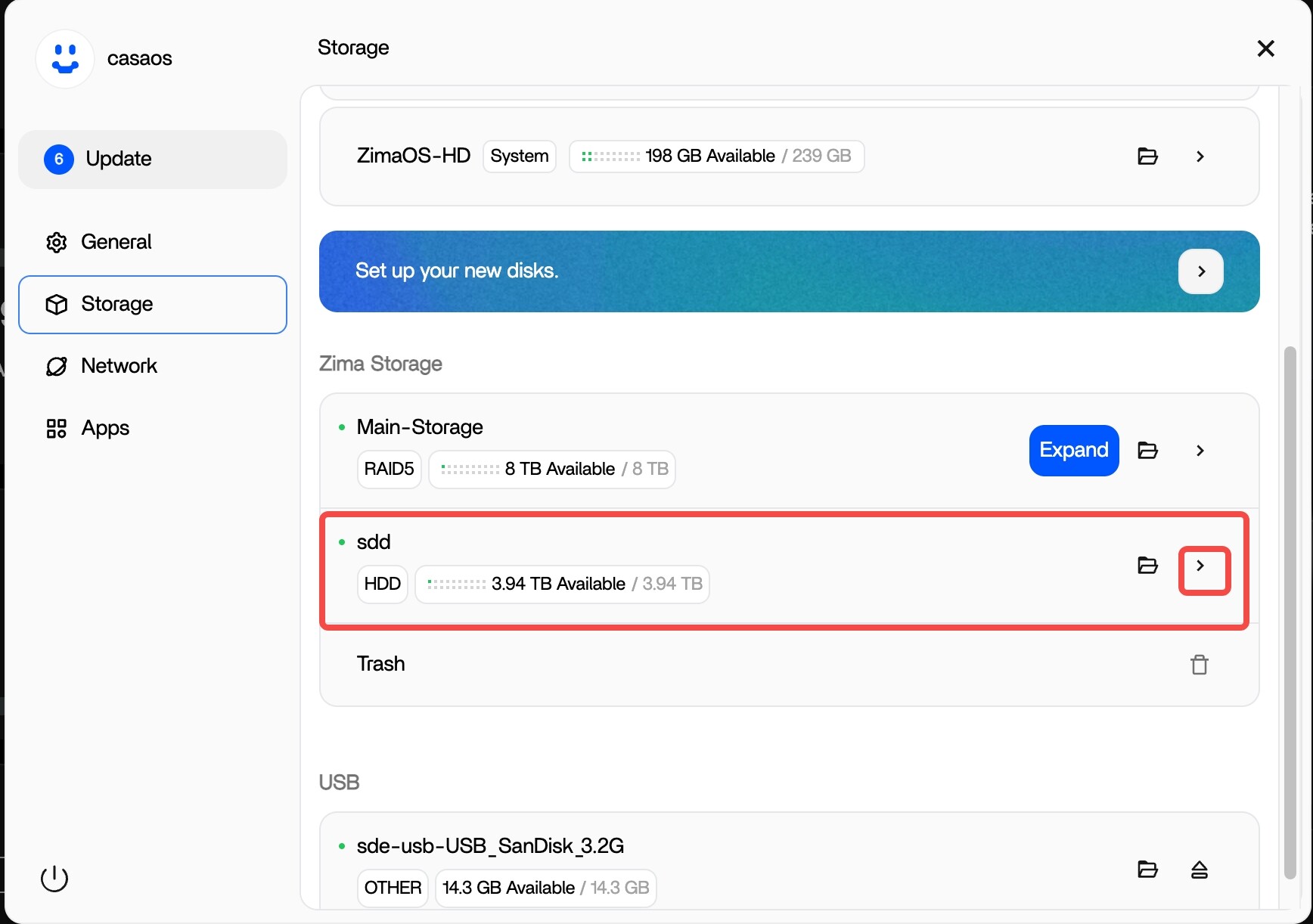
I was able to delete the WebDAV app but I didn’t find where the SSD can be removed: in web interface selecting Storage setting I can see my disk as available but there is no button/option to remove it from the system.
Should I unmount the disk removing the partitions using CLI in ssh terminal?
Does this procedure create problems to ZimaOS integrity?
Thank you for your advise/suggestions.
This is the correct operation.
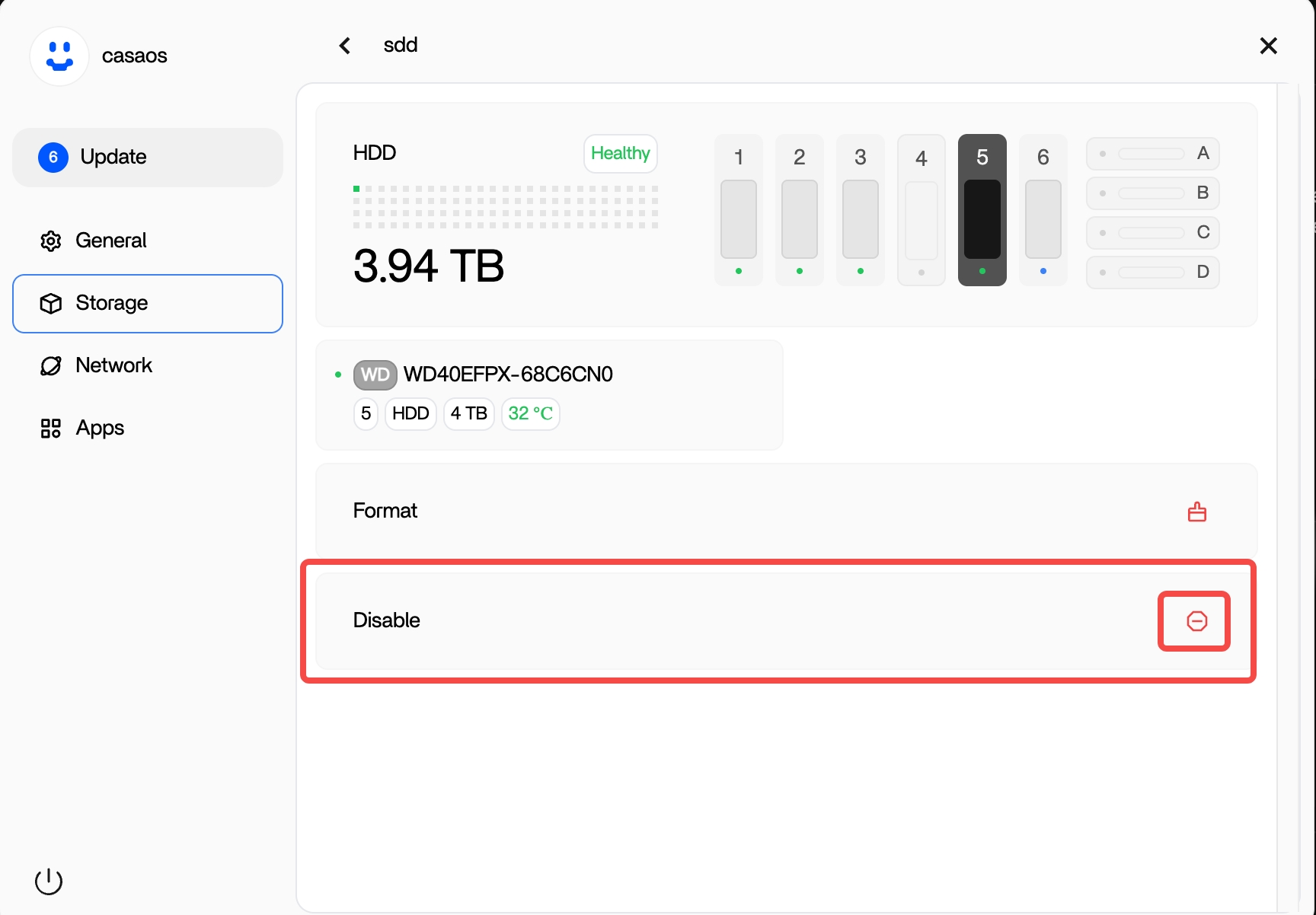
- Click sdd → Disable
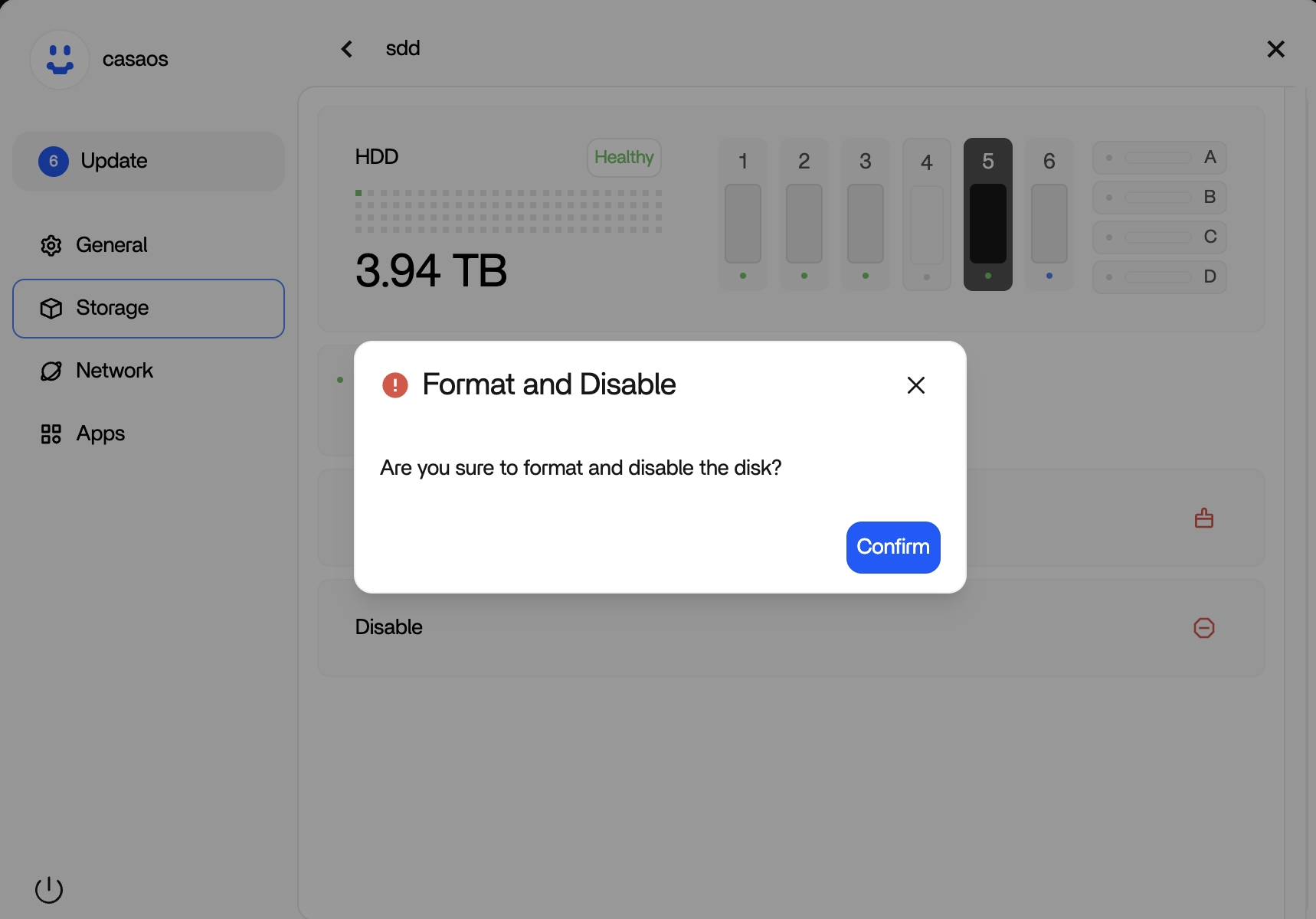
- Confirm Format and Disable
- The disk will be wiped and removed from the system
- After it finishes, you can safely remove the drive
Thank you for the suggestion, it worked fine as expected.
It was my fault, I didn’t clicked on the small “>” icon, I probably thought it was associated with the folder icon to the left of it.
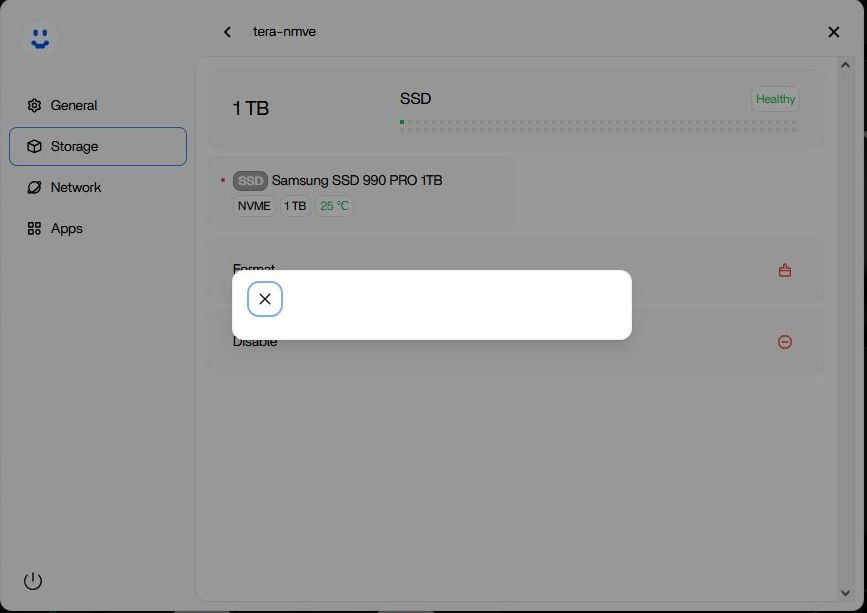
Just an additional note that could be useful to other newbies: the popup asking for confirmation is not displayed correctly in Firefox browser while in Chrome is ok.
This is valid also for other popups, i.e. the popup confirming board shutdown.
Here is an example popup as shown in Firefox browser:
2 Likes