Hi team, I want to report a problem.
I will describe this problem as follows:
When I opened the web GUI of my ZimaBoard 2, I noticed that one of my HDDs in my RAID1 configuration was missing because it had stopped spinning. I tried to restore the RAID using a different system, but it failed.
I then bought two new HDDs, which are larger than the previous ones. However, I am unable to restore my RAID configuration in ZimaOS. When I go to Storage on the start screen and open my RAID configuration, I am not prompted with the option to recover or repair the RAID.
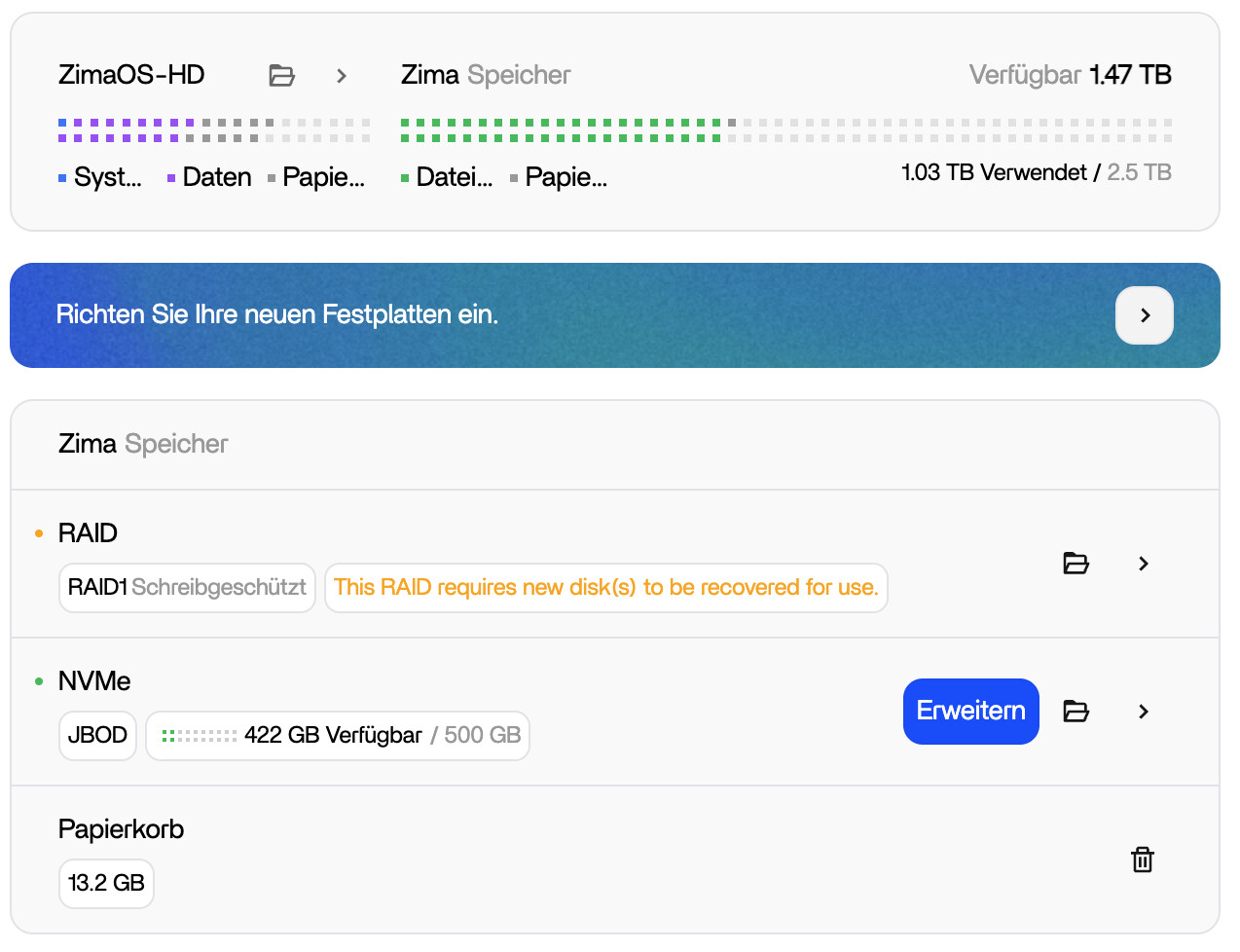
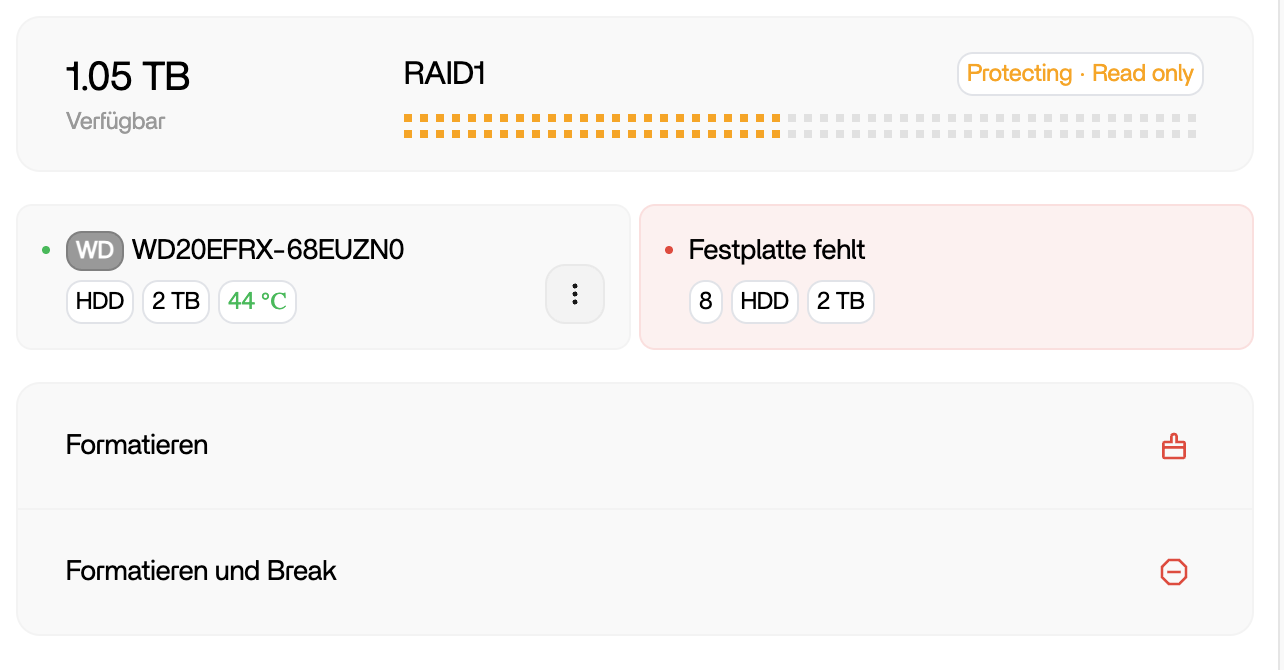
And I can reproduce the problem like this:
- Open ZimaOS web interface.
- Went to Storage → RAID1 Configuration.
- Notice that no “Recover” or “Repair” option appears, even after rebooting.
And I have tried these operations to fix it:
I connected via SSH-Web-based-terminal and ran the following commands with help from ChatGPT:
sudo mdadm --add /dev/md0 /dev/sda (sda was new HDD)
watch cat /proc/mdstat
I waited for about 4 hours until the rebuild completed successfully.
However, after restarting the board, the issue persisted — the RAID is still degraded, and I am not prompted to restore it in the GUI.
System Information:
- Device: ZimaBoard 2 (16 GB RAM)
- OS Version: ZimaOS v1.4.3
- Current Drives: 1 × 2 TB HDD (active) + 1 × 8 TB HDD (new, intended for rebuild)