Raid 6 is suddenly gone!

I really need help :face_exhaling:

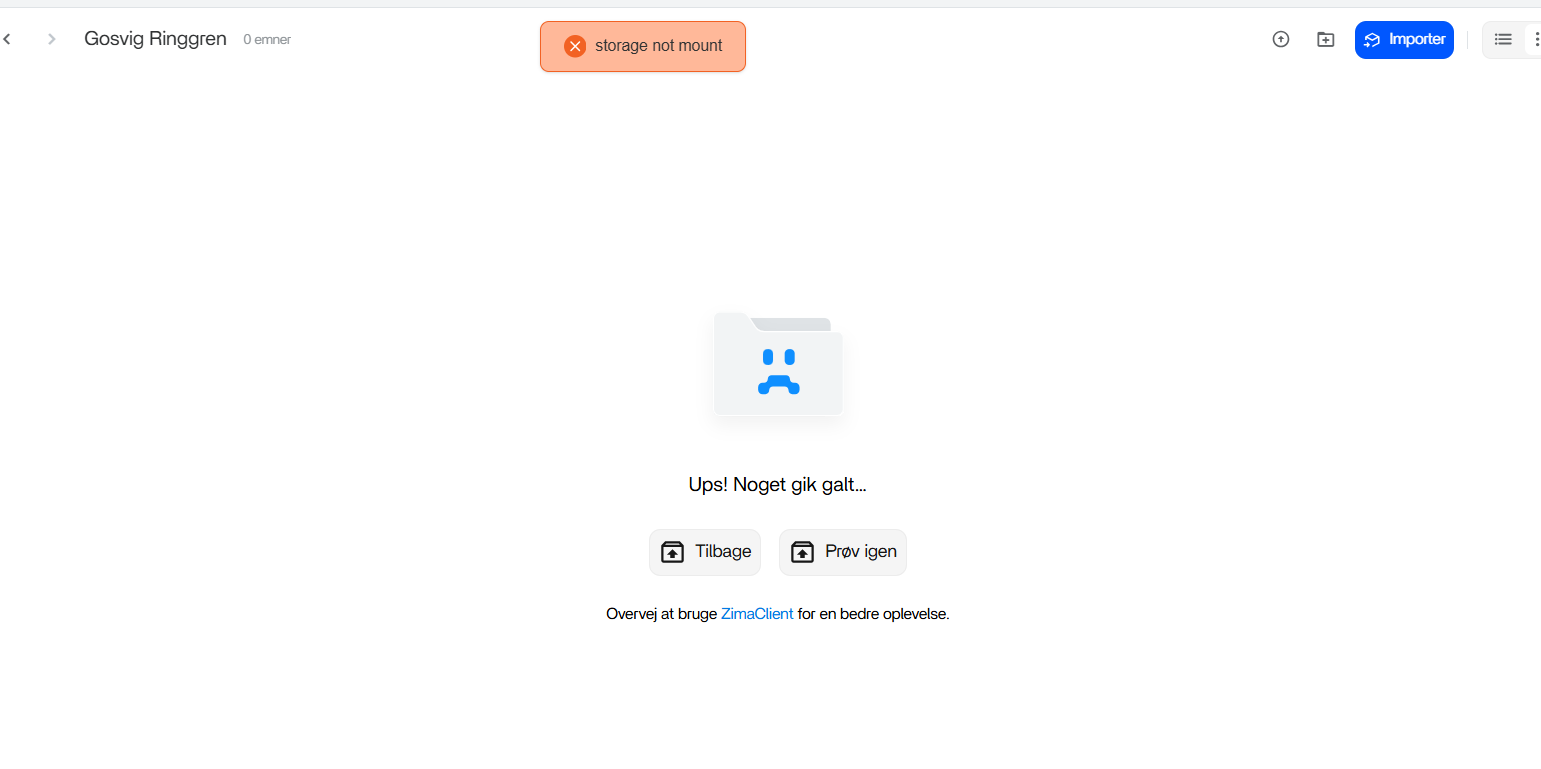
Yesterday when I was transfering a lot of pictures from my computer to Immich, then suddenly it failed and my Raid 6 was gone. When I tried to access my Raid 6 folder it says “storage not found“.

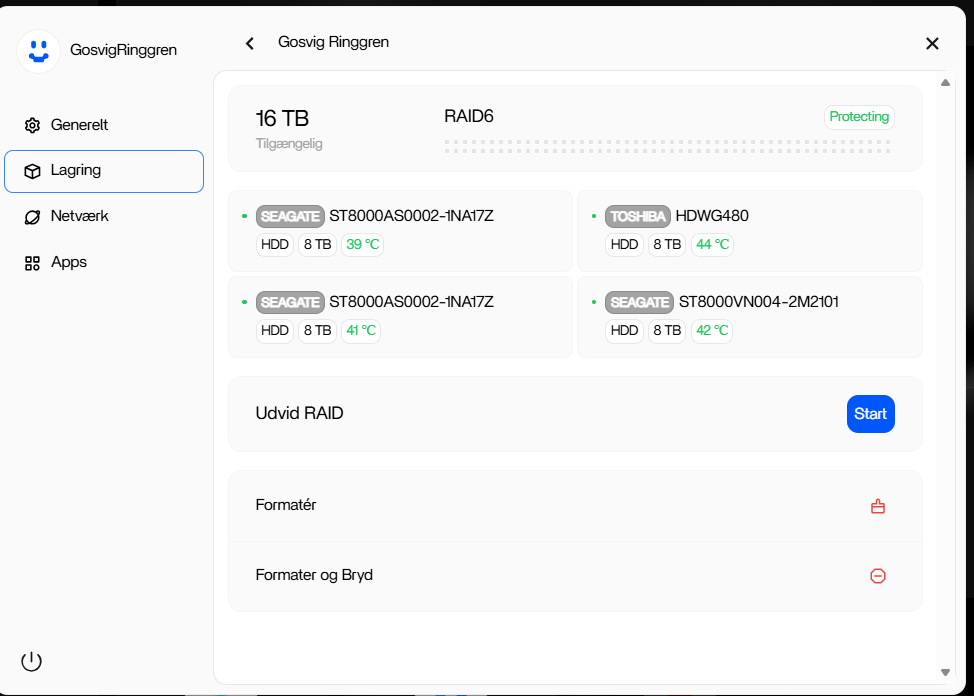
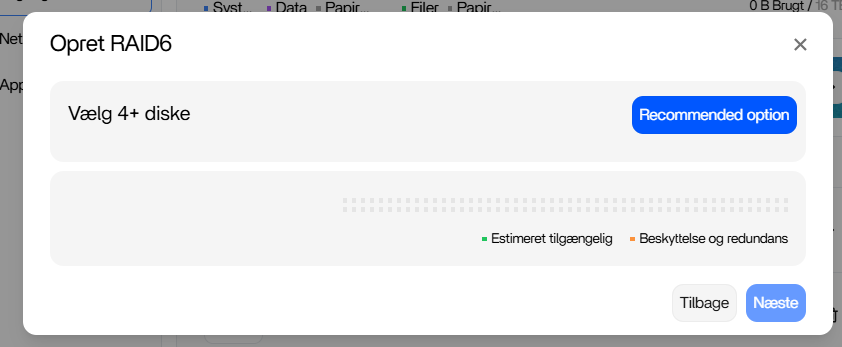
And if I try to make Raid 6 or other raids from scratch its not posibly.

I have Zima version 1.5.3.

Is Immich the problem or is it Zima OS?

Thanks a lot :slightly_smiling_face:

Have you tried the simple things yet, like restarting?

Or maybe turning off, removing the drives, starting up, turning off, then reinstating the drives (IN THE SAME ORDER AS ORIGINALLY), then starting up again.

I don’t know how your usage of Immich would’ve caused this, but I’ve had 2-3 rare instances where my RAID5 didn’t show up. I think it was back in the days when the Cube would freeze due to a RAM issue and I had to force-restart it. Restarting it again would usually bring it back to normal. It seemed like a glitch where the Cube got turned on and booted up, but the Cube or ZimaOS didn’t initiate/access the RAID for some reason, so it required a restart in order to “properly boot up.”

Run this command(sqlite3 /var/lib/casaos/db/local-storage.db “.mode column” “SELECT * FROM raids;” ) on the command line to check if it is a known bug in 1.5.3 (uppercase BTRFS will fail to mount), this problem has been fixed in 1.5.4, and you need to wait for the release of version 1.5.4

I’m having the same problem. My RAID 6 is suddenly gone. This morning, Jellyfin wouldn’t connect, and when I logged into ZimaOS it says the storage is not mounted. Will this be fixed in the next update? Has anyone found a solution that doesn’t involve losing data? Thank you.

Thanks for the reply but it didnt help :slightly_smiling_face: :face_with_raised_eyebrow:

I cant fix the problem but maybe you can by this link:

Thanks for the help. So I should just type:

sqlite3 /var/lib/casaos/db/local-storage.db “.mode column” “SELECT * FROM raids;”

? :slightly_smiling_face:

When I do it it says: No such file or directory

Again thanks a lot :wink:

This looks like a mount / metadata issue, not an instant data-loss event, especially given you’re on ZimaOS 1.5.3, where there are known RAID/BTRFS mount bugs.

Before attempting any rebuild or re-creation in the UI (which can destroy data), we need to confirm whether the RAID still exists at the kernel level and whether ZimaOS simply failed to mount or register it.

Please do not recreate or format anything yet.

First: verify whether the RAID is still present

If you have SSH access, please share the output of the following read-only commands:

lsblk -o NAME,SIZE,FSTYPE,TYPE,MOUNTPOINT
cat /proc/mdstat

These will tell us:

  • Whether the disks are still visible
  • Whether an md RAID device still exists
  • Whether the issue is UI-level or kernel-level

Second: check storage logs

There should be mount or detection errors logged here:

/ZimaOS-HD/.log/casaos/local-storage.log

Please upload or paste the relevant section around boot or the time the RAID disappeared.

About the SQLite suggestion

If the local-storage.db path returned “No such file or directory”, that usually means:

  • The path differs on your build, or
  • The storage service failed early and never populated the DB

That again points to a mount failure, not erased data.

Known issue

There are reports on v1.5.3 where RAID/BTRFS volumes fail to mount due to identifier / case-sensitivity issues. This is reportedly addressed in v1.5.4, but we should confirm the current state before suggesting an upgrade.

Important

  • RAID metadata lives on the disks themselves.
  • If the disks were not reformatted or repartitioned, the array is very likely recoverable.
  • Recreating the RAID in the UI before confirming metadata can permanently destroy the array.

Once you share the outputs above, we can advise the correct and safe next step (manual mount, metadata re-import, or upgrade path).

Thanks for taking your time to help me.

When I wrote the following as a command:
 $ /zimaOS-HD/.log/casaos/local-storage.log
-bash: /zimaOS-HD/.log/casaos/local-storage.log: No such file or directory
The next command came with =


GosvigRinggren@ZimaOS:~ ➜ $ lsblk -o NAME,SIZE,FSTYPE,MOUNTPOINT
NAME SIZE FSTYPE MOUNTPOINT
loop0 17.8M squashfs
loop1 4.8M squashfs
loop2 5.2M squashfs
loop3 10.7M squashfs
loop4 208K squashfs
loop5 137.3M squashfs
loop6 5.2M squashfs
loop7 1.1M squashfs
loop8 137.3M squashfs
loop9 17.8M squashfs
loop10 4.8M squashfs
loop11 10.7M squashfs
loop12 1.1M squashfs
loop13 208K squashfs
sda 7.3T linux_raid_member
└─md0 14.6T btrfs
sdb 7.3T linux_raid_member
└─md0 14.6T btrfs
sdc 7.3T linux_raid_member
└─md0 14.6T btrfs
sdd 7.3T linux_raid_member
└─md0 14.6T btrfs
sde 0B
nbd0 0B
nbd1 0B
nbd2 0B
nbd3 0B
nbd4 0B
nbd5 0B
nbd6 0B
nbd7 0B
zram0 0B
zram1 0B
zram2 0B
nvme0n1 931.5G
├─nvme0n1p1 32M vfat /mnt/boot
├─nvme0n1p2 24M squashfs
├─nvme0n1p3 6G squashfs
├─nvme0n1p4 24M squashfs
├─nvme0n1p5 6G squashfs /
├─nvme0n1p6 8M
├─nvme0n1p7 96M ext4 /mnt/overlay
└─nvme0n1p8 919.3G ext4 /DATA
nbd8 0B
nbd9 0B
nbd10 0B
nbd11 0B
nbd12 0B
nbd13 0B
nbd14 0B
nbd15 0B
GosvigRinggren@ZimaOS:~ ➜ $ cat /proc/mdstat
Personalities : [raid6] [raid5] [raid4]
md0 : active raid6 sda[0] sdd[3] sdc[2] sdb[1]
15627788288 blocks super 1.2 level 6, 512k chunk, algorithm 2 [4/4] [UUUU]
bitmap: 0/59 pages [0KB], 65536KB chunk

What do you think of it? :wink:

I updatet ZimaOS to the new beta 1.5.4 version and it fixed the problem :smiley:

3 Likes