With the latest v1.5.4 updated I started running into a few issues with qBittorrent container where after working for like 3~6 hours the container simply stops responding.
When killing the container either via UI or CLI it always fails returning a tried to kill container, but did not receive an exit event error. The only alternative I have found so far to restore the container is a reboot. Literally ran out of things to try and the problem is still there, solution being only after rebooting ZimaOS altogether.
So far I have tried to:
Change the image variant (problem happens with both Nox and Hotio).
Change the image tag (latest, release-5.1.4, release-5.0.4
Change the container name (eg. from “qbittorrent” to “qbittorrent2”)
Change resource allocations (eg. from 2GB to 16GB of RAM or from high CPU shares to low)
Restarting Docker (sudo systemctl restart docker)
Completely removing the container and installing from scratch (docker rm -f qbittorrent)
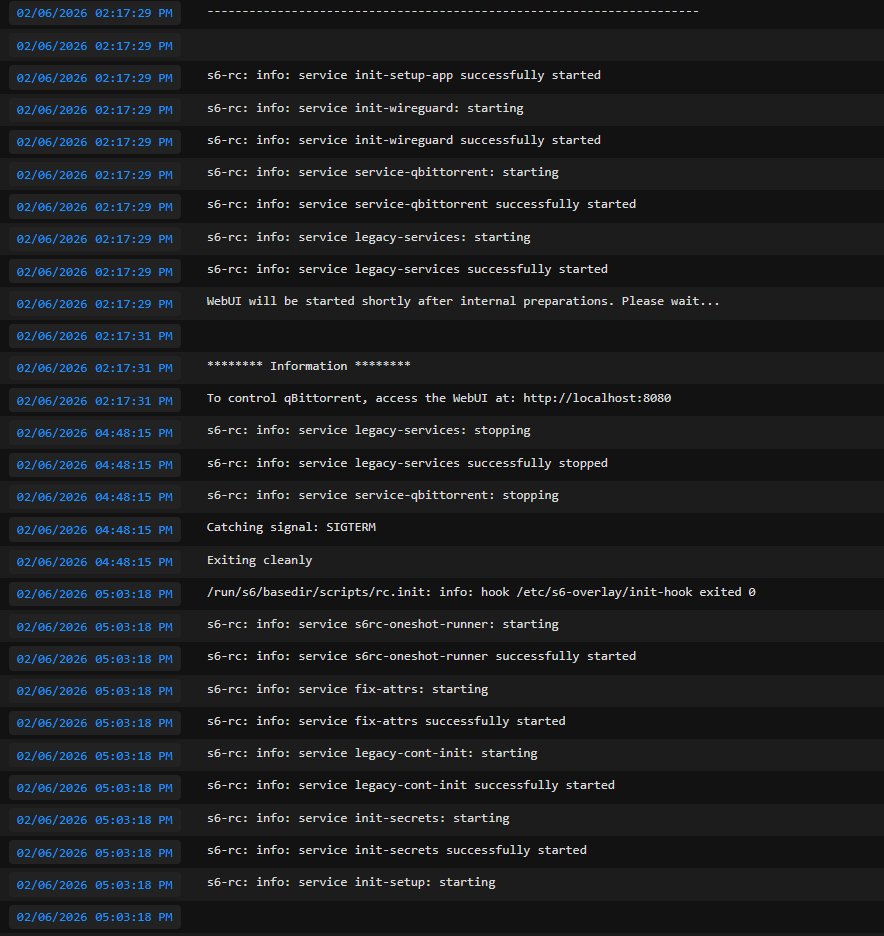
Zero meaningful logs are being generated, the container just runs into a “zombie” state and gets completely unresponsive after a few hours.
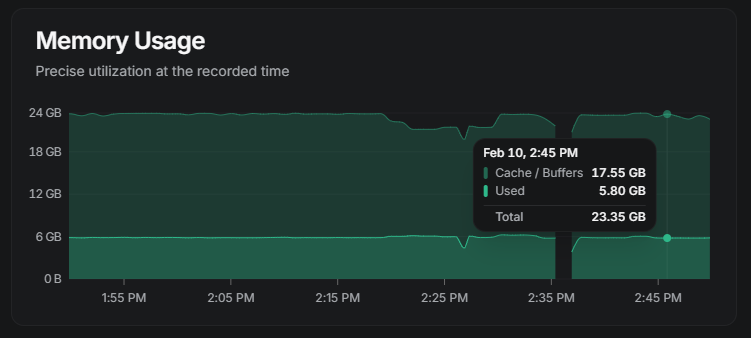
I have also noticed an abnormal cache allocation to RAM, where the system is just using 6GB of RAM but for some reason ZimaOS is caching 4x times that. The VM has 32GB of RAM allocated to it:
Wonder if the time might have come to use Docker v29 instead v27? They have made a ton of improvements recently from a robustness perspective and could be managing zombie containers better too.
What’s happening here isn’t a qBittorrent crash and not a bad image or config.
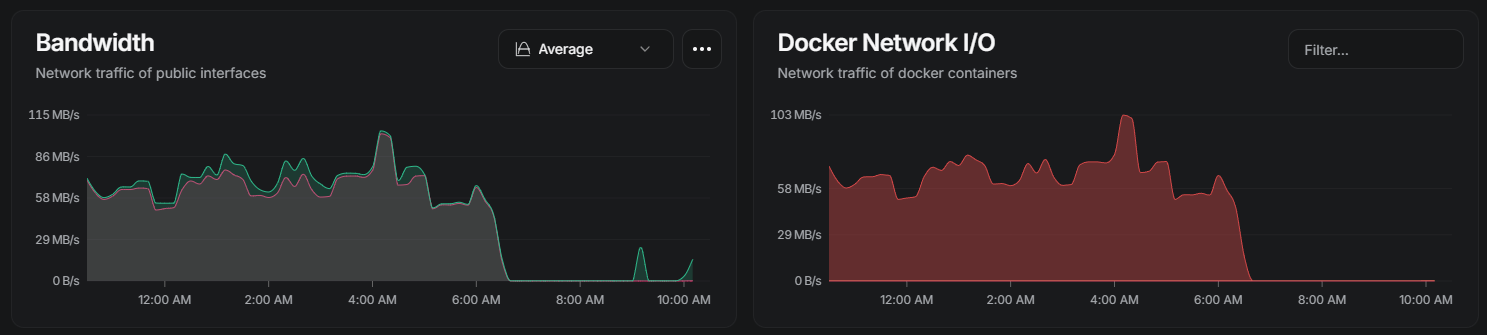
After a few hours of sustained network and disk activity, the qBittorrent container stops responding. Network traffic drops to zero instantly, but the container stays in a “running” state. When you try to stop or remove it, Docker fails with the familiar “tried to kill container, but did not receive an exit event” error.
That error is important: it means Docker is sending signals, but the kernel never delivers them. At this point the process is no longer responding to userspace at all. Restarting Docker, changing images, tags, resource limits, or even force-removing the container won’t work, because Docker has already lost control.
In this state the qBittorrent process is typically stuck in uninterruptible sleep (D-state), usually waiting on I/O. Once that happens, even kill -9 can’t terminate it, and the only way to recover is a full host reboot.
The commands below are not meant to fix the issue — they’re to confirm this is a kernel-level block rather than an application bug. Run them after the container freezes and before rebooting:
If STAT shows D and the process survives kill -9, that’s the smoking gun. It confirms a kernel / storage / network interaction issue in ZimaOS 1.5.4, not a qBittorrent problem.
Ah, Gemini gave me that suggestion too but even the process can’t be killed. It keeps surviving the kill -9 command and the only real solution to the problem ends up being to reboot ZimaOS.
Basically the “stop” command returns the same event error message and the kill -9 $PID also fails returning a 0 message. Gemini suggested restarting Docker and since that doesn’t work either…. well…. reboot to the rescue.
Yep, that behaviour actually confirms the diagnosis, and the detail you added about kill -9 returning 0 is important.
When kill -9 $PID returns 0, it only means the kernel accepted the signal, not that it could deliver it. If the process is stuck in uninterruptible sleep (D-state), the kernel can’t schedule it to handle any signal, even SIGKILL. So the process just sits there forever.
That’s why:
docker stop fails with “did not receive an exit event”
kill -9 appears to “succeed” but the process survives
restarting Docker has zero effect
rebooting the host immediately clears it
At that point the process isn’t really “running” anymore, it’s blocked inside the kernel, usually waiting on I/O that will never complete. Docker, systemd, and userspace tools are powerless once that happens.
So Gemini wasn’t wrong in theory, but in this failure mode restart Docker is impossible to work, because Docker never lost control, the kernel did.
Reboot being the only recovery is expected for D-state hangs. This strongly points to a kernel + storage/network interaction regression in 1.5.4, not a qBittorrent or Docker image issue.