Two HUGE issues after successfully upgrading from ZimaOS 1.5.4 to 1.6.0.
Device built-in storage is almost full.
The built-in storage space ZimaOS-HD is almost full.
Why? I had already migrated everything that I could to my RAID array and before the upgrade there was very little space used on my 1TB NVMe boot drive. Suddenly after upgrading, Zima says that it’s full with only a few MB available.
Before the upgrade, I had two external USB drives that I’ve been using as backup targets. After the upgrade, Zima sees the drives and gives me the option to format or enable. When I try to enable, I get an error that says “Storage Limit Exceeded” and it won’t let me enable it. This is unacceptable. If I can’t mount those drives any longer, my backups are useless. Interestingly enough, my backup jobs were still using the drives (or seemed to be) and backup up to them. But there is no way to browse them or restore from them. Again, unacceptable. I’m not sure why you released this while it’s still obviously in beta form (at best).
Now my Files app won’t work any longer, likely because it thinks the boot drive is full. If this can’t be fixed right away, I guess I’ll just eat the $29 for going to Plus and move to OMV. What a waste of time and money.
Hi everyone, another problem is that all ZVMs no longer start; Debian, Ubuntu, Linuxmint, and Windows are all down. It seems to me that one of the libraries needed for proper booting has been removed. Creating a new one is also an option, but I haven’t had a chance to check this thoroughly; they are completely unbootable. As a Plus user of 3 ZimaOS, please try to fix the bug. Thanks a lot, Luigi.
I have a similar problem in that my USB attached 8Tb HDD no longer mounts at boot and does not appear in the Storage applet. It was working fine prior to updating to 1.6.0. When I click on the “Setup your new disks.” option, the server seems to lockup and all I can do is reboot it to regain any control.
Naming of the Recycle Bin is still inconsistent, it’s called “Trash” in the files applet, but “Bin” in the Storage applet.
After updating to 1.6.0, the ZVM web UI is broken on two of my ZimaOS hosts. Clicking any VM loads the name in the header, but the main panel just sits on the three-dot loading spinner forever.
The VMs themselves are fine — running, SSH works, services respond, and virsh on the host works normally. It’s only the UI that’s broken.
Tried across Chrome, Edge, and Incognito. HTTPS is not enabled, so it’s not the older HTTPS-related bug. Same behaviour on both hosts.
This is causing real inconvenience — I can’t manage my VMs from the UI at all.
Quick questions:
Is a fix already in progress?
When can we expect it?
Any safe workaround in the meantime that won’t affect the running VMs?
After upgrading to ZimaOS 1.6 on Beelink Me Mini, everything disappeared. I could not log onto through web terminal (https), all storage (NVME) disappeared. I could log onto by connecting screen and keyboard to Beelink. I downgraded to 1.5.3 which was the last stable version for me. Now everything works again.
Where is the IceWhale team? Seems like they threw out a crap upgrade and walked away. Now they’re either too embarrassed or too afraid to respond. I guess I will move to OpenMediaVault. Can I get my money back for Plus?
Hi, and I’m sorry for the frustration this has caused.
We released v1.6.0 last Friday, so our response to some of the issues was not as timely as it should have been. It’s now Monday and our team is back online and actively following up on the upgrade-related problems.
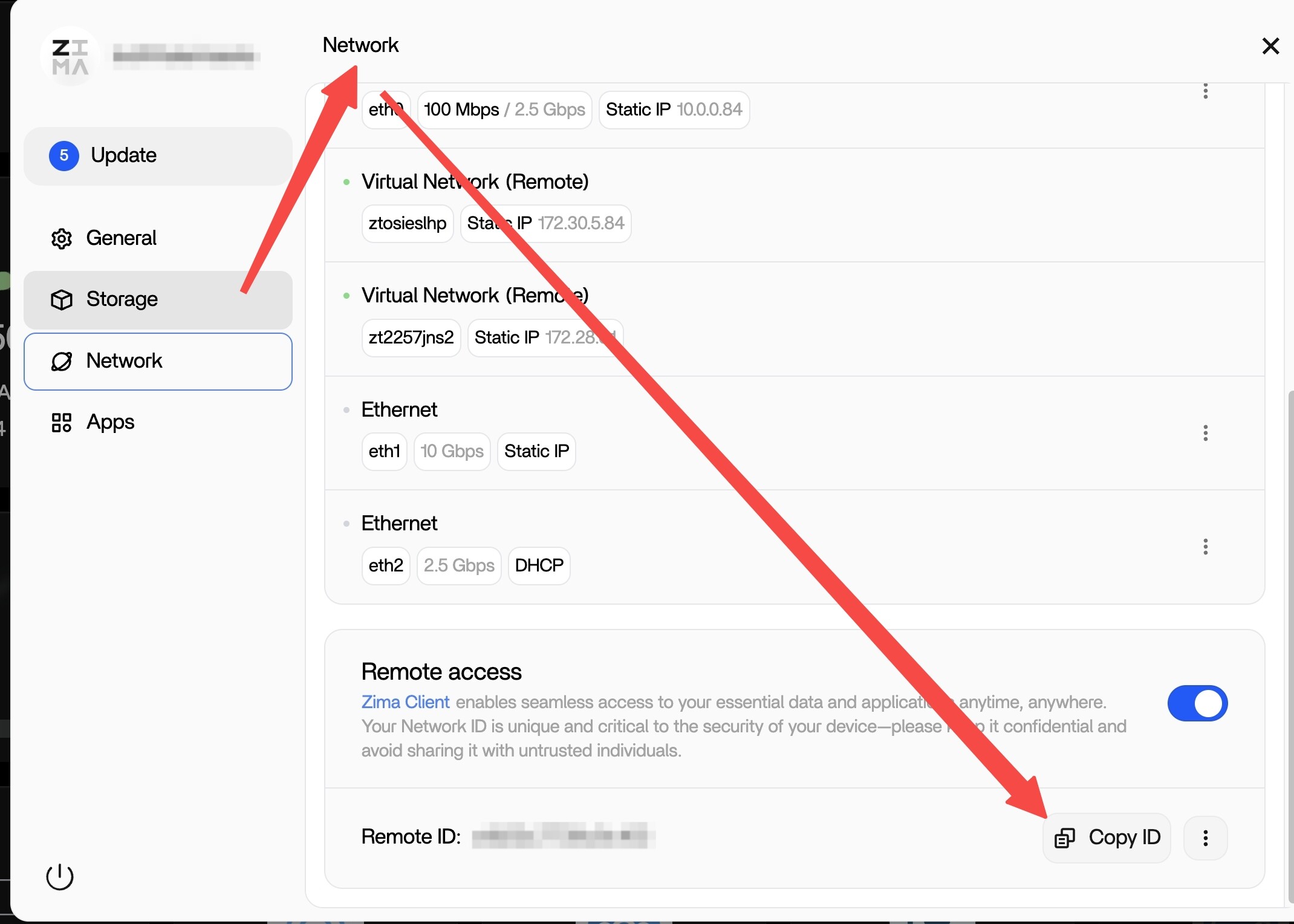
If you’re willing, could you provide your remote ID and your ZimaOS account credentials so we can check the issue for you remotely? Please send to rally@icewhale.org
Please rest assured that we are professional technical support staff. We will only proceed with troubleshooting after receiving your explicit authorization, and we will never view or store your private data.
We’ll do our best to help identify the issue and get you a clear answer as soon as possible.
Read this very carefully. DO NOT UPDATE TO 1.6.0 Save yourself hours/days of work and lost data. This was a huge screwup! An apology from the team is in order for releasing this!
Since the 1.6.0 release went out last Friday, we did not respond as quickly as we should have. That is on us, and we sincerely apologize. We will also change our future release schedule to Monday to make sure the team can respond more promptly if issues appear.
In addition, we have identified the related problems and will release v1.6.1 as soon as possible tomorrow.
v1.6.1 fixes include:
Fixed an issue where USB devices were not automatically mounted after upgrade
Fixed an issue where backup tasks could continue writing to the system mount point after the original mount point was lost
Fixed an issue where mod modules did not restart according to their service policy after reboot
Again, we’re truly sorry for the trouble and appreciate everyone who reported these issues and shared feedback.
same problem here….I had the same problem when installing the beta version. I thought that now with the final version I wouldn’t have the problem but I still have the bug with the external usb disks.
I upgraded my Zimacube with v1.6.0 and the machine is unusable after starting: the CPU is at max and I have difficulty to open a root session (I connect locally but when I enter the password the system stalls, if I am lucky I manage to open a session but then it is too slow). I don’t really know how I can unlock the situation:
I cannot open a web session from a remote brower (system is too slow and webpage does not load)
I cannot flash using a USB from boot as it would erase the 256GB drive
I was not able to downgrade the OS with a command like: curl -fsSL ‘https://ota.zimaos.com/1.5.4’ | sh, as the system is too slow and get stuck during the download
I don’t know what is causing the CPU to be 100%, I am wondering if I should kill some processes to regain control of the Zimacube. I run ‘top’ but I have not identified the high demanding processes.
Check this — maybe you’re having the same problem as me: your ZimaOS UI is using a different port than 80. I created an issue with a fix and a workaround:
@777-Spider if you have time, please take a look. This could be a quick fix in 1.6.1.
Thank you for the feedback. We have identified the root cause of this issue.
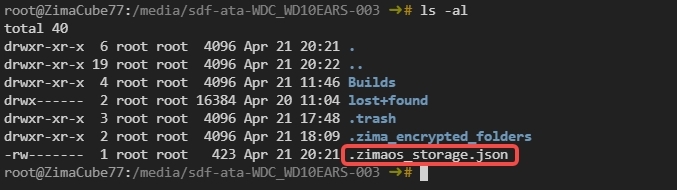
In ZimaOS 1.6.0, we introduced a fallback mechanism to prevent storage devices from failing to mount properly if the storage database is lost. Each storage device now generates a .zimaos_storage.json file, which records its mounting logic.
During the Beta testing phase, the test team cleared the database data but did not fully remove this fallback file. As a result, USB devices were still able to mount normally after upgrading.
However, for users upgrading directly from 1.5.4 to 1.6.0, if a USB storage device had not been mounted previously, this file would not exist in advance. This is why many users experienced USB devices not mounting automatically after the upgrade.
We have implemented stricter validation and handling logic in 1.6.1. When upgrading from 1.5.4 to 1.6.1, both the database data and the fallback .zimaos_storage.json file will be properly cleaned, allowing us to better simulate the real upgrade path and prevent this issue from happening again.
We sincerely apologize for the inconvenience this has caused, and we truly appreciate everyone who helped us identify this issue during both the Beta and official release stages.
I too have the same issues with the system disk being full after the change to 1.6.0.
I also had issues with various database credentials and some other apps, like tailscale and Jellyfin now working. Some rebooting and reconnecting SQL credentials eventually cleared those issues.
But there is still the issue of the lack of file space. I have tried to find which files/directories take up the bulk of the space
I hate to say it, but I bailed out. I wanted to like ZimaOS (and mostly did). It’s got a beautiful interface, but with the buildroot base, it’s just too limiting. No real AMD GPU support is a big one for me and there hasn’t been any word from IceWhale about when or if that is coming. I moved to OMV and had my entire server and app ecosystem backup up and running in a day. It’s not as pretty and doesn’t have as much out-of-the-box functionality, but with plugins and docker apps, I’ve managed to completely replace all the functionality of ZimaOS in OMV. The USB drives not mounting and causing the OS/boot drive to fill up to where it was corrupted was the thing that pushed me over the edge.
I wish the team well and hope things work out. I may check back in from time-to-time to see how it’s progressing. For me, ZimaOS is just not stable enough at this point. I like to tinker, but I don’t like to have to be constantly fixing things.
So, even with 1.6.1 the system crashes continuously, like every 8 hours or so.
Is there an update to solve this issues soon?
If there isn’t, you should have a contingency to downgrade to a previous and more stable firmware version, this situation reminds me a similar one few months back. It’s not the way to treat your customers.
Release a new firmware without proper testing it’s outrageous