After installing Photoprism, the program will not start.
I tried 3 options:
Official ZimaOS Photoprism
Bigbear Photoprism, which has a lot of extra’s with databasemanager etc
Official Photoprism .yaml file, which has setting for mariadb.
This will be the 3th program which I want to use and install on ZimaOS, but it takes so much time and effort to get everything up and running.
This video sold me ZimaOS [ https://youtu.be/2O1nYjlZF5A?si=l6XWOgI9uO1mOfIM ], but it feels like I need to learn as much as I had to do with my first project using Proxmox, which is kind of hard to memorize if you don’t do it often.
I can do some basic things but I feel like I’m getting nowhere without a very large knowledgebase about Networks and Linux commands
After Nextcloud/MariaDB I hoped for a more smooth experience for other programs I want to use.
In my opinion, all apps in the official ZimaOS App store should work without any problems, as advertised.
Thank you for your time, I finally found the time and willpower to continue solving this.
For now I’ve installed the “stock Photoprism” that comes in the ZimaOS Appstore (Note: This one does not mention anything about MariaDB.)
Matter of fact, that one has quite limited setup options but since this is one in the official “ZimaOS Appstore” this one should work.
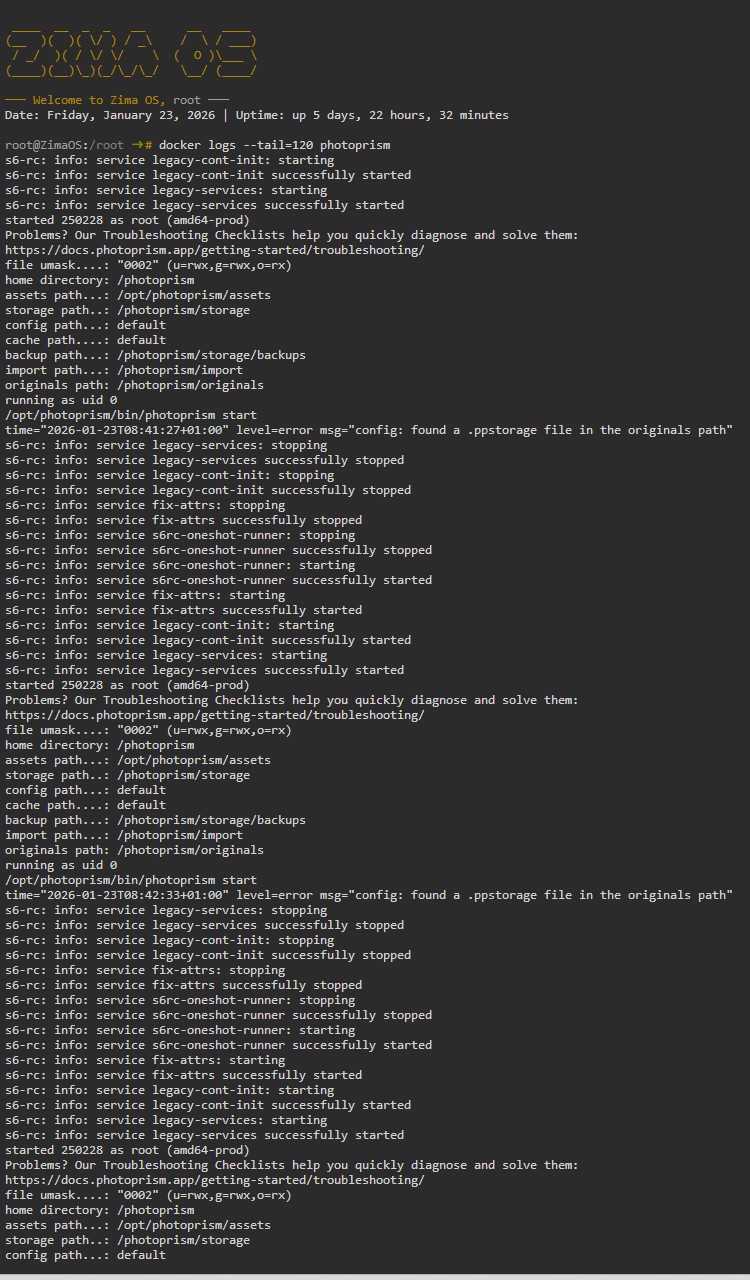
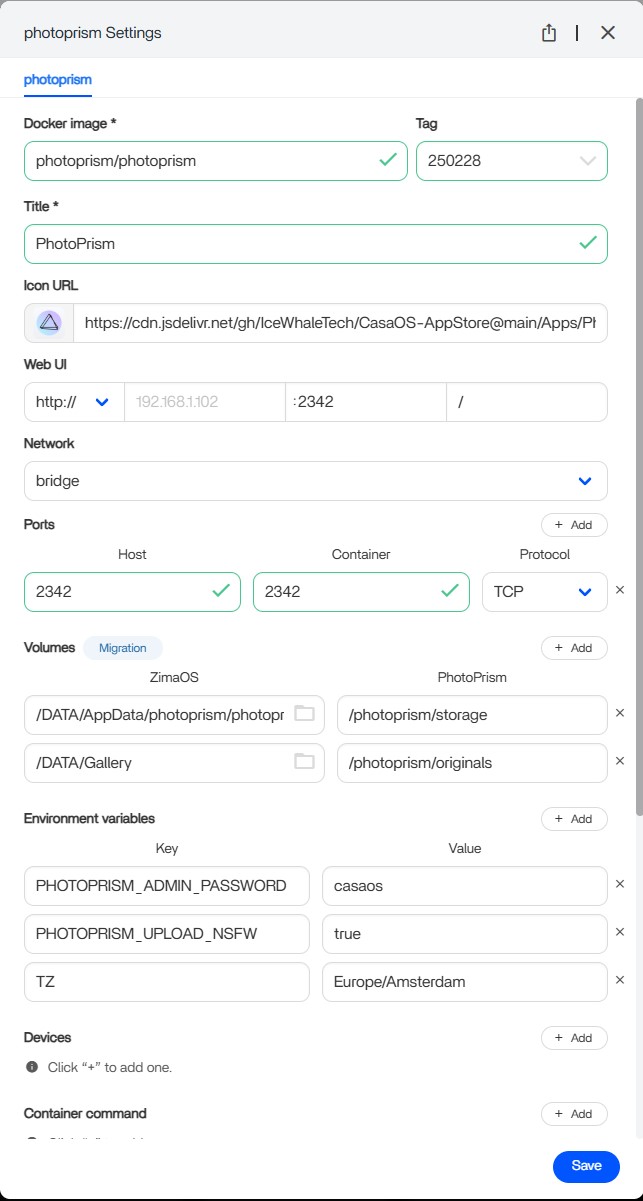
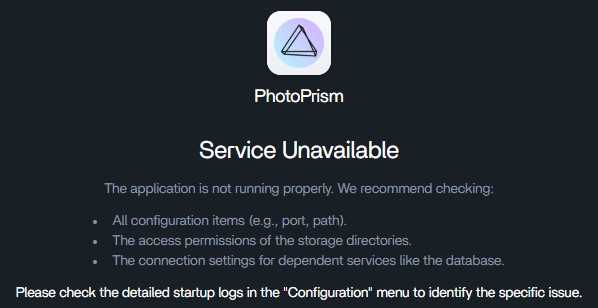
I took 3 screenshots, one is the result of “docker logs --tail=120 photoprism” and the other one of the settings in the app itself, I did not change anything (yet). Last one is the notification.
Hope your willing to help out.
I do have a question, since it seems people experience the same setup problems, wouldn’t it be better on the long term for both customers and Zima to make Guides for all Apps in the Official ZimaOS App Store? It will be hard to start but once there the questions on this forum should drop significantly I’m assuming…
I deleted both files, but when starting Photoprism, it creates these files again by itself.
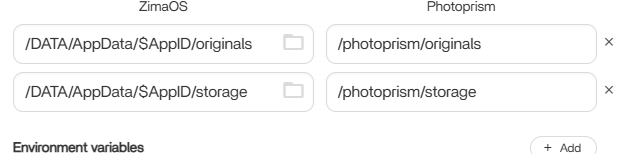
So that was strange. I decided to look at the Bigbear repo version and the ZimaOS link at originals is different then the one in the “ZimaOS App Store” version.
After doing this, Photoprism decided to startup.
I am glad it startup now, but somewhat a double feeling as I still think the Apps in the official “ZimaOS App Store” do not feel like they are actually tested on ZimaOS…