Ok before anything happens I want to make this clear and say that I’m still a bit new to home servers and on the ZimaOS. I’ve heard that Syncthing is good for my Obsidian Vaults to be in. I fellow the tutorials but I don’t know what I’m doing wrong.
All I want is to put it in my /stevedrive/files.
I do fellow the instruction.
Step 1: Go to the App store type Syncthing
Step 2: Go to the Custom install
Step 3: Create a route for where I want the Vaults to be and the PGID and PUID.
- Which is going to ZimaOS Dashboard
- Clicking the Settings icon
- Click view on development mode
- Switch on SSH Access on
- Click Web-based terminal
- Login in as Admin and do the code id -u username (for PUID) and id -g username (for PGID).
Step 4: Setup the GUI in Syncthing
Step 5: Create folder in Syncthing and route it the area that I want it to be
Here are the images step by step:
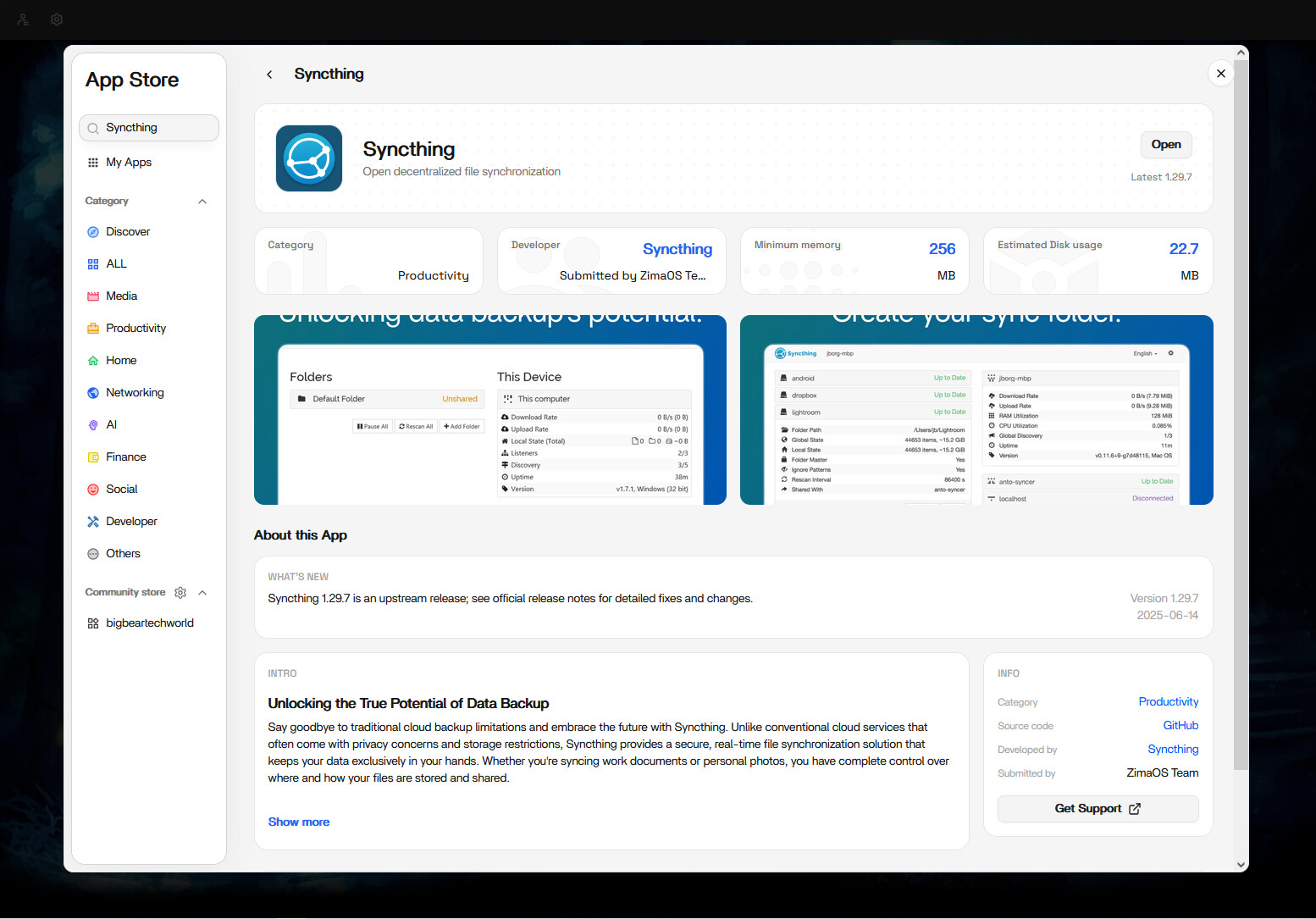
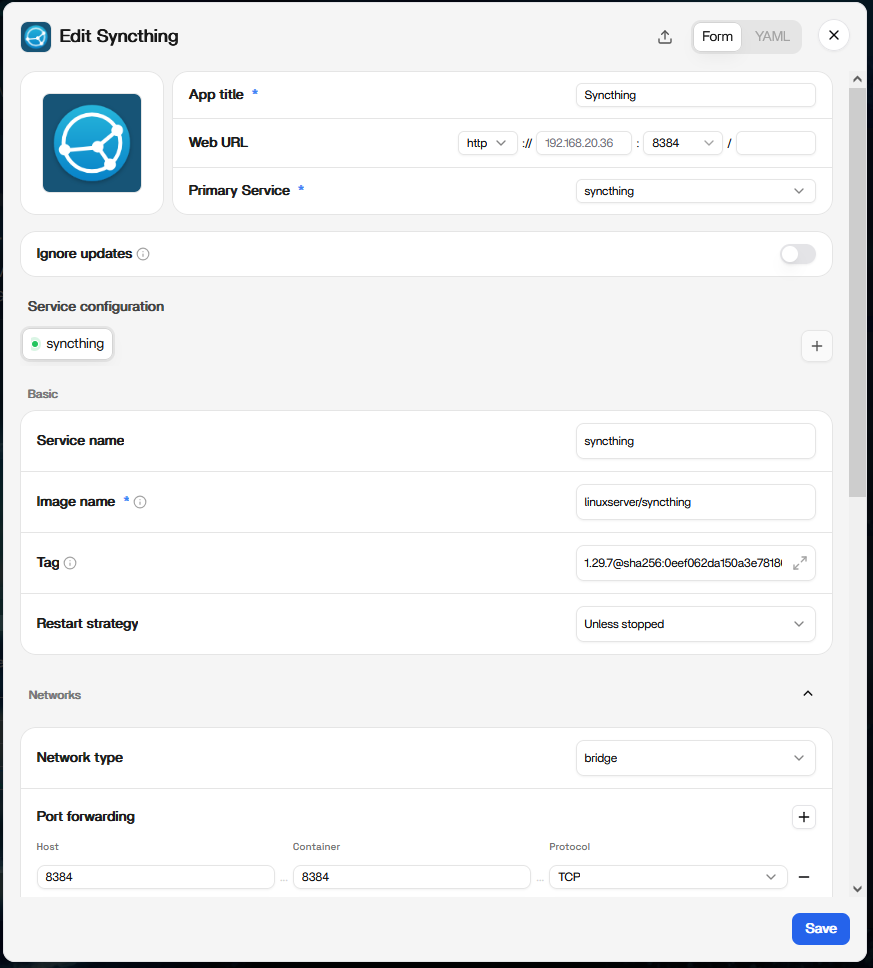
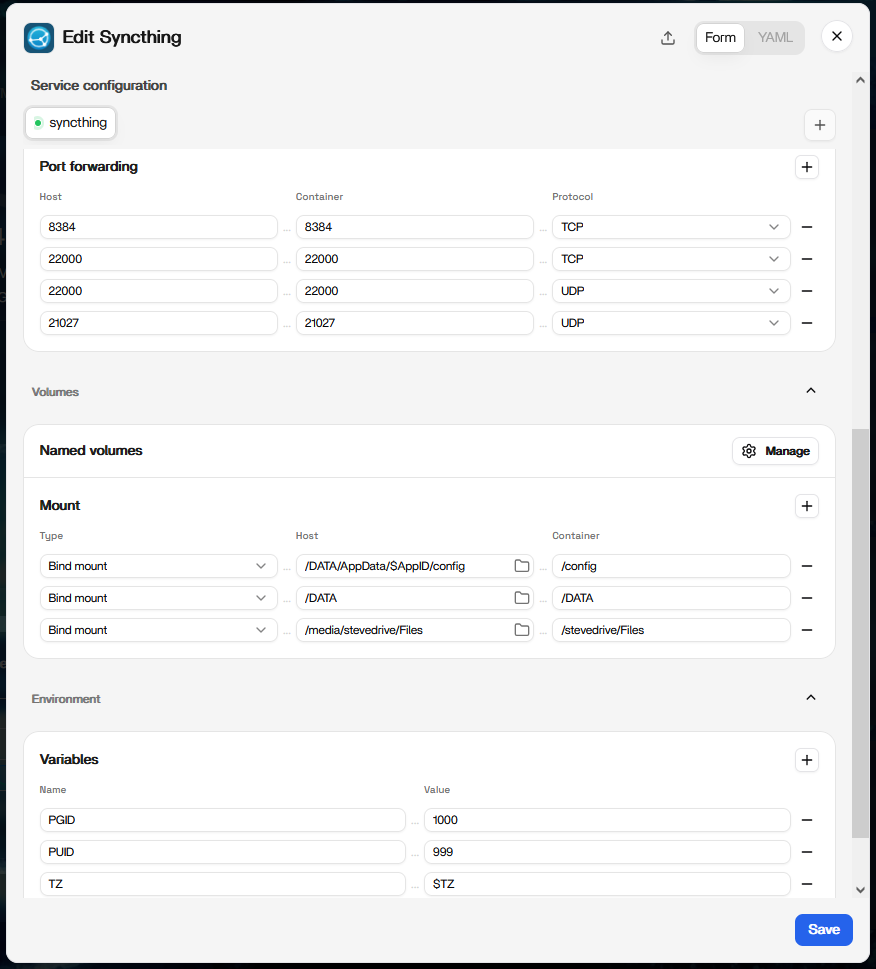
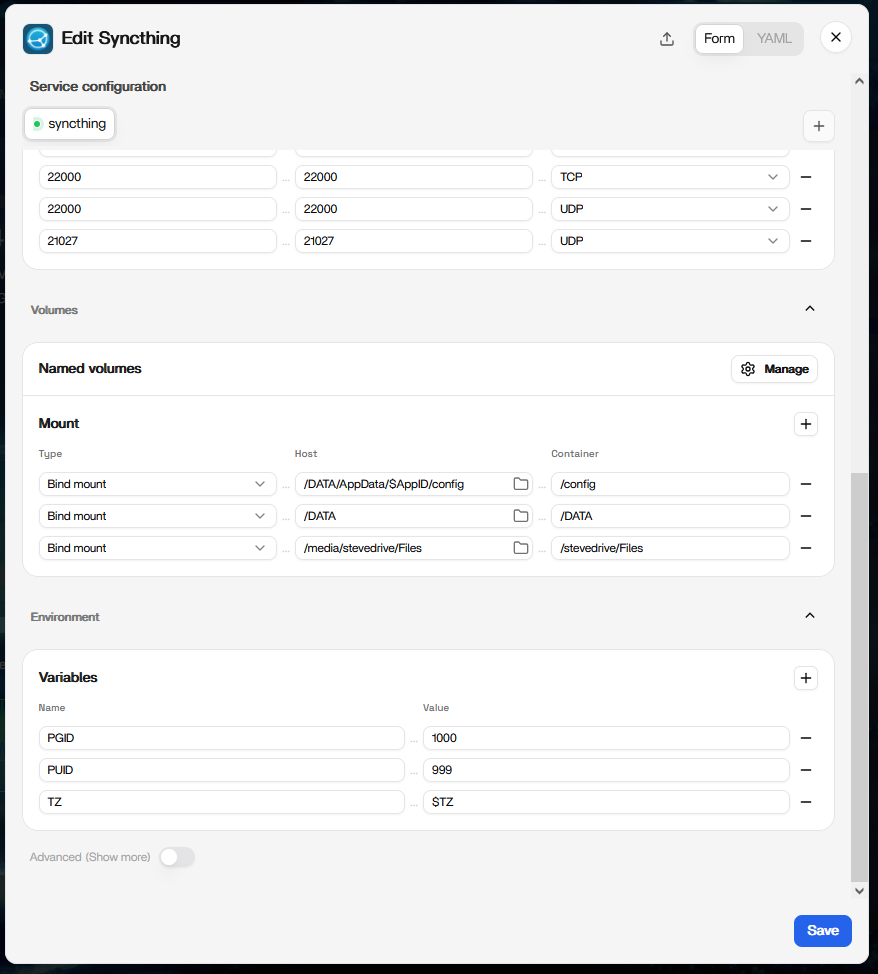
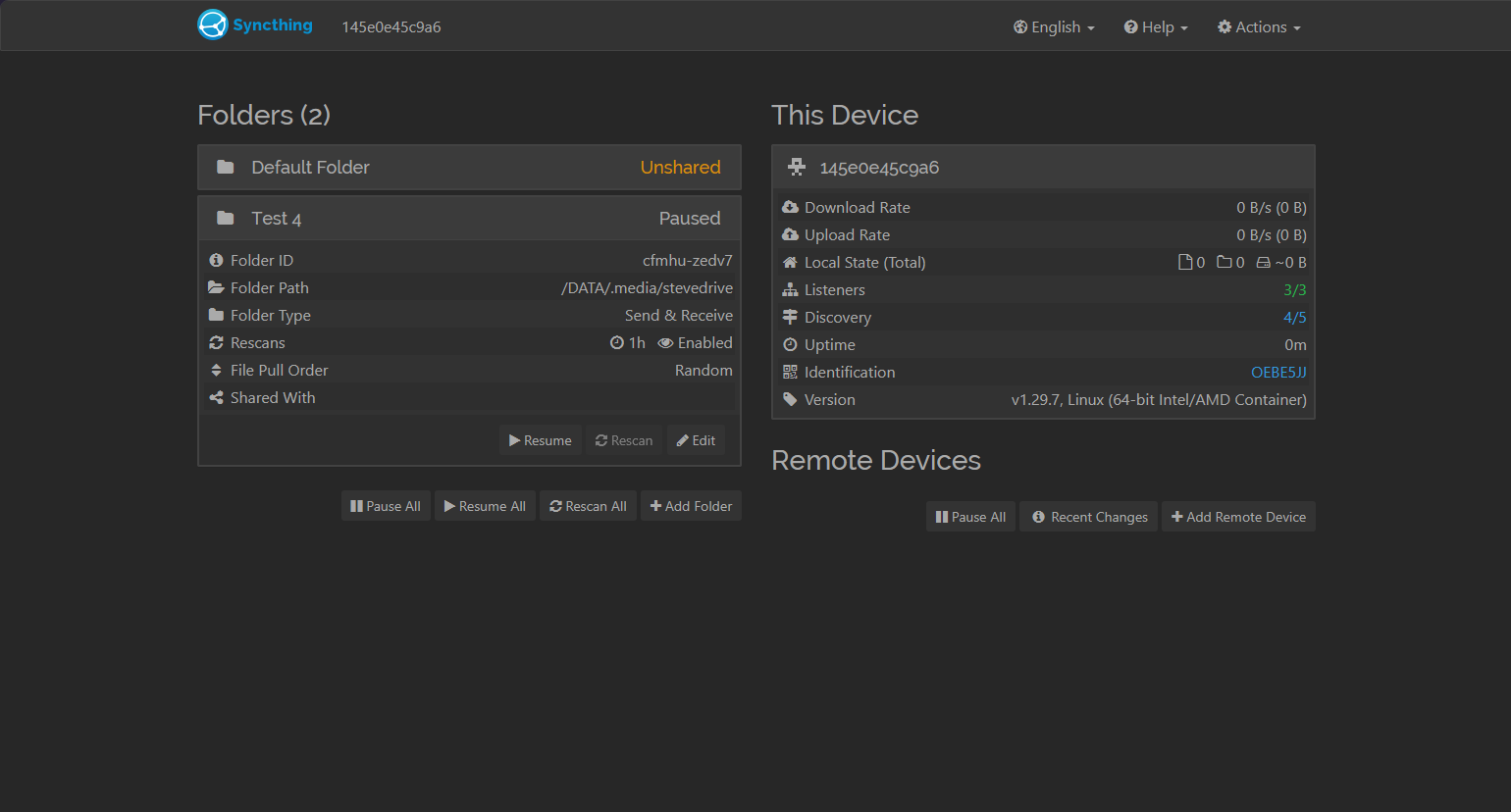
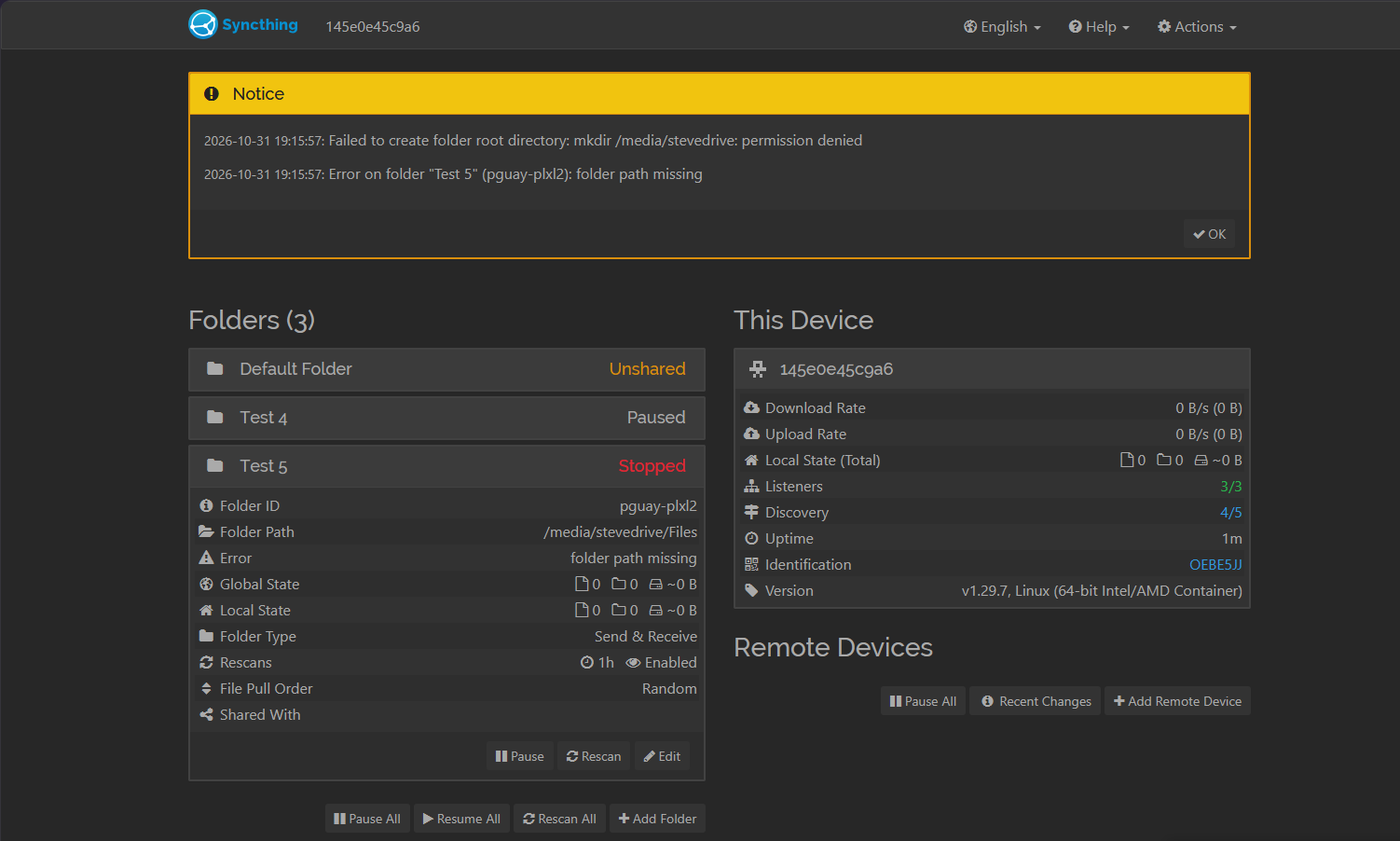
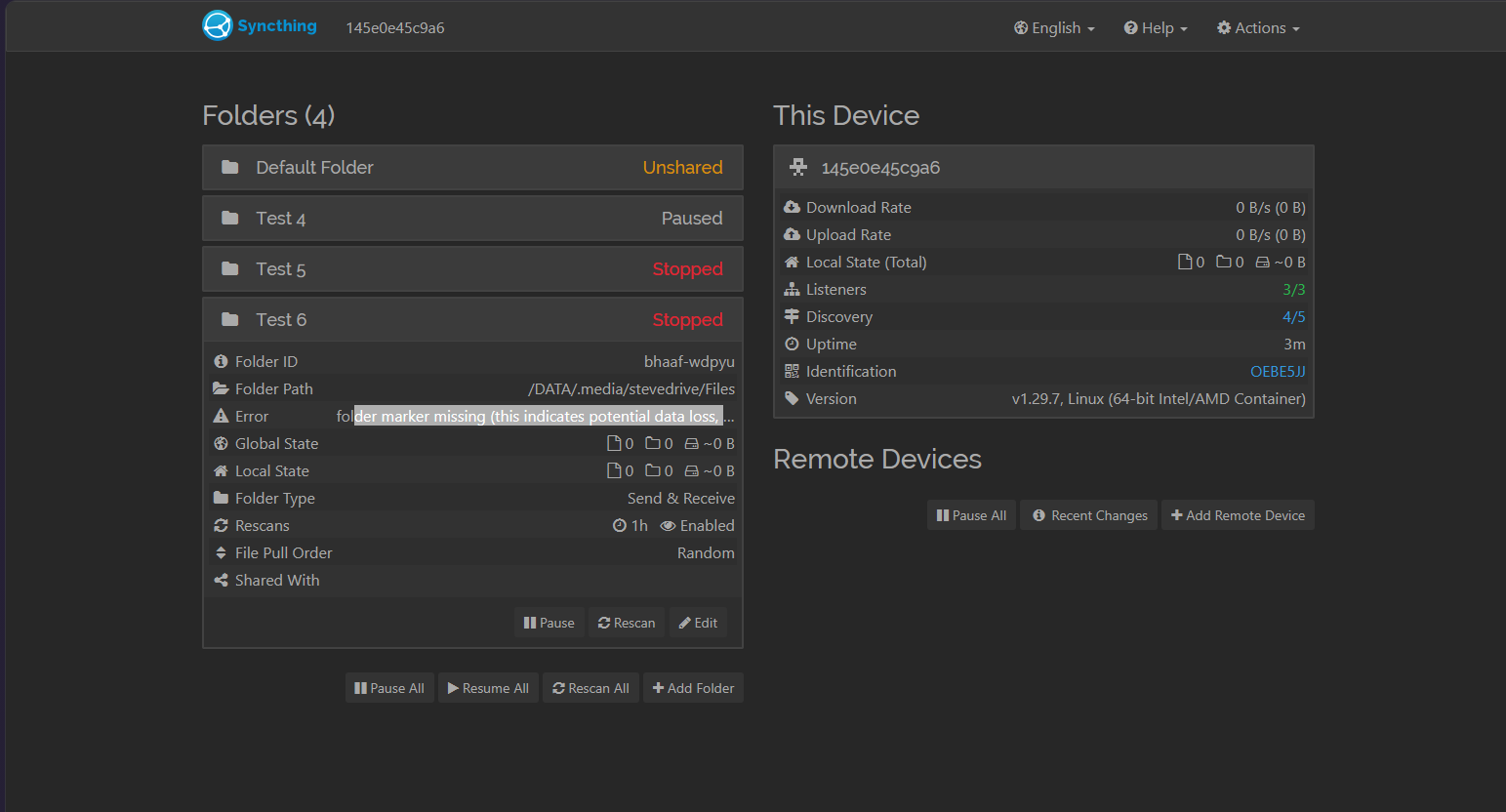
When finishing these steps, it’s doesn’t work.
I’ve done the code part as will, in the terminal as well
‘sudo chown -R 1000:999 /media/stevedrive/Files’
‘sudo chmod 775 -R /media/stevedrive/Files’
Tested different route and one works being ‘/DATA/.media/stevedrive’ but that didn’t help, because when I did ‘/DATA/.media/stevedrive/Files’ it doesn’t work. I thought that might work because its the thing but an added /Files to it.
I’m help to hear from others that have tired and succeed or tried other systems. Please I would like some help on this.
Thank you for reading and have a wonderful day