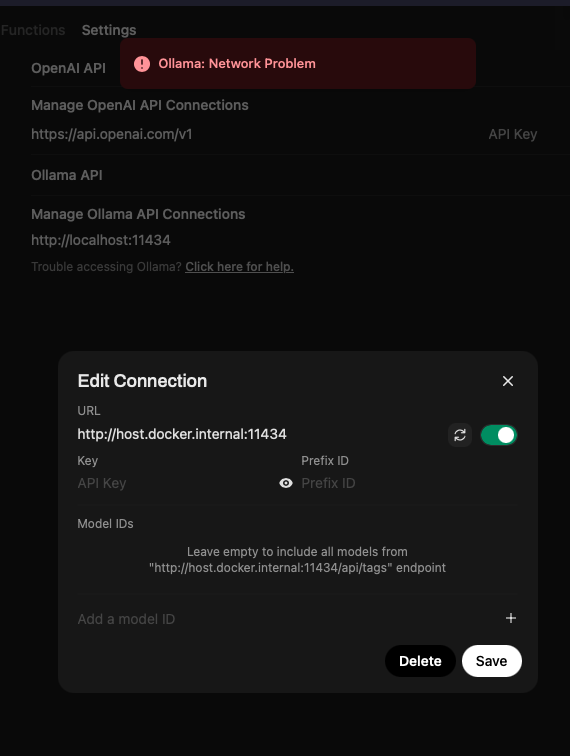
I’m trying to get local AI with an external Nvidia GPU working but I’m stuck almost at the beginning.
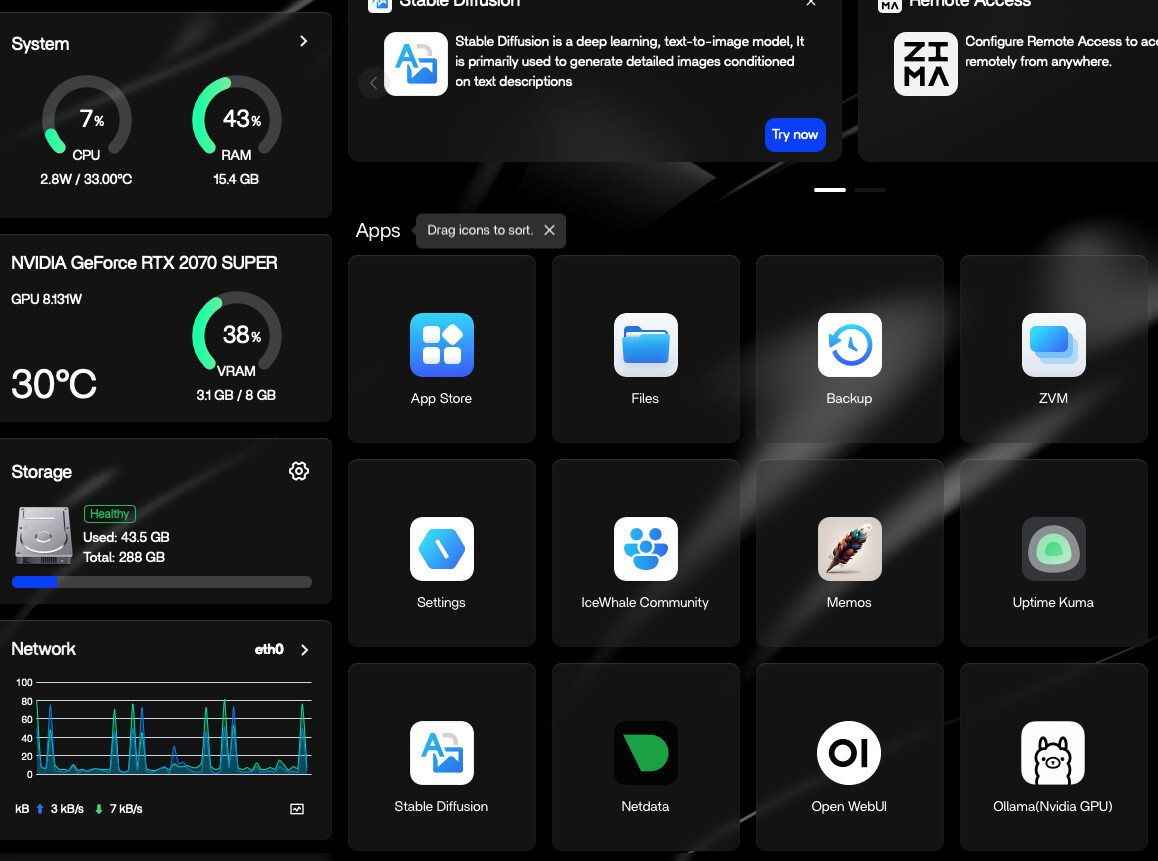
I’ve setup my Zimaboard 2, connected the GPU and it shows correctly in the dashboard.
I’ve downloaded Stable Diffusion and I can run it but when I enter text to generate an image I get an error message: ‘ Connection error’
I downloaded Open WebUI and it runs but when I try an add a model it doesn’t find anything, I’ve gone to the settings and tried both the default Ollama API and the suggested container one and neither work.
I clearly have internet access as otherwise I could have downloaded the apps but it’s just not connecting
Does anyone have any suggestions ?
It feels like it must be something obvious but I’ve no idea where to look or what to change etc.
Thanks!
You’re actually really close, this isn’t a GPU issue, it’s a connection issue between containers.
Open WebUI
It doesn’t download models itself, it connects to Ollama.
If you’re seeing nothing, either:
- Ollama isn’t running
- or Open WebUI can’t reach it
Stable Diffusion
“Connection error” usually means it can’t reach its backend/API, not an internet problem.
What I believe is happening
Both apps are running, but they’re not talking to the services they depend on (very common on ZimaOS).
What I suggest
- Make sure Ollama is actually running
- Test Ollama on its own
- Then point Open WebUI to it
- Fix Stable Diffusion after
If you can, share:
- container list
- Open WebUI Ollama URL
- Stable Diffusion logs
That’ll make it easy to pinpoint.
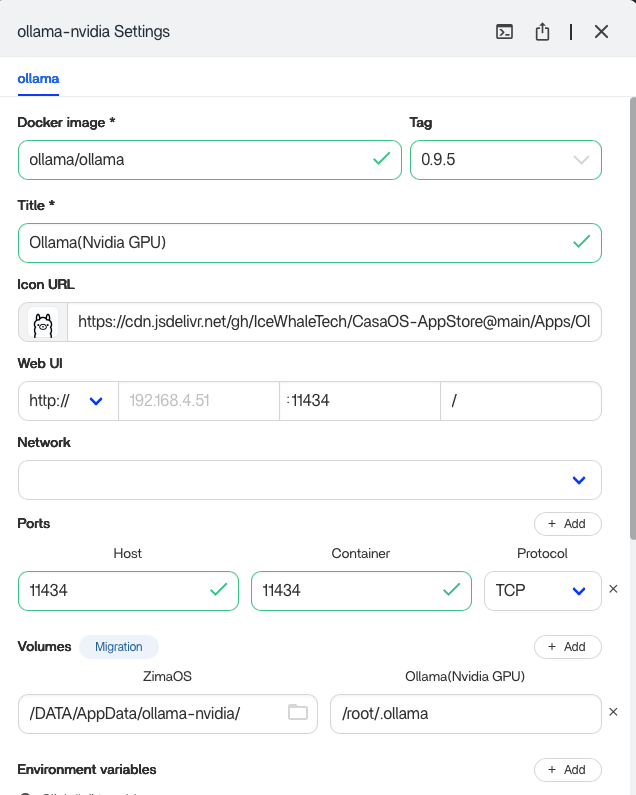
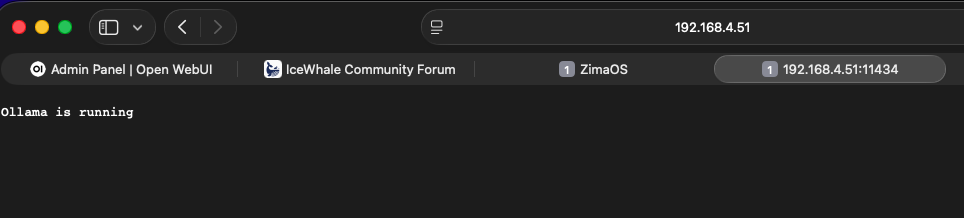
As far as I can tell, Ollama is running and it’s address is 192.168.4.51:11434
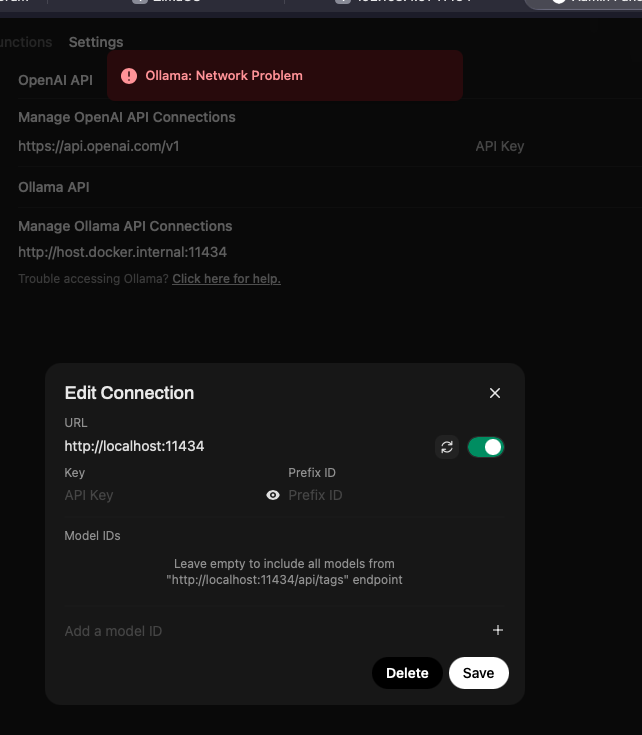
I tried both the localhost and Docker Ollama API connections but both of them gave me the same ‘Ollama: Network Problem’ error message.
Perfect, this confirms exactly what’s wrong.
You’ve got Ollama running, but Open WebUI is pointing to the wrong address.
Right now you’re using:
localhost:11434host.docker.internal:11434
That will not work inside ZimaOS containers.
What’s happening
localhost inside Open WebUI = the Open WebUI container itself- not your Ollama container
So it can’t reach Ollama > “Network Problem”
Fix (this is the key)
You need to use the container name, not localhost.
In your case, your Ollama container name looks like:
ollama-nvidia
So set this in Open WebUI:
http://ollama-nvidia:11434
What I suggest
- Go to Open WebUI > Settings > Ollama
- Change URL to:
http://ollama-nvidia:11434
- Save and refresh
If it still fails
Then it’s likely network isolation. Quick check:
- Make sure both containers are on the same Docker network
- In ZimaOS UI > edit container > Network > set same network for both
Why your browser test worked
You tested:
http://192.168.8.51:11434
That works from your PC, but containers don’t use LAN IPs to talk to each other, they use Docker networking.
Still fails.
The Network options that I have in Open WebUI & Ollama are as follows, which specifically should I choose?
Open WebUI:
bridge
big-bear-open-webui
bridge
ollama-nvidia_default
big-bear-open-webui_default
host
host
Ollama:
bridge
ollama
bridge
ollama-nvidia_default
big-bear-open-webui_default
host
host
what should I also then set the Ollama API to in the Open WenUI setting, advanced, connections?
This is still the same issue, your containers aren’t on the same Docker network.
Until Open WebUI and Ollama are on the exact same network, it won’t be able to connect, which is why you keep seeing the “Ollama Network Problem”.
Right now you’re switching between multiple networks (bridge, host, different defaults), and that’s breaking the connection.
Keep both containers on one shared network and it should resolve.