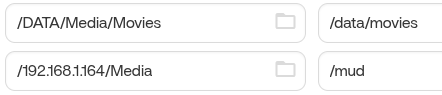
Hailing from the unraid community, been there for too many years. I am in need of setting up a docker host and ZimaOS seemed like a nice little kit to try it out on.
The issue that I am having is trying to pass along the mounted share to the docker. Its not found and I cant find a path to it. I have tried editing the docker settings to directly mounted from it, no luck.
Perhaps a pass-through SYN? link. Never done that before but yea.
I have spent 3 hours on this at 3am. Im tired.
Any thoughts and suggestions would be helpful. Google hasnt been much help.
Oh and should you ask the end goal. I am trying to offload some of the services that I have running on UnRaid to balance things out.
oh. Forgot to mention, the share is SMB. I could try a CIF? share if that would make a difference. Never done it but should be pretty straight forward, I would assume
I am trying to understand your description, do you want a docker app on ZimaOS to access the smb shared folder on another NAS? This shared directory is already mounted via files, is that so?
I just tested it and it actually works, but the current UI doesn’t give a clear how-to.
You can refer to my operation:
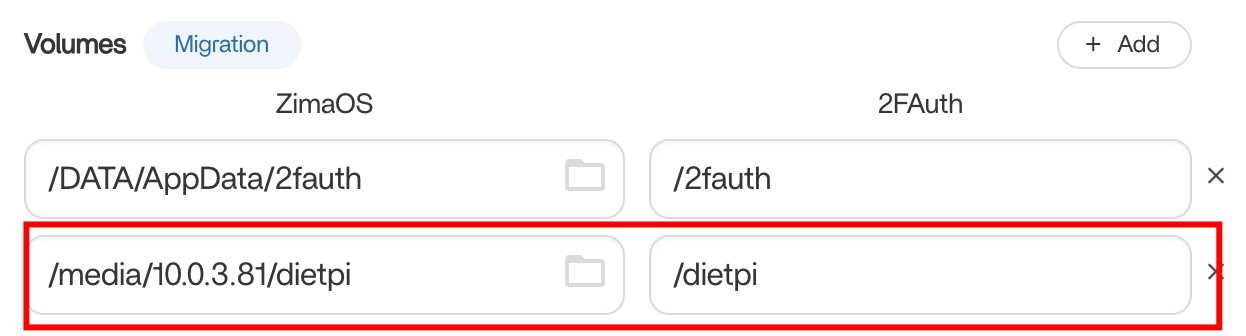
In Files right-click on the SMB shared folder you want to use in Docker and select Copy Path.
At this time, return to the main interface, on the specific docker application icon, click the three dots in the upper right corner, select Settings, so that you can enter the docker configuration interface, and then in the volume tab, add a new mount directory, paste the path you just copied in the first input box, note: After the pasting is completed, you need to add /media at the front, see my screenshot below, and enter the directory in your docker application in the second input box. Finally, just save it.
I followed the instructions and it errored out. I got the error twice but I was unable to capture the error in time, something to the effect ‘unable to bind’
I double checked the container to see if the new dir was made but it wasnt. After failing 3 times I gave up…
I will note that your link is different then the one I got when copying the link.
I tried this just now on 1.6.1 and it dosent work. I can create a folder an so on from files app but when trying to install an app and give it access it says it cant write to the folder.
Did anything change since this was last discussed?
My source folder is “/media/192.168.1.128/nextcloud“