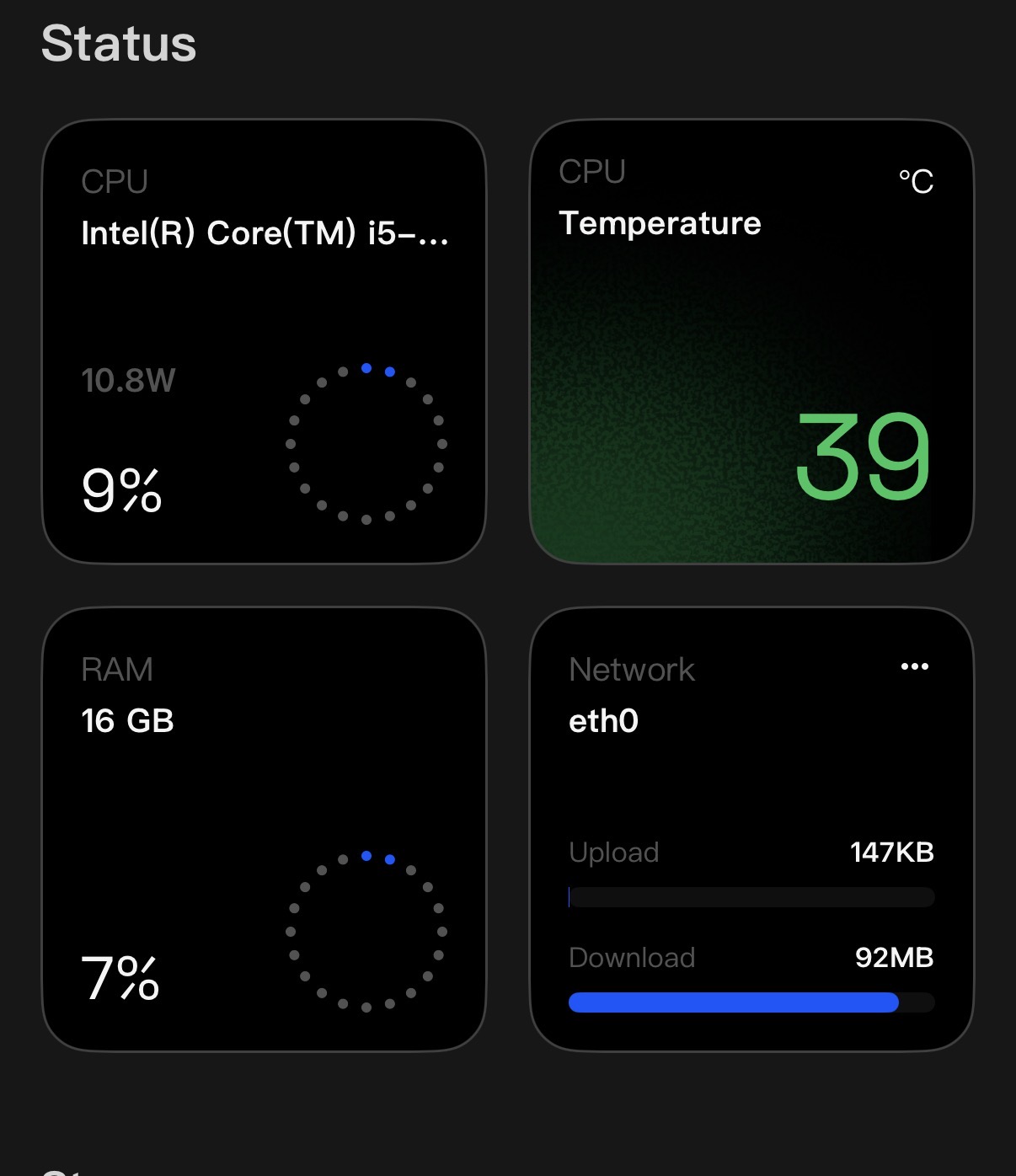
Hi, I’ve just installed ZimaOS on my i5 system with 16 GB of RAM and two 4 TB NAS hard drives.
On my old system, I was able to saturate the 1 Gbps LAN connection and achieve very fast transfer speeds. However, with ZimaOS, I’m not even reaching 200 Mbps when transferring large files.
Do I need to configure anything in the LAN or network settings?
Any help would be greatly appreciated. Thanks!
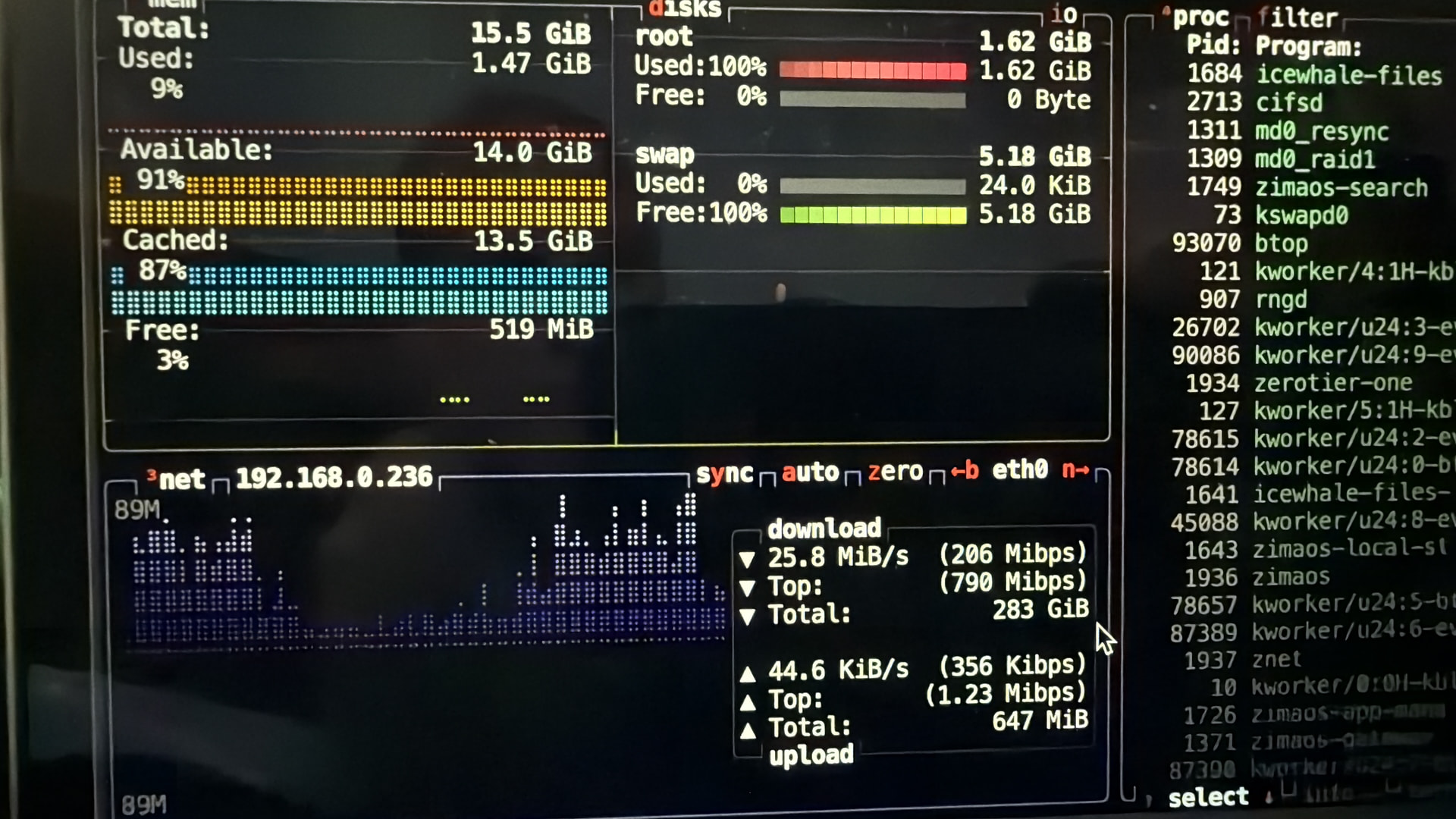
Saturation seems reasonable.
1000 Mb/s = 125 MB/s
92MB/s / 125MB/s is 73.6% Efficiency. (not considering any media encapsulation that does take place)
92MB/s / 112MB is 82.1428571% Efficiancy (with TCP overhead included)
without docker networking you will get at best a 10% efficiency reduction due to TCP packet encapsulation. The rest of the loss is going to be through physical switches and the built in software router in docker networking. A simple crossover cable is 112 MB/sec with native file transfers. This of course is not including any loss from storage media not being able to provide the sustained transfer rate or the compensation for that which is data buffering.
Now I will convert the chart in the first caption:
25.8MiB/s = 27.0532608 MB/s 206 Mibps = 27.000832 MB/s
790Mibps = 103.54688 MB/s and that looks like peak number instead of an average rate that expressed in ZimaOS
11.54688 MB/s difference is not that much and adjusting network buffering might cause poor latency as that is the trade off with network buffering. large TCP block sizes might increase the transfer rate numbers, but at the expense of small real time networking in packets that are delayed to fill the tcp buffer. The same applies when increasing kernel network packet buffers and docker router buffering.
1GB/10GB interfaces has been around in the server market since 2002 and emerged into the consumer market this past 5 years and lower cost 10GB switches been around for that long too, so if you want speed, I would update your network accordingly and of course, utilize cat 6e cable.