Hi,
I had zima os 1.4.2 as my original install and things were running relatively smoothly and was able to reach my server from outside the home network without issue using the zima client on android and on windows.
My wife asked for some server space and a user name for remote access so she could access shares and share things from outside the home network as well, and I quickly figured out zima couldn’t do that out of the box - create individual users for remote access. I tried installing some docker apps - ZTNet and Tailscale mainly, but couldn’t really get them going, just installed and tried to run them. However, since then I have lost remote access to my server.
I’m not a believer in coincidence, so I believe one of these apps somehow messed up the remote access, I just don’t know how and more-so have no idea how to fix the issue.
I hit the same issue after setting up a Cloudflare tunnel on 1.5. The moment it came up, my ZimaOS web UI and client access dropped. What’s strange is that I’ve had the tunnel running on 1.4 without any problems.
Right now I’m digging into what changed in 1.5, checking how the tunnel container is networked, looking at routing/DNS differences, and considering switching it from host mode to bridge or macvlan so it doesn’t hijack the main LAN interface. I’ll post back if I find exactly what’s different between 1.4 and 1.5.
I have confirmed that the remote access issue on ZimaOS 1.5 is not caused by local DNS or network setup. I tested with clean IPv4 DNS, restarted the gateway service, and watched the logs closely. The gateway in 1.5 (commit 5ff1fe40) never tries to contact the relay or start the WebRTC tunnel. There are no relay or stun messages in the journal and the local management port is missing.
On 1.4 this worked without any extra setup, but in 1.5 the relay function seems to be disabled or removed from the bundled gateway. The web UI still shows the remote access toggle and a Remote ID, but nothing actually connects out.
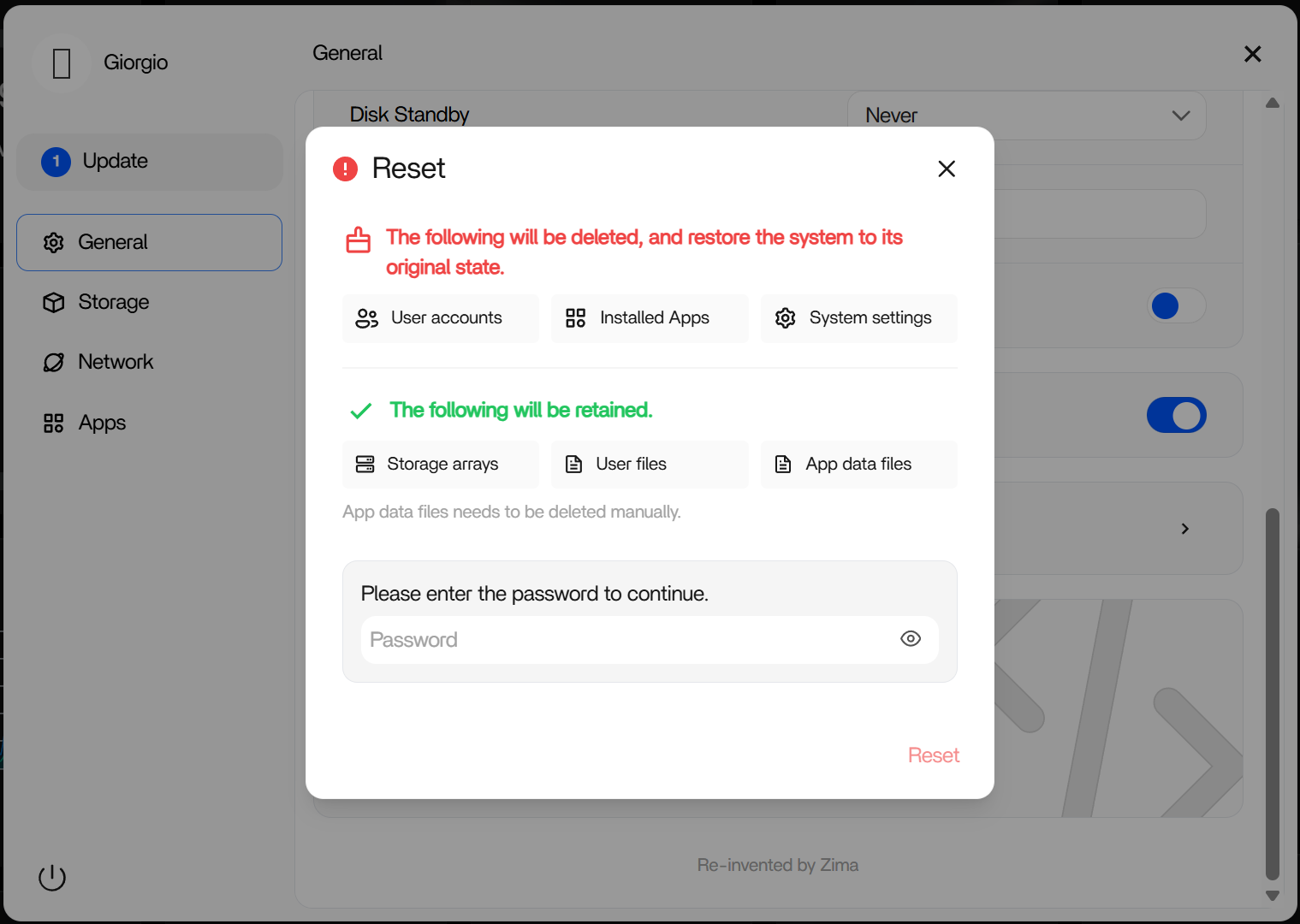
Or, the reset function does not affect the storage array and user files, nor does it delete application data files. If you’re okay with reinstalling those settings and apps, a system reset might be worth a try.
It is located in Settings → General tab.
Since we have a built-in remote feature based on ZeroTier, please remember that in a clean environment, do not install any remote connection applications (tailscaled or cloudflared) at the beginning of your system to avoid interference.
I did a basic installation and then installed the apps through the appstore. Some of them don’t work like the invoice package, ddns and firefox while others do like craftybox. tailscaled and some others won’t even load, firefox looks like it’s trying then fails.
I’m willing to give it a shot before we do a reformat like you mentioned above. I was actually kind of worried that whatever I did might carry over after the factory reset you suggested. The apps have all been uninstalled and still can’t get remote access working…