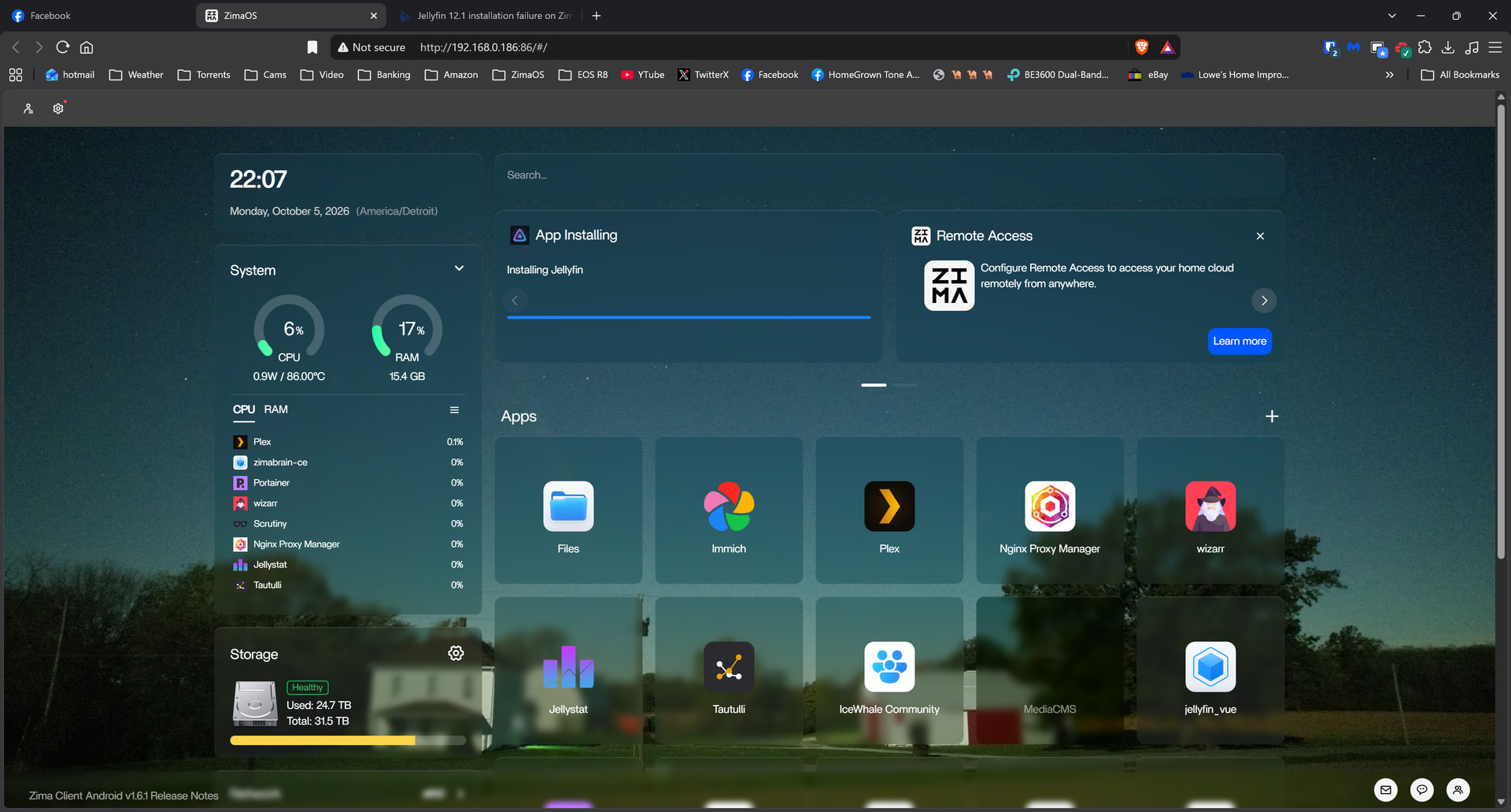
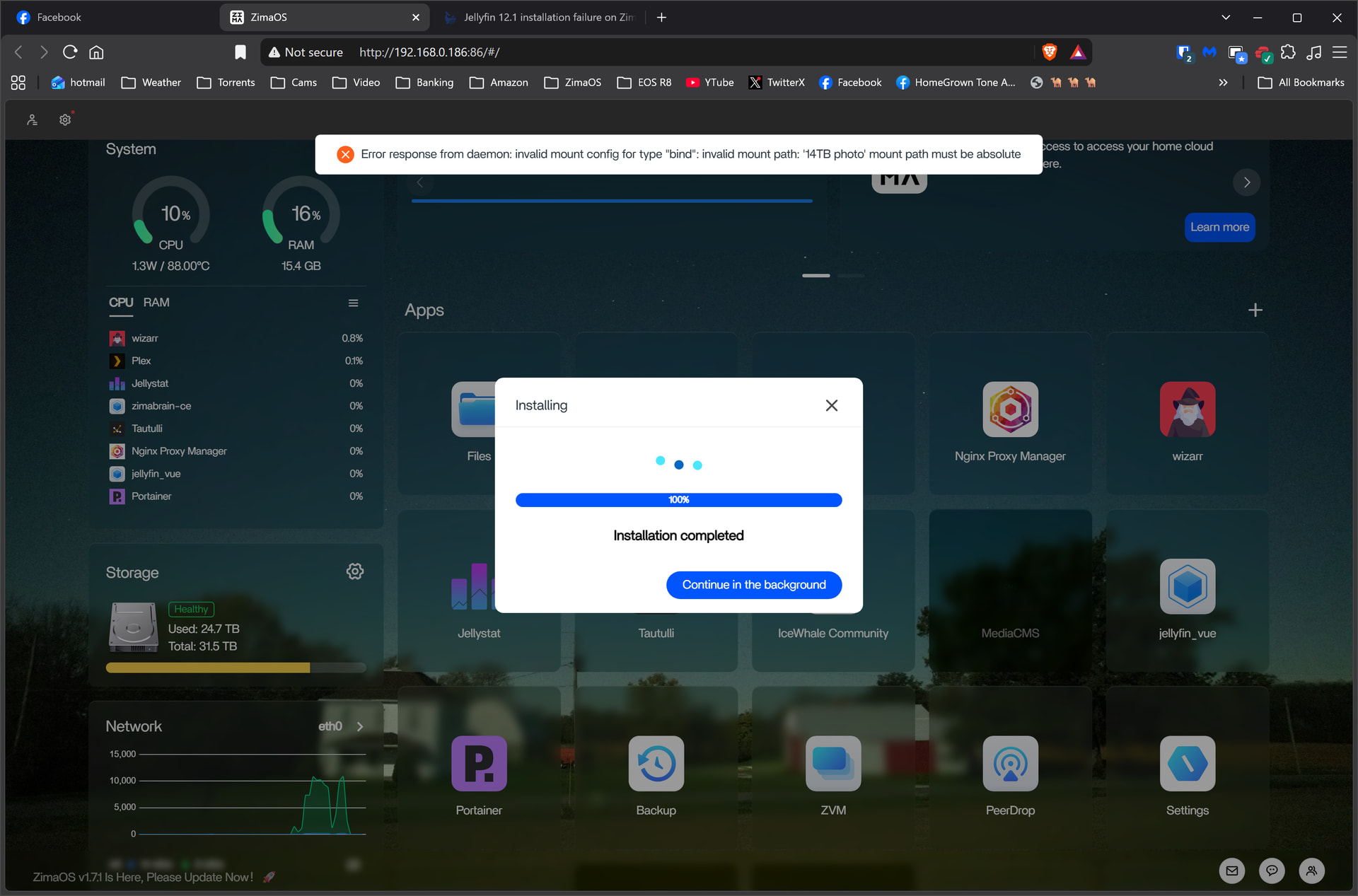
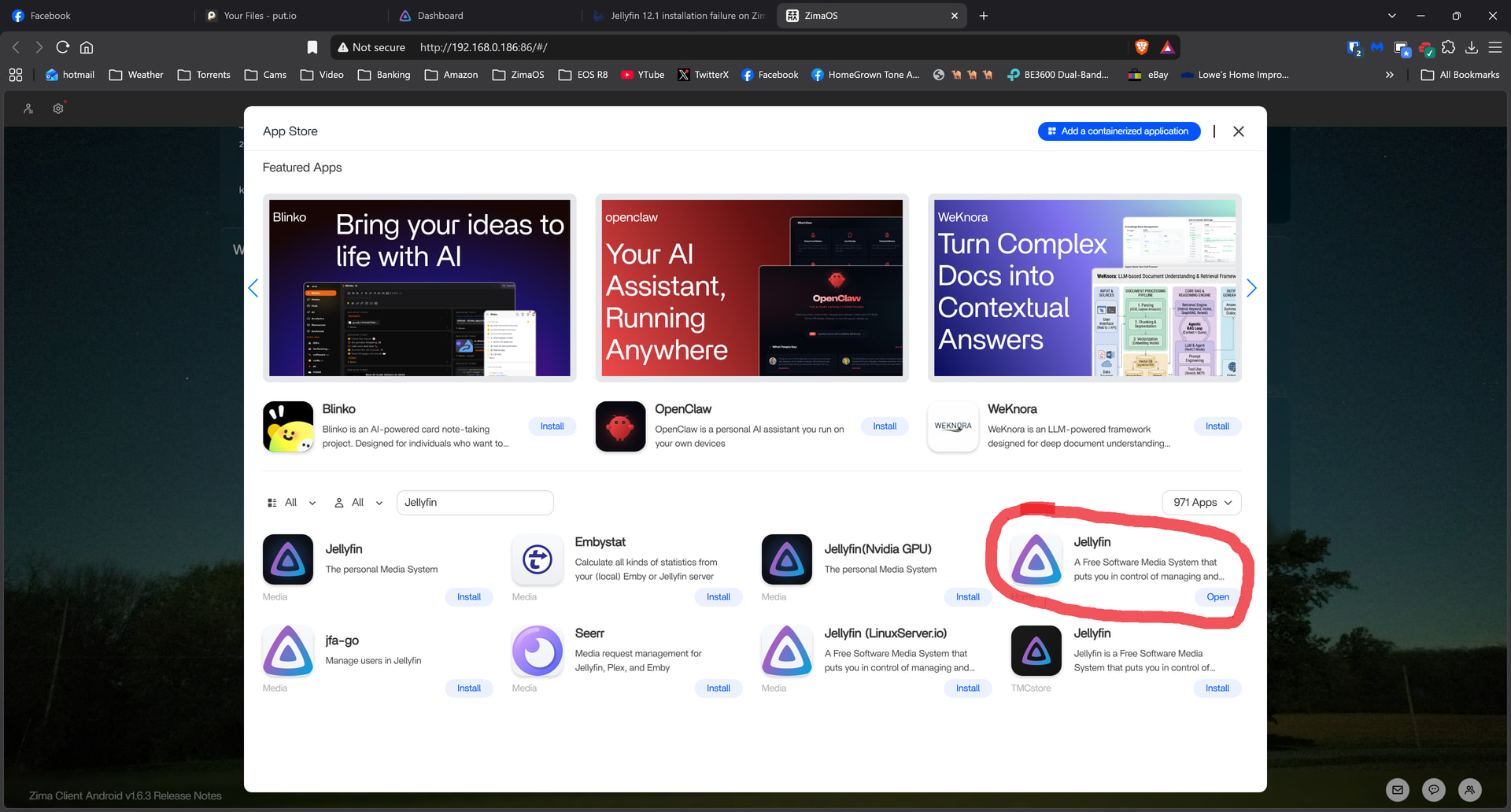
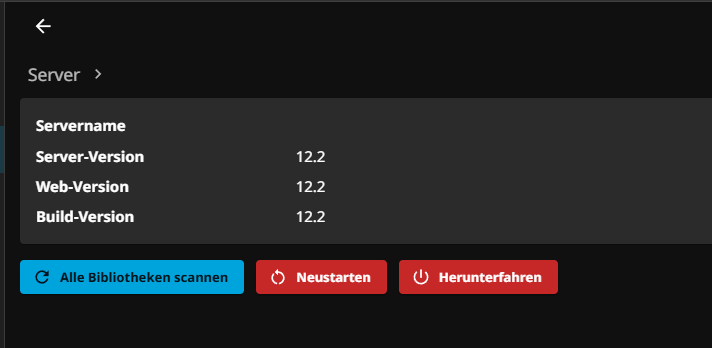
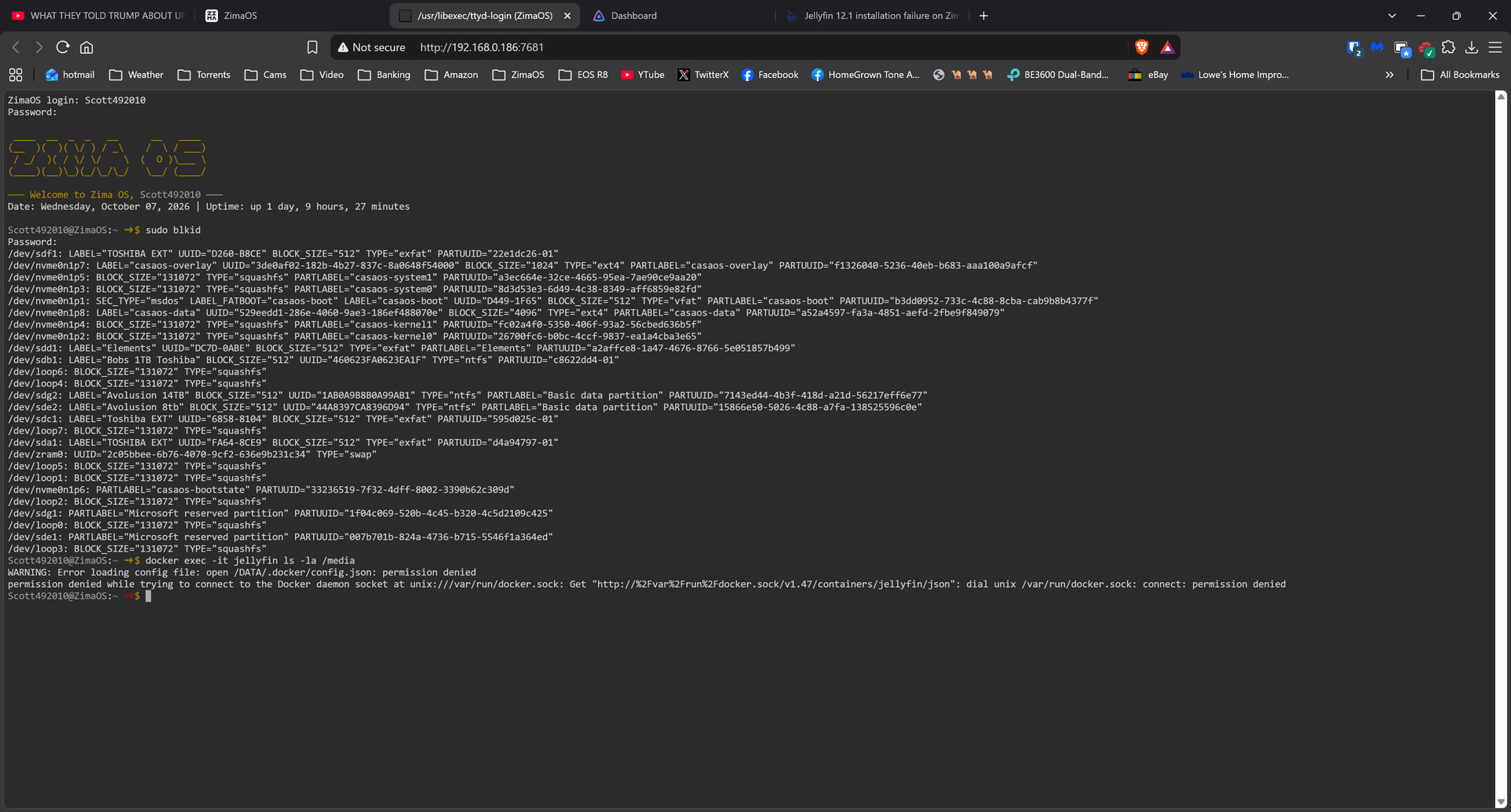
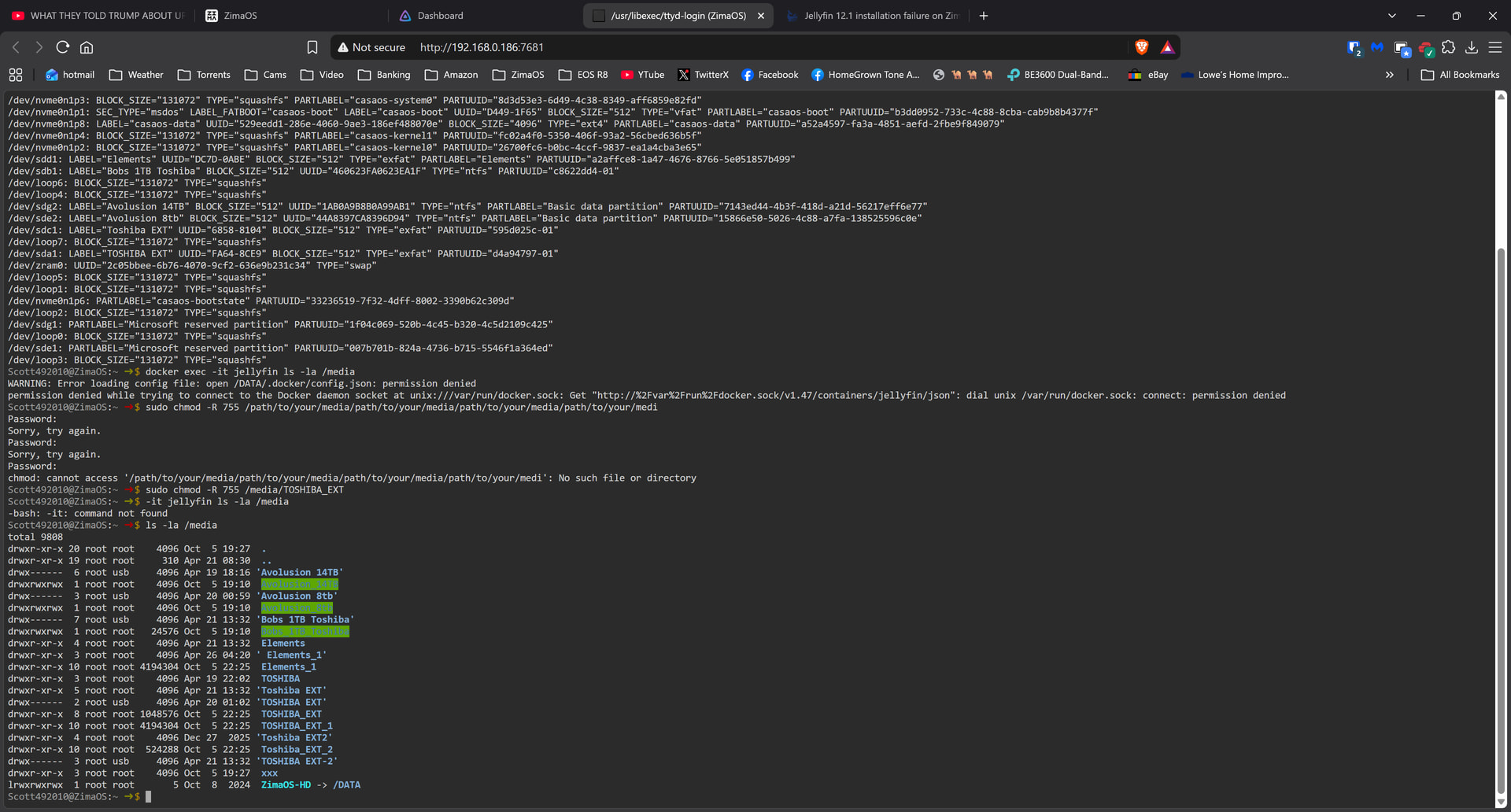
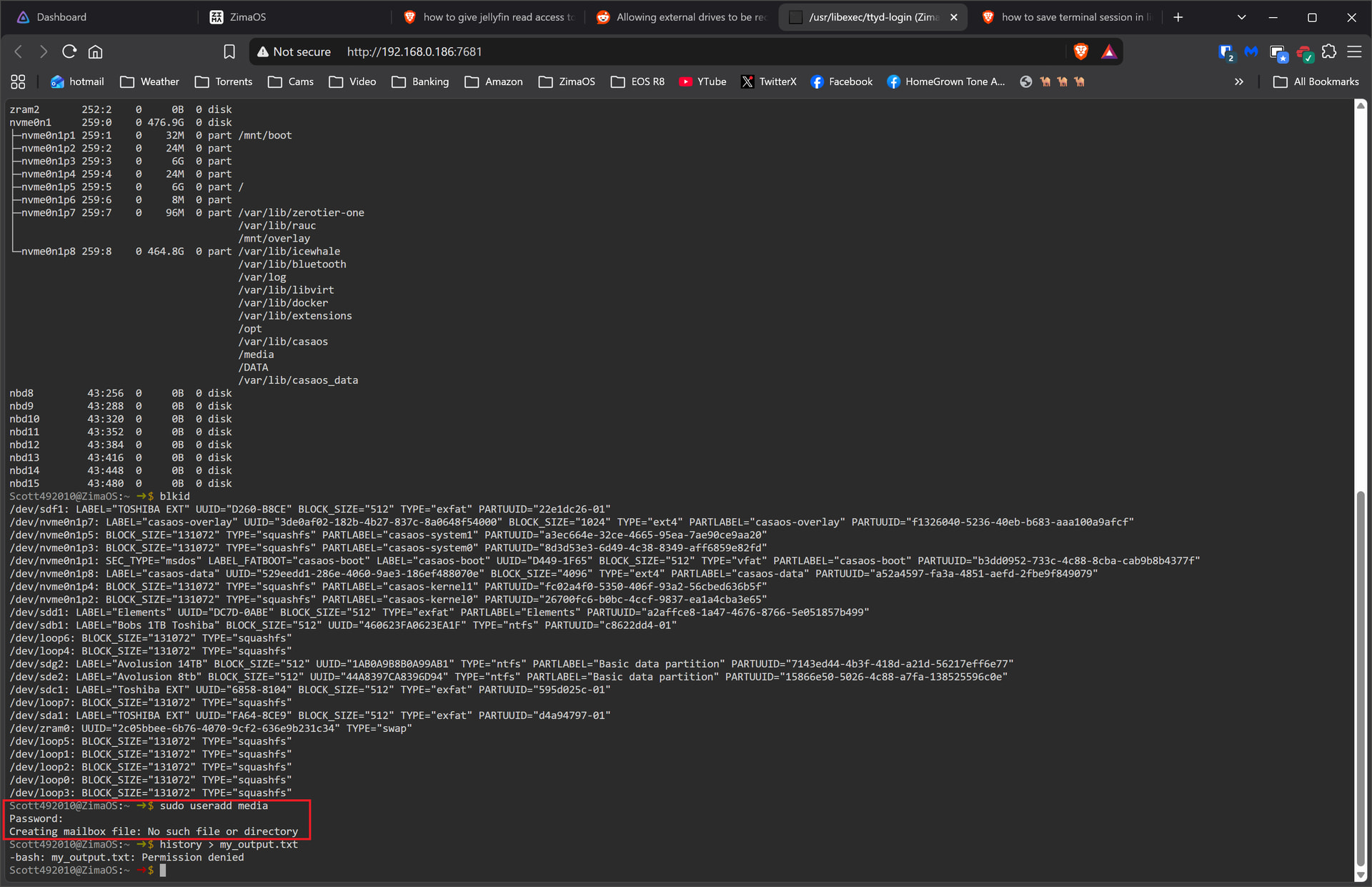
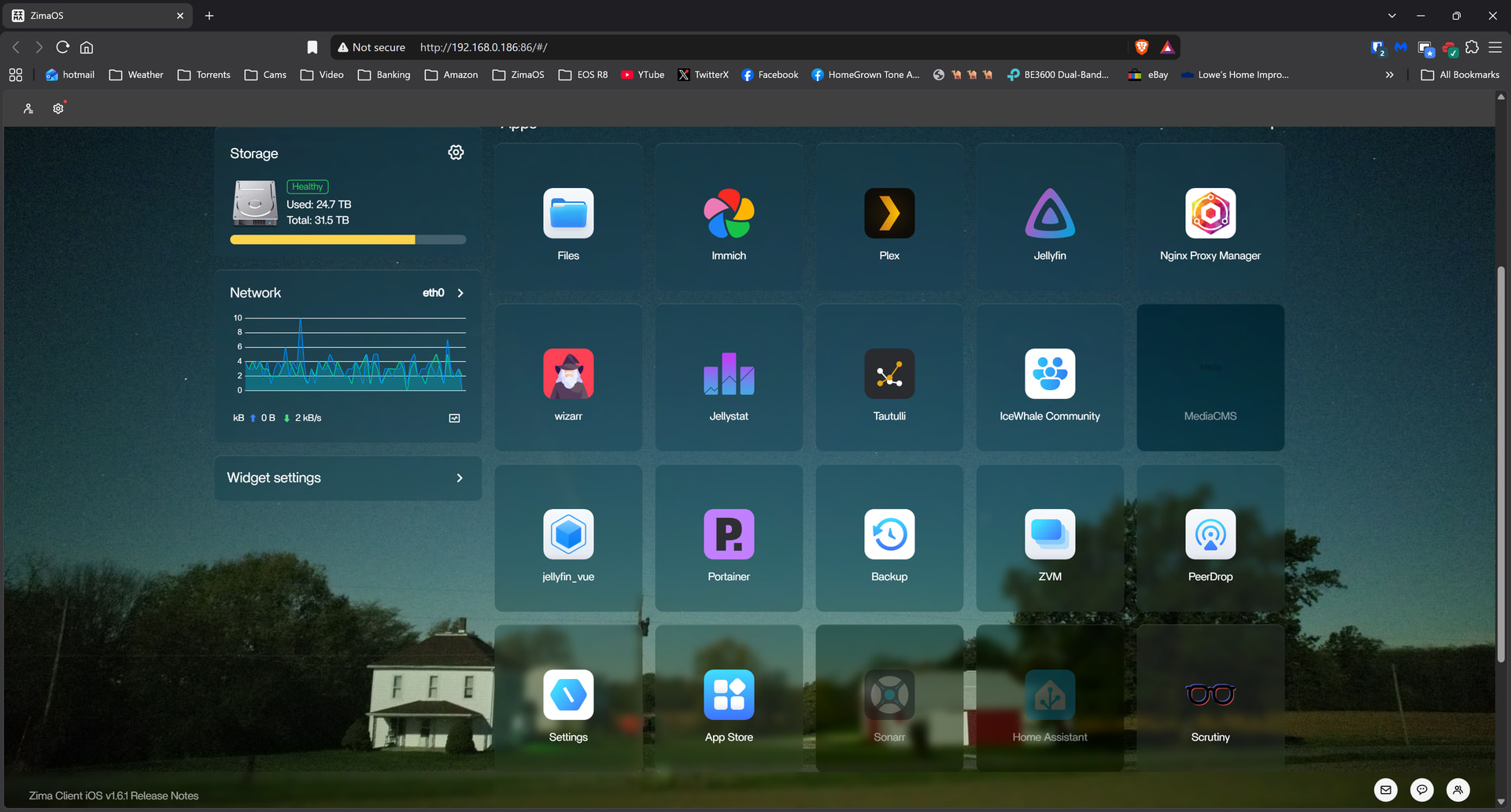
I attempted to do a completely fresh install of Jellyfin 12.1 on my zimaOS and it seems to work. I went to add directories and can only see two of my twenty directories as i installed as volumes. If anybody has a working 12.1 version i would be interested to know if it works.
Google claims:
Jellyfin version 12.1 is not currently available for installation on CasaOS.
 As of October 2026, the latest stable release of Jellyfin is version 10.10.x
(with version 10.11.x in testing/early release stages),
 and no official roadmap or announcement indicates a version 12.1 release.
Here is my yaml:
name: jellyfin
services:
  jellyfin:
    cpu_shares: 90
    command: []
    container_name: jellyfin
    deploy:
      resources:
        limits:
          memory: 16506830848
        reservations:
          memory: "268435456"
          devices: []
    devices:
      - /dev/dri:/dev/dri
      - /dev/vcsm:/dev/vcsm
      - /dev/vchiq:/dev/vchiq
      - /dev/video10:/dev/video10
      - /dev/video11:/dev/video11
      - /dev/video12:/dev/video12
    environment:
      - PGID=1000
      - PUID=1000
      - TZ=America/Detroit
    image: linuxserver/jellyfin:latest
    labels:
      icon: https://cdn.jsdelivr.net/gh/IceWhaleTech/CasaOS-AppStore@main/Apps/Jellyfin/icon.svg
    ports:
      - target: 8096
        published: "8097"
        protocol: tcp
      - target: 8920
        published: "8921"
        protocol: tcp
      - target: 7359
        published: "7359"
        protocol: tcp
      - target: 1900
        published: "1903"
        protocol: tcp
    restart: unless-stopped
    volumes:
      - type: bind
        source: /DATA/AppData/jellyfin/config
        target: /config
      - type: bind
        source: /DATA/Media
        target: /Media
      - type: bind
        source: /opt/vc/lib
        target: /opt/vc/lib
      - type: bind
        source: /media/TOSHIBA_EXT_1/Videos/Private
        target: /EXT_1 Private
      - type: bind
        source: /media/TOSHIBA_EXT_1/Videos/Tv
        target: /EXT_1 TV
      - type: bind
        source: /media/TOSHIBA_EXT_1/Videos/PreRolls
        target: /EXT_1 PreRolls
      - type: bind
        source: /media/TOSHIBA_EXT_1/Videos/Movies
        target: /EXT_1 Movies
      - type: bind
        source: /media/Bobs_1TB_Toshiba/TV
        target: Bobs 1TB TV
      - type: bind
        source: /media/Bobs_1TB_Toshiba/PICTURES
        target: /Bobs 1TB PICTURES
      - type: bind
        source: /media/Bobs_1TB_Toshiba/Movies
        target: /Bobs 1TB Movies
      - type: bind
        source: /media/Bobs_1TB_Toshiba/MUSIC
        target: /Bobs 1TB MUSIC
      - type: bind
        source: /media/Toshiba_EXT_2/Videos/Tv
        target: /EXT2 TV
      - type: bind
        source: /media/Toshiba_EXT_2/Videos/Movies
        target: /EXT2 Movies
      - type: bind
        source: /media/Toshiba_EXT_2/Music
        target: /EXT2 Music
      - type: bind
        source: /media/Avolusion_8tb/Video/TV
        target: /8tb Tv
      - type: bind
        source: /media/Avolusion_8tb/Video/Movies
        target: /8tb Movies
      - type: bind
        source: /media/Avolusion_14TB/photo
        target: 14TB photo
      - type: bind
        source: /media/Avolusion_14TB/Video/Tv
        target: /14TB Tv
      - type: bind
        source: /media/Avolusion_14TB/Video/Movies
        target: /14TB Movies
      - type: bind
        source: /media/Elements_1/4K/tv
        target: Elements 4k tv
      - type: bind
        source: /media/Elements_1/4K/movies
        target: /Elements 4k movies
      - type: bind
        source: /media/TOSHIBA_EXT/Videos/Tv
        target: /EXT Tv
      - type: bind
        source: /media/TOSHIBA_EXT/Videos/Movies
        target: /EXT Movie
    cap_add: []
    network_mode: bridge
    privileged: false
x-casaos:
  architectures:
    - amd64
    - arm64
  author: ZimaOS Team
  category: Media
  description:
    de_DE: >
      Jellyfin hebt sich unter den Medienserver-Anwendungen durch sein
      vollständig Open-Source, kostenloses und datenschutzorientiertes Design
      hervor. Im Gegensatz zu Emby und Plex bietet Jellyfin robustes
      Medienmanagement, Echtzeit-Transkodierung und granulare
      Multi-User-Berechtigungen ohne Abonnementkosten. Es funktioniert
      unabhängig von Cloud-Diensten, um dem Benutzer die volle Kontrolle über
      seine Daten zu gewährleisten. Seine community-getriebene Entwicklung und
      effiziente Ressourcennutzung ermöglichen eine reibungslose Leistung auf
      Low-End-Geräten, was es zur bevorzugten Wahl für datenschutzbewusste und
      budgetbewusste Benutzer macht.


      Stellen Sie sich vor, Ihre Filme, Fernsehsendungen und Musik sind jederzeit griffbereit und auf jedem Gerät zugänglich. Jellyfin verwandelt Ihre Mediensammlung in ein personalisiertes Unterhaltungszentrum, das traditionelle Fotoalben mit einem nahtlosen Browsing- und Wiedergabeerlebnis übertrifft.

      Jellyfin bietet hochwertiges Streaming, automatisches Abrufen von Metadaten und personalisierte Empfehlungen, alles kostenlos. Es unterstützt mehrere Benutzer, jeder mit seiner eigenen Medienbibliothek, und erfüllt die vielfältigen Bedürfnisse von Familien oder Teams.

      Die Bereitstellung von Jellyfin auf privaten Cloud-Geräten wie Zima bietet nahezu unbegrenzten Speicher, reibungsloses Streaming und sicheren Zugriff von mehreren Geräten. Für NAS-Enthusiasten oder alle, die ihr Heim-Medien-Setup verbessern möchten, ist Jellyfin die perfekte Lösung.
    el_GR: >
      Το Jellyfin ξεχωρίζει ανάμεσα στις εφαρμογές διακομιστή πολυμέσων για τον
      πλήρως ανοιχτού κώδικα, δωρεάν και εστιασμένο στην ιδιωτικότητα σχεδιασμό
      του. Σε αντίθεση με το Emby και το Plex, το Jellyfin παρέχει ισχυρή
      διαχείριση πολυμέσων, κωδικοποίηση σε πραγματικό χρόνο και λεπτομερή
      δικαιώματα πολλαπλών χρηστών χωρίς κόστος συνδρομής, λειτουργώντας
      ανεξάρτητα από υπηρεσίες cloud για να εξασφαλίσει πλήρη έλεγχο των
      δεδομένων από τον χρήστη. Η κοινοτική του ανάπτυξη και η αποτελεσματική
      χρήση πόρων επιτρέπουν ομαλή απόδοση σε συσκευές χαμηλής ισχύος,
      καθιστώντας το την ιδανική επιλογή για χρήστες που ενδιαφέρονται για την
      ιδιωτικότητα και τον προϋπολογισμό.


      Φανταστείτε τις ταινίες, τις τηλεοπτικές εκπομπές και τη μουσική σας στα χέρια σας, προσβάσιμες από οποιαδήποτε συσκευή. Το Jellyfin μετατρέπει τη συλλογή πολυμέσων σας σε ένα εξατομικευμένο κέντρο ψυχαγωγίας, ξεπερνώντας τα παραδοσιακά άλμπουμ φωτογραφιών με μια απρόσκοπτη εμπειρία περιήγησης και αναπαραγωγής.

      Το Jellyfin προσφέρει υψηλής ποιότητας streaming, αυτόματη λήψη μεταδεδομένων και εξατομικευμένες προτάσεις, όλα δωρεάν. Υποστηρίζει πολλούς χρήστες, ο καθένας με τη δική του βιβλιοθήκη πολυμέσων, καλύπτοντας τις ποικίλες ανάγκες οικογενειών ή ομάδων.

      Η ανάπτυξη του Jellyfin σε ιδιωτικές συσκευές cloud όπως το Zima παρέχει σχεδόν απεριόριστο αποθηκευτικό χώρο, ομαλή ροή και ασφαλή πρόσβαση από πολλές συσκευές. Για τους λάτρεις του NAS ή οποιονδήποτε θέλει να αναβαθμίσει τη ρύθμιση των πολυμέσων στο σπίτι, το Jellyfin είναι η τέλεια λύση.
    en_GB: >
      Jellyfin stands out among media server applications for its fully
      open-source, free, and privacy-focused design. Unlike Emby and Plex,
      Jellyfin delivers robust media management, real-time transcoding, and
      granular multi-user permissions without subscription costs, operating
      independently of cloud services to ensure full user control over data. Its
      community-driven development and efficient resource usage enable smooth
      performance on low-end devices, making it the go-to choice for
      privacy-conscious and budget-savvy users.


      Imagine your films, television programmes, and music at your fingertips, accessible on any device. Jellyfin transforms your media collection into a personalised entertainment hub, surpassing traditional photo albums with a seamless browsing and playback experience.

      Jellyfin offers high-quality streaming, automatic metadata fetching, and personalised recommendations, all at no cost. It supports multiple users, each with their own media library, catering to the diverse needs of families or teams.

      Deploying Jellyfin on private cloud devices like Zima provides near-unlimited storage, smooth streaming, and secure multi-device access. For NAS enthusiasts or anyone looking to elevate their home media setup, Jellyfin is the perfect solution.
    en_US: >
      Jellyfin stands out among media server applications for its fully
      open-source, free, and privacy-focused design. Unlike Emby and Plex,
      Jellyfin delivers robust media management, real-time transcoding, and
      granular multi-user permissions without subscription costs, operating
      independently of cloud services to ensure full user control over data. Its
      community-driven development and efficient resource usage enable smooth
      performance on low-end devices, making it the go-to choice for
      privacy-conscious and budget-savvy users.


      Picture your movies, TV shows, and music at your fingertips, accessible on any device. Jellyfin transforms your media collection into a personalized entertainment hub, surpassing traditional photo albums with a seamless browsing and playback experience.

      Jellyfin offers high-quality streaming, automatic metadata fetching, and personalized recommendations, all at no cost. It supports multiple users, each with their own media library, catering to the diverse needs of families or teams.

      Deploying Jellyfin on private cloud devices like Zima provides near-unlimited storage, smooth streaming, and secure multi-device access. For NAS enthusiasts or anyone looking to elevate their home media setup, Jellyfin is the perfect solution.
    fr_FR: >
      Jellyfin se distingue parmi les applications de serveur multimédia pour sa
      conception entièrement open-source, gratuite et axée sur la
      confidentialité. Contrairement à Emby et Plex, Jellyfin offre une gestion
      multimédia robuste, un transcodage en temps réel et des autorisations
      multi-utilisateurs granulaires sans frais d'abonnement, fonctionnant
      indépendamment des services cloud pour garantir un contrôle total des
      données par l'utilisateur. Son développement axé sur la communauté et son
      utilisation efficace des ressources permettent des performances fluides
      sur des appareils bas de gamme, ce qui en fait le choix idéal pour les
      utilisateurs soucieux de leur vie privée et de leur budget.


      Imaginez vos films, émissions de télévision et musique à portée de main, accessibles sur n'importe quel appareil. Jellyfin transforme votre collection multimédia en un centre de divertissement personnalisé, surpassant les albums photo traditionnels avec une expérience de navigation et de lecture transparente.

      Jellyfin offre un streaming de haute qualité, une récupération automatique des métadonnées et des recommandations personnalisées, le tout gratuitement. Il prend en charge plusieurs utilisateurs, chacun avec sa propre bibliothèque multimédia, répondant aux divers besoins des familles ou des équipes.

      Déployer Jellyfin sur des appareils cloud privés comme Zima offre un stockage quasi illimité, un streaming fluide et un accès sécurisé multi-appareils. Pour les passionnés de NAS ou toute personne cherchant à améliorer sa configuration multimédia domestique, Jellyfin est la solution parfaite.
    hr_HR: >
      Jellyfin se ističe među aplikacijama za medijske poslužitelje svojim
      potpuno otvorenim kodom, besplatnim i na privatnost usmjerenim dizajnom.
      Za razliku od Embyja i Plexa, Jellyfin pruža robustno upravljanje
      medijima, transkodiranje u stvarnom vremenu i granularne dozvole za više
      korisnika bez troškova pretplate, djelujući neovisno o uslugama u oblaku
      kako bi osigurao potpunu kontrolu korisnika nad podacima. Njegov razvoj
      vođen zajednicom i učinkovita upotreba resursa omogućuju glatke
      performanse na uređajima niže klase, čineći ga idealnim izborom za
      korisnike koji paze na privatnost i budžet.


      Zamislite svoje filmove, TV emisije i glazbu na dohvat ruke, dostupne na bilo kojem uređaju. Jellyfin pretvara vašu medijsku kolekciju u personalizirani zabavni centar, nadmašujući tradicionalne fotoalbume s besprijekornim iskustvom pregledavanja i reprodukcije.

      Jellyfin nudi visokokvalitetno strujanje, automatsko dohvaćanje metapodataka i personalizirane preporuke, sve bez troškova. Podržava više korisnika, svaki sa svojom medijskom bibliotekom, zadovoljavajući različite potrebe obitelji ili timova.

      Implementacija Jellyfina na privatne cloud uređaje poput Zime pruža gotovo neograničenu pohranu, glatko strujanje i siguran pristup s više uređaja. Za NAS entuzijaste ili bilo koga tko želi unaprijediti svoj kućni medijski sustav, Jellyfin je savršeno rješenje.
    it_IT: >
      Jellyfin si distingue tra le applicazioni server multimediali per il suo
      design completamente open-source, gratuito e incentrato sulla privacy. A
      differenza di Emby e Plex, Jellyfin offre una gestione multimediale
      robusta, transcodifica in tempo reale e permessi granulari per più utenti
      senza costi di abbonamento, operando indipendentemente dai servizi cloud
      per garantire il pieno controllo dei dati da parte dell'utente. Il suo
      sviluppo guidato dalla comunità e l'uso efficiente delle risorse
      consentono prestazioni fluide su dispositivi di fascia bassa, rendendolo
      la scelta ideale per gli utenti attenti alla privacy e al budget.


      Immagina i tuoi film, programmi TV e musica a portata di mano, accessibili su qualsiasi dispositivo. Jellyfin trasforma la tua collezione multimediale in un hub di intrattenimento personalizzato, superando gli album fotografici tradizionali con un'esperienza di navigazione e riproduzione senza interruzioni.

      Jellyfin offre streaming di alta qualità, recupero automatico dei metadati e raccomandazioni personalizzate, il tutto a costo zero. Supporta più utenti, ognuno con la propria libreria multimediale, soddisfacendo le diverse esigenze di famiglie o team.

      Implementare Jellyfin su dispositivi cloud privati come Zima offre storage quasi illimitato, streaming fluido e accesso sicuro da più dispositivi. Per gli appassionati di NAS o per chiunque desideri migliorare la propria configurazione multimediale domestica, Jellyfin è la soluzione perfetta.
    ja_JP: >
      Jellyfinは、完全にオープンソースで無料、プライバシーに重点を置いた設計で、メディアサーバーアプリケーションの中でも際立っています。EmbyやPlexとは異なり、Jellyfinはサブスクリプション費用なしで堅牢なメディア管理、リアルタイムトランスコーディング、細かいマルチユーザーパーミッションを提供し、クラウドサービスに依存せずに動作することで、ユーザーがデータに対する完全な制御を維持できるようにします。コミュニティ主導の開発と効率的なリソース使用により、低スペックのデバイスでもスムーズなパフォーマンスを実現し、プライバシーを重視し、予算に配慮したユーザーのための最適な選択肢となっています。


      映画、テレビ番組、音楽が手元にあり、どのデバイスからでもアクセスできることを想像してください。Jellyfinは、メディアコレクションをパーソナライズされたエンターテイメントハブに変え、シームレスな閲覧と再生体験で従来の写真アルバムを超えます。

      Jellyfinは、高品質のストリーミング、自動メタデータ取得、パーソナライズされたおすすめをすべて無料で提供します。複数のユーザーをサポートし、それぞれが独自のメディアライブラリを持ち、家族やチームの多様なニーズに対応します。

      ZimaのようなプライベートクラウドデバイスにJellyfinを展開すると、ほぼ無制限のストレージ、スムーズなストリーミング、セキュアなマルチデバイスアクセスが提供されます。NAS愛好家や家庭のメディア設定を向上させたい人にとって、Jellyfinは完璧なソリューションです。
    ko_KR: >
      Jellyfin은 완전히 오픈 소스이며 무료이고 개인 정보 보호에 중점을 둔 디자인으로 미디어 서버 애플리케이션 중에서 두드러집니다.
      Emby와 Plex와 달리 Jellyfin은 구독 비용 없이 강력한 미디어 관리, 실시간 트랜스코딩 및 세밀한 다중 사용자 권한을
      제공하며 클라우드 서비스와 독립적으로 작동하여 사용자가 데이터에 대한 완전한 제어를 유지할 수 있도록 합니다. 커뮤니티 주도 개발과
      효율적인 리소스 사용으로 저사양 장치에서도 원활한 성능을 발휘하여 개인 정보 보호와 예산을 중시하는 사용자를 위한 최적의 선택입니다.


      영화, TV 프로그램, 음악이 손끝에 있고 모든 장치에서 액세스할 수 있다고 상상해 보세요. Jellyfin은 미디어 컬렉션을 개인화된 엔터테인먼트 허브로 변환하여 원활한 탐색 및 재생 경험으로 전통적인 사진 앨범을 능가합니다。

      Jellyfin은 고품질 스트리밍, 자동 메타데이터 가져오기 및 개인화된 추천을 모두 무료로 제공합니다. 여러 사용자를 지원하며 각 사용자는 자신의 미디어 라이브러리를 가지고 있어 가족이나 팀의 다양한 요구를 충족합니다。

      Zima와 같은 개인 클라우드 장치에 Jellyfin을 배포하면 거의 무제한의 저장 공간, 원활한 스트리밍 및 안전한 다중 장치 액세스를 제공합니다. NAS 애호가나 가정 미디어 설정을 향상시키려는 사람에게 Jellyfin은 완벽한 솔루션입니다。
    nb_NO: >
      Jellyfin skiller seg ut blant medieserverapplikasjoner for sitt
      fullstendig åpen kildekode, gratis og personvernfokuserte design. I
      motsetning til Emby og Plex, leverer Jellyfin robust mediefordeling,
      sanntids transkoding og granulære flerbrukerrettigheter uten
      abonnementskostnader, og opererer uavhengig av skytjenester for å sikre
      full bruker kontroll over data. Dets samfunnsdrevne utvikling og effektiv
      ressursbruk muliggjør jevn ytelse på lav-end enheter, noe som gjør det til
      det foretrukne valget for personvernbevisste og budsjettvennlige brukere.


      Forestill deg filmene, TV-programmene og musikken din lett tilgjengelig, tilgjengelig på enhver enhet. Jellyfin forvandler mediesamlingen din til et personlig underholdningssenter, som overgår tradisjonelle fotoalbum med en sømløs bla- og avspillingsopplevelse.

      Jellyfin tilbyr høykvalitets streaming, automatisk henting av metadata og personlige anbefalinger, alt uten kostnad. Den støtter flere brukere, hver med sitt eget mediebibliotek, og imøtekommer de ulike behovene til familier eller team.

      Å distribuere Jellyfin på private skyenheter som Zima gir nesten ubegrenset lagring, jevn streaming og sikker tilgang fra flere enheter. For NAS-entusiaster eller alle som ønsker å heve sin hjemmemediaoppsett, er Jellyfin den perfekte løsningen.
    pt_PT: >
      O Jellyfin destaca-se entre as aplicações de servidor de media pelo seu
      design completamente open-source, gratuito e focado na privacidade. Ao
      contrário do Emby e do Plex, o Jellyfin oferece uma gestão de media
      robusta, transcodificação em tempo real e permissões granulares para
      múltiplos utilizadores sem custos de subscrição, operando
      independentemente de serviços na cloud para garantir o controlo total dos
      dados pelo utilizador. O seu desenvolvimento orientado para a comunidade e
      a utilização eficiente de recursos permitem um desempenho suave em
      dispositivos de baixo custo, tornando-o a escolha ideal para utilizadores
      preocupados com a privacidade e com o orçamento.


      Imagine os seus filmes, programas de TV e música ao alcance dos seus dedos, acessíveis em qualquer dispositivo. O Jellyfin transforma a sua coleção de media num centro de entretenimento personalizado, superando os álbuns de fotos tradicionais com uma experiência de navegação e reprodução perfeita.

      O Jellyfin oferece streaming de alta qualidade, obtenção automática de metadados e recomendações personalizadas, tudo sem custos. Suporta múltiplos utilizadores, cada um com a sua própria biblioteca de media, atendendo às diversas necessidades de famílias ou equipas.

      Implementar o Jellyfin em dispositivos de cloud privada como o Zima proporciona armazenamento quase ilimitado, streaming suave e acesso seguro a vários dispositivos. Para entusiastas de NAS ou qualquer pessoa que queira elevar a sua configuração de media doméstica, o Jellyfin é a solução perfeita.
    ru_RU: >
      Jellyfin выделяется среди приложений для медиа-серверов своим полностью
      открытым исходным кодом, бесплатным и ориентированным на
      конфиденциальность дизайном. В отличие от Emby и Plex, Jellyfin
      обеспечивает надежное управление медиа, транскодирование в реальном
      времени и детализированные разрешения для нескольких пользователей без
      подписки, работая независимо от облачных сервисов, чтобы гарантировать
      полный контроль пользователя над данными. Его разработка, основанная на
      сообществе, и эффективное использование ресурсов позволяют ему работать
      плавно на устройствах с низкой производительностью, что делает его
      идеальным выбором для пользователей, заботящихся о конфиденциальности и
      бюджете.


      Представьте, что ваши фильмы, телешоу и музыка всегда под рукой, доступны на любом устройстве. Jellyfin превращает вашу медиа-коллекцию в персональный развлекательный центр, превосходя традиционные фотоальбомы с плавным просмотром и воспроизведением.

      Jellyfin предлагает высококачественный стриминг, автоматическое получение метаданных и персонализированные рекомендации, и все это бесплатно. Он поддерживает нескольких пользователей, каждый из которых имеет свою собственную медиа-библиотеку, что отвечает разнообразным потребностям семей или команд.

      Развертывание Jellyfin на частных облачных устройствах, таких как Zima, обеспечивает почти неограниченное хранилище, плавный стриминг и безопасный доступ с нескольких устройств. Для энтузиастов NAS или тех, кто хочет улучшить свою домашнюю медиа-систему, Jellyfin — идеальное решение.
    sv_SE: >
      Jellyfin sticker ut bland mediaserverapplikationer för sin helt öppna
      källkod, gratis och integritetsfokuserade design. Till skillnad från Emby
      och Plex levererar Jellyfin robust mediahantering, realtidsomkodning och
      detaljerade fleranvändarbehörigheter utan prenumerationskostnader, och
      fungerar oberoende av molntjänster för att säkerställa full
      användarkontroll över data. Dess community-drivna utveckling och effektiva
      resursanvändning möjliggör smidig prestanda på lågpresterande enheter,
      vilket gör det till det självklara valet för integritetsmedvetna och
      budgetmedvetna användare.


      Föreställ dig dina filmer, TV-program och musik inom räckhåll, tillgängliga på vilken enhet som helst. Jellyfin förvandlar din mediesamling till ett personligt underhållningscenter, som överträffar traditionella fotoalbum med en sömlös bläddrings- och uppspelningsupplevelse.

      Jellyfin erbjuder högkvalitativ streaming, automatisk hämtning av metadata och personliga rekommendationer, allt utan kostnad. Det stöder flera användare, var och en med sitt eget mediebibliotek, och tillgodoser de olika behoven hos familjer eller team.

      Att distribuera Jellyfin på privata molnenheter som Zima ger nästan obegränsad lagring, smidig streaming och säker åtkomst från flera enheter. För NAS-entusiaster eller alla som vill höja sitt hemmamediasystem är Jellyfin den perfekta lösningen.
    tr_TR: >
      Jellyfin, tamamen açık kaynaklı, ücretsiz ve gizliliğe odaklı tasarımıyla
      medya sunucusu uygulamaları arasında öne çıkıyor. Emby ve Plex'ten farklı
      olarak Jellyfin, abonelik ücreti olmadan sağlam medya yönetimi, gerçek
      zamanlı kod dönüştürme ve ayrıntılı çok kullanıcı izinleri sunar ve bulut
      hizmetlerinden bağımsız çalışarak kullanıcıların verileri üzerinde tam
      kontrol sahibi olmalarını sağlar. Topluluk odaklı geliştirme ve verimli
      kaynak kullanımı, düşük donanımlı cihazlarda bile sorunsuz performans
      sağlar, bu da gizliliğe ve bütçeye önem veren kullanıcılar için ideal bir
      seçim haline getirir.


      Filmlerinizin, TV programlarınızın ve müziğinizin parmaklarınızın ucunda, herhangi bir cihazdan erişilebilir olduğunu hayal edin. Jellyfin, medya koleksiyonunuzu kişiselleştirilmiş bir eğlence merkezine dönüştürerek, sorunsuz bir gezinme ve oynatma deneyimi ile geleneksel fotoğraf albümlerini geride bırakır.

      Jellyfin, yüksek kaliteli akış, otomatik meta veri alma ve kişiselleştirilmiş öneriler sunar, hepsi ücretsizdir. Birden fazla kullanıcıyı destekler, her biri kendi medya kütüphanesine sahip olup, ailelerin veya ekiplerin çeşitli ihtiyaçlarını karşılar.

      Zima gibi özel bulut cihazlarına Jellyfin'i kurmak, neredeyse sınırsız depolama, sorunsuz akış ve güvenli çoklu cihaz erişimi sağlar. NAS meraklıları veya ev medya kurulumlarını geliştirmek isteyen herkes için Jellyfin mükemmel bir çözümdür.
    zh_CN: >
      Jellyfin 在媒体服务器应用中脱颖而出,凭借其完全开源、免费和注重隐私的设计。与 Emby 和 Plex 不同,Jellyfin
      提供强大的媒体管理、实时转码和细粒度的多用户权限,无需订阅费用,且独立于云服务运行,确保用户对数据拥有完全控制权。其社区驱动的开发和高效的资源使用使其在低端设备上也能流畅运行,成为注重隐私和预算用户的首选。


      想象一下,您的电影、电视节目和音乐触手可及,可在任何设备上访问。Jellyfin 将您的媒体收藏转变为个性化的娱乐中心,超越传统相册,提供无缝的浏览和播放体验。

      Jellyfin 提供高质量的流媒体、自动元数据获取和个性化推荐,所有这些都是免费的。它支持多个用户,每个用户都有自己的媒体库,满足家庭或团队的多样化需求。

      在 Zima 等私有云设备上部署 Jellyfin 可提供近乎无限的存储、流畅的流媒体和安全的跨设备访问。对于 NAS 爱好者或任何希望提升家庭媒体设置的人来说,Jellyfin 是完美的解决方案。
  developer: Jellyfin
  docs: https://jellyfin.org/docs/
  hostname: ""
  icon: https://cdn.jsdelivr.net/gh/IceWhaleTech/CasaOS-AppStore@main/Apps/Jellyfin/icon.svg
  id: org.icewhale.jellyfin
  index: /
  is_uncontrolled: false
  main: jellyfin
  port_map: "8097"
  release_notes:
    de_DE: >-
      - Jellyfin 10.11.10 is a stable bugfix release.

      - Fixes security advisories GHSA-f47c-m7gr-q92j, GHSA-jg92-mrxq-vv75, and GHSA-wwwm-px48-fpvq.

      - Also fixes stale UserData cache and user manager collation issues.
    el_GR: >-
      - Jellyfin 10.11.10 is a stable bugfix release.

      - Fixes security advisories GHSA-f47c-m7gr-q92j, GHSA-jg92-mrxq-vv75, and GHSA-wwwm-px48-fpvq.

      - Also fixes stale UserData cache and user manager collation issues.
    en_GB: >-
      - Jellyfin 10.11.10 is a stable bugfix release.

      - Fixes security advisories GHSA-f47c-m7gr-q92j, GHSA-jg92-mrxq-vv75, and GHSA-wwwm-px48-fpvq.

      - Also fixes stale UserData cache and user manager collation issues.
    en_US: >-
      - Jellyfin 10.11.10 is a stable bugfix release.

      - Fixes security advisories GHSA-f47c-m7gr-q92j, GHSA-jg92-mrxq-vv75, and GHSA-wwwm-px48-fpvq.

      - Also fixes stale UserData cache and user manager collation issues.
    fr_FR: >-
      - Jellyfin 10.11.10 is a stable bugfix release.

      - Fixes security advisories GHSA-f47c-m7gr-q92j, GHSA-jg92-mrxq-vv75, and GHSA-wwwm-px48-fpvq.

      - Also fixes stale UserData cache and user manager collation issues.
    hr_HR: >-
      - Jellyfin 10.11.10 is a stable bugfix release.

      - Fixes security advisories GHSA-f47c-m7gr-q92j, GHSA-jg92-mrxq-vv75, and GHSA-wwwm-px48-fpvq.

      - Also fixes stale UserData cache and user manager collation issues.
    it_IT: >-
      - Jellyfin 10.11.10 is a stable bugfix release.

      - Fixes security advisories GHSA-f47c-m7gr-q92j, GHSA-jg92-mrxq-vv75, and GHSA-wwwm-px48-fpvq.

      - Also fixes stale UserData cache and user manager collation issues.
    ja_JP: >-
      - Jellyfin 10.11.10 is a stable bugfix release.

      - Fixes security advisories GHSA-f47c-m7gr-q92j, GHSA-jg92-mrxq-vv75, and GHSA-wwwm-px48-fpvq.

      - Also fixes stale UserData cache and user manager collation issues.
    ko_KR: >-
      - Jellyfin 10.11.10 is a stable bugfix release.

      - Fixes security advisories GHSA-f47c-m7gr-q92j, GHSA-jg92-mrxq-vv75, and GHSA-wwwm-px48-fpvq.

      - Also fixes stale UserData cache and user manager collation issues.
    nb_NO: >-
      - Jellyfin 10.11.10 is a stable bugfix release.

      - Fixes security advisories GHSA-f47c-m7gr-q92j, GHSA-jg92-mrxq-vv75, and GHSA-wwwm-px48-fpvq.

      - Also fixes stale UserData cache and user manager collation issues.
    pt_PT: >-
      - Jellyfin 10.11.10 is a stable bugfix release.

      - Fixes security advisories GHSA-f47c-m7gr-q92j, GHSA-jg92-mrxq-vv75, and GHSA-wwwm-px48-fpvq.

      - Also fixes stale UserData cache and user manager collation issues.
    ru_RU: >-
      - Jellyfin 10.11.10 is a stable bugfix release.

      - Fixes security advisories GHSA-f47c-m7gr-q92j, GHSA-jg92-mrxq-vv75, and GHSA-wwwm-px48-fpvq.

      - Also fixes stale UserData cache and user manager collation issues.
    sv_SE: >-
      - Jellyfin 10.11.10 is a stable bugfix release.

      - Fixes security advisories GHSA-f47c-m7gr-q92j, GHSA-jg92-mrxq-vv75, and GHSA-wwwm-px48-fpvq.

      - Also fixes stale UserData cache and user manager collation issues.
    tr_TR: >-
      - Jellyfin 10.11.10 is a stable bugfix release.

      - Fixes security advisories GHSA-f47c-m7gr-q92j, GHSA-jg92-mrxq-vv75, and GHSA-wwwm-px48-fpvq.

      - Also fixes stale UserData cache and user manager collation issues.
    zh_CN: >-
      - Jellyfin 10.11.10 is a stable bugfix release.

      - Fixes security advisories GHSA-f47c-m7gr-q92j, GHSA-jg92-mrxq-vv75, and GHSA-wwwm-px48-fpvq.

      - Also fixes stale UserData cache and user manager collation issues.
  repo: https://github.com/jellyfin/jellyfin
  scheme: http
  screenshot_link:
    - https://cdn.jsdelivr.net/gh/IceWhaleTech/CasaOS-AppStore@main/Apps/Jellyfin/screenshot-1.png
    - https://cdn.jsdelivr.net/gh/IceWhaleTech/CasaOS-AppStore@main/Apps/Jellyfin/screenshot-2.png
    - https://cdn.jsdelivr.net/gh/IceWhaleTech/CasaOS-AppStore@main/Apps/Jellyfin/screenshot-3.png
  store_app_id: jellyfin
  support: https://github.com/jellyfin/jellyfin/issues
  tagline:
    de_DE: Das persönliche Mediensystem
    el_GR: Το προσωπικό σύστημα πολυμέσων
    en_GB: The personal Media System
    en_US: The personal Media System
    fr_FR: Le système multimédia personnel
    hr_HR: Osobni medijski sustav
    it_IT: Il sistema multimediale personale
    ja_JP: 個人用メディアシステム
    ko_KR: 개인 미디어 시스템
    nb_NO: Det personlige mediesystemet
    pt_PT: O sistema de media pessoal
    ru_RU: Личная медиа-система
    sv_SE: Det personliga mediesystemet
    tr_TR: Kişisel Medya Sistemi
    zh_CN: 个人媒体系统
  thumbnail: https://cdn.jsdelivr.net/gh/IceWhaleTech/CasaOS-AppStore@main/Apps/Jellyfin/thumbnail.png
  tips: {}
  title:
    custom: ""
    en_US: Jellyfin
  update_at: 2026-05-24T00:00:00Z
  version: 10.11.10
  website: https://jellyfin.org/