I am trying to install InfluxDB on ZimaOS.
This is the docker compose file:
compose.yaml
services:
influxdb2:
image: influxdb:latest
ports:
- 8086:8086
environment:
DOCKER_INFLUXDB_INIT_MODE: setup
DOCKER_INFLUXDB_INIT_USERNAME_FILE: /run/secrets/influxdb2-admin-username
DOCKER_INFLUXDB_INIT_PASSWORD_FILE: /run/secrets/influxdb2-admin-password
DOCKER_INFLUXDB_INIT_ADMIN_TOKEN_FILE: /run/secrets/influxdb2-admin-token
DOCKER_INFLUXDB_INIT_ORG: docs
DOCKER_INFLUXDB_INIT_BUCKET: home
secrets:
- influxdb2-admin-username
- influxdb2-admin-password
- influxdb2-admin-token
volumes:
- /DATA/AppData/influxdb2/data:/var/lib/influxdb2
- /DATA/AppData/influxdb2/config:/etc/influxdb2
- /DATA/AppData/influxdb2/secrets:/run/secrets/
secrets:
influxdb2-admin-username:
file: ~/.env.influxdb2-admin-username
influxdb2-admin-password:
file: ~/.env.influxdb2-admin-password
influxdb2-admin-token:
file: ~/.env.influxdb2-admin-token
Unfortunately i get an error regarding the secrets:
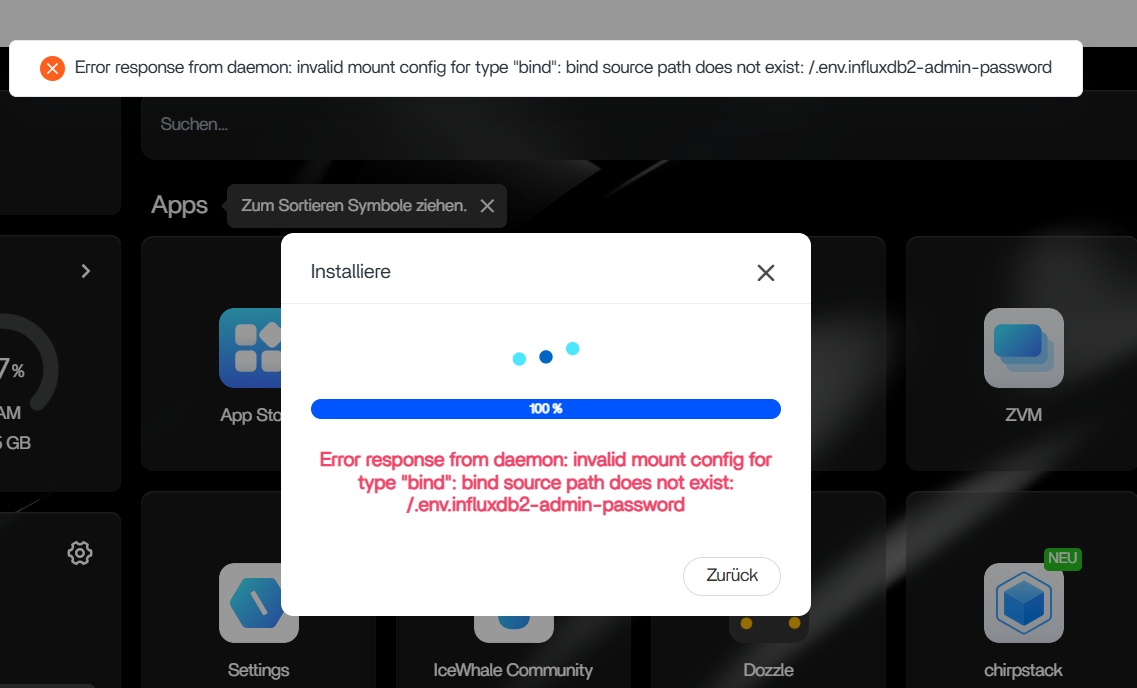
Does anyone know how to handle these secrets?